Identifying Potential Cyberattacks Through Email Requests
By Tom Seest
At BestCyberSecurityNews, we help teach entrepreneurs and solopreneurs the basics of cybersecurity and its impact on their businesses by using simple concepts to explain difficult challenges.
Please read and share any of the articles you find here on BestCyberSecurityNews with your friends, family, and business associates.
Should Email Requests for Private Info Alert You to Cyberattacks?
In today’s fast-paced digital world, a little common sense goes a long way—especially when it comes to the delicate dance we do with our personal information. Enter the email. That seemingly innocuous little message can often be a gateway, and whether we like it or not, it’s a stage for some really nasty characters. So, should you be on high alert anytime a request for private info pops up in your inbox? You bet you should.
Let’s talk Cybersecurity. It used to be a niche concern, reserved for the tech-savvy and the paranoid. But those days are long gone. Today, cybersecurity is everyone’s business. Most people are blissfully unaware of the risks that lurk in their inboxes, but every click can be a roll of the dice in a high-stakes game. Phishing attacks, the nasty underbelly of the Internet, prey on our innate trust and our tendency to skim through messages. A well-crafted email can arrive from what appears to be a legit source, claiming to need your name, address, and all those other little nuggets of information. If it seems off, take a beat. If it feels like a request out of the blue, run your brain through a checklist before diving in.
So, why the urgency? Our private information is like gold in the cyber world. Once it’s out there, it can be exploited in ways you’d never imagine. These cyber thugs are crafty, and they often use social engineering tactics to manipulate us into compliance. That’s why it’s essential to be skeptical—to cultivate a sense of healthy paranoia when dealing with unknown senders.
Imagine this: you get an email from “your bank,” complete with logos and official-looking jargon, asking you to verify your identity. If you didn’t initiate that contact, hit the brakes. Look for red flags: strange email addresses, odd phrasing, or links that don’t quite match up with the company’s website. Your lack of action could be the difference between safeguarding your data and opening the floodgates for disaster.
In our high-tech world, vigilance isn’t just a nice-to-have; it’s a necessity. Equip yourself with knowledge and skepticism, and don’t let your guard down. Emails asking for private information should always set off alarm bells. It’s a jungle out there—stay sharp and protect your turf.

Should Email Requests for Private Info Alert You to Cyberattacks?
Should Email Requests for Private Info Alert You to Cyberattacks?
- Common sense is crucial in managing personal information in today’s digital landscape.
- Email can serve as a gateway for cyber threats, making vigilance essential.
- Cybersecurity has become a universal concern, affecting everyone.
- Phishing attacks exploit trust and can appear to come from legitimate sources.
- Always verify requests for personal info and check for red flags in emails.
- Private information is highly valuable and can be exploited if compromised.
- Maintaining skepticism and vigilance is necessary to protect yourself from cyber threats.

Should Email Requests for Private Info Alert You to Cyberattacks?
Table Of Contents
- Should Email Requests for Private Info Alert You to Cyberattacks?
- How Do Cyberattacks Work Through Email?
- Should You Trust Unsolicited Email Requests?
- What Personal Info Should You Never Share?
- How Can You’verify The Sender Of An Email?
- What Are Common Tactics Used In Email Scams?
- How Can You Protect Your Email Account?
- What Should You Do If You Receive A Suspicious Email?
- Conclusion
- Other Resources
- Glossary Of Terms
- Other Questions
- Haiku
- Poem
- Checklist
How Do Cyberattacks Work Through Email?
In today’s digital world, where the internet is as crucial to our daily existence as the air we breathe, there’s an invisible war happening right beneath our screens. Just like you wouldn’t leave your front door wide open, it’s essential to understand how to bolster your defenses against the lurking dangers of the cyber realm. Let’s take a moment to delve into the ins and outs of how cyberattacks work through email—because, believe it or not, that little ding of an incoming message might just be the start of something far more sinister.
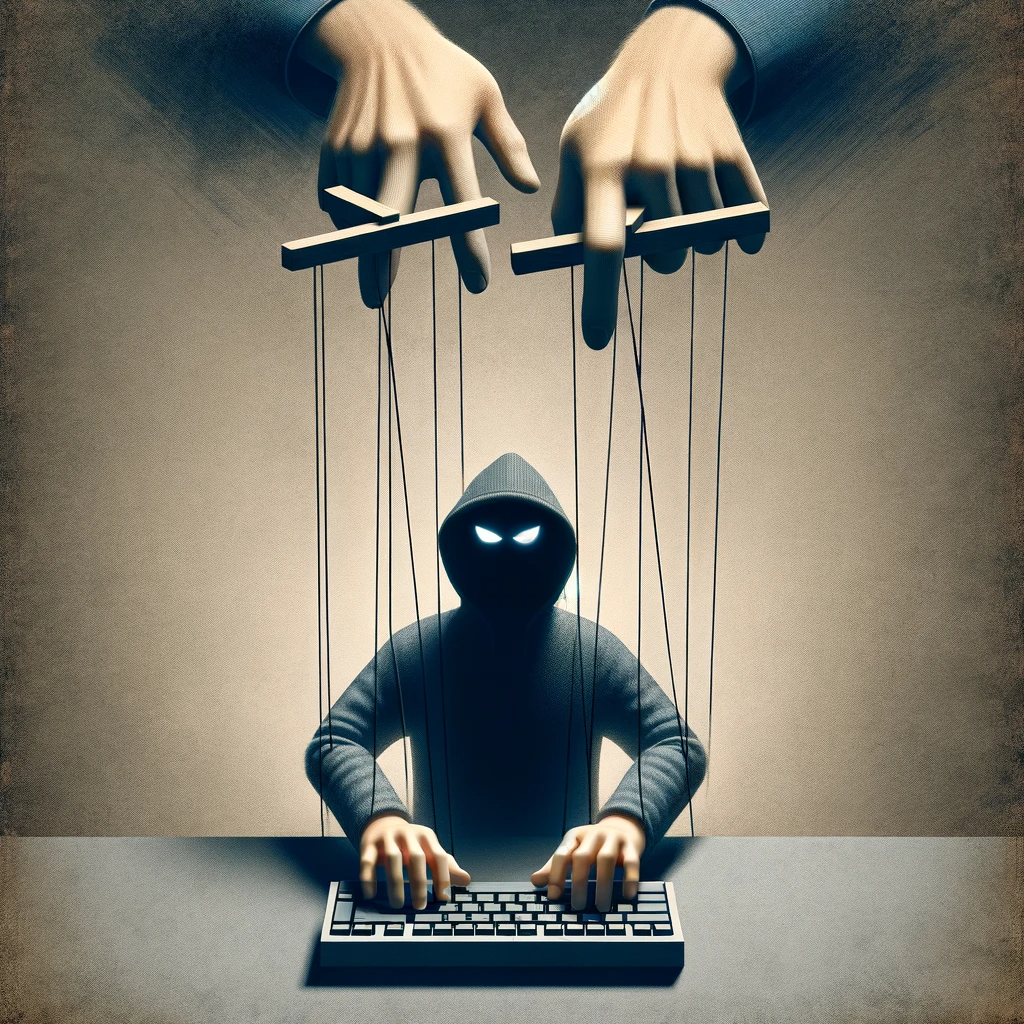
So, picture this: you’ve got your cup of coffee, it’s early morning, and you’re ready to take on the day. As you fire up your computer, you see a notification pop up—an email. Sounds harmless enough, right? However, this innocent act becomes a gateway for potential cybercriminals. They craft emails designed to look legitimate, often masquerading as a trusted source like your bank or a colleague. That’s where the art of deception shines. These attackers are not just throwing darts in the dark; they meticulously design their strategies, preying on human psychology and urgency to convince you to act.
At the core of this cyber warfare is an array of techniques often referred to as phishing. A cleverly crafted email may contain links or attachments that, if clicked, can unleash malware onto your system. This malicious software is a sly infiltrator, digging through your files and siphoning sensitive information. It’s a digital heist executed with finesse, leaving you vulnerable and exposed.
But it doesn’t stop there. Once a cybercriminal gains access, they may hold your data hostage through ransomware, effectively locking you out of your own files until you pay a hefty ransom. The psychological pressure mounts as time ticks by, making each day a tense battle against that ever-present threat looming in your inbox.
To combat this digital mayhem, cybersecurity is crucial. Implementing best practices, like using strong passwords, enabling two-factor authentication, and having a healthy skepticism towards unsolicited emails, can safeguard your personal and professional life against these electronic marauders. Educate yourself and your team about the signs of phishing attempts, and always maintain a watchful eye.
In this ever-connected age, understanding how cyberattacks work through email empowers you to stay a step ahead. After all, being informed is your best defense. So, the next time that email notification pings, remember: it may not just be correspondence; it could be a doorway to chaos. Stay alert and protect your digital frontier.

How Do Cyberattacks Work Through Email?
How Do Cyberattacks Work Through Email?
- The internet is essential to daily life, but it also hosts an invisible war against cyber threats.
- Cybercriminals can use deceptive emails to trick individuals into revealing sensitive information.
- Phishing is a common technique where emails appear legitimate, often mimicking trusted sources.
- Clicking on malicious links or attachments can lead to malware installation on your system.
- After gaining access, cybercriminals may use ransomware to hold personal data hostage for ransom.
- To protect against cyberattacks, implement best practices like strong passwords and two-factor authentication.
- Staying informed about phishing tactics and being vigilant can enhance your cybersecurity defenses.
How Do Cyberattacks Work Through Email?
Should You Trust Unsolicited Email Requests?
In today’s world, where our inboxes overflow like a cluttered garage, unsolicited email requests are almost as common as junk mail. But before you hit that reply button or click on an enticing link, let’s have a heart-to-heart about the world of cybersecurity. You see, these emails often come adorned in shiny packages, promising everything from incredible investments to undying love. Yet, behind that glossy exterior often lurks a grinning scammer ready to take advantage of your trust.
First things first, we need to ask ourselves a simple question: “Do I know this person?” If the answer is “no,” you’d be wise to approach that email like you would a strange dog lurking in your driveway. You wouldn’t just pet it, would you? Similarly, unsolicited emails can carry hidden dangers. Cybersecurity experts agree that these emails are a goldmine for digital mischief-makers. They use all sorts of tricks—from clever wording to official-looking logos—to lure you in.
Let’s break it down a bit. You might get an email that says you’ve won a prize from a contest you don’t remember entering. Fantastic! But wait, the catch usually involves you sharing personal information or clicking a link that could infect your computer with all sorts of malware. In this ever-evolving digital landscape, we must become modern-day explorers, carefully navigating the treacherous waters of spam and phishing.
When it comes to cyber threats, skepticism is your best friend. If you find yourself questioning the authenticity of an email, trust that instinct! Legitimate organizations rarely reach out to you without prior communication. Companies want to keep their reputations intact, not tarnish them by throwing unsolicited messages into the wild. So, if an email arrives out of the blue, make sure you do your due diligence—look for spelling errors, check the sender’s address, and don’t click on any suspicious links.
In this hustle and bustle of the digital age, pausing to think before responding can save you a heap of trouble. So the next time an unsolicited email request crashes into your inbox, remember: it’s better to be safe than sorry. Use that inner voice of reason, and consider the implications of your actions in the vast realm of cybersecurity. Your bank account, privacy, and overall peace of mind might very well depend on it.

Should You Trust Unsolicited Email Requests?
Should You Trust Unsolicited Email Requests?
- Unsolicited emails are as common as junk mail and pose significant cybersecurity risks.
- Always ask yourself if you know the sender; suspicious emails should be approached with caution.
- Scammers often use enticing messages, including fake prizes, to extract personal information.
- Cybersecurity experts warn that unsolicited emails can be a gateway for malware.
- Trust your instincts—legitimate organizations usually don’t reach out unexpectedly.
- Look for signs of phishing such as spelling errors and unfamiliar sender addresses before acting.
- Taking a moment to think before responding can protect your privacy and financial security.
Should You Trust Unsolicited Email Requests?
What Personal Info Should You Never Share?
In our increasingly digital world, the instinct to share information can sometimes blur the lines between openness and vulnerability. When it comes to our personal information, there are some things you should keep firmly under wraps. Cybersecurity experts would tell you that certain details can be your ticket to trouble if they fall into the wrong hands. So, let’s dive into what personal info should remain on the down low.
First and foremost, your Social Security number is sacred territory. It’s not just a series of digits; it’s the key that unlocks your financial history, credit score, and ultimately your identity. Sharing it, whether online or in conversation, is like tossing a VIP pass to identity thieves. Protect that number with the ferocity of a mother bear defending her cubs.
Next up on the “do not share” list is your bank account information. Here’s a no-brainer: if you wouldn’t walk into a crowded room and yell out your account number, don’t type it into an unsecured site, either. Cybersecurity boils down to common sense—no one should know your PIN, password, or any banking details besides you and your bank.
Now, let’s talk about passwords. Utilizing the same password across various platforms may seem convenient, but it’s a gamble you shouldn’t take. Passwords are meant to be complex, unique, and often changed. If someone gets hold of one, it could be an open invitation to breach your entire online life.
And while we’re sifting through this digital minefield, don’t forget the ever-important question of location. Your home address might seem harmless, but sharing it too freely can give more than just a glimpse into your life; it can open the door for unwanted visitors and even criminal behavior. Your geographic footprint is an extension of your identity, so treat it with the care it deserves.
In addition to these critical bits of information, avoid sharing personal family details, which can be all too enticing for social engineering scams. Information like your pet’s name, the name of your favorite elementary school, or even the make and model of your first car can be used to answer security questions and access sensitive accounts.
In summary, when it comes to personal info, less is often more. Remember, you’re the gatekeeper of your own information in the vast digital landscape. By shielding these tidbits from prying eyes, you’re not just protecting yourself; you’re keeping the chaos of the cyber world at bay. Stay smart, stay safe!

What Personal Info Should You Never Share?
What Personal Info Should You Never Share?
- The instinct to share information can blur lines between openness and vulnerability in the digital world.
- Your Social Security number is crucial; protect it fiercely to avoid identity theft.
- Avoid sharing bank account information—common sense dictates that personal financial details should be kept private.
- Use complex, unique, and frequently changed passwords to safeguard your online accounts.
- Be cautious when sharing your home address, as it can lead to unwanted visitors and safety concerns.
- Don’t disclose personal family details that can be used in social engineering scams, such as pet names or school names.
- Remember, you are the gatekeeper of your personal information—protect it to maintain safety in the digital landscape.

What Personal Info Should You Never Share?
How Can You’verify The Sender Of An Email?
In our increasingly digital world, where one click can change the course of a day—perhaps even a life—understanding how to verify the sender of an email can feel like trying to find a needle in a haystack. Cybersecurity is no longer just a buzzword; it’s your first line of defense against the seedy underbelly of the internet. So, what’s the best way to make sure that email hitting your inbox isn’t a digital Trojan horse?
First off, take a good look at the email address itself. Far too often, folks get wrapped up in the design of beautiful graphics and clever subject lines, forgetting to scrutinize the sender’s address. A quick inspection can reveal a lot—misspellings, strange characters, or odd domain names that don’t match up with the official company site are all red flags. Remember, hackers are crafty; they know how to imitate a familiar name but can’t always duplicate a legitimate email address.
Next, examine the content inside the email. Does it create a sense of urgency? “Act now!” or “Limited time offer!”? This kind of language is often a tactic used to rush people into making hasty decisions without really thinking them through. Moreover, look for grammatical errors or awkward phrasing. Legitimate companies usually employ professionals to craft their communications, while scammers often rely on hastily put-together messages that can scream “fraud” if you know what to look for.
Now, if you’re still uncertain, don’t hesitate to pick up the phone or shoot a message to the sender using a verified contact method. This might seem like common sense, but it’s a step far too many skip in their rush to respond. A quick check can save you from a world of heartache—trust me, your peace of mind is worth it.
Lastly, consider using email authentication tools. Services like SPF (Sender Policy Framework) and DKIM (DomainKeys Identified Mail) help verify that the sender is indeed who they claim to be. While these might sound like tech jargon, they’re essential tools in the realm of cybersecurity.
In a world that demands constant vigilance, arming yourself with these strategies to verify the sender of an email can help keep you safe from the digital dangers lurking just a click away. So take a breath, step back, and think critically—the only way to outsmart the crafty cybercriminals out there is to be one step ahead.

How Can You’verify The Sender Of An Email?
How Can You’verify The Sender Of An Email?
- Understanding email sender verification is crucial in today’s digital world to avoid potential threats.
- Carefully inspect the email address for misspellings, unusual characters, or mismatched domain names as these can indicate a scam.
- Be cautious of emails that create a sense of urgency, as they often aim to pressure you into making quick decisions.
- Look for grammatical errors and awkward wording; legitimate businesses usually have well-crafted communications.
- If in doubt, verify the sender through a confirmed contact method rather than replying directly to the email.
- Utilize email authentication tools like SPF and DKIM to ensure the sender’s legitimacy.
- Stay vigilant and adopt these strategies to protect yourself from cyber threats and scams.

How Can You’verify The Sender Of An Email?
What Are Common Tactics Used In Email Scams?
In the ever-evolving landscape of cybersecurity, email scams have become a veritable circus of deception, complete with slick tricks and flashy distractions. With scammers honing their craft like seasoned magicians, it’s crucial to understand the common tactics they employ to pull the wool over our eyes. Let’s take a closer look at what they’ve got up their sleeves.
First up, we have the classic phishing attack. This technique is as old as time itself. Scammers create seemingly legitimate emails that trick you into divulging sensitive information—like passwords or credit card numbers. They might mimic an official-looking email from your bank or a tech giant, complete with their logos and professional language. But beneath that polished veneer lies a cunning trap. Always scrutinize the sender’s address; a little attention to detail goes a long way.
Next, beware the urgent call to action. You know those emails that yell at you to “ACT NOW!”? This tactic plays on our instinct to panic. Whether it’s a message threatening account suspension or claiming a huge lottery win, scammers use urgency to push you into hasty decisions. Take a deep breath before you click that link or enter personal information—you’ll likely find that the “urgent” issue is as fabricated as the email itself.
Then there’s the use of social engineering. Scammers often pepper their emails with personal details—like your full name, address, or even details about your recent online activity. They harvest this information from social media and public databases, presenting themselves as familiar faces. This technique makes their deceit feel more genuine and can lull even the most cautious recipients into a false sense of security.
Let’s not forget about the attachment ruse. Email attachments can be ticking time bombs, loaded with malware designed to infiltrate your device. Scammers often use enticing descriptions such as “Invoice” or “Photo” to lure you into clicking their malicious attachments. Always exercise caution—if an email seems even slightly suspicious, it’s best to err on the side of caution.
Lastly, consider the power of giveaways and free offers. Who doesn’t love a freebie? Scammers exploit this desire, sending emails stuffed with promises of incredible prizes in exchange for your “verification.” Resist the temptation. If it sounds too good to be true, it probably is.
In a world where cybersecurity is paramount, knowledge truly is power. Stay vigilant, and remember—the safest key in your digital toolbox is skepticism.

What Are Common Tactics Used In Email Scams?
What Are Common Tactics Used In Email Scams?
- Email scams are increasingly sophisticated, involving deceptive tactics akin to magic tricks.
- Phishing attacks involve creating fake emails that mimic legitimate sources to obtain sensitive information.
- Urgent calls to action exploit panic, encouraging hasty decisions based on fabricated threats or promises.
- Scammers utilize social engineering by including personal details, making their schemes seem more credible.
- Email attachments can contain malware; they often use enticing labels to trick recipients into clicking.
- Giveaways and free offers lure individuals to provide personal information under false pretenses.
- Maintaining skepticism and vigilance are essential in protecting against these evolving cybersecurity threats.

What Are Common Tactics Used In Email Scams?
How Can You Protect Your Email Account?
In a world where your personal information can vanish faster than a hot knife through butter, protecting your email account is no longer just a good idea—it’s a necessity. Cybersecurity isn’t just a buzzword plucked from the latest tech report. It’s the shield you need to keep the hounds of the digital world at bay.
First off, let’s talk about passwords. Your password is the first line of defense, and if it’s as predictable as a summer blockbuster, you might as well throw your email account to the wolves. Craft a password that’s a mix of numbers, letters, and symbols—something only you would think of, or better yet, create a passphrase. That’s right, a combination of words strung together into a quirky sentence. It’s hard to crack and easier to remember. Think “BlueElephantDancesAtMidnight,” and you’re golden. Don’t make it easy for the cybercriminals lurking in the shadows, hoping you’ll slip up.
Next, enable two-factor authentication (2FA). If you haven’t heard of this little gem, it’s time to get acquainted. This feature adds an extra layer of protection by requiring not just your password, but also a code sent to your phone or app. It’s like having a bouncer at the door of your email account. Even if a hacker miraculously figures out your password, they’ll be stopped in their tracks when they can’t get that 2FA code.
Then there’s the classic ‘think before you click.’ You know the drill—phishing emails are the equivalent of wolves dressed in sheep’s clothing. The sender may look legitimate, but don’t take the bait. If you get a surprise email from your bank requesting information or urging immediate action, take a breath. Visit your bank’s website directly, bypassing the dubious link. It’s all too easy to end up in a pit of malware if you’re not careful.
Also, keep your software updated. When those pesky update notifications pop up, don’t ignore them. They’re essential fixes that patch vulnerabilities—think of them as armor for your online presence.
Lastly, routinely check your account settings and recent activity. If something looks fishy, don’t wait for a sign—instead, act swiftly. Cybersecurity is a team effort, and that means you need to stay vigilant for your everyday digital life. Taking these steps isn’t just smart; it’s essential for anyone who values their online identity. So protect that email account like it’s a five-star secret.

How Can You Protect Your Email Account?
How Can You Protect Your Email Account?
- Protecting your email account is a necessity in today’s digital world.
- Your password is the first line of defense; use a strong password or a passphrase.
- Consider creating a passphrase, like “BlueElephantDancesAtMidnight,” for better security.
- Enable two-factor authentication (2FA) for an additional layer of protection.
- Be cautious with emails; avoid clicking links in suspicious messages to prevent phishing attacks.
- Keep your software updated to patch vulnerabilities and protect your online presence.
- Regularly check your account settings and recent activity for any unusual actions.

How Can You Protect Your Email Account?
What Should You Do If You Receive A Suspicious Email?
In today’s digital world, it can be tough to distinguish between an innocent message and a potential cyber threat. If you find yourself staring at an email that feels off—maybe it’s from a sender you don’t recognize, the language is too formal, or it just doesn’t sit right with you—your instincts are likely right. Understanding what to do next is as critical as having a good toolbox in your workshop.
First things first: don’t panic. Fake emails—often referred to as phishing attempts—are not just the stuff of movie plots; they’re a daily reality in the realm of cybersecurity. Take a breath. This is an opportunity for you to flex your critical thinking muscles. Study the sender’s address closely. Does it match the organization’s official domain? Let’s say you receive an unexpected email purportedly from your bank. If the email is from “yourbank123@gmail.com,” rather than “yourbank.com,” it’s a glaring red flag.
Next, resist that urge to click on any links or attachments. This can open up the digital floodgates to malware or other nasty surprises. It’s like opening a box full of angry hornets—you wouldn’t do that without a good reason, right? Instead, navigate to the official website of the organization in question, and see if there’s any mention of the email. Most reputable organizations have security notices for their customers.
If you’re still unsure, gather evidence. Take screenshots, save the email, and note any unusual details. Information can be the key to understanding whether you’re facing a run-of-the-mill scam or something more insidious. Consider reporting it. Most companies have dedicated teams that analyze suspicious emails, and your report can help them strengthen their security measures.
Finally, when in doubt, seek advice from tech-savvy friends or family—there’s no shame in asking for help. When it comes to cybersecurity, the collective knowledge of your network can be invaluable.
Remember, a suspicious email may just be an annoying digital fly buzzing around your day, but if you handle it thoughtfully, you can prevent it from becoming a full-blown hornet’s nest. Your vigilance matters, so keep that radar on and protect yourself from the unseen threats lurking just behind the screen. Stay alert, stay informed, and keep those online defenses robust!

What Should You Do If You Receive A Suspicious Email?
What Should You Do If You Receive A Suspicious Email?
- Difficult to differentiate between innocent messages and potential cyber threats in digital communications.
- Stay calm when encountering a suspicious email; phishing attempts are common.
- Examine the sender’s email address for authenticity, comparing it to the official domain of the organization.
- Avoid clicking links or attachments; use the organization’s official website for verification instead.
- Gather evidence by taking screenshots and noting unusual details, which can help assess the threat.
- Consider reporting suspicious emails to organizations for further analysis and security enhancement.
- Consult tech-savvy friends or family if unsure; their knowledge can be beneficial for cybersecurity matters.

What Should You Do If You Receive A Suspicious Email?
Conclusion
Alright folks, let’s wrap this up. In a world where your personal information is like a shiny bauble just waiting to be snatched by digital thieves, vigilance is no longer a luxury; it’s an absolute necessity. Each email you receive is a potential Pandora’s box of risks—and opening that box without a careful look inside can lead to disaster. Cybersecurity may have once lived in the realm of tech enthusiasts and conspiracy theorists, but today, it’s something we all need to grasp.
When you see an email request for personal info, consider it your personal alarm bell. Trust your gut—it’s there for a reason. Cybercriminals are crafty. They create emails that look surprisingly legitimate, using clever tricks to tug on the strings of our trust. But here’s the kicker: if you didn’t start that conversation, don’t engage. Hit the brakes and scrutinize the sender’s address, the language, and those urgent calls to action. It’s all too easy to be fooled by professionalism on the surface—and that’s exactly how you end up handing over your digital life to a scammer.
Remember, your private information is akin to gold in the cyber underbelly. Once it’s out there, it’s like tossing a match into a gas station. That’s why it’s critical to vet any request for personal information, especially from strangers. Be aware of what personal data you should never share, protecting your Social Security number, bank details, and complex passwords like they’re your family’s heirlooms.
Education is your armor, folks—stay informed on the common tactics used in email scams and know how to verify any suspicious senders. Utilize two-factor authentication as an extra safeguard, and never hesitate to reach out for help if things look dodgy.
At the end of the day, staying safe online boils down to good old-fashioned common sense and a dash of healthy skepticism. So, the next time you hear that little ping in your inbox, remember: it could just be correspondence—or it might just be a gateway to chaos. Protect your digital turf with vigilance, and you can rest easy knowing that you’re staying several steps ahead of those cyber hucksters. Exercise caution, and your online life will be all the better for it. Stay sharp out there!

Conclusion
Conclusion:
- Personal information is valuable and requires constant vigilance to protect.
- Every email request for personal info should be treated as a potential threat.
- Trust your instincts; if you didn’t initiate communication, don’t engage.
- Carefully scrutinize the sender’s address and language to spot scams.
- Protect sensitive data like Social Security numbers and bank details as if they were precious heirlooms.
- Stay informed about email scams and use two-factor authentication for added security.
- Exercise common sense and skepticism when dealing with online communications to stay safe.

Conclusion
Other Resources

Other Resources
Here is a list of other resources you can review online to learn more:
- RoundTower Technologies
- VirtualArmour
- Kyber Security
- Cipher Security LLC
- Abrisuite
- NDSE
- BlackFog
- BlueVoyant
- Telstra
- Ackcent Cybersecurity
Use This Prompt To Get More Resources With Your Favorite Online AI Tool: Please provide me with a list of online articles with their URLs in a bulleted list that I can read regarding Should Email Requests for Private Info Alert You to Cyberattacks?

Other Resources
Glossary Terms
Should Email Requests for Private Info Alert You to Cyberattacks? – Glossary Of Terms
1. Phishing: A fraudulent attempt to obtain sensitive information by disguising as a trustworthy entity in electronic communication.
2. Spear Phishing: A targeted form of phishing where the attacker customizes their messages to a specific individual or organization.
3. Social Engineering: Manipulative tactics used by attackers to exploit human psychology in order to obtain confidential information.
4. Malware: Malicious software designed to disrupt, damage, or gain unauthorized access to computer systems.
5. Spoofing: The act of disguising a communication from an unknown source as being from a known, trusted source.
6. Ransomware: A type of malware that encrypts a victim’s data, demanding payment for the decryption key.
7. Credential Theft: The unauthorized acquisition of user names and passwords for access to secure systems.
8. Two-Factor Authentication (2FA): A security process requiring two forms of identification before granting access to an account.
9. Encryption: The method of converting data into a coded format that can only be read by someone who has the decryption key.
10. Spam: Irrelevant or unsolicited messages sent over the internet, often used for advertising or phishing.
11. Data Breach: An incident where unauthorized individuals gain access to confidential data.
12. Identity Theft: The obtaining and using of someone else’s personal information without their permission, often for financial gain.
13. Cyber Hygiene: Practices and steps that users take to maintain system health and security, such as regularly updating passwords.
14. Security Awareness Training: Educational programs aimed at informing and training employees about security risks and best practices.
15. Brute Force Attack: A trial-and-error method used to decode encrypted data, often by guessing passwords.
16. Domain Name Spoofing: Creating a fake domain name that closely resembles a legitimate one to deceive users.
17. Botnet: A network of infected computers that can be controlled remotely to perform malicious tasks.
18. Vulnerability: A weakness in a system that can be exploited by cyber attackers to gain unauthorized access.
19. Firewall: A security system that monitors and controls incoming and outgoing network traffic based on predetermined security rules.
20. Whaling: A type of phishing attack that specifically targets high-profile individuals such as executives or important personnel.
21. Zero-Day Exploit: A vulnerability in software that is unknown to the vendor and for which no patch has been developed yet.
22. Incident Response: The approach taken by an organization to identify, contain, and remediate a cybersecurity incident.
23. Red Flags: Warning signs or indicators that suggest potential fraudulent activity or cyber threats.
24. Keylogger: A type of surveillance software that records keystrokes made by a user, capturing sensitive information like passwords.
25. Trojan Horse: A type of malware disguised as legitimate software, which can give attackers access to a user’s system.
26. Black Hat Hacker: An individual who uses hacking skills for malicious purposes, often violating laws and ethical standards.
27. White Hat Hacker: A cybersecurity expert who uses hacking skills to improve security systems and protect against cyber threats.
28. Public Wi-Fi Risks: The vulnerabilities associated with using unsecured public wireless networks, making users susceptible to attacks.
29. Bait and Hook Attack: An approach where attackers use enticing offers to lure individuals into providing their private information.
30. Threat Intelligence: Information that organizations collect and analyze about potential threats to prevent cyberattacks.

Glossary Of Terms
Other Questions
Should Email Requests for Private Info Alert You to Cyberattacks? – Other Questions
If you wish to explore and discover more, consider looking for answers to these questions:
- What are the signs of a phishing email?
- How can I report a suspicious email?
- What should I do if I accidentally clicked on a suspicious link?
- How can I educate myself further on cybersecurity?
- What are some common phishing email examples?
- Is it safe to use public Wi-Fi when checking emails?
- What tools or software can I use to enhance my email security?
- How often should I change my passwords?
- What are the consequences of falling for an email scam?
- What types of personal information are most commonly targeted by cybercriminals?
- Can cybercriminals access my information through social media?
- What legal protections do I have against identity theft?
- How can two-factor authentication protect my email account?
- Are there any steps I can take to recover from identity theft?
- How do I create a strong password?
Other Questions
Haiku
Should Email Requests for Private Info Alert You to Cyberattacks? – A Haiku
Email holds secrets,
Warnings in requests lie,
Trust not every ping.

Haiku
Poem
Should Email Requests for Private Info Alert You to Cyberattacks? – A Poem
In the Inbox of Shadows
In the dance of pixels, a message arrives,
A glimpse of the world, where trust often thrives.
Yet hidden in bytes, a dark shadow may creep,
A whisper of danger, a promise to reap.
An email, so innocent, may lure with a smile,
“Verify your info,” it beckons, beguile.
But pause for a heartbeat, let common sense reign,
For phishers and hackers thrive on your strain.
Your data’s like treasure, a coveted prize,
Guard it like secrets, don’t open your eyes.
Social Security, passwords, and codes,
In the realm of the cautious, wisdom explodes.
Should urgency flare, a red flag to raise,
“Act now!” they implore, in their cunning charades.
Instead, take a breath; examine with care,
For haste could unlock a harrowing snare.
Trust not the allure of unsolicited calls,
For scammers lie hidden in glittering halls.
Look closely at addresses, and read what you see,
In a forest of ruse, skepticism’s key.
So, safeguard your realm, your email domain,
With strong passwords bolted, let vigilance reign.
Two-factor authentication, a stout fortress’ wall,
And updates to armor against threats that befall.
When in doubt of a stranger who writes with allure,
Check links with caution and motives obscure.
Report what feels wrong; don’t hesitate long,
For knowledge is power, and together we’re strong.
In this vast digital jungle, keep radar attuned,
For safety resides where doubt is festooned.
Stay sharp and informed, let wisdom guide you,
In the inbox of shadows, let light filter through.

Poem
Checklist
Should Email Requests for Private Info Alert You to Cyberattacks? – A Checklist
Checklist: Recognizing and Responding to Potential Cyberattacks via Email
1. Evaluate the Email Sender:
_____ ✅ Check the sender’s email address for discrepancies or misspellings.
_____ ✅ Look for unusual domain names that do not match the official company website.
2. Scrutinize Email Content:
_____ ✅ Identify any sense of urgency, such as phrases like “Act now!” or “Limited time offer. ”
_____ ✅ Look for grammatical errors or awkward phrasing that may indicate a scam.
3. Never Share Sensitive Information:
_____ ✅ Keep your Social Security number private.
_____ ✅ Do not share bank account information, passwords, or any personal identification details.
_____ ✅ Avoid sharing responses to security questions easily found through social media.
4. Verify Requests for Information:
_____ ✅ Don’t click on links or download attachments from unsolicited emails.
_____ ✅ Call or contact the organization through official channels to confirm the legitimacy of the request.
5. Utilize Strong Security Measures:
_____ ✅ Create strong, unique passwords for all accounts and consider using a passphrase.
_____ ✅ Enable two-factor authentication (2FA) for an extra layer of security.
6. Stay Educated on Scams:
_____ ✅ Be aware of common email scam tactics, including phishing, urgency, social engineering, and enticing offers.
7. Report Suspicious Emails:
_____ ✅ Document and report any suspicious emails to the relevant company or email provider.
_____ ✅ Share information about potential scams with friends and family.
8. Keep Software Updated:
_____ ✅ Regularly update your software and security systems to protect against vulnerabilities.
9. Trust Your Instincts:
_____ ✅ If something feels off about an email, trust your instincts and investigate before taking action.
10. Seek Help When Unsure:
_____ ✅ Don’t hesitate to ask for advice from tech-savvy friends or family if you receive a suspicious email.
Keep this checklist handy to help you navigate the digital landscape safely and protect your personal information from potential cyber threats!

Checklist
At BestCyberSecurityNews, we help teach entrepreneurs and solopreneurs the basics of cybersecurity and its impact on their businesses by using simple concepts to explain difficult challenges.
Please read and share any of the articles you find here on BestCyberSecurityNews with your friends, family, and business associates.