


Protect Yourself From Tech Support Scammers
By Tom Seest
At BestCyberSecurityNews, we help teach entrepreneurs and solopreneurs the basics of cybersecurity and its impact on their businesses by using simple concepts to explain difficult challenges.
Please read and share any of the articles you find here on BestCyberSecurityNews with your friends, family, and business associates.
Is Your Computer Being Hijacked By Tech Support Scammers?
Picture this: you’re sitting in your favorite chair, a steaming cup of coffee at your side, and you’ve finally carved out a moment to catch up on your favorite shows or tackle that mountain of emails. You click on your browser, and suddenly, an alarm blaring message pops on the screen. “Your computer has been compromised! Call this number NOW!” Sounds familiar, right? A taste of modern-day paranoia. You’re not alone in this.
Welcome to the wild world of tech support scammers, where the wolves dress in sheep’s clothing. They’re lurking in the digital shadows, watching for unsuspecting folks like you. Why? Because, let’s face it, you’ve worked hard for your devices, your data, and your peace of mind. That sound you hear? It’s the glee of someone plotting how to hijack your computer—and your hard-earned money—right from their couch.
It doesn’t matter if you’re a tech whiz or someone who still struggles with a DVD player. Scammers are crafty, often using fear tactics to manipulate the unsuspecting. A pop-up promising “free diagnostics” or a friendly voice on the line might sound plausible, but remember: If it feels off, it probably is. Cybersecurity isn’t just a buzzword; it’s your shield. Being aware of threats is your first line of defense.
What can you do? First, breathe. Remember, your computer isn’t a helpless victim—it has protection built in. Check your software updates, run an antivirus scan, and maintain a healthy skepticism toward unsolicited calls or messages. That unsettling urgency they create is designed to push you into a corner. Don’t let them. Speak up and tell them you’ll contact someone you trust instead. Trust your instincts; staying informed is your best armor.
And if you find yourself in the nightmare of having engaged a scammer? Don’t panic. Take action! Call your bank, report the incident, and change your passwords. This is about more than just reclaiming your peace of mind; it’s about safeguarding your future.
In this digital age, protecting our cybersecurity begins with staying vigilant. Knowledge is power, and you have the tools at your disposal. So, put on your digital armor, and let’s reclaim our spaces from these unwanted intruders. After all, it’s not just tech; it’s your life.

Is Your Computer Being Hijacked By Tech Support Scammers?
Is Your Computer Being Hijacked By Tech Support Scammers?
- Tech support scammers create a pervasive sense of paranoia among users.
- They exploit fear tactics to manipulate both tech-savvy individuals and novices.
- “Free diagnostics” pop-ups and unsolicited calls are common scam techniques.
- Staying informed and skeptical is crucial for cybersecurity protection.
- Regularly check software updates and run antivirus scans to protect your devices.
- If engaged by a scammer, take immediate action by contacting your bank and changing passwords.
- Knowledge and vigilance are key in reclaiming digital spaces from scammers.

Is Your Computer Being Hijacked By Tech Support Scammers?
Table Of Contents
- Is Your Computer Being Hijacked By Tech Support Scammers?
- What Are The Signs That Your Computer Is Being Hijacked?
- How Do Tech Support Scammers Operate Their Scams?
- What Steps Can You Take To Verify A Tech Support Call?
- How Can You Protect Yourself From Tech Support Scams?
- Are There Legitimate Tech Support Services To Trust?
- How Can You Report Tech Support Scams Effectively?
- What Tools Can Help You Detect Or Prevent Scams On Your Device?
- Conclusion
- Other Resources
- Glossary Of Terms
- Other Questions
- Haiku
- Poem
- Checklist
What Are The Signs That Your Computer Is Being Hijacked?
You know that feeling when you sit down at your computer for a little quiet time with your favorite movie or a new project? Suddenly, the whole thing feels like it’s moving in slow motion, like it’s dragging a two-ton anchor behind it. It’s frustrating, isn’t it? But let’s face it—sometimes, that lag is just a sign that your computer could use an update. Other times, however, it’s a glaring warning sign that something sinister is afoot.
In the world of cybersecurity, an unexpected change in performance can be a red flag. If your machine starts running hot, slowing down, or crashing more than your favorite sitcom, it might not just be a bad day for your hard drive. Watch for frequent pop-ups or strange ads when you’re not browsing. Those unsolicited invitations to “click here” can be more than just annoying; they could well be an invitation to a serious breach.
Then there’s the mysterious case of the vanished files. You know what you had. You can picture that carefully-organized folder in your mind. Yet it seems to have pulled a Houdini and disappeared without a trace. This could signal unauthorized access. Curious characters digging around in your digital files might be working on something you really don’t want them to.
Don’t forget about the pesky changes to your homepage or default search engine. If suddenly your computer is directing you to unfamiliar territory instead of your go-to sites, that’s a clear indicator that someone else is steering the ship. It’s your computer, after all; you should’ve been at the helm, not some unsavory character lurking in the shadows.
And let’s talk about your passwords. If you find yourself locked out of accounts for no good reason, or worse, receiving password reset emails you didn’t request, it’s time to don your detective hat. This type of cyber trickery can tear through your online life like a hot knife through butter.
Here’s the good news—if you’re spotting these signs, you’re already one step ahead. Empower yourself with knowledge, stay vigilant, and take action! Regular updates, strong passwords, and quality antivirus software can go a long way to beefing up your defenses. Consider it your personal cybersecurity armor. So, the next time you sense trouble within your computer, remember: staying informed is your best offense.

What Are The Signs That Your Computer Is Being Hijacked?
What Are The Signs That Your Computer Is Being Hijacked?
- Slow computer performance can indicate the need for updates or potential cybersecurity threats.
- Unexpected symptoms such as overheating or frequent crashes may suggest unauthorized access or malware.
- Frequent pop-ups or strange ads appearing could signal a serious security breach.
- Disappearance of files may indicate someone has unauthorized access to your system.
- Changes to your homepage or default search engine can be a sign of malicious activity.
- Being locked out of accounts or receiving unexpected password reset emails calls for immediate attention.
- Staying informed, using strong passwords, and regular updates are critical for maintaining cybersecurity.

What Are The Signs That Your Computer Is Being Hijacked?
How Do Tech Support Scammers Operate Their Scams?
Let’s picture a familiar scene: You’re cruising along on your computer, perhaps browsing the latest news or catching up with friends on social media, when out of nowhere, an ominous pop-up appears. It’s got the urgency of a fire alarm during a calm afternoon, declaring that your system is infected with a virus, and that immediate action is required. Sounds familiar? Now, you might be wondering where this sudden alarm came from and, more importantly, should you panic?
Here’s where the tech support scammer swoops in like a hawk circling its unsuspecting prey. With a clever mix of fear and urgency, these scammers exploit the unpreparedness of everyday folks just like you and me. They often begin their operation with a well-crafted message that appears legitimate, usually masquerading as a tech support alert from a trusted company. It’s no surprise that even the savviest internet users can get caught off-guard in the whirlwind of cybersecurity concerns.
The gameplay continues as they strike up a conversation. Within moments, they’ll introduce themselves as “support agents.” These individuals exude confidence and authority, which is, unfortunately, all a part of the act. They push the buttons of worry and anxiety, convincing you that only they hold the key to your digital salvation. The next thing you know, you’re divulging personal information or, worse, allowing them remote access to your device. Talk about inviting trouble right into your home!
These scammers are skilled puppeteers. As they pull on the strings of your fear, they might even engage you in a convincing dialogue about how they’re just looking out for your safety—the “concerned friend” angle. They rely on manipulation tactics, creating a false sense of connection that feels more personal than it is. For many, it begins to feel like a lifeline, even when it’s truly an anchor dragging them down.
So, what’s the takeaway here? Trust your instincts. Remember that no reputable tech company will cold-call you out of the blue or send alarming pop-up messages. If something feels off, it probably is. Empower yourself with knowledge about cybersecurity to navigate the murky waters of tech support scams. Stay vigilant, stay informed, and always think twice before handing over your digital keys to anyone who hasn’t earned your trust. Understanding their methods helps you build a solid shield against their deceitful tactics. It’s time to outsmart the scammers, one click at a time.

How Do Tech Support Scammers Operate Their Scams?
How Do Tech Support Scammers Operate Their Scams?
- The article describes a common scenario where users receive alarming pop-ups about a system virus.
- Tech support scammers exploit fear and urgency to catch unsuspecting individuals off-guard.
- These scammers often present themselves as “support agents” claiming to offer help.
- They manipulate feelings of anxiety, leading victims to share personal information or grant remote access to their devices.
- Scammers create a false sense of connection by portraying themselves as concerned friends looking out for safety.
- It’s essential to trust your instincts and recognize that reputable companies won’t cold-call or send alarming messages.
- Staying informed about cybersecurity can help users outsmart scammers and protect their personal information.
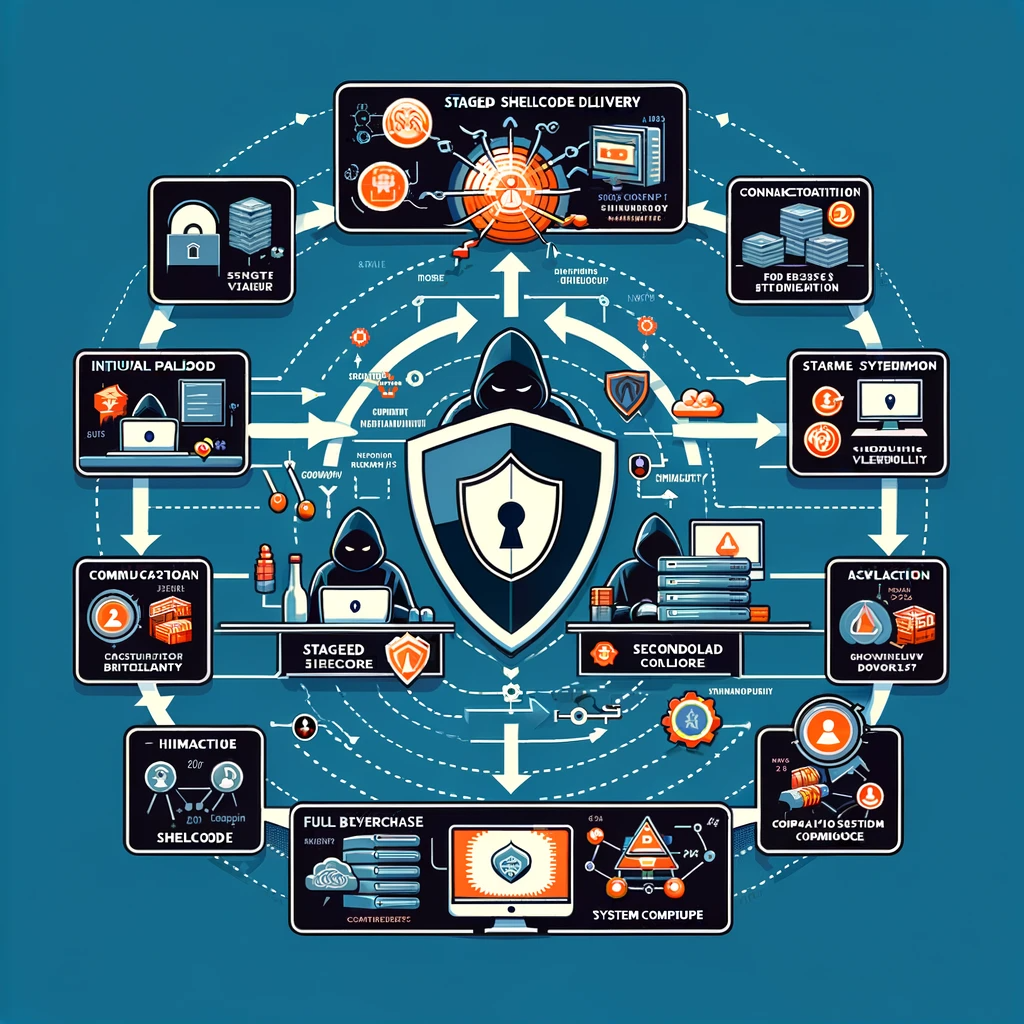
How Do Tech Support Scammers Operate Their Scams?
What Steps Can You Take To Verify A Tech Support Call?
So, you’ve gotten a call from someone claiming to be your friendly neighborhood tech support technician, huh? First off, let’s not panic. There’s a fine line between trusting your gut and letting your guard down. After all, these days, cybersecurity is no joke. So, let’s roll up our sleeves and break down some solid steps you can take to verify that call before you even think about handing over any of your precious information.
1. Take a Breather. Seriously. The moment someone tells you there’s an issue with your computer, it’s easy to feel a wave of panic wash over you. Don’t let fear control you. Take a deep breath and remember: it’s perfectly fine to hang up and think it over.
2. Look for Red Flags. Did they call unexpectedly? Is their pitch filled with urgency, pushing you to act quickly? Scammers thrive on fear. A legitimate tech support call will be calm and collected—never frantic.
3. Ask Questions. Just like any good conversation, don’t be afraid to inquire. Ask them for their name, their employee ID, or a callback number. If they can’t provide you with this information quickly and confidently, it’s time to raise that caution flag.
4. Validate Their Claims. Now, if they mention a particular company, don’t take it at face value. Look up the official website of the company they claim to represent, and contact their customer support directly. Ask them if they’re conducting any outreach. Nothing builds trust like confirming the source.
5. Don’t Give In to Pressure. They might beg to access your computer or share personal information. A reputable support team understands that you’re cautious—and will respect your need for verification. If you feel cornered, just hang up. Your cybersecurity is paramount, and no legitimate call should make you feel pressured.
6. Trust Your Instincts. If any part of that call feels off—trust that feeling. It’s better to be safe than sorry. Verifying a tech support call isn’t just smart; it’s necessary in today’s digital world where every click could open a doorway to trouble.
Take these steps to arm yourself with knowledge and confidence next time the phone rings. Remember, when it comes to tech support calls, you are in control. Stay vigilant, stay smart, and keep that cyber-door bolted tight!

What Steps Can You Take To Verify A Tech Support Call?
What Steps Can You Take To Verify A Tech Support Call?
- Stay calm and don’t panic during unexpected tech support calls.
- Look for red flags, such as urgency or unexpected calls, which could indicate a scam.
- Ask for identification details like name, employee ID, or a callback number.
- Validate their claims by contacting the official company they claim to represent.
- Don’t give in to pressure; legitimate tech support will respect your caution.
- Trust your instincts; if something feels off, it’s better to verify.
- Empower yourself with knowledge to take control of tech support interactions.

What Steps Can You Take To Verify A Tech Support Call?
How Can You Protect Yourself From Tech Support Scams?
Let’s face it: the digital world can feel like the Wild West sometimes. Just when you think you’ve got a handle on it, a tech support scam pops up and leaves you scratching your head. It’s frustrating, it’s disheartening, but it doesn’t have to be the end of the line. In fact, by taking a few straightforward steps, you can bolster your cybersecurity and become your own first line of defense.
First things first: knowledge is power. Familiarize yourself with what legitimate tech support looks like. Companies usually provide official channels for assistance—think websites and authorized help lines—rather than unsolicited calls or pop-up ads. If someone is pushing you to fix a problem you didn’t even know you had, that’s a red flag waving in the wind. Trust your instincts; if something feels off, it probably is.
Second, consider the art of skepticism. Scammers often thrive on creating urgency, making you feel as if you’ve got no choice but to act fast. “Your computer is infected! Call us now!” They want you frazzled, so take a deep breath. Pause and think before you pick up that phone or click that link. By taking a moment to reassess the situation, you can save yourself a world of trouble.
Third, don’t hesitate to hang up and research. If you receive a suspicious call claiming to be from a well-known tech company, look up their official contact information and reach out to them directly to verify. It’s not rude; it’s savvy. Remember, reputable companies will never pressure you into a decision on the spot.
Lastly, consider enhancing your cybersecurity measures. Install reputable antivirus software, keep your system updated, and enable firewalls. These tools won’t make you invincible, but they can certainly make it harder for scammers to slip through the cracks and get to you.
And don’t forget to share your knowledge. Talk to friends and family about tech support scams. We’re all in this together, and by fostering a sense of community awareness, we can protect each other. The path to a safer digital experience isn’t paved with fear—it’s built on connection, understanding, and a little bit of elbow grease. So roll up your sleeves, and let’s safeguard our virtual lives!

How Can You Protect Yourself From Tech Support Scams?
How Can You Protect Yourself From Tech Support Scams?
- The digital world can feel chaotic, with tech support scams causing frustration.
- Knowledge is power: learn to recognize legitimate tech support channels.
- Be skeptical of urgent messages demanding immediate action; take your time to assess.
- Research suspicious calls by verifying official contact information from reputable companies.
- Enhance cybersecurity by installing antivirus software, keeping systems updated, and enabling firewalls.
- Share information about tech support scams with friends and family to build community awareness.
- Protecting your digital experience involves connection, understanding, and proactive measures.

How Can You Protect Yourself From Tech Support Scams?
Are There Legitimate Tech Support Services To Trust?
When your computer starts acting squirrelly or your smartphone decides to throw a tantrum, it’s easy to feel a sense of panic creeping in. In those moments of tech-induced anxiety, the world of tech support can seem a bit like a minefield. With so many options available, how do you know which services are the real deal? Fear not! There are trustworthy tech support services out there, and finding them can be a little like discovering a hidden gem in your own backyard.
First, let’s talk cybersecurity—an essential consideration when seeking tech help. You wouldn’t invite a stranger into your home without knowing a thing about them, right? The same mindset applies when entrusting your devices to a tech support service. Legitimate companies prioritize cybersecurity; they’ll make it crystal clear how they keep your data safe and secure. When a company uses end-to-end encryption, two-factor authentication, and transparent privacy policies, they’re showing they value your security just as much as you do.
So where do we start? Look for established providers with a solid reputation. Companies with glowing reviews or recommendations from friends and family are often a safe bet. Dig into their resources—many reputable companies provide knowledge bases, FAQ sections, and even live chat support. It’s all about creating a space where you feel heard and valued, and genuine services will go above and beyond to create that environment.
Next, don’t hesitate to ask questions! A legitimate service won’t shy away from providing detailed answers about their processes and pricing. If you sense hesitant responses or vague information, it might be time to walk away. Trustworthy tech folks thrive on transparency. They should be able to explain the ins and outs of the services they offer and how they will resolve your issue while keeping your digital life safe.
Lastly, remember that tech troubleshooting doesn’t have to be an island adventure; you don’t have to tackle software malfunctions or internet woes alone. Building a relationship with a reliable support service means you’ll be prepared for whatever technology throws your way. Whether it’s a simple fix or a deep dive into cybersecurity measures, finding that trustworthy partner can take the fear out of tech troubles. Trust your instincts, do your homework, and soon enough, you’ll be back to enjoying all the benefits of technology—safely and soundly.

Are There Legitimate Tech Support Services To Trust?
Are There Legitimate Tech Support Services To Trust?
- Tech-induced anxiety can arise when devices experience issues, prompting the need for reliable tech support.
- Prioritize cybersecurity by choosing tech services that emphasize data safety, using tools like end-to-end encryption and two-factor authentication.
- Look for established tech support providers with solid reputations and positive reviews from trusted sources.
- Reputable companies often offer informative resources like knowledge bases, FAQs, and live chat support.
- Ask questions about processes and pricing; legitimate services should be transparent and willing to provide detailed answers.
- Building a relationship with a reliable tech support service can simplify addressing future technology issues.
- Trust your instincts and do thorough research to find trustworthy tech support and enjoy technology safely.

Are There Legitimate Tech Support Services To Trust?
How Can You Report Tech Support Scams Effectively?
In a world where our devices are more than just tools—they’re gateways to our lives—one would expect a level of safety that matches our dependence on technology. Unfortunately, tech support scams lurk in the shadows, waiting to prey on the unsuspecting. But fear not! Reporting these scams is not only your right but a vital part of reinforcing our shared cybersecurity. Together, we can make a difference.
First things first, know that you’re not alone. Millions face similar challenges daily, and the first step towards resolution is recognizing the threat. If you’ve been targeted, take a deep breath. The emotions you feel—frustration, embarrassment, maybe even anger—are completely normal. You’ve walked through a minefield, yet here you are, ready to stand up and speak out. That’s courageous.
The next step? Grab your device and gather evidence. Documentation is critical. Take screenshots, jot down names, and note phone numbers or email addresses. This evidence is not just important—it’s the ammunition that helps you and others combat these schemes. It’s like being a detective in your own cyber thriller! And you’re doing it for a greater purpose—helping others avoid the same pitfalls.
Now, let’s move to the real meat of reporting. Start with local authorities, like your state’s consumer protection agency. They need to know what’s going on in their backyard. After that, tune in to the Federal Trade Commission (FTC). Their website is a treasure trove of resources and forms specifically for reporting tech support scams. If you’re feeling particularly bold, let the FBI know as well; they’re keen on tackling cybercrime too. Simply put, the more details you provide, the sharper their tools become to investigate these fraudsters.
And here’s a thought: share your experience. Posting on social media or community forums can create a ripple effect. Your story might just be the warning someone else needs to steer clear of a similar trap. You’re more powerful than you think.
Remember, the landscape of cybersecurity evolves every day, and as citizens of the digital age, we have a role to play in protecting one another. By taking action and reporting these scams, you’re not just safeguarding yourself; you’re fortifying your community. Let’s work together to shine a light on the darkness of tech support scams and reclaim our online safety, one report at a time!

How Can You Report Tech Support Scams Effectively?
How Can You Report Tech Support Scams Effectively?
- Tech support scams are a pervasive threat in our technology-dependent lives.
- Recognizing the threat is the first step towards addressing tech support scams.
- Gathering evidence, such as screenshots and contact information, is essential for effective reporting.
- Report scams to local authorities, consumer protection agencies, and the Federal Trade Commission (FTC).
- Sharing your experience on social media can help warn others about potential scams.
- Everyone plays a role in cybersecurity by reporting scams and protecting one another.
- Taking action against these scams can help restore safety in the digital landscape.

How Can You Report Tech Support Scams Effectively?
What Tools Can Help You Detect Or Prevent Scams On Your Device?
When you fire up your device each day, you step into a digital frontier that’s both exciting and entirely unpredictable. Just like the wild west, it’s a place where opportunity thrives, but so do tricksters lurking in the shadows. The goal here isn’t to make you paranoid but to arm you with the right tools to navigate safely through this vast landscape. So, what tools can help you detect or prevent scams on your device? Let’s dig in.
First and foremost, investing in quality cybersecurity software is non-negotiable. Think of it as your digital bodyguard, tirelessly working to protect your personal data from the rogues out there. These programs can detect malicious downloads and block them before they take root. Look for features that include real-time scanning and a robust firewall. The better the software, the more confident you’ll feel about your online interactions.
Next up, browser extensions can be a game-changer. These nifty little tools can provide an extra layer of protection while you surf the web, giving warnings about potentially harmful sites or alerting you to phishing scams as you click. It’s like having a friendly neighborhood watch peering over your shoulder, nudging you when something seems amiss.
Don’t underestimate the power of two-factor authentication, either. I know—it might sound like a hassle, but take it from someone who’s seen the downside of convenience. Adding that extra step in your login process is a small investment of time for a huge payoff in security. It’s like locking your front door and then double-bolting it just for good measure.
Education is another critical tool in your scam-prevention toolkit. Equip yourself with knowledge about the latest scams and tactics employed by con artists. There are countless resources online that can help illuminate the murky waters of cyber deception. You wouldn’t drive a car without learning the rules of the road, so why navigate the digital world without understanding its dangers?
Lastly, stay vigilant. Trust your instincts. If something feels off—a message that seems too good to be true or an email from an unknown sender—give it the side-eye. A little caution can go a long way in safeguarding what’s most important: your peace of mind and personal information.
So, gear up with these tools, stay informed, and remember: in the realm of technology, your awareness is your best friend.

What Tools Can Help You Detect Or Prevent Scams On Your Device?
What Tools Can Help You Detect Or Prevent Scams On Your Device?
- Entering the digital world is akin to stepping into a wild west, filled with opportunities and potential threats.
- Investing in quality cybersecurity software is essential; it acts as a digital bodyguard for personal data.
- Look for software features such as real-time scanning and a robust firewall for enhanced protection.
- Utilize browser extensions for added security, warning against harmful sites and phishing scams.
- Implement two-factor authentication to provide an extra layer of security during logins.
- Education about current scams and tactics is vital; utilize online resources for awareness.
- Stay vigilant and trust your instincts when something feels off; caution is key to protecting your information.

What Tools Can Help You Detect Or Prevent Scams On Your Device?
Conclusion
Conclusion: Taking Control of Your Cybersecurity
Alright, folks, let me bring it all back home. We’re living in a digital playground filled with both marvels and mayhem. We’re all gathering around our devices—whether aiming to crush that Netflix binge or participate in the latest online frenzy, but with that comes the lurking threat of tech support scammers. These shady characters are waiting for the perfect moment to pounce, playing on your fears and uncertainties to coax you into their web of deceit.
But here’s the thing: you don’t have to be a victim. Sure, you might feel that pit in your stomach the moment a pop-up blares a dire warning, but you have the power to turn that fear into action. You’ve heard the signs today—slow performance, unexpected pop-ups, and disappearing files—all potential red flags indicating that someone unsavory might be snooping around your digital life. Just remember, if the situation feels off—even a little—trust that instinct.
And let’s not forget the tools at your disposal: knowledge is your ally. Familiarize yourself with genuine tech support protocols and search for red flags that scream, “Scam!” Keep your cybersecurity measures up to snuff—update software regularly, install robust antivirus protection, and consider two-factor authentication. It’s like putting on your seatbelt; it’s a little extra hassle, but it could save your hide in the long run.
If you find yourself in the labyrinth of a scammer’s snares, don’t panic. Act decisively—call your bank, change your passwords, and report the incident. You’re not just protecting your privacy; you’re engaging in a community effort to stamp out deceitful practices. Your voice matters in this fight against fraud.
Engage your networks—sharing your experiences can amplify awareness, and together we can shine a light on these dark corners of technology. The world of tech support isn’t all smoke and mirrors. There are trustworthy services out there; you just need to know where to look and whom to trust.
So go ahead, power up your digital defenses and reclaim your online space. Because at the end of the day, it’s not just technology we’re protecting; it’s our peace of mind, our security, and our lives. Navigate wisely, stay informed, and let’s keep those scammers at bay. You’ve got this!

Conclusion
Conclusion:
- We live in a digital world filled with both opportunities and risks, including the threat of tech support scammers.
- Do not be a victim; trust your instincts if something feels off, such as slow performance or unexpected pop-ups.
- Knowledge is key—familiarize yourself with legitimate tech support and recognize scam red flags.
- Maintain cybersecurity by updating software, using antivirus protection, and enabling two-factor authentication.
- If targeted by a scam, act quickly by contacting your bank, changing passwords, and reporting the incident.
- Sharing experiences with your networks can help raise awareness and combat fraudulent practices.
- Take control of your online security to protect your peace of mind and live confidently in a digital environment.

Conclusion
Other Resources

Other Resources
Here is a list of other resources you can review online to learn more:
- LMNTRIX
- Integrity IT
- JLS Technology USA
- Cyberforce Security
- Inspira Enterprise India Private Limited
- Cofense
- Triada Networks
- ECS Federal, LLC
- Cybersafe Solutions
Use This Prompt To Get More Resources With Your Favorite Online AI Tool: Please provide me with a list of online articles with their URLs in a bulleted list that I can read regarding Is Your Computer Being Hijacked By Tech Support Scammers?

Other Resources
Glossary Terms
Is Your Computer Being Hijacked By Tech Support Scammers? – Glossary Of Terms
1. Tech Support Scammer: A fraudulent individual or group that falsely claims to provide technical support, often attempting to gain access to a victim’s computer or personal information.
2. Phishing: A method used by scammers to trick individuals into providing sensitive data by masquerading as a trustworthy source, often via email or fake websites.
3. Remote Access: A capability that allows someone to control a computer from a distance, typically exploited by scammers to take control of a victim’s device.
4. Malware: Malicious software designed to disrupt, damage, or gain unauthorized access to computer systems, often associated with scams and cybercrime.
5. Pop-up Alerts: Unsolicited notifications that appear in a web browser, often warning users of fictitious problems on their computer and urging them to call a support number.
6. Social Engineering: Psychological manipulation used by scammers to trick individuals into revealing personal information, usually by creating a sense of urgency or fear.
7. Identity Theft: Crime in which someone wrongfully obtains and uses another person’s identifying information, often facilitated by tech support scams.
8. Ransomware: A type of malicious software that encrypts a victim’s files and demands payment for their release, sometimes initiated through tech support schemes.
9. Scareware: A type of software designed to frighten users into purchasing unnecessary software or services by presenting fake security threats.
10. Credential Harvesting: The act of collecting sensitive information, such as usernames and passwords, usually through deceptive methods including phishing.
11. Botnet: A network of infected computers that can be controlled remotely by a hacker, often utilized in large-scale attacks including scams.
12. VPN (Virtual Private Network): A service that creates a secure connection over the Internet, often recommended to protect your online activities from being monitored by scammers.
13. False Affidavit: A written statement that is not true, which scammers may use in the context of tech support to create legal pretexts for their actions.
14. Spyware: Software that secretly monitors user actions and collects personal information without the user’s consent, often related to tech support scams.
15. Fraudulent Invoice: An illegitimate bill sent by scammers posing as a legitimate company to trick victims into paying for services that do not exist.
16. User Education: The process of teaching individuals about potential scams and how to protect themselves against tech support fraud.
17. Presumptive Call: A technique where scammers call individuals claiming an issue with their computer, often exploiting incidental information to gain trust.
18. Scam Toll-Free Number: A number that users call to receive fake tech support services, often leading to scams and potential financial loss.
19. Two-Factor Authentication (2FA): An added layer of security requiring two forms of identification before granting access to accounts, helping to prevent unauthorized access.
20. Cramming: The practice of placing unauthorized charges on a consumer’s bill, often linked to scams that mislead individuals into agreeing to services.
21. Disposable Phone Number: A temporary phone number that can be used to communicate while protecting personal information, useful when engaging with unknown parties.
22. Digital Forensics: The collection and analysis of digital evidence, often used to investigate tech support scams and ascertain the methods used by scammers.
23. Security Software: Programs designed to protect computers from various threats including viruses and scams, crucial for safeguarding against tech support fraud.
24. Data Breach: An incident where sensitive information is accessed without authorization, often leading to identity theft and financial loss.
25. Verification Process: The steps taken to confirm the legitimacy of a tech support request or caller, essential in avoiding scams.
26. Call Spoofing: A technique where scammers falsify the information transmitted to the caller ID, making it seem as though the call is from a legitimate source.
27. Informed Consent: A legal term indicating that an individual has been fully informed about something before agreeing to it, often lacking in tech support scams.
28. Consumer Protection: Laws and regulations designed to prevent unfair, deceptive, or fraudulent practices in the marketplace, including tech support scams.
29. Scam Reporting: The act of informing authorities about a scam attempt, an important step in combating tech support fraud and protecting others.
30. Digital Hygiene: The practice of maintaining security over personal digital information and habits to safeguard against scams and cyber threats.

Glossary Of Terms
Other Questions
Is Your Computer Being Hijacked By Tech Support Scammers? – Other Questions
If you wish to explore and discover more, consider looking for answers to these questions:
- What should I do if I accidentally engage with a tech support scammer?
- How can I tell if a tech support service is legitimate?
- What are some common tactics used by tech support scammers?
- How do I report a tech support scam?
- What cybersecurity measures should I implement at home?
- Are there specific antivirus programs recommended for protection against scams?
- How can I educate my family and friends about tech support scams?
- What are the legal consequences for tech support scammers?
- How often should I update my software for maximum security?
- What steps can I take if I believe my identity has been compromised?

Other Questions
Haiku
Is Your Computer Being Hijacked By Tech Support Scammers? – A Haiku
Scammers on the prowl,
Fear tactics to mislead you—
Guard your tech with care.

Haiku
Poem
Is Your Computer Being Hijacked By Tech Support Scammers? – A Poem
In the Shadows of Tech Support
In a digital dance where shadows creep,
A pop-up alarm stirs us from sleep,
“Your computer’s infected!” it cries in dismay,
But hold on, dear friend, don’t rush in to play.
With panic like fire, they push on your fear,
Crafty voices claiming, “Your savior is here!”
They cloak themselves kindly, in trust they confide,
Yet under their masks, deceit does reside.
The signs once apparent—slowdowns, strange ads,
Like thieves in the night, they’re prowling for pads.
Vanished files whisper tales of their haunt,
As you navigate waters where dangers can taunt.
Take pause, breathe a moment—don’t fall for their charm,
Should a call come unsolicited, it may signal alarm.
Dig deep for the truths, ask questions that matter,
For real tech support won’t push you to shatter.
Arm yourself wisely with knowledge in hand,
Install strong protections—be sturdy, be grand.
For when scams come knocking, like wolves in disguise,
Your instincts and courage will help you to rise.
Gather your stories, report every scheme,
Together we build a safer online dream.
With tools at your side and awareness as guide,
In the realm of technology, stand tall, take pride.
So, boots on the ground in this wild cyber quest,
Stay vigilant, aware, and give scammers no rest.
For it’s more than a battle; it’s reclaiming your space,
In the world of the web, let’s secure every place.

Poem
Checklist
Is Your Computer Being Hijacked By Tech Support Scammers? – A Checklist
Checklist: Protect Yourself from Tech Support Scammers
1. Understand the Warning Signs
_____ Presence of unexpected pop-up messages stating your computer is compromised.
_____ Sudden changes in computer performance (slowing down, crashing).
_____ Frequent unsolicited pop-up ads or strange advertisements.
_____ Missing or disappearing files.
_____ Unusual changes in your homepage or default search engine.
_____ Lockouts from accounts or receiving password reset emails you didn’t request.
2. Recognize Scam Tactics
_____ Be wary of sudden urgent pop-ups or messages prompting immediate action.
_____ Watch out for unsolicited calls claiming to be tech support.
_____ Don’t engage with anyone who pressures you for personal information or remote access.
3. Verify Tech Support Calls
_____ Take a deep breath and don’t act impulsively.
_____ Look for red flags: unexpected calls, urgency, or confusion.
_____ Ask for the caller’s name, ID, and a callback number.
_____ Verify the company’s claim by contacting the official support directly.
_____ Hang up if you feel pressured or uncomfortable in any way.
4. Strengthen Your Cybersecurity
_____ Keep your software up-to-date (OS and applications).
_____ Install reputable antivirus software and run regular scans.
_____ Enable firewalls on your device.
_____ Use strong, unique passwords and change them regularly.
_____ Consider implementing two-factor authentication wherever possible.
5. Report Scams
_____ Document any scam incidents with screenshots, names, and contact details.
_____ Report to local consumer protection agencies.
_____ File a report with the Federal Trade Commission (FTC).
_____ Share your experience on community forums or social media to warn others.
6. Utilize Useful Tools
_____ Invest in quality cybersecurity software with real-time scanning.
_____ Use browser extensions that alert you to potentially harmful sites.
_____ Stay informed about current scam tactics and developments in cybersecurity.
7. Share Knowledge
_____ Talk to friends and family about tech support scams.
_____ Collaborate with your community to raise awareness on cybersecurity.
8. Trust Your Gut
_____ Always trust your instincts; if something feels off, don’t engage.
_____ Remember: it’s better to be cautious than to end up a victim of a scam.
How to Use the Checklist:
_____ Print it out and keep it near your computer.
_____ Share it with family and friends to help protect them.
_____ Use it as a quick reference whenever you encounter tech support issues.
Stay informed and vigilant to protect your digital life!

Checklist
At BestCyberSecurityNews, we help teach entrepreneurs and solopreneurs the basics of cybersecurity and its impact on their businesses by using simple concepts to explain difficult challenges.
Please read and share any of the articles you find here on BestCyberSecurityNews with your friends, family, and business associates.


