


Uncovering The Necessity Of Remote Computer Control
By Tom Seest
At BestCyberSecurityNews, we help teach entrepreneurs and solopreneurs the basics of cybersecurity and its impact on their businesses by using simple concepts to explain difficult challenges.
Please read and share any of the articles you find here on BestCyberSecurityNews with your friends, family, and business associates.
Do Companies Require Remote Control Of Computers to Fix Cyber Problems?
In today’s world, where we rely heavily on technology to keep our lives flowing smoothly, the question of whether companies need remote control of computers to troubleshoot cyber problems is one that’s gaining traction. The fast-paced digital landscape means that cyber threats are lurking around every corner, and it’s no longer a question of if, but when, your systems will face an attack. This is where cybersecurity comes into play.
Now, I know what you’re thinking. Accessing a computer remotely seems about as enjoyable as getting a root canal. But before you judge, let’s consider the landscape of modern business. Imagine a company with a bustling office, employees working tirelessly, and then—bam! The network goes down due to a cyber breach. This can bring productivity to a screeching halt, costing the company time and money, not to mention the anxiety of employees worrying about data loss or security compromise. That’s where the value of remote access truly shines.
When a system goes haywire, having a cybersecurity expert swoop in and take the reins can be a game changer. They can diagnose the issue from miles away, identifying vulnerabilities while the rest of us are left twiddling our thumbs. With remote control capabilities, experts can patch up security holes, isolate threats, and restore functionality—all while you’re stuck at your desk wondering if you should be worried about that email from “a prince in need” or just another phishing scam.
But let’s be clear: remote access isn’t a silver bullet. It requires a meticulous balance between convenience and security. The very nature of remote control means that while experts can jump into action, so too can cybercriminals. If a hacker manages to exploit these tools, it could open a Pandora’s box of vulnerabilities. So, companies must implement robust cybersecurity measures—think strong authentication protocols, encryption, and comprehensive training for employees—which are crucial in protecting sensitive data.
Still, the question remains: do companies genuinely need remote control for cybersecurity issues? The answer is a mix of yes and no. It’s about making the right choice for your organization. For many, remote access provides a lifeline during a crisis, allowing for quick fixes that maintain productivity. It’s not just about having the capability; it’s about how responsibly we wield it in our ongoing battle against cyber threats.

Do Companies Require Remote Control Of Computers to Fix Cyber Problems?
Do Companies Require Remote Control Of Computers to Fix Cyber Problems?
- The rise of cyber threats makes remote computer control essential for troubleshooting issues.
- Cybersecurity is critical in maintaining business productivity during network outages caused by breaches.
- Remote access enables cybersecurity experts to diagnose and resolve issues quickly from afar.
- While remote control offers convenience, it also poses security risks if misused by cybercriminals.
- Strong authentication, encryption, and employee training are vital to protect against vulnerabilities.
- The necessity of remote control depends on the organization’s specific needs and circumstances.
- Effective use of remote access can help companies respond to cyber threats and maintain operations.

Do Companies Require Remote Control Of Computers to Fix Cyber Problems?
Table Of Contents
- Do Companies Require Remote Control Of Computers to Fix Cyber Problems?
- Do Companies Need To Access Computers Remotely For Repairs?
- What Are The Benefits Of Remote Control For Fixing Cyber Issues?
- How Does Remote Access Enhance Cybersecurity Responses?
- Are There Security Risks Associated With Remote Control Access?
- What Tools Do Companies Use For Remote Computer Control?
- How Do Businesses Ensure Data Privacy During Remote Sessions?
- What Incidents Warrant Emergency Remote Access To Systems?
- Conclusion
- Other Resources
- Glossary Of Terms
- Other Questions
- Haiku
- Poem
- Checklist
Do Companies Need To Access Computers Remotely For Repairs?
In today’s high-speed world, the notion of fixing a computer problem without being physically present is as common as finding a coffee shop on every corner. You’ve got your IT folks hovering over their keyboards, and many of them can perform repairs remotely, often without breaking a sweat. But the big question looms: do companies really need to access computers remotely for repairs? Let’s pull on our boots and dig into this muddy topic.
First off, remote access is a double-edged sword. On one side, it’s convenient and efficient. Imagine a server glitch at 2 a.m. A wake-up call for IT isn’t ideal, but thanks to remote access, they can fix it from their pajamas instead of trudging into the office. This not only saves time but also cuts costs. Think about it: no more sending technicians across town for every minor hiccup. Savings on fuel, time, and missed work can stack up faster than a kid’s sugar high on Halloween.
However, convenience doesn’t come without its pitfalls. With the rise of remote access, the conversation around cybersecurity takes center stage. It’s one thing to patch a system while sipping coffee at home; it’s quite another to leave the door wide open for cyber intruders. Companies must adopt robust security protocols to ensure that remote access is not just a gateway for their IT team but also a fortress against would-be hackers. Firewalls, encryption, and multi-factor authentication are no longer optional; they’re essential.
Furthermore, there’s the question of trust. When a technician is granted remote access, they aren’t just entering the mainframe; they’re stepping into the digital inner sanctum of an entire organization. Companies must carefully vet the people they allow behind that virtual curtain. Trust is built on transparency, and without the proper checks in place, businesses might find themselves exposed to risks they never anticipated.
While remote access can revolutionize how companies deal with computer repairs, it’s critical they approach it with caution. The balance between efficiency and security must be navigated wisely. Evolving technology provides incredible tools for problem-solving, but without the backbone of cybersecurity to support these innovations, they could just as easily become a liability. Embracing remote repairs is like venturing into the great unknown—exciting yet fraught with dangers. It’s a frontier that companies need to explore, but they should do so with their eyes wide open and a solid plan in hand.

Do Companies Need To Access Computers Remotely For Repairs?
Do Companies Need To Access Computers Remotely For Repairs?
- Remote access has become a common practice for IT repairs in today’s fast-paced environment.
- It offers efficiency and convenience, allowing IT personnel to address issues without being physically present.
- Remote repairs save costs by reducing the need for technicians to travel for minor issues.
- However, remote access raises important cybersecurity concerns that companies must address.
- Companies need to implement strong security measures like firewalls and multi-factor authentication to protect against cyber threats.
- Trust is crucial when granting remote access, necessitating careful vetting of IT personnel.
- A balanced approach to remote repairs is essential, blending technological advancement with robust cybersecurity practices.

Do Companies Need To Access Computers Remotely For Repairs?
What Are The Benefits Of Remote Control For Fixing Cyber Issues?
In today’s fast-paced digital landscape, businesses and individuals alike are navigating the murky waters of cybersecurity. As cyber threats evolve at an alarming rate, so too must our approach to fixing the issues that arise from them. Enter the world of remote control—an innovative tool that’s becoming increasingly vital for swiftly addressing cyber challenges.
Imagine you’re a business owner, and your team just discovered a serious security breach. Panic might set in as you contemplate the potential loss of sensitive data, financial repercussions, and reputational damage. But here’s where remote control swoops in like a digital superhero. With the click of a button, IT professionals can gain access to your systems, no matter where they are. Instead of waiting for the tech team to trudge through traffic or deal with the logistics of an on-site visit, help is just a screen away.
The beauty of remote control lies in its immediacy. In an era where time is money and a data breach can lead to catastrophic consequences, having the capability to diagnose and remediate issues from a distance can save businesses valuable resources. IT professionals can identify vulnerabilities and respond to threats in real time, all without the delays that often accompany traditional methods. This rapid response is crucial, especially when you consider that many cyber attacks can linger undetected for days—often giving hackers ample time to wreak havoc.
Moreover, the efficiency of remote control isn’t just about speed; it’s also about scope. With advanced tools, technicians can carry out comprehensive system scans, deploy software updates, and even train your staff on basic cybersecurity practices—all from their own devices. This means that tackling cyber challenges becomes a shared responsibility, bringing your team into the fold in a way that fosters a proactive rather than reactive stance.
And let’s not forget the human element. Remote support allows for direct communication, empowering users to voice their concerns and ask questions in real-time. This interaction can lead to increased awareness and understanding of cybersecurity among employees, ultimately enhancing the organization’s overall security posture.
In essence, remote control isn’t merely a logistical convenience; it’s a game-changer in the battle against cyber threats. By leveraging this technology, organizations can harness the power of cybersecurity in a streamlined, effective manner—ensuring that when trouble strikes, they’re not just reacting but actively engaged in the fight.

What Are The Benefits Of Remote Control For Fixing Cyber Issues?
What Are The Benefits Of Remote Control For Fixing Cyber Issues?
- Businesses face an evolving landscape of cybersecurity threats requiring innovative solutions.
- Remote control technology enables IT professionals to quickly address security breaches from any location.
- This method allows for immediate diagnosis and remediation, saving time and resources during crises.
- Remote control enhances efficiency by enabling comprehensive system scans and software updates remotely.
- It promotes a proactive approach to cybersecurity by involving staff in training and awareness processes.
- Direct communication during remote support enhances user understanding and awareness of cybersecurity issues.
- Overall, remote control is a transformative tool in combating cyber threats effectively and efficiently.

What Are The Benefits Of Remote Control For Fixing Cyber Issues?
How Does Remote Access Enhance Cybersecurity Responses?
In today’s digital landscape, where cyber threats lurk like hungry wolves, the need for robust defenses has never been more urgent. That’s where remote access comes into play, acting as a double-edged sword that—when wielded wisely—can enhance our cybersecurity responses. Picture this: an organization running on a skeleton crew during a pandemic, yet still maintaining a vigilant eye on its digital assets. Remote access empowers teams to tackle cybersecurity issues from just about anywhere, blending the lines between home and the office with seamless connectivity.
With remote access, cybersecurity teams can respond to threats faster than ever. Imagine an attack lurking in the shadows, waiting for the opportune moment to strike. The quicker a team can identify and neutralize that threat, the less damage it can inflict. By enabling IT professionals to monitor systems in real time, remote access grants the agility needed to act before trouble escalates, effectively shortening response times.
But it’s not just about speed; it’s also about reach. When the call comes in about a potential breach, experts don’t have to scramble to the office, sacrificing precious minutes. Instead, they can jump on a secure connection from wherever they are—from their home office or a coffee shop—kicking their cybersecurity protocols into gear. This flexibility means that organizations can have their eyes on the prize, reducing the likelihood of security lapses that criminals can exploit.
Moreover, remote access enhances collaboration among team members, which is essential in a crisis. Picture a group of cybersecurity specialists, each working from different corners of the world, uniting their skills and knowledge in battling a sophisticated attack. By accessing shared platforms and cloud-based tools, they can quickly analyze data, communicate findings, and devise a coordinated defense strategy. This collaborative power is invaluable when seconds can mean the difference between thwarting an attack and facing a catastrophic breach.
That said, it’s crucial to approach remote access with a discerning eye. While it can bolster cybersecurity efforts, it can also introduce vulnerabilities if not managed properly. Strong authentication protocols and encryption are vital to ensure that the pathways of remote access do not become easy targets for cyber infiltrators.
Remote access isn’t just a tool in the cybersecurity toolbelt; it’s a game-changer. It brings speed, reach, and collaboration to the front lines, creating a dynamic approach to protecting our digital world against ever-evolving threats.

How Does Remote Access Enhance Cybersecurity Responses?
How Does Remote Access Enhance Cybersecurity Responses?
- The urgency for robust cybersecurity defenses increases in today’s digital landscape filled with cyber threats.
- Remote access serves as a double-edged sword, enhancing cybersecurity responses when managed wisely.
- It enables organizations to maintain vigilance on digital assets even with reduced staff, such as during a pandemic.
- Teams can respond to threats faster with real-time system monitoring, effectively shortening response times to attacks.
- Flexibility in remote access allows cybersecurity experts to act quickly without needing to be physically present in the office.
- Remote access fosters collaboration among team members, uniting their skills for coordinated defense strategies during crises.
- Strong authentication and encryption are essential to mitigate vulnerabilities introduced by remote access.

How Does Remote Access Enhance Cybersecurity Responses?
Are There Security Risks Associated With Remote Control Access?
In a world where working from home has become the new norm, remote control access is as common as the morning coffee run. But before we get too cozy with that pristine setup at your kitchen table, let’s pause to consider the unseen dangers lurking in the digital shadows. The realm of cybersecurity isn’t just an abstract concept tossed around in tech circles; it’s a vital component of our everyday lives, particularly as we dive headfirst into remote work.
Imagine this: you’ve got your laptop set up, your favorite playlist going, and everything is running smoothly. But what happens when that remote access tool, designed to help you from afar, becomes a stepping stone for cyber crooks? The reality is, with the convenience of remote control access comes an array of risks that can put your data in the crosshairs of cyber threats. Hackers are a crafty bunch; they’ll look for any opportunity, and when remote systems are involved, it’s like leaving the backdoor wide open.
Take the structure of passwords, for instance. A weak password may seem innocuous while you’re sipping your morning joe, but it’s an invitation for breach. If you’re using a remote tool that doesn’t encrypt your connection, you’re giving hackers a prime seat at the information table. Even trusted platforms aren’t immune; if they’re not regularly updated and patched, you might as well be painting a big red target on your back.
Let’s not forget about the human element, either. Phishing scams are on the rise, and the allure of a seemingly harmless email can lead to major problems. Clicking on the wrong link can grant an outsider access to your system quicker than a raccoon raiding your trash bin on a summer night. Those seemingly innocent remote access requests might be a ruse, so it’s crucial to sift through them with the scrutiny of a detective examining evidence.
In a nutshell, while remote control access can enhance productivity, we must be vigilant. Treat cybersecurity as a top priority. This isn’t just a tech issue; it’s personal. Proper training, robust password practices, and security software are non-negotiables. Remember, a little precaution goes a long way in keeping your digital life secure. Your peace of mind and the integrity of your data depend on it. Stay alert, stay informed, and above all, stay safe.

Are There Security Risks Associated With Remote Control Access?
Are There Security Risks Associated With Remote Control Access?
- Remote work has increased the prevalence of remote control access tools.
- Cybersecurity is essential in our daily lives, especially with remote work.
- Remote access tools can expose data to cyber threats if not used securely.
- Weak passwords serve as easy entry points for hackers.
- Unencrypted connections provide hackers with easier access to sensitive information.
- Phishing scams are on the rise, highlighting the need for caution with emails and remote requests.
- Prioritizing cybersecurity training, strong passwords, and security software is crucial for protecting data.

Are There Security Risks Associated With Remote Control Access?
What Tools Do Companies Use For Remote Computer Control?
In today’s fast-paced world, companies are increasingly turning to remote computer control tools to keep their operations running smoothly. Whether it’s troubleshooting a colleague’s pesky software issue or conducting a full-on system overhaul, these tools are essential for maintaining cyber health and efficiency. Let’s dive into the toolbox that modern businesses rely on.
First off, we’ve got software like TeamViewer and AnyDesk. These nifty applications allow technicians to access a remote computer as if they were sitting right in front of it. Imagine trying to fix a problem on a colleague’s desktop from the comfort of your own home office. You fire up TeamViewer, enter a quick access code, and boom—you’re in! These tools aren’t just about convenience; they’re crucial for cybersecurity. With end-to-end encryption and stringent security protocols, these platforms ensure that sensitive data remains safe while the techies work their magic.
Next up on the roster is LogMeIn, another heavyweight contender in the remote support arena. With features that extend beyond basic remote access, LogMeIn also helps with file transfers and session recording, which can be immensely helpful for training purposes. In a world where cybersecurity threats loom large—think phishing scams and ransomware—having a reliable way to monitor the activity during these remote sessions can help companies nip potential security breaches in the bud.
Then we can’t forget about the cloud. Platforms like Microsoft Azure and Google Cloud provide robust remote access solutions that integrate well with existing business infrastructures. They open up avenues for collaboration and data storage while ensuring that cybersecurity measures are baked into the system. Cloud-based tools not only make remote control accessible but also add layers of protection that are vital in today’s cyber landscape.
Furthermore, there’s the rise of VPN services. Virtual Private Networks enable secure connections between remote workers and company servers. It’s like having a secure tunnel through which information can flow without the risk of interception. Given the spike in remote work, VPNs are indispensable for businesses that prioritize cybersecurity.
Finally, let’s not forget about communication tools like Slack and Zoom, which serve as the backbone for remote operations. They help maintain a line of communication directly while other tools handle the technical legwork. All in all, remote computer control is more than just a luxury; it’s a necessity, and the right tools can make all the difference in a company’s cybersecurity strategy.

What Tools Do Companies Use For Remote Computer Control?
What Tools Do Companies Use For Remote Computer Control?
- Companies increasingly use remote computer control tools for smooth operations.
- Applications like TeamViewer and AnyDesk allow remote access to computers for troubleshooting and support.
- TeamViewer and AnyDesk prioritize cybersecurity with end-to-end encryption and strict security protocols.
- LogMeIn offers advanced features such as file transfers and session recording, aiding in training and monitoring.
- Cloud platforms like Microsoft Azure and Google Cloud provide integrated remote access with strong cybersecurity measures.
- VPN services create secure connections for remote workers, essential for safeguarding data.
- Communication tools like Slack and Zoom support collaboration while remote control tools handle technical tasks.

What Tools Do Companies Use For Remote Computer Control?
How Do Businesses Ensure Data Privacy During Remote Sessions?
In today’s bustling digital marketplace, businesses face the challenge of ensuring data privacy during remote sessions, and let me tell you, it’s not for the faint of heart. We’re talking about a whole new world of cybersecurity needs—where the stakes are higher than ever, and the risks lurk around every virtual corner.
First off, let’s dive into the importance of a strong foundation. Businesses need to implement robust cybersecurity protocols that start at the top and trickle down through every department. This means not just relying on a single firewall or antivirus software but adopting a multi-layered approach. Think of it like wearing multiple hats: one for protection, another for surveillance, and another for response. Each layer serves its purpose, defending valuable data against a more sophisticated breed of cyber threats.
Now, how does that translate during those remote working sessions? Well, establishing a secure virtual environment is critical. Companies often turn to virtual private networks (VPNs) to create encrypted tunnels for their data. It’s like putting your sensitive information in a digital safe—only those who have the key can access it. Combine that with multi-factor authentication and strong password policies, and you’ve got a fortress around your data.
Of course, there’s no one-size-fits-all solution here. Each business has its unique needs and challenges. Regular employee training also plays a pivotal role in maintaining privacy during remote sessions. All the security protocols in the world won’t mean much if a team member clicks on a sketchy link or falls prey to a phishing scam. A well-informed employee is a company’s first line of defense, able to recognize potential threats and act accordingly.
Next up, the importance of consistent monitoring. Just as a small town relies on vigilant watchmen to keep an eye on things, businesses must be proactive about scrutinizing their systems for any abnormalities. Intrusion detection systems can alert teams to unusual activities, ensuring quick responses to protect sensitive data.
Finally, don’t overlook regular audits and assessments. These aren’t just bureaucratic red tape; they’re vital for identifying and patching vulnerabilities. After all, when you’re in the wild world of remote work, safeguarding data privacy isn’t just a task—it’s an ongoing mission. And as any seasoned professional will tell you, proper cybersecurity practices can mean the difference between staying in business and closing up shop for good.

How Do Businesses Ensure Data Privacy During Remote Sessions?
How Do Businesses Ensure Data Privacy During Remote Sessions?
- Businesses face significant challenges in ensuring data privacy during remote sessions.
- Implementing robust cybersecurity protocols is essential, requiring a multi-layered approach beyond just firewalls and antivirus.
- Establishing a secure virtual environment is critical, often using virtual private networks (VPNs) to encrypt data.
- Multi-factor authentication and strong password policies enhance data security during remote work.
- Regular employee training is vital, as informed team members can recognize threats like phishing scams.
- Consistent monitoring of systems for abnormalities is necessary to quickly address any potential threats.
- Regular audits and assessments help identify vulnerabilities, making cybersecurity an ongoing mission for businesses.

How Do Businesses Ensure Data Privacy During Remote Sessions?
What Incidents Warrant Emergency Remote Access To Systems?
In today’s fast-paced, technology-driven world, few things can put the brakes on a business operation quicker than a cybersecurity incident. When calamity strikes, the question isn’t whether you’ll need access to your systems from afar, but rather, under what circumstances is that remote access absolutely essential?
First and foremost, let’s tackle those more common villains—ransomware attacks. Imagine waking up one morning to find your entire network locked down tighter than your grandma’s secret cookie jar. In such a situation, time is of the essence. Immediate remote access to your systems enables tech support teams to assess the damage swiftly, strategizing both recovery and prevention measures. Every ticking minute increases the stakes, and getting a team on the ground—or, more likely, on the cloud—can be a game changer.
Then there’s the old standby, data breaches, which can feel a bit like falling into a deep pit after thinking you’re on solid ground. Unauthorized access to sensitive information isn’t just a nuisance; it can have serious implications for your clientele and your reputation. When such an event occurs, emergency remote access allows your cybersecurity experts to investigate the breach without delay. Assessing the integrity of your systems in real-time can help mitigate damage and revive trust with your customers.
Threats from natural disasters offer another compelling reason for remote access. Picture your data center vulnerable to a nasty storm or fire. Employees can’t just waltz into a flooded building to check on things, but cybersecurity experts can put their best foot forward from anywhere with an internet connection. With emergency remote access, they can quickly perform system checks, implement fail-safes, and restore pathways that keep the business running, even when conditions outside are anything but.
Lastly, don’t forget about internal incidents like power outages or hardware failures. When your office lights flick off and the server blinks out, emergency remote access can keep the wheels turning. It provides a lifeline, allowing tech teams to troubleshoot, reboot, or shift operations smoothly to backup systems, ensuring that operations stay afloat.
In essence, when the chips are down and your cybersecurity measure are put to the test, emergency remote access becomes a necessity—a tool to navigate the turbulent waters of today’s tech landscape. Whether it’s tackling ransomware, dealing with data breaches, managing disaster recovery, or simply handling technical hiccups, being prepared for remote access is as critical as locking your doors at night.

What Incidents Warrant Emergency Remote Access To Systems?
What Incidents Warrant Emergency Remote Access To Systems?
- Cybersecurity incidents can severely disrupt business operations and prompt the need for remote system access.
- Ransomware attacks necessitate immediate remote access for tech support teams to assess damage and strategize recovery.
- Data breaches require emergency remote access for cybersecurity experts to investigate in real-time and mitigate damage.
- Natural disasters can compromise data centers, making remote access crucial for performing system checks and implementing fail-safes.
- Internal incidents such as power outages or hardware failures can be managed more effectively with emergency remote access.
- Emergency remote access is essential for navigating various cybersecurity challenges, enhancing business resilience.
- Preparation for remote access is as important as basic security measures like locking doors at night.

What Incidents Warrant Emergency Remote Access To Systems?
Conclusion
Well, folks, we find ourselves in a world where technology reigns supreme, and with great power comes great responsibility—especially when it comes to keeping our digital domains safe from cyber threats. The question of whether companies truly need remote control of their computers to troubleshoot cyber problems isn’t just a matter of convenience; it’s about survival in a landscape rife with digital pitfalls.
Imagine you’re running a vibrant business, only to suddenly find yourself in the murky waters of a cyber breach. The clock’s ticking, and every second counts. Remote access allows cyber experts to diagnose issues from miles away, acting as a lifeline in crises when you need them most. It’s about maintaining productivity and minimizing damage, particularly when the stakes are as high as reputation and revenue.
Now, remote control isn’t without its risks. It’s a double-edged sword, folks. Sure, it allows your IT team to mend a glitch while they’re still in their pajamas, but it also opens doors for hackers if not managed prudently. That’s where robust cybersecurity protocols come into play. Strong passwords, encryption, multi-factor authentication—you name it; these are your front-line defenses in the ongoing cyber battle.
But here’s the kicker: while remote access can enable cooperation and speed, it’s essential for businesses to be vigilant. The human element can’t be overlooked. Continuous training and awareness programs are crucial, ensuring that employees can spot the red flags amid the chaos of phishing scams and other cyber threats.
Moreover, companies must use the right tools for the job. Applications like TeamViewer and LogMeIn allow technicians to remotely diagnose issues while utilizing encrypted communication pathways to protect sensitive information. A comprehensive remote control strategy can not only streamline the repair process but also enhance overall cybersecurity responsiveness.
In the end, the takeaway is clear: embracing remote access is not just about convenience; it’s about making informed decisions that balance efficiency with security. As we transition further into an increasingly digital world, businesses must navigate this terrain carefully and responsibly. When mismanaged, remote access can feel like leaving a window wide open, but when handled with care, it’s a powerful ally in defending against digital threats. So, strap on those cybersecurity boots, folks, and let’s tread wisely in the ongoing battle against cyber chaos. Stay alert, stay engaged, and remember: the safety of your digital world rests squarely in your hands.

Conclusion
Conclusion:
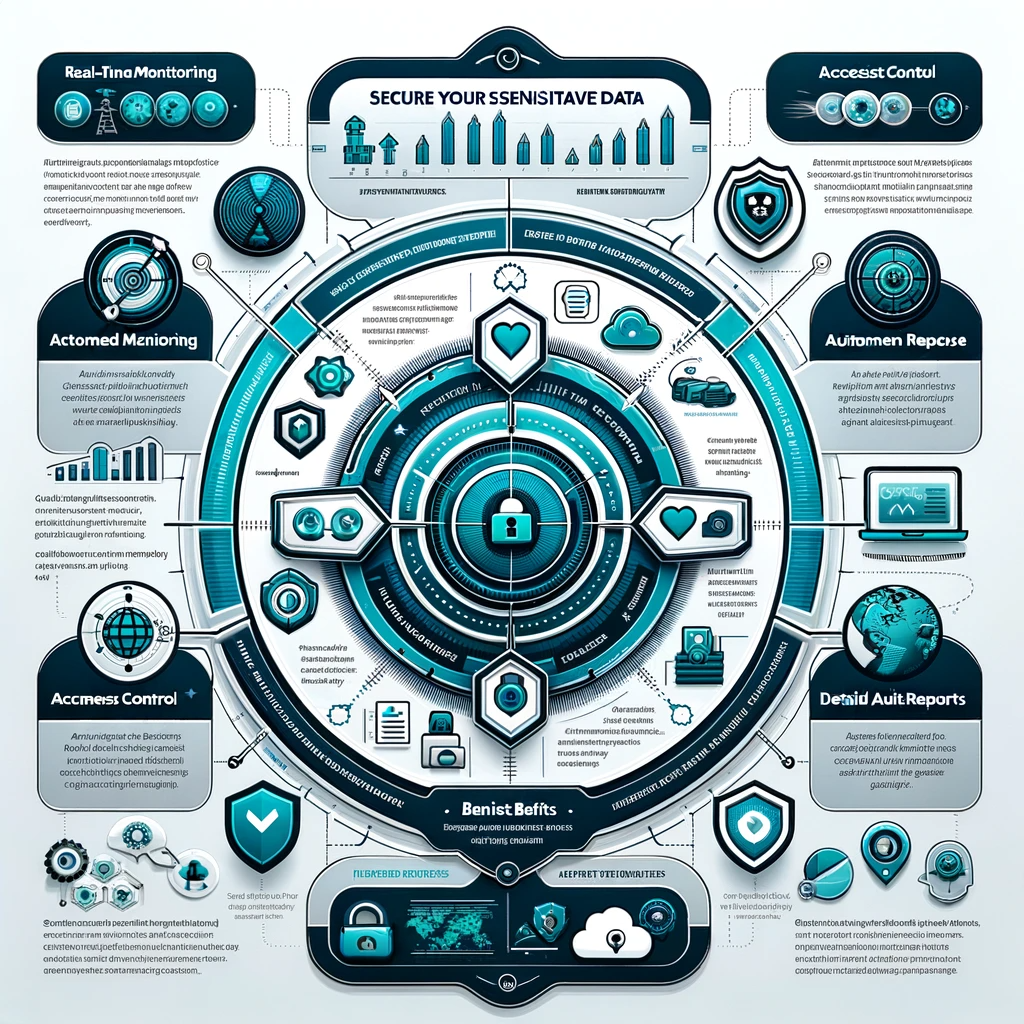
- Technology plays a crucial role in maintaining digital safety against cyber threats, emphasizing the need for responsibility.
- Remote access for troubleshooting is essential in crisis situations, allowing quick diagnosis and minimizing damage to businesses.
- While providing convenience, remote access presents risks, making robust cybersecurity protocols necessary to mitigate threats.
- Key cybersecurity measures include strong passwords, encryption, and multi-factor authentication to defend against hackers.
- Employee training and awareness are vital for recognizing phishing scams and improving overall cybersecurity vigilance.
- Tools like TeamViewer and LogMeIn enable technicians to diagnose remotely while ensuring encrypted communication for data protection.
- The effective use of remote access requires a balance between efficiency and security to safeguard businesses in a digital landscape.
Conclusion
Other Resources

Other Resources
Here is a list of other resources you can review online to learn more:
- Tactical Intelligence Security
- NexusTek
- Xact IT Solutions
- Sheridan Computers
- Proficio
- Loop Secure
- Smartronix
- SOCSoter
- Cerberus Sentinel
Use This Prompt To Get More Resources With Your Favorite Online AI Tool: Please provide me with a list of online articles with their URLs in a bulleted list that I can read regarding Do Companies Require Remote Control Of Computers to Fix Cyber Problems?

Other Resources
Glossary Terms
Do Companies Require Remote Control Of Computers to Fix Cyber Problems? – Glossary Of Terms
1. Remote Control: The capability to access and manage a computer or network remotely, often used for troubleshooting or administration.
2. Cybersecurity: The practice of protecting computers, networks, programs, and data from digital attacks, theft, or damage.
3. Malware: Malicious software designed to harm, exploit, or otherwise compromise a computer system.
4. Virus: A type of malware that replicates itself and spreads to other computers, often causing damage to files or systems.
5. Trojan Horse: A malicious program disguised as legitimate software, which can create vulnerabilities for exploitation.
6. Phishing: A fraudulent attempt to obtain sensitive information by posing as a trustworthy entity in electronic communications.
7. Firewall: A network security system that monitors and controls incoming and outgoing traffic based on predetermined security rules.
8. Antivirus Software: A program designed to detect, prevent, and remove malware from computer systems.
9. Remote Desktop Protocol (RDP): A proprietary protocol developed by Microsoft that allows users to connect to another computer over a network connection.
10. Virtual Private Network (VPN): A secure network that encrypts internet traffic and masks the user’s IP address, often used for secure remote access.
11. Incident Response: A structured approach to handling and managing the aftermath of a cybersecurity breach or attack.
12. System Administrator: An IT professional responsible for maintaining, configuring, and ensuring the reliable operation of computer systems.
13. Patch Management: The process of distributing and applying updates (patches) to software to fix vulnerabilities.
14. Two-factor Authentication (2FA): An additional layer of security requiring not just a password and username, but also something that only the user has on them.
15. Encryption: The process of converting information or data into a code to prevent unauthorized access.
16. Data Breach: An incident where unauthorized access to sensitive, protected, or confidential data occurs.
17. User Access Control: A security technique that regulates who or what can view or use resources in a computing environment.
18. Network Security: Policies and practices designed to protect the integrity, confidentiality, and accessibility of computer networks.
19. Cloud Computing: The delivery of various services over the internet, including storage, databases, servers, and software.
20. Secure Socket Layer (SSL): A standard technology for establishing an encrypted link between a server and a client.
21. Social Engineering: Psychological manipulation exploiting human behavior to gain confidential information.
22. Audit Trail: A record of all the transactions and changes made to a system, used to monitor and track actions.
23. IT Support: Services provided to assist users in resolving technical issues related to software and hardware.
24. Backup: A copy of data stored separately to ensure it can be restored in case of loss or corruption.
25. Phishing Simulation: A training exercise that mimics phishing attacks to educate users on identifying and avoiding them.
26. Compliance: Adhering to laws, regulations, and guidelines governing data security and privacy.
27. Risk Assessment: The process of identifying, analyzing, and evaluating risks to determine how to manage them.
28. Security Policy: A document that defines the security expectations and procedures for an organization.
29. Remote Monitoring: The process of overseeing and managing systems or networks from a distance to ensure they are functioning properly.
30. Zero-day Vulnerability: A previously unknown vulnerability that hackers can exploit before the vendor has a chance to issue a fix.

Glossary Of Terms
Other Questions
Do Companies Require Remote Control Of Computers to Fix Cyber Problems? – Other Questions
If you wish to explore and discover more, consider looking for answers to these questions:
- What types of cyber problems can be solved through remote control?
- How do companies select the right remote access tool for their needs?
- What are the best practices for ensuring security during remote access sessions?
- How often should businesses provide cybersecurity training for employees?
- What are the legal implications of remote access to company systems?
- How can companies evaluate the effectiveness of their remote access tools?
- What role does employee trust play in utilizing remote access tools?
- Are there alternatives to remote access for troubleshooting computer issues?
- What should companies do in the event of a remote access breach?
- What advancements are being made in remote access technology?
- How do companies assess potential vulnerabilities in their remote access tools?
- What security features should remote access tools have?
Other Questions
Haiku
Do Companies Require Remote Control Of Computers to Fix Cyber Problems? – A Haiku
Remote access brings ease,
Swift fixes for cyber threats,
Balance trust and care.

Haiku
Poem
Do Companies Require Remote Control Of Computers to Fix Cyber Problems? – A Poem
In the Digital Depths
In a world where screens glow bright,
Cyber threats loom, ready to bite,
Companies ponder, with anxious minds,
Do they need remote access to unwind?
A bustling office, a sudden crash,
A cyber breach brings productivity to ash,
With remote control, experts can race,
Diagnosing issues without leaving a space.
Convenience finds a double-edged sword,
While fixing glitches, we must secure the cord,
For hackers lurk in the shadows deep,
Waiting for chances while we’re asleep.
Yet in that rush, a critical choice,
Regular training gives users a voice,
Strong protocols, encryption tight,
Fortresses built to guard the light.
A lifeline stretches in crises dire,
From ransomware threats to fire’s cruel ire,
Teams respond faster with fingers on keys,
Resolving chaos with practiced ease.
Collaboration across screens and clouds,
While awareness fosters, as suspicion shrouds,
Remote tools are not merely for ease,
They transform our approach to safeguard and please.
As companies venture, they must navigate,
The balance of access with risks that await,
In the realm of tech where the dangers lie,
A vigilant heart, let us always apply.
So here’s to the tools that keep us awake,
To the heroes who troubleshoot for safety’s sake,
In the dance of efficiency and security’s embrace,
Let wisdom and caution find their rightful place.

Poem
Checklist
Do Companies Require Remote Control Of Computers to Fix Cyber Problems? – A Checklist
Checklist for Ensuring Safe and Effective Remote Control Access for Cybersecurity
1. Assessing the Need for Remote Control
_____ Determine if remote access is necessary for your organization’s operations.
_____ Identify the types of cyber issues that may arise requiring immediate remote access.
_____ Evaluate what incidents warrant emergency remote access to systems.
2. Implementing Strong Security Measures
_____ Establish robust authentication protocols.
_____ Utilize encryption for all remote connections.
_____ Employ multi-factor authentication for added security.
3. Choosing the Right Tools
_____ Research and select reliable remote access software (e. g. , TeamViewer, AnyDesk, LogMeIn).
_____ Ensure that chosen tools have end-to-end encryption and strong security protocols.
_____ Implement Virtual Private Networks (VPNs) to secure data transmission.
4. Training and Awareness
_____ Conduct regular cybersecurity training sessions for employees on recognizing phishing attacks and potential cyber threats.
_____ Encourage a culture of cybersecurity vigilance among employees.
_____ Provide resources for employees to understand the importance and risks of remote access.
5. Monitoring and Response Practices
_____ Set up regular monitoring of systems for unusual activities.
_____ Develop incident response protocols for cybersecurity incidents.
_____ Maintain logs of remote access sessions for auditing purposes.
6. Regular Audits and Assessments
_____ Schedule regular cybersecurity audits to identify and address vulnerabilities.
_____ Review and update remote access policies regularly to keep pace with evolving threats.
7. Disaster Recovery Planning
_____ Prepare a disaster recovery plan outlining procedures for emergency remote access during incidents like ransomware attacks, data breaches, or natural disasters.
_____ Test disaster recovery protocols regularly to ensure effectiveness.
8. Establish Clear Access Guidelines
_____ DeFine who has access to remote control capabilities within the organization.
_____ Implement strict vetting procedures for technicians who will access company systems remotely.
_____ Clear communication channels for reporting suspicious remote access requests.
9. Emphasizing Continuous Improvement
_____ Stay updated on the latest cybersecurity trends and technologies.
_____ Engage in ongoing education and training to enhance remote access safety.
_____ Foster an organizational culture that prioritizes cybersecurity.
10. Documentation and Communication
_____ Maintain comprehensive documentation of all remote session activities.
_____ Create a communication plan to keep stakeholders informed during and after cybersecurity incidents.
This checklist can serve as a practical guide for organizations considering or using remote control access for cybersecurity purposes, ensuring that they balance efficiency with security effectively.

Checklist
At BestCyberSecurityNews, we help teach entrepreneurs and solopreneurs the basics of cybersecurity and its impact on their businesses by using simple concepts to explain difficult challenges.
Please read and share any of the articles you find here on BestCyberSecurityNews with your friends, family, and business associates.


