Unlocking The Power Of Vpn For Online Safety
By Tom Seest
At BestCyberSecurityNews, we help teach entrepreneurs and solopreneurs the basics of cybersecurity and its impact on their businesses by using simple concepts to explain difficult challenges.
Please read and share any of the articles you find here on BestCyberSecurityNews with your friends, family, and business associates.
Can a Virtual Private Network Connection Help You Stay Safe Online?
In the vast, wild expanse of the internet, much like an untamed frontier, the promise of freedom comes with a price. As you navigate this digital landscape, understanding cybersecurity becomes crucial. Think of it this way: when you’re on a quest for knowledge or simply scrolling through social media, you’re vulnerable to threats lurking in the shadows—malware, hackers, and snoopers just waiting to pounce. Enter the Virtual Private Network (VPN), your trusty steed in the cyber wilderness.
So, what does a VPN do? Simply put, it creates a secure tunnel between your device and the internet. Imagine donning an invisibility cloak as you tread through the pixelated chaos; that’s what a VPN does for your data. It encrypts your online activity, making it nearly impossible for anyone—including your internet service provider—to catch a whiff of what you’re doing. Now, you might think that’s enough to keep you safe—like carrying a sturdy walking stick on a hike, right? But hang on a minute. That’s just one piece of the puzzle.
Along with providing that much-needed privacy, a VPN can help you bypass geographic restrictions. Ever tried accessing a service that your home country has locked up tighter than a drum? With a VPN, you can connect to servers in other regions, giving you access to all that sweet, sweet content. However, let’s not forget, having the right tools doesn’t grant you invincibility. Cybersecurity is not just about waving a magic wand and hoping for the best. It requires smart practices, awareness, and vigilance.
While a VPN shields your data from prying eyes, it doesn’t eliminate all risks. It’s like living in a gated community but still forgetting to lock your door at night. You still need to implement strong passwords, regularly update software, and stay cautious about what you click on.
So, can a VPN help you stay safe online? The answer is a resounding yes—but remember, it’s just one tool in your toolbox. Like any seasoned craftsman would tell you, it takes a suite of tools and know-how to build a fortress of cybersecurity. By combining the protective prowess of a VPN with smart online habits, you can forge a digital presence that stands firm against the perils of this electronic frontier. Stay wise, stay safe, and keep your virtual boots on the ground.

Can a Virtual Private Network Connection Help You Stay Safe Online?
Can a Virtual Private Network Connection Help You Stay Safe Online?
- The internet offers freedom but also comes with risks like malware and hackers.
- A Virtual Private Network (VPN) provides a secure connection between your device and the internet.
- VPNs encrypt your online activities, protecting your data from your internet service provider and other threats.
- They allow users to bypass geographic restrictions and access content that may be blocked in their region.
- While VPNs enhance privacy, they are not a complete solution for cybersecurity risks.
- Good cybersecurity practices include using strong passwords, keeping software updated, and being cautious with online activities.
- A VPN is an essential tool in a broader cybersecurity strategy that requires a combination of tools and awareness.

Can a Virtual Private Network Connection Help You Stay Safe Online?
Table Of Contents
- Can a Virtual Private Network Connection Help You Stay Safe Online?
- How Does A Vpn Work?
- Will A Vpn Keep My Data Safe From Hackers?
- Can A Vpn Prevent Tracking By Websites?
- Is A Vpn Effective For Public Wi-Fi Security?
- What Are The Limitations Of Using A Vpn?
- Do I Need A Vpn For Streaming Content?
- How Can A Vpn Help Bypass Geo-Restrictions?
- Conclusion
- Other Resources
- Glossary Of Terms
- Other Questions
- Haiku
- Poem
- Checklist
How Does A Vpn Work?
When we dive into the world of Virtual Private Networks, or VPNs, we’re not just donning a digital cloak of invisibility; we’re stepping into a whole realm of cybersecurity. Imagine you’re wandering through a vast, bustling city. You’ve got your wallet in your pocket, your personal information close to your chest, and every now and then, you can’t help but look over your shoulder. That’s what it feels like browsing the internet without a VPN. Now, throw in that cloak—suddenly, you’re not just another face in the crowd.
So, how does this nifty technology work? At its core, a VPN creates a secure tunnel between your device and the internet. This tunnel is encrypted, meaning that all the data flowing through it is scrambled so that only you and your VPN provider can understand it. You can think of it as sending a letter in an unbreakable safe rather than putting it in a regular envelope. As you navigate the sprawling landscape of cyberspace, your data is shielded from the prying eyes of hackers, ISPs, and even nosy government agencies.
Now, when you connect to a VPN, you’re effectively relocating yourself to a different place on the digital map. Your online traffic is rerouted through a server operated by the VPN provider, which means your original IP address is masked. To the outside world, it looks like you’re accessing the internet from a cozy café in Paris instead of your living room in Omaha. This not only enhances your privacy but also allows you to access geo-restricted content, like that hard-to-find series only available in Europe.
It’s essential to choose a trustworthy VPN for your cybersecurity needs. Not all providers are created equal. Some keep logs of your activity, while others might even sell your data to the highest bidder. So, you want to do your homework to ensure your chosen provider has a solid reputation and transparent policies.
In summary, a VPN does more than just help you surf the web privately; it’s a fundamental piece of the cybersecurity puzzle. With the right privacy tools at your disposal, you can maneuver through the digital landscape with confidence, knowing you’re protected from potential threats. And in today’s interconnected age, that’s no small feat—it’s downright essential.

How Does A Vpn Work?
How Does A Vpn Work?
- VPNs (Virtual Private Networks) enhance cybersecurity by providing privacy while browsing the internet.
- A VPN creates a secure, encrypted tunnel for your data, protecting it from hackers, ISPs, and government surveillance.
- Connecting to a VPN masks your original IP address, making it appear as though you are browsing from a different location.
- Using a VPN allows you to access geo-restricted content unavailable in your location.
- It’s crucial to select a trustworthy VPN provider, as some may log your activity or sell your data.
- Researching a VPN’s reputation and policies is important for ensuring your privacy and security.
- A VPN is an essential tool for safe internet navigation in today’s interconnected world.

How Does A Vpn Work?
Will A Vpn Keep My Data Safe From Hackers?
Will A VPN Keep My Data Safe From Hackers?
When it comes to the world of cybersecurity, you’ve got to face a few harsh realities. The internet is a wild place. You might as well be driving a used pickup truck through a mud pit—sure, you might come out clean, but there’s always a chance you’ll get stuck in the muck. So, you’re probably wondering whether a Virtual Private Network (VPN) is your trusty winch in this digital mire.
Let’s break it down—what exactly does a VPN do? At its core, a VPN creates a secure tunnel between your device and the internet. Think of it as a protective layer that shields your data from prying eyes, much like a good ol’ seatbelt keeps you safe in a rollover. When you use a VPN, you’re encrypting your data, making it virtually unreadable to anyone who might be lurking in the shadows, ready to snatch your sensitive information.
But let’s not kid ourselves; a VPN isn’t a silver bullet in the fight against hackers and ne’er-do-wells. It’s a valuable piece in the larger puzzle of cybersecurity. A VPN helps defend against certain threats—like snooping on public Wi-Fi networks, which are about as safe as a shark tank filled with circus performers. But if you’re a careless user, leaving your doors wide open, you might as well be inviting trouble in for tea.
What sets a VPN apart is its ability to mask your IP address. You can dodge geo-restrictions faster than a goose in a cornfield. But understand that some hackers, especially the more seasoned pros, can still exploit vulnerabilities if you’re not vigilant. It’s akin to wearing a raincoat—but if you decide to jump in a swimming pool, well… water is going to get in one way or another.
Using a VPN is a smart move for enhancing your online security, but don’t forget the basics. Strong passwords, two-factor authentication, and being aware of phishing attempts need to be part of your battery of defenses. Ultimately, a VPN can make it tougher for hackers, but it’s not an invincible fortress. It’s your responsibility to stay informed and exercise caution. So, buckle up and stay sharp—because in the realm of cybersecurity, vigilance is your best friend.

Will A Vpn Keep My Data Safe From Hackers?
Will A Vpn Keep My Data Safe From Hackers?
- Cybersecurity presents harsh realities; the internet can be a dangerous place.
- A VPN creates a secure tunnel, encrypting data to protect it from hackers.
- While valuable, a VPN is not a complete solution; it’s part of a broader cybersecurity strategy.
- It helps defend against threats, especially on public Wi-Fi networks.
- A VPN masks your IP address, helping you bypass geo-restrictions.
- Users must also employ strong passwords and two-factor authentication for enhanced security.
- Vigilance and awareness are essential; a VPN is not an invincible protection method.

Will A Vpn Keep My Data Safe From Hackers?
Can A Vpn Prevent Tracking By Websites?
Can A VPN Prevent Tracking By Websites?
In a world where our digital footprints can be larger than a quarterback’s passing yardage, the question of whether a VPN can shield us from website tracking is as pertinent as ever. The realm of cybersecurity has become the modern Wild West, where protecting our personal information feels like a high-stakes poker game, and the stakes are our privacy.
Picture this: You’re surfing the web, and like a hawk, websites are monitoring your every click, gathering data to feed their insatiable appetite for information. They build a profile of your online habits like a detective piecing together clues at a crime scene. Here’s where a VPN—Virtual Private Network—takes center stage in this drama, providing a potential safeguard between you and the ever-watchful eyes of the internet.
When you connect to a VPN, it creates a secure tunnel through which your data travels. Instead of your ISP knowing that you’re browsing the latest cat videos, it appears to them that you’re simply hanging out at the VPN provider’s virtual location. That’s like wearing a disguise in a crowded bar—no one can recognize you from a distance. But here’s the twist: while a VPN does an incredible job of anonymizing your IP address, it’s not a magic bullet against all forms of tracking.
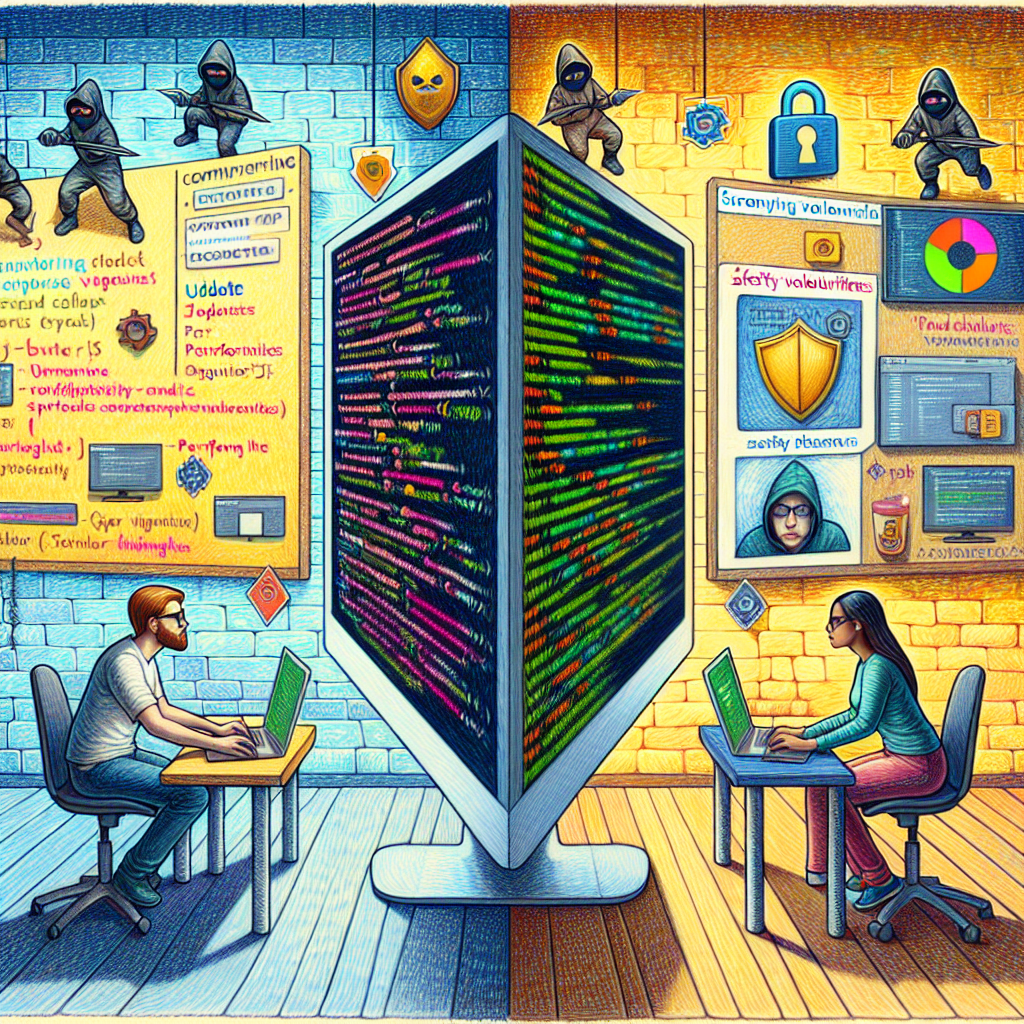
Websites often employ cookies and other tracking technologies that don’t rely solely on your IP address. When you visit a website, it can still place cookies in your browser, tracking your behavior across various sites. This means that unless you clear those cookies or use browser settings designed to block them, your online activities can still be monitored even with a VPN in place. It’s like wearing a mask to dodge the spotlight while still dancing on the stage!
So, what’s the takeaway? A VPN adds a layer of cybersecurity to your online experience, making it tougher for external parties to monitor your movements. However, it’s crucial to pair that VPN with solid practices, like managing cookies and using privacy-focused tools. Just as you wouldn’t head out to a construction site without a hard hat, don’t venture online without implementing all the layers of protection you can muster. The digital world may be a tricky beast, but with the right precautions, you can keep a lid on who’s tracking you while you surf the web.

Can A Vpn Prevent Tracking By Websites?
Can A Vpn Prevent Tracking By Websites?
- A VPN (Virtual Private Network) provides a potential safeguard against website tracking.
- Connecting to a VPN creates a secure tunnel for your data, obscuring your activity from your ISP.
- While a VPN anonymizes your IP address, it doesn’t prevent all forms of tracking.
- Websites use cookies and other technologies to track behavior beyond just IP addresses.
- Without clearing cookies or using blocking features, your online activities can still be monitored.
- A VPN enhances cybersecurity but should be combined with good practices like cookie management.
- Implementing multiple layers of protection is crucial for maintaining privacy online.
Can A Vpn Prevent Tracking By Websites?
Is A Vpn Effective For Public Wi-Fi Security?
In today’s world, where coffee shops and airport lounges double as our makeshift offices, the question looms large: Is a VPN effective for public Wi-Fi security? The reality is, if you’ve ever connected to a public network, you’ve essentially opened your digital door to all sorts of unseen visitors—some friendly, and others with less noble intentions. Cybersecurity isn’t just a buzzword; it’s the tenacious guardian of our personal information in this wild digital frontier.
Picture this: you stroll into your favorite café, order a latte, and connect to their free Wi-Fi. You settle into a comfy chair, fire up your laptop, and dive into some work. But wait! That unprotected public network is like having a wide-open garage door on a street with a few shady characters. Hackers can sit back, pop a few bags of popcorn, and watch your every move, looking for vulnerable spots to exploit.
Now, here’s where the VPN, or Virtual Private Network, enters the fray; it’s like putting up a fortified wall around your online activity. When you use a VPN, you create an encrypted tunnel, making it significantly harder for anyone else on that network to intercept your data. It’s similar to having a private conversation in a crowded room—unless someone is trying really, really hard, they simply can’t listen in. With a reliable VPN, all those malicious actors snooping around will only see scrambled data instead of your credit card information or embarrassing family photos.
But don’t let that create a false sense of security. While a VPN can help protect your data in transit, it’s not an all-encompassing shield against every cyber threat. Strong cybersecurity practices remain essential. You still need to ensure your devices are updated regularly, use strong passwords, and avoid accessing sensitive accounts when connected to public Wi-Fi—kind of like not discussing your bank balance at that same café.
In short, a VPN is a practical tool in the arsenal of public Wi-Fi security. It’s not a one-stop solution, but it definitely raises the stakes for any hacker thinking about taking a swing at your personal information. So, every time you find yourself logging in on a public network, remember: you’re not just sipping coffee; you’re navigating a minefield. Equip yourself wisely.

Is A Vpn Effective For Public Wi-Fi Security?
Is A Vpn Effective For Public Wi-Fi Security?
- Public Wi-Fi networks pose significant security risks, exposing users to potential cyber threats.
- Connecting to public networks is akin to opening one’s digital door to various unseen visitors, including hackers.
- A VPN (Virtual Private Network) acts as a safeguard, creating an encrypted tunnel for online activity.
- Using a VPN can obscure data from malicious actors, making it harder for them to intercept sensitive information.
- VPNs do not provide complete protection; users should still adopt strong cybersecurity practices.
- Essential practices include keeping devices updated, using strong passwords, and avoiding sensitive transactions over public Wi-Fi.
- While not a complete solution, a VPN enhances public Wi-Fi security, making it a vital tool for users.

Is A Vpn Effective For Public Wi-Fi Security?
What Are The Limitations Of Using A Vpn?
When it comes to integrating a VPN into your online routine, it’s important to take a step back and recognize that while these digital shields provide some benefits, they come wrapped in a few limitations that can’t be ignored. So, let’s break it down.
First off, let’s talk speed. Sure, using a VPN can add a layer of privacy, but it’s akin to putting a high-performance car in a traffic jam. Data has to take a detour, often leading to reduced internet speed. You might find yourself waiting longer for sites to load or videos to buffer incessantly. For those whose work depends on a stable internet connection, this can be quite the headache.
Then there’s the issue of trust. Using a VPN means your data is being routed through a third-party server. This raises questions about cybersecurity. Some VPN providers collect logs of your activity, which contradicts the very purpose of going private in the first place. Not all VPNs are created equal; some are more concerned about profit margins than user safety. Always do your homework and pick a reliable provider, because the last thing you want is to trade one risk for another.
Let’s also not forget that a VPN isn’t a catch-all solution. It enhances privacy but doesn’t eliminate risks. Malware and phishing attacks can still target you, making it crucial to pair your VPN with other safety measures. Think of it as wearing a helmet while riding a bike: it’s a smart move, but it won’t prevent all accidents.
Moreover, access can be a mixed bag. Some streaming services and websites actively block VPNs to enforce regional restrictions. So, even with a VPN, you might find yourself unable to access certain content. It can feel like the digital equivalent of hitting a brick wall, frustrating for those after that elusive show or movie.
Lastly, there’s the cost. Quality VPN services often come with a price tag. Free VPNs may seem attractive but can compromise your cybersecurity. It’s like trying to save a penny and losing a dollar.
While a VPN is a valuable tool in your digital arsenal, it’s not without its drawbacks. Balancing the pros and cons is essential to making the right choice for your online experience.
What Are The Limitations Of Using A Vpn?
What Are The Limitations Of Using A Vpn?
- Integrating a VPN offers benefits, but comes with significant limitations.
- Using a VPN can slow down internet speed, akin to a high-performance car in a traffic jam.
- Trust issues arise as VPNs route data through third-party servers, some of which may log activities.
- A VPN enhances privacy but does not eliminate risks like malware and phishing attacks.
- Some streaming services actively block VPNs, limiting access to certain content.
- Quality VPN services typically require a subscription, while free options can compromise security.
- Understanding both the advantages and drawbacks of VPNs is essential for informed online decisions.

What Are The Limitations Of Using A Vpn?
Do I Need A Vpn For Streaming Content?
When it comes to streaming your favorite shows or movies, the question of whether you need a VPN can feel like navigating a minefield. Let’s face it—streaming has become as common as morning coffee. But while you’re cozying up on the couch, sipping that cup of joe, keep in mind that the online world can be a bit of a risky business. Enter stage left: cybersecurity.
Using a VPN (Virtual Private Network) is like putting on a suit of armor before heading into a battle—not a bad idea when your data is on the line. Think of a VPN as a secret tunnel that allows you to browse the web safely and anonymously. It encrypts your data, making it much harder for prying eyes to intercept your online activities.
Now, you might be scratching your head and wondering, “Why should I care?” Well, when you’re streaming, a VPN can help you dodge a few bullets. For one, geo-restrictions can be downright annoying. You know the drill—some content is only available in specific countries. A VPN allows you to trick the streaming service into thinking you’re loggin’ in from somewhere else. Want to watch a show that’s only on UK Netflix? A VPN got your back.
But more than just gaining access to exclusive content, using a VPN helps shore up your cybersecurity. Public Wi-Fi networks—like those in coffee shops, airports, or hotels—are notorious for being easy pickings for hackers. You might think you’re safe, just watching cat videos or whimsically perusing that latest docuseries, but one wrong move and your sensitive data could be compromised. With a VPN, your connection is encrypted, adding an extra layer of security when streaming over less secure networks.
However, a word of caution: a VPN can sometimes slow down your internet speed, depending on the service you choose. And not all VPNs are created equal. So do your homework and select one that prioritizes speed and security because nobody wants a buffering bar ruining their binge-watching experience.
In a nutshell, do you need a VPN for streaming? If you value both access and security, the answer leans heavily toward yes. After all, a little precaution can turn your couch into a fortified streaming fortress. Keep those shows rolling and your data safe!

Do I Need A Vpn For Streaming Content?
Do I Need A Vpn For Streaming Content?
- Streaming has become a common activity, but it also poses cybersecurity risks.
- A VPN (Virtual Private Network) encrypts data, offering safer and anonymous browsing.
- Using a VPN can help bypass geo-restrictions, allowing access to content unavailable in your region.
- Public Wi-Fi networks are vulnerable to hackers; a VPN provides extra security when streaming on these networks.
- Some VPNs may slow down internet speeds, so it’s important to choose one that balances speed and security.
- If you value access to content and cybersecurity, using a VPN for streaming is advisable.
- A VPN can make your streaming experience safer and more enjoyable, protecting your data while you binge-watch.

Do I Need A Vpn For Streaming Content?
How Can A Vpn Help Bypass Geo-Restrictions?
In the world we live in, geo-restrictions can feel like those pesky roadblocks that pop up just when you’re cruising along. Imagine settling in for a cozy evening, ready to catch the latest series or stream that big game, only to be greeted with a message that says, “Sorry, this content isn’t available in your region.” Frustrating, isn’t it? Fortunately, there’s a way to navigate around those roadblocks, and that’s where a VPN, or Virtual Private Network, comes into play.
Let’s break it down. A VPN acts like a secret passageway in the vast landscape of the internet. Instead of your online activities following a straight and narrow path that can easily be tracked and restricted, a VPN creates a secure tunnel that disguises your actual location. This means you can appear to be accessing the internet from anywhere in the world, bypassing the limitations that pesky geo-restrictions impose. So, if you want to dive into how the latest sci-fi drama unfolds in another country, a VPN can make that happen without the hassle.
Now, the advantages don’t end there. When you’re using a VPN, you’re also adding an extra layer of security to your online presence. In an age where cybersecurity is more crucial than ever, a VPN encrypts your data, making it nearly impossible for prying eyes—be it hackers, ISPs, or even nosy neighbors—to snoop on what you’re doing. It’s like having a strong lock on your door while you’re exploring an uncharted territory. No one needs to know what you’re up to, and you can browse with peace of mind.
Moreover, using a VPN can potentially enhance your streaming experience. Some services might actually throttle your bandwidth if they think you’re consuming too much data. When you use a VPN, it can obscure your usage from your ISP, minimizing the chances of those annoying slowdowns that can ruin your viewing experience.
In summary, a VPN is more than just a tool for accessing content that would otherwise be out of reach. It’s a robust ally in the ongoing battle for digital freedom and cybersecurity. With this nifty little tool, you can dodge geo-restrictions and enjoy the online world on your terms, all while keeping your data safe from prying eyes. So, if you’re ready to unlock a world of content, a VPN might just be the key you need.

How Can A Vpn Help Bypass Geo-Restrictions?
How Can A Vpn Help Bypass Geo-Restrictions?
- Geo-restrictions can hinder access to content, causing frustration for users.
- A VPN (Virtual Private Network) acts as a secure tunnel, disguising your actual location.
- Using a VPN allows you to bypass geo-restrictions and access content from anywhere in the world.
- A VPN enhances online security by encrypting your data, protecting it from hackers and ISPs.
- It provides a strong layer of privacy for your online activities.
- A VPN can improve streaming experiences by preventing bandwidth throttling from service providers.
- Overall, a VPN is a powerful tool for digital freedom and cybersecurity, allowing users to enjoy content without limitations.

How Can A Vpn Help Bypass Geo-Restrictions?
Conclusion
As we wrap up this discussion on the benefits of a Virtual Private Network (VPN) for online safety, the essential takeaway is crystal clear: navigating the vast, murky waters of the internet without a VPN is like wandering through a dark alley without a flashlight. Sure, it might seem like a stroll, but trust me, you’re opening yourself up to a world of potential dangers. Think of a VPN as both your armor and your guide, helping to protect your data while simultaneously expanding your horizons.
When you fire up your VPN, you initiate a secure tunnel for your online activities. This tunnel encrypts your data, scrambling it into something only you and your VPN provider can decipher. It’s akin to tossing your secrets into an unbreakable safe instead of leaving them on the kitchen counter for anyone to grab. Beyond just privacy, this magical tool makes geo-restricted content more accessible than a workbench full of tools on a busy job site. Want to dive into that awesome series that’s locked behind regional restrictions? Just flick that VPN switch, and voilà, you’re virtually sipping coffee in Paris while you binge-watch to your heart’s content.
However, a VPN is not a one-size-fits-all solution and should never make you complacent. While it adds a valuable layer of protection against snoopers—whether they be hackers, ISPs, or nosy officials—it isn’t a panacea for cyber threats. Imagine living in a gated community but leaving your doors wide open; that’s the risk you run if you don’t combine your VPN with other basic cybersecurity practices—strong passwords, software updates, and a watchful eye on your digital surroundings.
Moreover, be vigilant about the choices you make regarding VPN providers. Not all services are trustworthy, and some might do more harm than good. Taking the time to research and pick a reputable provider is not just wise; it’s necessary.
In a world that increasingly intertwines with our online identities, equipping yourself with a VPN and coupling it with savvy online habits will set the stage for a safer digital life. The internet may have its risks, but with the right tools and practices, you can forge your path with confidence. Keep those virtual boots on the ground and remember: proactive protection is the name of the game in today’s digital frontier. Stay wise, stay safe, and make your online journey a secure one!

Conclusion
Conclusion:
- Navigating the internet without a VPN is risky, likened to wandering a dark alley without a flashlight.
- A VPN acts as both armor and a guide, protecting data and expanding online opportunities.
- Using a VPN creates a secure, encrypted tunnel for online activities, keeping your data safe.
- VPNs enable access to geo-restricted content, allowing users to enjoy media from different regions.
- A VPN should be part of a broader cybersecurity strategy that includes strong passwords and software updates.
- Choosing a reputable VPN provider is crucial, as not all services are trustworthy and can pose risks.
- Combining a VPN with good online habits leads to a safer digital life in an increasingly interconnected world.

Conclusion
Other Resources

Other Resources
Here is a list of other resources you can review online to learn more:
- deviantART
- BLOKWORX
- Herjavec Group
- Fujitsu
- CynergisTek
- Xantrion
- Radar Cyber Security
- Unisys
Use This Prompt To Get More Resources With Your Favorite Online AI Tool: Please provide me with a list of online articles with their URLs in a bulleted list that I can read regarding Can a Virtual Private Network Connection Help You Stay Safe Online?

Other Resources
Glossary Terms
Can a Virtual Private Network Connection Help You Stay Safe Online? – Glossary Of Terms
1. VPN (Virtual Private Network): A service that creates a secure, encrypted connection over a less secure network, such as the internet.
2. Encryption: The process of converting information into a code to prevent unauthorized access.
3. Tunneling: The method of encapsulating data packets within other packets to secure their transmission over the internet.
4. IP Address: A unique address that identifies a device on the internet, which can reveal geographic location and internet service provider.
5. ISP (Internet Service Provider): A company that provides access to the internet, which can potentially monitor users’ online activities.
6. Privacy: The right to keep personal information confidential and the ability to control how it is shared online.
7. Anonymity: The condition of being anonymous; a state in which a user’s identity is hidden while browsing the internet.
8. Data Leak: An unintended exposure of personal, sensitive, or confidential information due to poor security practices or vulnerabilities.
9. Geo-Restriction: Limitations placed on content availability based on geographical location, often related to copyright laws and licensing.
10. Firewall: A network security system that monitors and controls incoming and outgoing network traffic based on predetermined security rules.
11. Malware: Malicious software designed to harm, exploit, or otherwise compromise a computer or network.
12. Phishing: A technique used to deceive individuals into revealing personal information by impersonating legitimate organizations through emails or websites.
13. Public Wi-Fi: Wireless networks available to the public which can be insecure and susceptible to data breaches.
14. Kill Switch: A feature in VPNs that disconnects your internet connection if the VPN connection fails, preventing data exposure.
15. Protocols: The rules and conventions that define how data is transmitted over a network; common VPN protocols include OpenVPN, L2TP, and PPTP.
16. Two-Factor Authentication (2FA): An additional layer of security that requires not only a password and username but also something that only the user has on them.
17. DNS (Domain Name System) Leak: A flaw wherein DNS requests are sent outside of the VPN, potentially exposing browsing activity.
18. Router: A device that forwards data packets between computer networks, allowing multiple devices to access the internet through a single connection.
19. Net Neutrality: The principle that internet service providers should treat all internet data equally, without discrimination.
20. Logging Policy: A document that outlines what user data a VPN provider collects, stores, and shares, crucial for determining user privacy.
21. Cybersecurity: The practice of protecting systems, networks, and programs from digital attacks.
22. HTTPS (Hypertext Transfer Protocol Secure): An extension of HTTP that provides a secure communication channel over a computer network, particularly the internet.
23. Identity Theft: The act of obtaining and using someone else’s personal information without their consent, often for financial gain.
24. Spoofing: A form of cyber attack in which a person or program masquerades as another by falsifying data, creating a misleading identity.
25. P2P (Peer-to-Peer) Sharing: A method of sharing files directly between systems on a network without a central server, which can be risky if unsecured.
26. Bandwidth Throttling: The intentional slowing down of internet connection speeds by an ISP, often to manage network traffic or reduce congestion.
27. Cyberbullying: The use of digital communication tools to harass, threaten, or intimidate someone online.
28. Ad Tracker: Tools that monitor users’ online behavior to serve targeted advertising, raising privacy concerns.
29. Tokenization: A security process that replaces sensitive data with non-sensitive equivalents called tokens, which can be used for processing without exposing personal information.
30. Surveillance Capitalism: The commodification of personal data by companies that use it to predict and influence user behavior for profit.

Glossary Of Terms
Other Questions
Can a Virtual Private Network Connection Help You Stay Safe Online? – Other Questions
If you wish to explore and discover more, consider looking for answers to these questions:
- What are the best VPN providers available today?
- How do I choose the right VPN for my needs?
- Are there free VPN services that are trustworthy?
- Can a VPN improve my internet speed?
- What additional security measures should I take when using a VPN?
- How does a VPN affect my ability to access certain websites or services?
- What are the legal implications of using a VPN in different countries?
- How do VPNs handle data protection and user privacy?
- What types of activities should I avoid while connected to a VPN?
- Can I use a VPN on multiple devices simultaneously?
- How long does it take to set up a VPN?
- What happens if my VPN connection drops while I’m online?

Other Questions
Haiku
Can a Virtual Private Network Connection Help You Stay Safe Online? – A Haiku
In the digital wild,
A VPN shields your path,
Guarding data flow.

Haiku
Poem
Can a Virtual Private Network Connection Help You Stay Safe Online? – A Poem
In the wild expanse of the digital sea,
Freedom beckons, yet danger waits silently.
With hackers lurking in every shadowed space,
A Virtual Private Network steps forth to embrace.
Picture a cloak, woven fierce and tight,
It shields your data, hidden from sight.
Through an encrypted tunnel, your secrets flow,
Like whispers in darkness, only you and your VPN know.
Yet, grasp not the magic, believing you’re free,
For a fortress of safety means more than just glee.
Strong passwords and updates, a watchful eye,
Keep the gates secure as threats float by.
Bypassing restrictions, with ease you may glide,
To shows and wonders from far-off lands, you hide.
But beware the slowdowns—a glitch or a curse,
In the race for data, speed can disperse.
In public spaces where networks abound,
Your info’s a treasure that predators surround.
Your trusty VPN creates a secure fort,
But vigilance echoes—stay smart and retort.
While it builds walls against prying eyes,
Do not neglect other methods—be wise!
VPNs are tools, not a silencing spell,
In a world full of dangers, armor up well.
So take heed, brave surfers, as you sail the net’s tide,
With knowledge and caution, let security be your guide.
For in this digital frontier, be wise and stay bold,
With layers of protection, your story unfolds.

Poem
Checklist
Can a Virtual Private Network Connection Help You Stay Safe Online? – A Checklist
Checklist: Enhancing Your Online Safety with a VPN
Before Choosing a VPN:
1. Research VPN Providers:
_____ Check reputation and user reviews.
_____ Verify that the provider has a clear privacy policy and no log policy.
2. Assess Security Features:
_____ Ensure the VPN offers strong encryption protocols (e. g. , OpenVPN, IKEv2).
_____ Look for additional security features (e. g. , kill switch, DNS leak protection).
3. Check Server Locations:
_____ Ensure the VPN has servers in the regions you wish to access content from.
4. Review Pricing:
_____ Compare pricing plans and be wary of free VPNs that may sell your data.
Setting Up Your VPN:
5. Install the VPN Application:
_____ Download and install the app on all devices (PC, mobile, tablet).
6. Configure Settings:
_____ Enable features such as auto-connect and kill switch.
_____ Adjust settings for maximum privacy (e. g. , DNS leak protection).
Online Safety Practices:
7. Use Strong Passwords:
_____ Create complex passwords and use a password manager if possible.
8. Enable Two-Factor Authentication:
_____ Use 2FA on accounts that offer it for added security.
9. Regular Software Updates:
_____ Keep all devices, applications, and operating systems updated to protect against vulnerabilities.
10. Be Aware of Phishing Attempts:
_____ Do not click on suspicious links or download unknown attachments in emails.
While Using Public Wi-Fi:
11. Connect to the VPN before Accessing the Internet:
_____ Always turn on your VPN when logging into public networks (cafes, airports, etc. ).
12. Avoid Accessing Sensitive Information:
_____ Don’t log into bank accounts or enter sensitive information while on public Wi-Fi without VPN protection.
While Streaming Content:
13. Choose Streaming Server Location:
_____ Manually select a server in the region where the desired content is accessible.
14. Monitor Streaming Speed:
_____ Test speeds and consider switching servers if you experience buffering.
Maintenance and Review:
15. Periodically Review VPN Usage:
_____ Check if the VPN is still serving its purpose, especially after major updates or changes in policies.
16. Stay Updated on VPN Features:
_____ Keep an eye out for any new updates or features provided by the VPN service that could enhance your experience.
17. Regularly Clear Cookies and Cache:
_____ Clear your browsing data regularly to prevent tracking via cookies.
By following this checklist, you can maximize the benefits of using a VPN while maintaining strong online safety practices. Stay informed and vigilant to protect your online presence effectively!

Checklist
At BestCyberSecurityNews, we help teach entrepreneurs and solopreneurs the basics of cybersecurity and its impact on their businesses by using simple concepts to explain difficult challenges.
Please read and share any of the articles you find here on BestCyberSecurityNews with your friends, family, and business associates.