The Power Of Encrypted Storage In Cybersecurity
By Tom Seest
At BestCyberSecurityNews, we help teach entrepreneurs and solopreneurs the basics of cybersecurity and its impact on their businesses by using simple concepts to explain difficult challenges.
Please read and share any of the articles you find here on BestCyberSecurityNews with your friends, family, and business associates.
Can Encrypted File Storage Devices Save You During a Cyberattack?
In today’s digital landscape, where cyber threats lurk behind every pixel, the importance of robust cybersecurity cannot be overstated. Imagine for a moment that you’ve just poured your heart and soul into a project, only to find out that a malicious actor has infiltrated your system, leaving chaos in their wake. It’s a grim prospect, but this is where encrypted file storage devices come into play, acting as a digital lifeboat in stormy cyber seas.
Think of encrypted file storage devices as the modern-day Fort Knox for your files. These little powerhouses don’t just hold your data; they guard it with layers of encryption that render it virtually unreadable to prying eyes. So, if you’re hit with a cyberattack—whether it’s ransomware or some other nasty piece of malware—you can rest assured that your sensitive data is locked away tight. All those project files, personal details, and intellectual property? Safe and sound, tucked away in a digital vault.
Now, before you roll your eyes and think, “I’m just a small fry, why would I be a target?” consider this: cyber threats don’t discriminate. Whether you’re an individual, a small business, or a large corporation, cybercriminals are always on the hunt for vulnerabilities. Encrypted file storage brings a layer of cybersecurity that not only protects your data but also acts as a deterrent. They know it’s not worth their time trying to breach an encrypted device—there’s simply too much risk involved.
It’s also worth noting that many of these storage solutions come equipped with features like two-factor authentication and remote wipe capabilities. Imagine being able to delete your sensitive data from miles away if your device is lost or stolen. It’s like having a spare key that you can control from your smartphone, ensuring that no unauthorized hands can access your valuables.
In the grand scheme of things, investing in an encrypted file storage device may just be one of the smartest things you can do. It’s not just about having a backup; it’s about having the peace of mind that comes with knowing your information is secured against the ever-looming shadows of cyber threats. So, buckle up, folks! Encrypted file storage isn’t just a luxury—it’s a necessity in this cyber-driven world. Embrace it, and you just might find yourself ahead of the game when the unexpected happens.

Can Encrypted File Storage Devices Save You During a Cyberattack?
Can Encrypted File Storage Devices Save You During a Cyberattack?
- The digital landscape is fraught with cyber threats, highlighting the necessity of robust cybersecurity.
- Encrypted file storage devices function as a digital lifeboat, safeguarding projects and sensitive data from malicious actors.
- These devices use layers of encryption to protect data, making it virtually unreadable during a cyberattack.
- Cyber threats can affect anyone—individuals, small businesses, and large corporations alike.
- Investing in encrypted storage acts not only as protection but also as a deterrent to potential cybercriminals.
- Many encrypted storage solutions offer additional features like two-factor authentication and remote wipe capabilities for enhanced security.
- Utilizing encrypted file storage provides peace of mind and is essential in today’s cyber-driven environment.

Can Encrypted File Storage Devices Save You During a Cyberattack?
Table Of Contents
- Can Encrypted File Storage Devices Save You During a Cyberattack?
- What Are The Benefits Of Using Encrypted File Storage Devices?
- How Do Encrypted File Storage Devices Work?
- Can Encrypted Storage Prevent Data Breaches?
- What Types Of Data Should I Store On Encrypted Devices?
- Are Encrypted File Storage Devices User-Friendly?
- How Do I Choose The Right Encrypted File Storage Device?
- What Are The Risks Of Not Using Encrypted File Storage?
- Conclusion
- Other Resources
- Glossary Of Terms
- Other Questions
- Haiku
- Poem
- Checklist
What Are The Benefits Of Using Encrypted File Storage Devices?
In a world where our lives are increasingly intertwined with technology, the significance of safeguarding personal and sensitive data cannot be overstated. Enter encrypted file storage devices, the unsung heroes of cybersecurity. These power-packed gadgets don’t just offer a place to stash your digital treasures; they come with a fortress of security, making them a must-have in today’s data-driven age.
First off, let’s talk about privacy. In a time when data breaches and identity theft seem to be lurking around every corner, using encrypted storage is akin to putting your most valuable items in a safe. When you encrypt data, you’re transforming it into a coded language that only you and those you trust can understand. This fortification guards against eavesdroppers and cyber villains who are eager to pilfer your information. Picture this: a thief breaks into your house only to find an empty vault; that’s the essence of using encryption. They might try to access what’s inside, but it’s nothing but a jumbled mess of letters and numbers.
Next up, flexibility and mobility. We’re living in a world where we can’t be tethered to a single location. Encrypted file storage devices are small, portable, and can fit comfortably in your pocket. This portability means you can carry your data anywhere without the nagging anxiety of potential compromise. Whether it’s a business presentation or personal memorabilia, you can rest easy knowing that, come what may, your files are cloaked in a layer of security.
Furthermore, many of these devices come with added features, such as secure file sharing options. This allows you to send documents without worrying about them falling into the wrong hands. Need to send sensitive information to a colleague? Go ahead, and do it securely. With encryption, you can confidently share files knowing they remain protected during transit.
On top of that, let’s not forget the peace of mind that comes from knowing your data is safe. The constant awareness of potential threats competing for your personal information can be anxiety-inducing. Encrypted file storage devices cushion that blow, allowing you to focus on the task at hand instead of a cybersecurity nightmare.
So, when it comes to enhancing your cybersecurity, remember that investing in encrypted file storage isn’t just about having a handy device; it’s about taking a stand for your personal security in an ever-evolving digital landscape. Secure your data, and let it thrive without fear.

What Are The Benefits Of Using Encrypted File Storage Devices?
What Are The Benefits Of Using Encrypted File Storage Devices?
- Encrypted file storage devices provide essential security for personal and sensitive data in a tech-driven world.
- These devices create coded data that only authorized users can access, protecting against breaches and identity theft.
- Portability allows users to carry data securely anywhere, alleviating concerns about potential compromise.
- Many encrypted storage devices offer secure file sharing options, facilitating safe document transmission.
- Using encrypted storage provides peace of mind by minimizing anxiety over data security threats.
- Investing in encrypted file storage is a proactive step for personal security in a constantly changing digital landscape.
- Secure your data to ensure it remains protected, enabling it to thrive without fear of cyber threats.

What Are The Benefits Of Using Encrypted File Storage Devices?
How Do Encrypted File Storage Devices Work?
In an age where everything from business secrets to personal memories exists as a series of ones and zeros, understanding how encrypted file storage devices work is more important than ever. These nifty tools are part of the broader landscape of cybersecurity, designed to safeguard our data from prying eyes and nefarious hands.
At the heart of these devices lies encryption, a process that transforms readable data into an unreadable jumble of characters—often referred to as ciphertext. Imagine locking your valuable possessions in a safe; encryption serves as that safe, where only those with the right key can access the contents inside. The process begins when you first load your files onto the device. The encryption algorithm kicks into gear, scrubbing your data of its original form and encoding it in a way that makes sense only to authorized users.
Now, not all encryption methods are created equal. Some devices use symmetric encryption, which relies on a single key for both encoding and decoding. It’s akin to using the same key to lock and unlock your front door. Conversely, asymmetric encryption uses a pair of keys—a public key for locking and a private key for unlocking. This two-key system is like giving your trusted friend a copy of your house key while keeping the original safe and sound.
When it comes time to access your files, the magic of encryption reverts. The device checks for the proper key and verifies your credentials, ensuring that only you can decrypt the data. Without the key, what was once a meaningful image or document is nothing more than a chaotic stream of characters, impervious to anyone trying to access it without permission.
In the ever-evolving arena of cybersecurity, these encrypted file storage devices are crucial warriors against data breaches and identity theft. They employ advanced algorithms that can withstand the most sophisticated hacking attempts, providing peace of mind in a world fraught with digital dangers. With cyber threats lurking around every corner, investing in, and understanding, encrypted storage solutions is not just wise—it’s essential. So, the next time you think about your data and where it’s kept, remember that security isn’t merely an option; it’s a necessity in today’s interconnected world.

How Do Encrypted File Storage Devices Work?
How Do Encrypted File Storage Devices Work?
- Understanding encrypted file storage devices is essential in the digital age.
- Encryption transforms readable data into ciphertext, protecting it from unauthorized access.
- Encryption acts as a safe, requiring a key for access, much like locking valuable possessions.
- There are two primary types of encryption: symmetric (single key) and asymmetric (two keys).
- Asymmetric encryption allows one key to lock data and another to unlock it, enhancing security.
- Encryption ensures only authorized users can access and decrypt the stored files.
- Investing in encrypted storage solutions is vital for security against data breaches and identity theft.

How Do Encrypted File Storage Devices Work?
Can Encrypted Storage Prevent Data Breaches?
When it comes to Cybersecurity, the term “data breach” might just send shivers down your spine. It’s become one of those phrases that feels more like an impending doom than a mere buzzword. As businesses and individuals scramble to safeguard their digital lives, the question arises: can encrypted storage truly act as a fortress against these breaches?
Let’s break it down. Picture your digital information as a prized possession sitting in a glass case. It’s shiny, valuable, and oh-so-easy for the wrong person to snatch away. Encrypted storage, then, is like wrapping that case in layers upon layers of high-tech security. What’s more, those layers aren’t just there for show. They transform your data into an unreadable jumble that requires a secret decoder ring—or, more accurately, a key—to make any sense of.
So, how does that work in the real world? When you encrypt your files, you’re assigning a special code to them that essentially makes them gibberish to anyone who doesn’t have the key to unlock it. This means that even if a cybercriminal manages to breach your defenses and snag your sensitive data, they would be left holding what is, in essence, an uncrackable safe full of nonsense. A comforting thought, right? Not entirely.
While encryption serves as a robust barrier, it’s no absolute guarantee against data breaches. Think of it like a strong lock on a door—it’s a deterrent, sure, but if the thief is determined enough, they’ll find another way in. Cybersecurity is a multifaceted struggle that involves constant vigilance. Relying solely on encryption is a bit like leaving your windows wide open because you’ve installed a fancy deadbolt on the front door.
Moreover, the implementation of encryption comes with its own set of challenges. It requires careful management of keys and may introduce performance trade-offs in day-to-day operations. If the key gets lost or if there’s a genuine emergency, encrypted storage can become a double-edged sword, locking you out of your own information.
While encrypted storage plays a critical role in strengthening your defense against data breaches, it shouldn’t be your only line of defense. Think of it as one powerful tool in your Cybersecurity toolbox, not the magic bullet that fixes everything. A combination of strong policies, employee training, and consistent system updates will further reinforce your battle against potential breaches. It’s not just about locking the door; it’s about knowing the best way to stay safe behind it.

Can Encrypted Storage Prevent Data Breaches?
Can Encrypted Storage Prevent Data Breaches?
- The term “data breach” causes significant concern in cybersecurity.
- Encrypted storage is likened to layers of security protecting valuable data.
- Encryption transforms data into an unreadable format that requires a key to access.
- Even with encryption, there’s no absolute guarantee against data breaches.
- Cybersecurity requires vigilance; relying solely on encryption can lead to vulnerabilities.
- Implementing encryption involves challenges, including key management and potential accessibility issues.
- Encryption should be part of a broader cybersecurity strategy involving policies, training, and system updates.

Can Encrypted Storage Prevent Data Breaches?
What Types Of Data Should I Store On Encrypted Devices?
When it comes to storing data on encrypted devices, understanding what types of information necessitate that extra layer of protection is crucial. In a world that increasingly emphasizes cybersecurity, knowing what to keep locked up tight can save you from significant headaches down the road. So, let’s roll up our sleeves and dig into the nitty-gritty of data that really ought to be stored on encrypted devices.
First and foremost, any sensitive personal information should be your top priority. This includes anything that can be tied back to your identity, such as Social Security numbers, banking information, and tax documents. If a breach occurs, this data can lead to identity theft or financial ruin faster than you can say “data breach.”
Next on the list? Work-related information. Whether you’re a freelancer, a small business owner, or part of a larger corporation, sensitive company documents and client information should always be protected. You wouldn’t want confidential contracts, trade secrets, or client data falling into the wrong hands. In today’s competitive landscape, maintaining the confidentiality of proprietary information is not just smart; it’s essential.
And let’s not forget about medical records. If you’re storing health information—yours or someone else’s—you better believe it should be safeguarded. Health data is incredibly personal and, unfortunately, a hot target for cybercriminals. From treatment history to insurance details, it’s the kind of sensitive information that should be wrapped in layers of encryption.
Moreover, consider storing any form of intellectual property on encrypted devices. Whether it’s creative works, inventions, or business plans, protecting your ideas helps ensure you retain ownership and control over your innovations. After all, good ideas deserve protection against the unscrupulous.
Lastly, think about credentials and passwords. If you’re using password managers, or even just keeping your login info on your laptop, make sure that data is encrypted. It’s one thing to lose a file; it’s another to have your entire digital identity compromised because you didn’t take a few simple steps.
In summary, when deciding what to store on encrypted devices, focus on protecting your sensitive personal and financial data, work-related documents, medical records, intellectual property, and passwords. A little foresight can go a long way in fortifying your defenses against the ever-evolving landscape of cybersecurity threats. Your data is valuable—treat it that way.
What Types Of Data Should I Store On Encrypted Devices?
What Types Of Data Should I Store On Encrypted Devices?
- Understanding the necessity of data encryption is essential for cybersecurity.
- Prioritize storing sensitive personal information like Social Security numbers and banking details.
- Protect work-related information, including client data and confidential company documents.
- Safeguard medical records as they contain personal health information targeted by cybercriminals.
- Store intellectual property securely, including creative works, inventions, and business plans.
- Ensure that credentials and passwords are encrypted, especially when using password managers.
- Focus on protecting sensitive data to defend against cybersecurity threats effectively.

What Types Of Data Should I Store On Encrypted Devices?
Are Encrypted File Storage Devices User-Friendly?
When it comes to protecting your sensitive data, the term “user-friendly” often gets tossed around like a hot potato. We’ve all seen those flashy ads promising that encrypted file storage devices will protect our data from the lurking dangers of cybercrime and provide a seamless, worry-free experience. But let’s pull back the curtain and take a long, hard look at what makes these devices tick—not just how they promise to keep your data safe from prying eyes.
First off, let’s talk about the elephant in the room: cybersecurity. In a world where breaches happen quicker than you can say “malware,” the importance of encrypting your files can’t be overstated. Yet, for the average Joe or Jane, diving into the world of encryption often feels like trying to read hieroglyphics while standing on one leg. Sure, the technology is there to keep your information secure, but the real question is: how intuitive is the process?
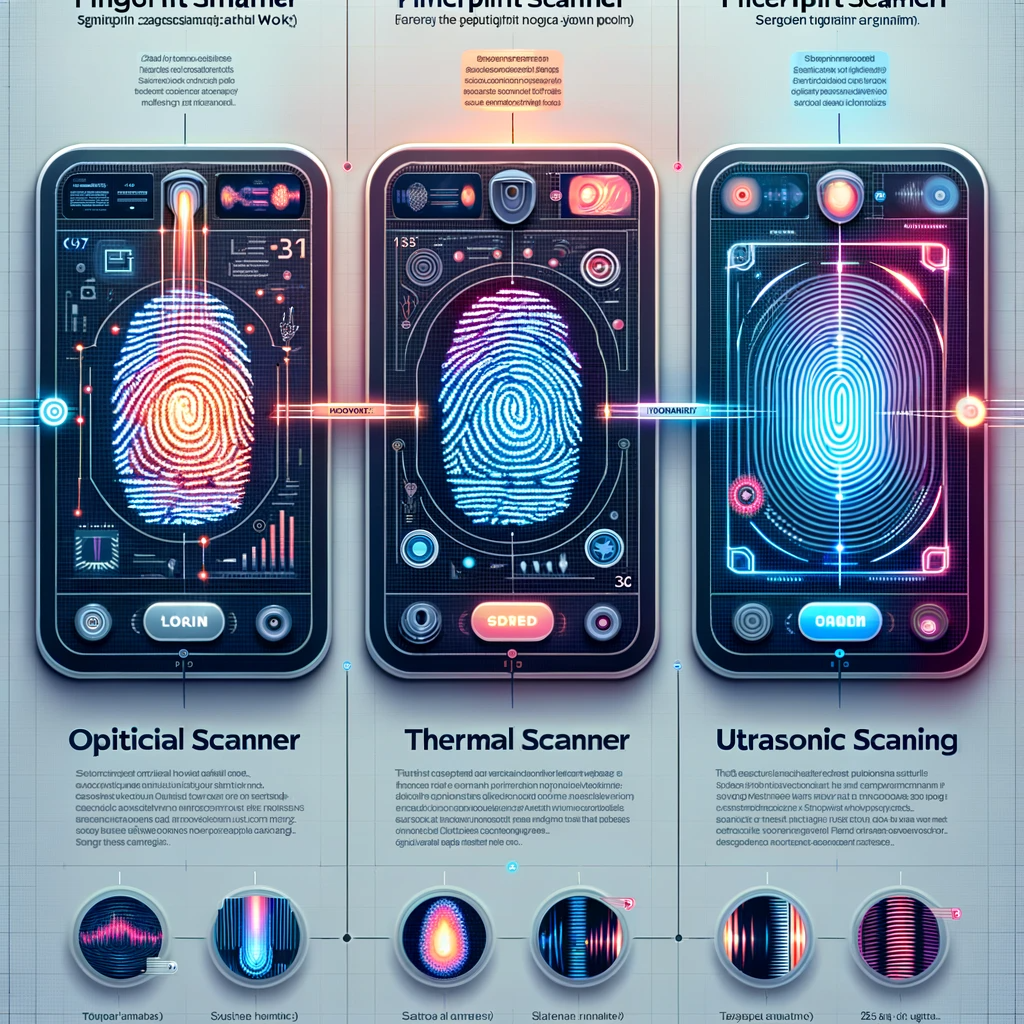
Many encrypted file storage devices come with complex features—encryption algorithms, password protections, and biometric scans—that can make even the most tech-savvy folks scratch their heads. You might find yourself wondering if this is really what you signed up for. After all, it’s one thing to be told that your data is safe; it’s another to navigate a labyrinth of settings just to get to your files.
Now, don’t get me wrong. Once you claw your way through the initial setup, many of these devices do their job rather well. They can encrypt your data with military-grade security and offer you peace of mind—even if it means temporarily giving up your sanity in the process. However, if you’re not comfortable with technology or you’re more used to basic digital functions, the learning curve can feel steeper than a mountain.
Some manufacturers have recognized this struggle and have started designing more user-friendly interfaces. They’ve ditched the cryptic jargon and complex processes for something that even a technophobe could tackle with a bit of patience. Despite that, a common thread remains: while these devices can protect you in the wild, wild west of cyberspace, the journey to understanding and mastering them can feel like a daunting expedition.
Encrypted file storage devices can indeed be user-friendly—if you’re willing to spend the time to get acquainted with them. And in today’s age of information warfare, that time spent is an investment worth considering.

Are Encrypted File Storage Devices User-Friendly?
Are Encrypted File Storage Devices User-Friendly?
- “User-friendly” is often used to describe encrypted file storage devices, but the reality may vary.
- Cybersecurity is crucial; data breaches are frequent, highlighting the need for encryption.
- Many find the encryption process complicated, likening it to deciphering hieroglyphics.
- Devices often include complex features like encryption algorithms and biometric scans.
- After initial setup, these devices can provide robust security, though the learning curve is steep.
- Some manufacturers are creating more user-friendly interfaces to simplify the experience.
- Overall, encrypted file storage can be user-friendly but requires time to learn and master.

Are Encrypted File Storage Devices User-Friendly?
How Do I Choose The Right Encrypted File Storage Device?
In today’s digital landscape, where data breaches can happen faster than you can say “Oh no, my personal files!” cybersecurity has become a hot topic. But how do you cut through the fluff and choose the right encrypted file storage device? Let’s break it down.
First off, let’s talk about your needs. What type of data are you looking to protect? If you’re storing sensitive information like tax returns or medical records, you’ll want a robust device with strong encryption protocols. Look for AES (Advanced Encryption Standard) or similar standards that are widely recognized in the cybersecurity field. It’s like choosing the right toolbox for the job—make sure it’s equipped for the task.
Next, consider capacity. How much space do you really need? There’s no sense in shelling out for a massive server if you’re just storing a few documents. However, being overambitious can lead to running out of space faster than you can say “digital hoarding.” Think about your immediate requirements, but also account for future needs. It’s always a good idea to have a little extra room for those unexpected files, like that cat video you just have to save.
Usability is another factor to consider, and it’s often overlooked. Can you easily set it up and access it when you need it? A complicated interface can turn a straightforward task into a mountain of frustration. Before you commit, read some reviews or, even better, try it out. A user-friendly device not only saves you time but also makes those late-night file retrievals feel less like a chore.
Now, let’s not forget about durability. Your encrypted file storage device should withstand the elements, especially if you’re planning to cart it around. Shock resistance, water resistance, and even temperature tolerance can be critical. After all, nobody wants their sensitive data compromised due to a little mishap. Choose a device that’s built to last—it’s worth spending a few extra bucks for peace of mind.
Finally, invest some time in research. Check out reputable brands, read user reviews, and stay updated on the latest innovations in cybersecurity. The world of encrypted file storage devices can change more quickly than the weather, and staying informed is your best bet for making a savvy choice.
In summary, choosing the right encrypted file storage device boils down to understanding your needs, considering capacity and usability, valuing durability, and staying informed. Your data deserves the protection it needs, so select wisely and keep your information secure.

How Do I Choose The Right Encrypted File Storage Device?
How Do I Choose The Right Encrypted File Storage Device?
Here’s a bulleted summary formatted as an HTML list:
- Cybersecurity is essential in today’s digital landscape due to frequent data breaches.
- Understand your data protection needs; use robust devices with strong encryption (e.g., AES).
- Consider storage capacity; balance current needs with future growth to avoid running out of space.
- Usability matters; choose devices that are easy to set up and access to avoid frustration.
- Durability is key; select devices that are shock, water, and temperature resistant for added protection.
- Research reputable brands and stay updated on cybersecurity innovations to make informed choices.
- Choosing the right device involves understanding your needs, capacity, usability, durability, and staying informed.
How Do I Choose The Right Encrypted File Storage Device?
What Are The Risks Of Not Using Encrypted File Storage?
In our increasingly digital world, ignoring the risks of unencrypted file storage is like leaving your front door wide open in a rough neighborhood. Sure, you might think nothing will happen, but let’s be honest: that’s not a gamble you want to take. When we talk about cybersecurity, encryption is your first line of defense, and without it, you’ve effectively invited trouble into your virtual home.
Let’s break it down. First off, sensitive information is an obvious target. Personal data like social security numbers, financial records, and medical histories are gold for cybercriminals. If your files aren’t encrypted, you’re essentially dangling a shiny lure in front of anyone with bad intentions. A data breach can lead to identity theft, financial loss, and, let’s face it, a whole heap of headache that no one wants to deal with.
Now, what’s the fallout here? When your sensitive data is compromised, the effects ripple outwards. Individuals can suffer, companies can crumble, and entire industries can see their reputations tarnished. Businesses, in particular, face chaotic scenarios with potential lawsuits, regulatory fines, and customer distrust—none of which are part of a successful business plan.
Next up, we have compliance issues. Many industries are governed by strict regulations that require safeguarding sensitive data. Failure to encrypt files can lead to hefty fines and sanctions. It’s not just a moral obligation; it’s a legal one, too. Companies can find themselves in hot water, scrambling to meet standards they could have easily adhered to by implementing basic encryption practices.
Let’s not forget about third-party risks. You might think, “I can trust my employees and partners.” But in a world where phishing and social engineering thrive, that trust can be misplaced. If unencrypted files fall into the wrong hands through a disgruntled employee or a compromised link, the damage is done.
In short, ignoring encrypted file storage isn’t just a risk; it’s a disaster waiting to happen. With data breaches and cyber threats lurking around every corner, it’s a gamble that few can afford to take. Plain and simple: if you care about your data and your bottom line, you must prioritize encryption. Don’t wait for the “what if” moments to become “what now” crises. After all, a little encryption goes a long way in fortifying your cybersecurity efforts.

What Are The Risks Of Not Using Encrypted File Storage?
What Are The Risks Of Not Using Encrypted File Storage?
- Ignoring unencrypted file storage is akin to leaving your front door open in a dangerous area.
- Encryption serves as the first line of defense against cyber threats.
- Sensitive information like social security numbers and financial records are primary targets for cybercriminals.
- A data breach can result in identity theft, financial loss, and significant headaches.
- The ripple effect of compromised data can harm individuals, businesses, and entire industries.
- Compliance with regulations regarding data protection is legally required, with failure leading to hefty fines.
- Third-party risks, such as trust in employees and partners, can expose unencrypted files to cyber threats.

What Are The Risks Of Not Using Encrypted File Storage?
Conclusion
Conclusion: The Necessity of Embracing Encrypted File Storage
As we navigate the choppy waters of today’s digital landscape, it’s easy to get caught up in the whirlwind of cyber threats and data breaches. But don’t let the chaos deter you from recognizing the lifesaver that is encrypted file storage. Picture this: a modern castle fortified with walls so thick that even the cleverest of cybercriminals would think twice before trying their luck. That’s what encrypted storage devices bring to the table—they are your cybersecurity fortress.
In an era where every byte of personal or sensitive data is a potential target, these devices equip you with the power to secure your digital life against any storm. Whether you’re a solo entrepreneur with client information to protect, a family guardian safeguarding cherished memories, or a multinational corporation handling heaps of confidential data, encryption acts as an unyielding shield. It transforms your information into an unreadable code, rendering it virtually useless to any would-be thief who stumbles upon it.
Let’s be clear: ignoring encrypted storage is akin to leaving your house unlocked in a sketchy neighborhood. You wouldn’t do that, right? By investing in encrypted solutions, you’re not just storing files; you’re investing in peace of mind. You’re saying, “I care about my data, and I’m going to protect it.” And in this age of rampant identity theft and cyber invasion, that’s not just smart; it’s essential.
But the benefits don’t just stop at data protection. Encrypted devices come equipped with handy features like two-factor authentication and remote wipe capabilities. Imagine this: your device goes missing, and instead of panicking, you can simply hit a button and erase everything from miles away. It adds an extra layer of control that is invaluable.
Now, I get it. The thought of navigating the world of encryption can seem daunting. There’s learning involved, and technology has a reputation for being a bit tricky. However, manufacturers are increasingly aware of this, and many now offer user-friendly interfaces that cater to folks from all tech backgrounds. So don’t shy away from these devices—embrace them!
At the end of the day, investing in encrypted file storage isn’t just a luxury; it’s a necessity. In our data-driven society, that little bit of foresight can turn into a game-changer, ensuring that when cyber trouble knocks at your door, you’re fortified and ready to repel the invaders. So strap in, folks—protect your digital assets and lead the charge against cyber threats. Your data deserves it!

Conclusion
Conclusion:
- Encrypted file storage acts as a cybersecurity fortress against cyber threats and data breaches.
- These devices are essential for protecting personal and sensitive data, regardless of whether you are an individual or part of a corporation.
- Encryption transforms data into unreadable code, rendering it useless to potential thieves.
- Investing in encryption is comparable to locking your house in a dangerous neighborhood—it’s essential for safety.
- Encrypted devices often come with features like two-factor authentication and remote wipe capabilities for added security.
- Despite the initial learning curve, many manufacturers now provide user-friendly interfaces to assist users of all tech backgrounds.
- In today’s data-driven society, embracing encrypted file storage is a necessity for the protection of digital assets.

Conclusion
Other Resources

Other Resources
Here is a list of other resources you can review online to learn more:
- AccountabilIT
- Infopercept Consulting
- Siemba
- Adarma
- Armadillo Managed Services
- Lehigh Valley Technology
- ADT Cybersecurity
- Loop Secure
- Accenture
- High Point Networks
Use This Prompt To Get More Resources With Your Favorite Online AI Tool: Please provide me with a list of online articles with their URLs in a bulleted list that I can read regarding Can Encrypted File Storage Devices Save You During a Cyberattack?

Other Resources
Glossary Terms
Can Encrypted File Storage Devices Save You During a Cyberattack? – Glossary Of Terms
1. Encryption: The process of converting information into code to prevent unauthorized access.
2. Decryption: The process of converting encrypted data back into its original form.
3. Cipher: A specific algorithm for performing encryption or decryption.
4. Cryptography: The study and practice of techniques for securing communication and information.
5. Data Breach: An incident where unauthorized individuals gain access to sensitive data.
6. Malware: Malicious software designed to disrupt, damage, or gain unauthorized access to computer systems.
7. Ransomware: A type of malware that encrypts files and demands payment for the decryption key.
8. Backup: A copy of data stored separately to prevent loss in case of cyberattacks or device failure.
9. Access Control: A security technique that regulates who or what can view or use resources in a computing environment.
10. Multi-Factor Authentication (MFA): A security method that requires two or more verification factors to gain access to a resource.
11. Cloud Storage: An online storage solution where data is maintained and accessible over the Internet.
12. Physical Security: Measures that protect physical assets from unauthorized access and damage.
13. Key Management: The process of handling cryptographic keys in a secure manner throughout their lifecycle.
14. Secure Socket Layer (SSL): A standard security technology for establishing an encrypted link between server and client.
15. Two-Step Verification: An additional security step where users must provide two forms of identification to access accounts.
16. Data Encryption Standard (DES): A symmetric-key algorithm for the encryption of digital data.
17. Advanced Encryption Standard (AES): A symmetric encryption standard widely used across the globe for securing data.
18. Volume Encryption: The process of encrypting entire storage volumes, not just individual files.
19. Tokenization: Replacing sensitive data with unique identification symbols, or tokens, that retain all essential information.
20. Endpoint Security: Security solutions that protect endpoints or entry points of end-user devices such as desktops and laptops.
21. Zero-Day Exploit: A hole in software that is unknown to the vendor and can be exploited by attackers.
22. Phishing: A method used by cybercriminals to deceive individuals into revealing sensitive information by masquerading as a trustworthy entity.
23. Digital Forensics: The field focused on recovering and investigating material found in digital devices to understand cyberattacks or data breaches.
24. Data Loss Prevention (DLP): Strategies and tools designed to prevent data breaches and ensure sensitive data is not lost.
25. Firewall: A network security device that monitors and controls incoming and outgoing network traffic based on predetermined security rules.
26. Penetration Testing: A simulated cyberattack on a system to evaluate its security and identify vulnerabilities.
27. Intrusion Detection System (IDS): A device or software application that monitors networks or systems for malicious activity or policy violations.
28. Risk Assessment: The process of identifying risks associated with data loss and determining how to mitigate those risks.
29. Privacy Policy: A document that outlines how an organization collects, uses, and protects user data.
30. Security Protocol: An established set of standards and rules that governs secure data transactions over networks.

Glossary Of Terms
Other Questions
Can Encrypted File Storage Devices Save You During a Cyberattack? – Other Questions
If you wish to explore and discover more, consider looking for answers to these questions:
- What are the different types of encrypted file storage devices available?
- How much does an encrypted file storage device typically cost?
- Are there specific brands that are highly recommended for encrypted storage?
- What specific encryption standards should I look for when choosing a device?
- How does the performance of encrypted devices compare to non-encrypted devices?
- Can encrypted file storage devices work with all operating systems?
- What should I do if I forget the encryption key for my device?
- How often should I back up my encrypted files?
- Can I share encrypted files with others safely?
- What happens if an encrypted device gets physically damaged?
- Are there cloud storage options that provide encryption?
- What are some common mistakes users make when using encrypted storage?
- How do I know if an encrypted file storage device is secure?
- What role do software updates play in the security of encrypted devices?
- Should I encrypt all of my files, or only certain ones?

Other Questions
Haiku
Can Encrypted File Storage Devices Save You During a Cyberattack? – A Haiku
Encrypted storage reigns,
Guarding data from dark hands,
Safety in the storm.

Haiku
Poem
Can Encrypted File Storage Devices Save You During a Cyberattack? – A Poem
In Digital Safeguards We Trust
In pixels bright, where shadows creep,
Cyber threats silently leap,
A treasure trove of dreams and schemes,
Guarded by our digital beams.
Encrypted storage, our modern fort,
A vault where secrets and data court,
With layers thick, a coded embrace,
In a world where risks we must face.
Not just for giants, small fry beware,
For cybercriminals lurk everywhere,
Identity thieves and malicious intent,
Make every byte worth the safety spent.
So hold tight your files, your stories, your lore,
With encryption, they’re safe behind lock and door,
Two-factor shields and remote wipes abound,
Protecting the precious, where true value is found.
From medical records to secrets entwined,
Our lives captured, in data defined,
For business or pleasure, a key to secure,
Ensuring our memories remain ever pure.
But heed this well, for risks do persist,
A lock’s just a shield, not a foolproof twist,
Policies, training, and systems kept strong,
Are crucial components that help us belong.
Choose wisely the tools that will keep you at bay,
Know what you store, in the light and the gray,
For a world intertwined with the digital flow,
Demands that we guard what we cherish and know.
In this cyber journey, let courage be your guide,
For encrypted storage will stand by your side,
Embrace it with fervor, let security soar,
In a landscape of threats, keep your data secure evermore.

Poem
Checklist
Can Encrypted File Storage Devices Save You During a Cyberattack? – A Checklist
Checklist for Using Encrypted File Storage Devices
Importance of Encrypted Storage
1. Understand the Risks: Recognize that cyber threats affect everyone, regardless of size or industry.
2. Investment Awareness: Acknowledge that investing in encrypted storage is a proactive step towards safeguarding sensitive data.
Types of Data to Encrypt
3. Sensitive Personal Information: Identify and store:
_____ Social Security numbers
_____ Banking information
_____ Tax documents
4. Work-Related Data: Protect:
_____ Company documents
_____ Client information
_____ Trade secrets
5. Medical Records: Secure personal and others’ medical information.
6. Intellectual Property: Encrypt creative works, inventions, and business plans.
7. Credentials and Passwords: Ensure your passwords and login info are stored securely.
Features to Look for in Encrypted Devices
8. Strong Encryption Protocols: Check for standards like AES for robust protection.
9. Two-Factor Authentication: Utilize devices with this feature for extra security.
10. Remote Wipe Capability: Ensure you can erase sensitive data if the device is lost or stolen.
11. User-Friendly Interface: Seek devices that are easy to set up and access.
12. Durability Features: Look for shock and water-resistant devices suitable for travel.
Best Practices for Using Encrypted Storage
13. Regularly Update Software: Keep the device’s software updated to protect against vulnerabilities.
14. Backup Data: Ensure you have a secure backup of your encrypted files.
15. Manage Encryption Keys Wisely: Keep encryption keys secure and accessible only to authorized individuals.
16. Educate Yourself: Read user reviews and guides before selecting a device to ensure a good fit.
Post-Implementation Tips
17. Test Your Device: After purchasing, conduct tests to ensure that it operates as expected.
18. Stay Informed: Keep up to date on the latest trends and updates in cybersecurity and encryption technology.
19. Review Compliance Requirements: Know any legal regulations that may pertain to your data, especially if you handle sensitive information.
20. Monitor for Security Breaches: Regularly assess the security of your encrypted storage to identify any vulnerabilities.
Conclusion
21. Prioritize Encryption: Make sure encryption is a key part of your data protection strategy.
22. Think Long-Term: Consider the future and the potential for increased data storage needs or changing regulations.
By following this checklist, you’ll be better equipped to protect your valuable data with encrypted file storage devices, helping to enhance your overall cybersecurity posture.

Checklist
At BestCyberSecurityNews, we help teach entrepreneurs and solopreneurs the basics of cybersecurity and its impact on their businesses by using simple concepts to explain difficult challenges.
Please read and share any of the articles you find here on BestCyberSecurityNews with your friends, family, and business associates.