


Protecting Your Devices From Threats
By Tom Seest
At BestCyberSecurityNews, we help teach entrepreneurs and solopreneurs the basics of cybersecurity and its impact on their businesses by using simple concepts to explain difficult challenges.
Please read and share any of the articles you find here on BestCyberSecurityNews with your friends, family, and business associates.
Are Your Devices Vulnerable to Exploitation This Year?
In today’s world, where everything from our coffee makers to our front doors is smarter than ever, it’s easy to forget that with great convenience often comes great vulnerability. That shiny new smartphone you can’t live without? It could be an open door to hackers looking to exploit weaknesses in your cybersecurity defenses. This year, let’s take a moment to consider: Are your devices truly safe, or are they just shiny up-to-date targets?
Cybersecurity isn’t just an IT department’s concern; it’s something that should matter to all of us. Each time we connect to Wi-Fi or download an app, we’re essentially rolling the dice. The rapid evolution of technology is a double-edged sword. On one side, we gain remarkable features and connectivity; on the other, we expose ourselves to potential vulnerabilities. Home networks filled with smart devices—thermostats, lightbulbs, and even refrigerators—are just waiting for an unsecured connection to invite unwanted guests.
This year, let’s dig deeper into how we can fortify our digital frontlines. First off, change those pesky default passwords. You know the ones—the ones everyone uses, like “123456” or “password”? Yeah, don’t go there. Creating strong, unique passwords for each device is like installing thick locks on your doors. It’s not foolproof, but it sure makes it harder for the opportunistic burglar.
Next up, let’s talk common sense. Keep your devices updated. Manufacturers regularly roll out patches to fix security holes, and that update reminder isn’t just an annoying pop-up; it’s a lifeline. Don’t ignore it! You wouldn’t leave your car door unlocked while it’s parked in a sketchy neighborhood, would you? It’s the same with cybersecurity. Follow the updates, and you keep the bad guys at bay.
Using two-factor authentication on accounts might feel like a hassle, but think of it as an extra layer of armor. One layer can be defeated; two layers give you much better odds for a win. With so much at stake—your data, your privacy—investing time in improving your defenses against exploitation is not just wise; it’s essential.
So, before you enjoy that new gadget or app, take a moment to consider what’s at play. This year, let’s be proactive about our cybersecurity. Stay alert, stay informed, and protect what matters most.
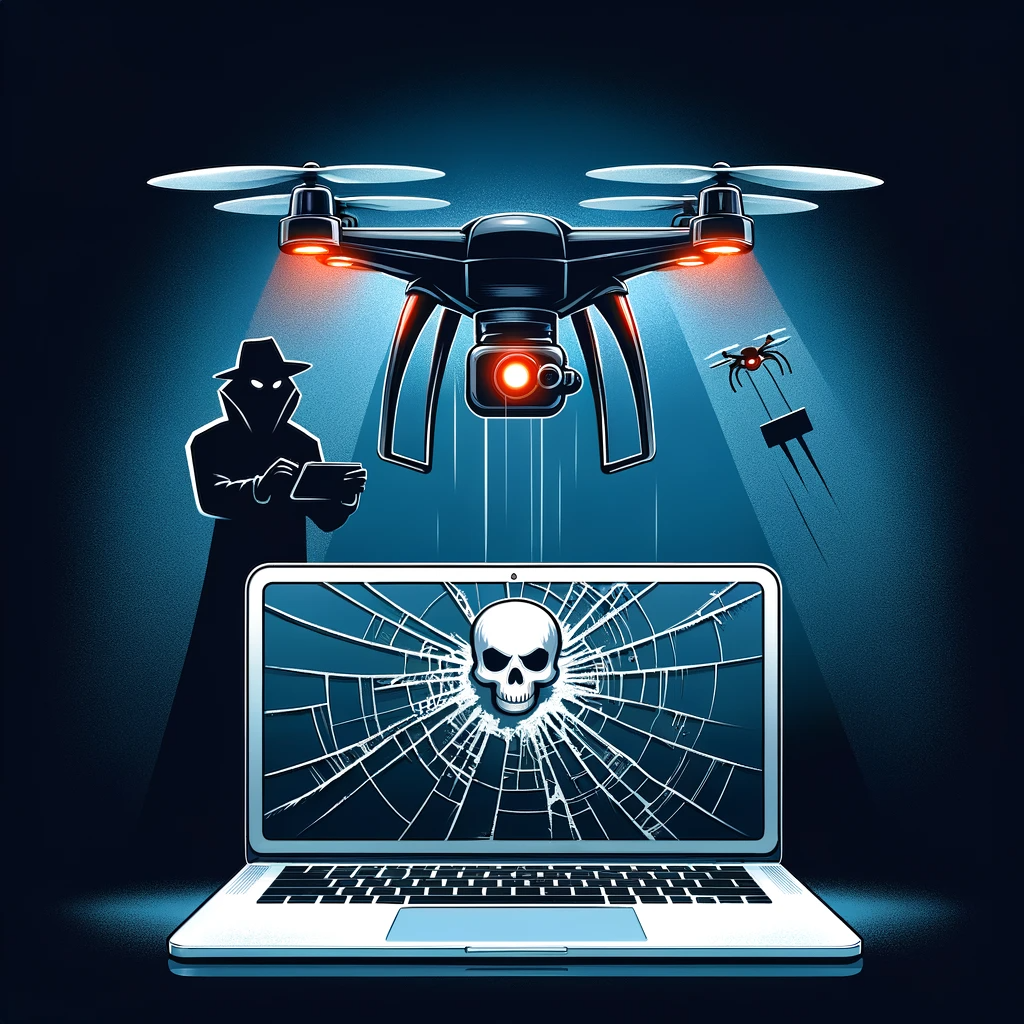
Are Your Devices Vulnerable to Exploitation This Year?
Are Your Devices Vulnerable to Exploitation This Year?
- Modern conveniences can introduce vulnerabilities in cybersecurity.
- We should evaluate the safety of our devices beyond their appearance.
- Cybersecurity concerns extend beyond IT departments to everyone.
- Smart home devices are susceptible to attacks through unsecured connections.
- Change default passwords to create strong, unique passwords for each device.
- Regularly update devices to mitigate security risks and patch vulnerabilities.
- Utilize two-factor authentication for an additional layer of security for accounts.

Are Your Devices Vulnerable to Exploitation This Year?
Table Of Contents
- Are Your Devices Vulnerable to Exploitation This Year?
- Is My Smartphone Secure From Cyber Threats This Year?
- How Can I Check My Device For Vulnerabilities?
- What Types Of Exploits Target Home Devices?
- Are Software Updates Enough To Protect My Devices?
- How Can I Strengthen My Wi-Fi Network Security?
- What Are The Signs That My Device Has Been Compromised?
- Should I Use Antivirus Software On My Devices?
- Conclusion
- Other Resources
- Glossary Of Terms
- Other Questions
- Haiku
- Poem
- Checklist
Is My Smartphone Secure From Cyber Threats This Year?
As we step into another year filled with technological advancements and shiny new gadgets, it’s worth taking a moment to consider an important question: is your smartphone secure from cyber threats this year? In a world where everything from grocery lists to sensitive banking information is conveniently tucked away in our pockets, the security of these compact powerhouses is critical.
Let’s dive into the pool of cybersecurity, where the waters can get murky without the right knowledge. It’s easy to assume that just because you’ve got the latest model, your device is impervious to digital intruders. However, that’s a slippery slope. Cyber threats don’t take holidays, and they certainly don’t discriminate between old and new models. In fact, hackers are becoming savvy, and they often target the very features we cherish about our smartphones: instant connectivity, user-friendly apps, and unbridled access to the web.
Every time you download an app—be it to monitor your workouts or manage your bank account—you’re opening a potential door for cybercriminals. Some apps may seem harmless, but beneath the surface, they can siphon your data faster than you can say “privacy settings.” It’s no longer just about protecting yourself against well-known threats; we now have to contend with sophisticated malware that can hide in the most innocuous places.
So what can you do to boost your smartphone’s defenses against these lurking threats? First off, always keep your device’s software updated. Those little notifications urging you to update may seem annoying, but they often fix security vulnerabilities that can be exploited. Also, make sure to scrutinize the permissions you grant to apps. If a flashlight app is asking for access to your contacts, alarm bells should ring.
Furthermore, consider employing robust cybersecurity measures like using strong, unique passwords and enabling two-factor authentication wherever possible. This won’t make you bulletproof, but it can certainly make it harder for the bad actors to breach your defenses.
Finally, keep an eye out for any unusual behavior on your smartphone—strange pop-ups, sluggish performance, or unexpected battery drain can all be signs of malicious activity. In an era where our smartphones are often our lifelines, it’s imperative to stay vigilant. Your digital safety depends on you, not just the technology.

Is My Smartphone Secure From Cyber Threats This Year?
Is My Smartphone Secure From Cyber Threats This Year?
- Consider the security of your smartphone as we enter a new year of technological advancements.
- Cyber threats target smartphones regardless of age, making security essential.
- Downloading apps can expose your smartphone to cybercriminals, even if the apps seem harmless.
- Keep your device’s software updated to fix security vulnerabilities.
- Be cautious about app permissions; unexpected access requests can indicate a risk.
- Utilize strong, unique passwords and enable two-factor authentication for added security.
- Stay vigilant for unusual smartphone behavior, such as strange pop-ups or battery drain, which may signal malicious activity.

Is My Smartphone Secure From Cyber Threats This Year?
How Can I Check My Device For Vulnerabilities?
In a world that’s more connected than ever, understanding how to keep your device safe from cyber threats is crucial. Cybersecurity is not just a buzzword; it’s the armor you wear in today’s digital battleground. But how do you take stock of your defenses? Let’s roll up our sleeves and get into it.
First off, start by assessing the software you’re using. Regularly check for updates for your operating system and any installed applications. Software developers are constantly patching vulnerabilities, and those patches often close gaps that cybercriminals might exploit. Enabling automatic updates is a simple way to ensure you’re not left vulnerable, but don’t neglect to check manually for updates, too.
Next, take a look at your antivirus software. If protection is your goal, you’ll need a competent barrier. Ensure your antivirus is up to date and running scheduled scans. These programs can identify potential threats lurking on your device. Remember, an old antivirus is about as effective as a broken shield in a sword fight.
Consider using vulnerability scanning tools, which are available for both personal and business use. These tools will comb through your system, identifying weak spots and potential entry points that hackers could exploit. Some popular tools include Nessus, OpenVAS, or even simpler ones designed for everyday folks. A little thoroughness here goes a long way.
Don’t forget to check your passwords. Are they strong enough to thwart a digital would-be thief? Use passphrases, symbols, and a mix of upper and lower case letters. Better yet, consider a password manager. These nifty applications can generate and store secure passwords on your behalf, saving you the hassle and boosting your security.
Next on the list—enable two-factor authentication whenever possible. This extra layer of protection is like locking your front door and installing a security system. Even if someone manages to get your password, they’ll have one more obstacle to climb over to get to your sensitive information.
Lastly, be vigilant about your network security. Ensure your Wi-Fi is secured with encryption (WPA3 is the gold standard), and keep track of the devices connected to your network. If you spot something suspicious, don’t hesitate to kick it off your network.
By taking these steps, you’ll be doing your part to bolster your cybersecurity and protect your device from vulnerabilities. In the wild world of interconnected technologies, knowledge truly is power.

How Can I Check My Device For Vulnerabilities?
How Can I Check My Device For Vulnerabilities?
- Understand the importance of cybersecurity as essential protection in today’s digital world.
- Regularly check and apply updates for your operating system and installed applications to close security gaps.
- Ensure your antivirus software is up to date and performing scheduled scans to detect potential threats.
- Utilize vulnerability scanning tools to identify weak spots in your system, such as Nessus and OpenVAS.
- Strengthen your passwords by using passphrases and consider a password manager for enhanced security.
- Enable two-factor authentication for an additional layer of protection against unauthorized access.
- Secure your Wi-Fi network with encryption and monitor connected devices for suspicious activities.

How Can I Check My Device For Vulnerabilities?
What Types Of Exploits Target Home Devices?
When we think about cybersecurity, most of us picture a high-stakes battle against hackers in dark basements or tech-savvy criminals dwelling in cyberspace. However, let’s bring this conversation down to earth, where the real war is waged — right in our homes. That’s right, the humble abode, filled with smart devices that often have more vulnerabilities than we’d like to admit.
So, what types of exploits are targeting those everyday gadgets, and how do they put your digital safety at risk? Well, let’s take a stroll through the digital landscape of your average home.
First up, we have the good ol’ webcam. Many of us have transitioned into remote work and online meetings, so webcams are practically standard equipment these days. These devices can easily be compromised, allowing intruders to use them as unintended viewfinders into our lives. Suddenly, that talk about your lunch becomes the least of your worries.
Next, let’s chat about smart speakers. Ever thought about how these little gadgets are always listening? Sure, they’re convenient for asking about the weather or playing your favorite tunes, but they also come with a hefty price tag of privacy. If a malicious actor knows how to exploit them, they could potentially intercept conversations or sensitive data.
Then we have IoT (Internet of Things) devices galore. From smart light bulbs to thermostat controls, the vulnerability here can come from weak passwords or outdated firmware. Just think about it: a clever hacker could gain control of your entire home ecosystem. Imagine someone maliciously adjusting your thermostat at will or flicking your lights on and off when you’re not home for a little added chaos!
Another popular target is the smart fridge. Yes, you heard it right! While it might seem innocent at first, these devices can collect data on your habits and preferences. A determined hacker could exploit this information to create tailor-made scams aimed right at your wallet. When someone knows what you like to eat or where you shop, they’ve got a solid advantage.
Finally, there’s the router itself. This is the gateway to your home network, and if it’s not secured properly, it’s like leaving the front door wide open. It provides a path for cybercriminals to infiltrate other devices around your home.
So, whether it’s relying too heavily on convenience, overlooking a firmware update, or just thinking it won’t happen to you, these vulnerabilities can lead to significant issues. Staying aware and proactive in your cybersecurity practices is the best defense against the exploits that target our beloved home devices.

What Types Of Exploits Target Home Devices?
What Types Of Exploits Target Home Devices?
- Cybersecurity concerns extend beyond hackers to the vulnerabilities of smart devices in our homes.
- Webcams are common in remote work settings and can be compromised, potentially allowing intruders to spy on personal lives.
- Smart speakers, while convenient, pose privacy risks as they could intercept conversations if exploited by malicious actors.
- IoT devices, such as smart light bulbs and thermostats, can be vulnerable due to weak passwords or outdated firmware.
- Smart fridges can collect personal data, which hackers may exploit to create targeted scams.
- The router serves as the gateway to home networks and needs to be secured to prevent unauthorized access by cybercriminals.
- Being aware of and proactive about cybersecurity practices is essential to protect against these vulnerabilities.

What Types Of Exploits Target Home Devices?
Are Software Updates Enough To Protect My Devices?
When it comes to the digital world, it’s easy to think that updating your software is the panacea for all your cybersecurity woes. We’ve all seen those notifications pop up—install this update to ensure your device runs smoothly or to keep it secure against threats. But let’s take a moment to peel back the layers of that shiny software update pamphlet.
Yes, software updates are absolutely crucial. They patch vulnerabilities, fix bugs, and sometimes, they even enhance features that we didn’t know we needed. But here’s the kicker: relying solely on updates is like assuming that locking your front door is enough to keep an intruder out. In a world where cyber threats lurk around every corner, an update alone isn’t the fortress we’d like it to be.
Consider your device like a sturdy old farmhouse. Each update is like a fresh coat of paint and a tightened bolt. It looks nice, sure, but does that really seal up the cracks and crevices where pests can slip in? Cybersecurity isn’t simply about updating software; it’s about cultivating an environment where threats find no purchase. Good security hygiene means being mindful of what you’re downloading, how you’re browsing, and who you’re connecting with.
Let’s not forget the human factor. Phishing scams, for example, are designed to exploit our curiosity or urgency—all while pretending to be something trustworthy. An updated operating system doesn’t grant immunity if we’re still clicking on dubious links or opening suspicious emails. In truth, you could have the latest software updates and still fall prey to a clever con artist on the other end of the line.
That’s why a comprehensive approach to cybersecurity is essential. Firewalls, anti-virus programs, and even common sense must join forces with your regular updates to create a robust defense. It’s like a multi-layered safety net—each layer serves a purpose, and together, they’re formidable.
So, while software updates are indeed a crucial part of the cybersecurity puzzle, they are just that—a piece of the larger picture. Embrace a multi-faceted strategy, and don’t forget the human element. After all, in the intricate web of cybersecurity, it’s not just about what you’re installing; it’s also about how you’re engaging with the world around you.

Are Software Updates Enough To Protect My Devices?
Are Software Updates Enough To Protect My Devices?
- Software updates are essential for patching vulnerabilities, fixing bugs, and enhancing features.
- Relying solely on updates is insufficient, akin to thinking a locked door is enough to deter intruders.
- Cybersecurity involves more than just updates; it requires a secure environment to prevent threats.
- Good security hygiene includes being mindful of downloads, browsing habits, and connections.
- The human factor plays a crucial role; phishing scams exploit curiosity and urgency, regardless of updates.
- A comprehensive cybersecurity strategy includes firewalls, anti-virus programs, and a common-sense approach.
- Embrace a multi-faceted security strategy that integrates updates with awareness of online interactions.

Are Software Updates Enough To Protect My Devices?
How Can I Strengthen My Wi-Fi Network Security?
Alright, folks, let’s talk turkey about something that many of us take for granted: our Wi-Fi network. It’s the invisible lifeblood that connects us to the vast world of information, streaming, and social media. But with great power comes great responsibility, and that responsibility is cybersecurity. Don’t roll your eyes; securing your network is as important as locking your front door. So, let’s dive into a few ways you can bolster that digital fortress.
First things first—change that default password! Many routers come with as easy-to-guess passwords as “admin” or “password.” That’s like leaving your front door wide open for anyone to stroll in. Grab a few brain cells and create a strong, complex password. Use a mix of uppercase and lowercase letters along with numbers and special characters. It’s your first line of defense, so make it strong!
Next, log into your router’s admin settings and make sure you’re using WPA3 encryption. It’s the latest and greatest in wireless security protocols. Some older routers may still be on WPA2, which is alright for now, but if you can upgrade to WPA3, do it. It’s like upgrading from a rusty lock to a deadbolt—safer and more robust.
Then, consider hiding your Wi-Fi network name, or SSID. It’s a bit like withholding the address of your secret hideout. If the neighbors can’t see your network, they can’t try to crack it. But be wary! This is akin to putting up a sign that says, “Don’t come in” while leaving the door a wee bit ajar. Tech-savvy intruders can still discover hidden networks, but it’s a solid deterrent for casual snoopers.
Also, limit the number of devices that can connect to your Wi-Fi network. Control who gets in. Most routers let you see a list of connected devices; if you spot anything that looks fishy, kick it to the curb.
Finally, keep that router firmware updated. Just like your car needs an oil change, your router needs a little TLC now and then. Manufacturers regularly release security updates to fix vulnerabilities, turning your router into the digital equivalent of a well-oiled machine.
So there you have it; these are a few simple yet effective steps to strengthen your Wi-Fi network security. The world may seem expansive, but your little network can be a secure hideaway if you take the right precautions. Let’s keep those cyber intruders out where they belong!

How Can I Strengthen My Wi-Fi Network Security?
How Can I Strengthen My Wi-Fi Network Security?
- Wi-Fi is essential for connectivity, but ensuring its security is crucial.
- Change the default router password to a strong, complex one using a mix of characters.
- Use WPA3 encryption for enhanced wireless security, upgrading from older protocols if possible.
- Consider hiding your Wi-Fi network name (SSID) to deter casual snoopers.
- Limit the number of devices that can connect; monitor and manage connected devices regularly.
- Keep your router firmware updated to patch security vulnerabilities and maintain performance.
- Taking these steps can help create a secure Wi-Fi environment against cyber intruders.

How Can I Strengthen My Wi-Fi Network Security?
What Are The Signs That My Device Has Been Compromised?
In this age of technology, we often put our trust in devices that do more than just make life easier. They hold our secrets, our routines, and even our identities. But when your trusty gadget starts to act up, it’s worth paying attention. Here are some signs that your device could have been compromised.
First off, if your device seems slower than a turtle on a Sunday stroll, it might not just be a case of old age. Slow system performance can indicate that something is working behind the scenes—maybe malware is munching on your resources like a raccoon at a dumpster. Notice any unusual errors or pop-ups? That’s another red flag. If you’re seeing messages that were never there before or programs launching on their own, your device may have been thrown into the wild.
Ever get that strange feeling that someone might be watching? If your webcam turns on by itself or your microphone picks up sounds when it shouldn’t, it’s high time to start asking questions. Cybersecurity experts often warn about the dangers of “spyware,” the sneaky little critter that can monitor your activities without your consent.
Let’s talk about brush-offs, shall we? If you’re unable to install software updates, or the settings don’t seem to function as they should, it could mean someone else is pulling the strings. That can’t be good for the long-term health of your device. And don’t forget about your accounts! If you notice unauthorized logins or strange activity in your emails or social media, it’s almost like someone’s stolen the keys to your digital kingdom.
Moreover, are your files mysteriously disappearing or multiplying like gremlins? Ransomware is a serious threat, and if you find your important documents locked away with a message demanding payment, it’s time to get serious about your cybersecurity.
Lastly, your devices should be predictable, but if they start behaving erratically—crashing, freezing, or just turning off when they shouldn’t? Well, that could be a sign you’re not alone in there. Remember, a little caution can go a long way when it comes to protecting your digital life. Keep your eyes peeled, and don’t ignore the signs; your device’s health—and possibly your whole online world—might depend on it.

What Are The Signs That My Device Has Been Compromised?
What Are The Signs That My Device Has Been Compromised?
- Trust in devices goes beyond convenience; they contain personal information and routines.
- Slow system performance may indicate malware activity on the device.
- Unusual errors, pop-ups, or programs launching on their own are red flags for potential compromise.
- Unexpected activation of webcams or microphones suggests the presence of spyware.
- Inability to install software updates or abnormal settings functionality may indicate unauthorized control.
- Unauthorized logins or strange activity in accounts signal possible stolen digital access.
- Mysterious disappearance or multiplication of files may point to ransomware threats.

What Are The Signs That My Device Has Been Compromised?
Should I Use Antivirus Software On My Devices?
When it comes to the age-old question of whether or not to use antivirus software on your devices, it’s essential to consider the rapidly evolving landscape of cybersecurity. Let’s face it—the digital world can be as treacherous as a slippery moose on ice. It’s a place where threats lurk around every corner, and the last thing you want is to become the next unfortunate story at the bar.
The Digital Jungle
Imagine strapping on your work boots, stepping into a dense forest of thorns—that’s what navigating the internet can feel like without proper defenses. Cybersecurity has taken a front-row seat in our lives, and it’s not just for tech-savvy folks anymore. Everyone from your grandmother to your teen is at risk of ordeal by malware, phishing attempts, and various other acronyms that sound like a bad episode of a low-budget sci-fi movie.
Not Just an Option, but a Necessity
You wouldn’t head out into the wild without a sturdy knife, would you? Similarly, skimming by without antivirus software on your devices is like going into battle unarmed. Sure, you might get lucky and avoid any real trouble, but one brush with a nasty virus or ransomware can open your eyes quick. It’s not just about protecting a single device; it’s about safeguarding all the information—bank accounts, family photos, and even embarrassing selfies—that you’ve stashed away in the digital realm.
The Right Tool for the Job
Now, don’t go diving into the antivirus pool without doing your homework. There are so many options out there that it’s easy to feel overwhelmed, like a kid in a candy store. Free versions might be enticing but remember that you often get what you pay for. On the other hand, branded solutions come with promises of top-tier protection but can sometimes be pricier than a cup of artisanal coffee.
Evaluate Your Needs
Ask yourself: what do you do online? If you’re scanning the web for cat videos and sending emails to your Aunt Mildred, you might be okay. But if you’re a digital cowboy pushing the limits—downloading files, online banking, shopping, you name it—then strong antivirus software is a worthwhile investment.
Ultimately, protecting your digital life is not just about avoiding a headache; it’s about peace of mind. So, gear up, stay informed, and navigate the digital wilderness with the right tools in your backpack.

Should I Use Antivirus Software On My Devices?
Should I Use Antivirus Software On My Devices?
- Cybersecurity is increasingly vital in today’s digital landscape, with threats present everywhere.
- Everyone, regardless of tech skill, is at risk of malware and phishing attacks.
- Using antivirus software is essential for protection against digital threats.
- Neglecting antivirus measures can result in severe consequences like virus infections or ransomware.
- There are various antivirus options available, from free versions to premium branded solutions.
- Choosing the right antivirus software depends on your online activities and safety needs.
- Protecting your digital life ensures peace of mind and safeguards personal information.

Should I Use Antivirus Software On My Devices?
Conclusion
As we wrap up here, it’s time to face some hard truths about our oh-so-smart devices in an age where everything feels just a little too convenient. When you think about it, those gadgets—your tablet, smartphone, and even that clever coffee maker—are not just innovations; they can also be vulnerabilities waiting to be exploited. Every app you download, every Wi-Fi network you connect to, each click you make can feel like a toss of the dice, and not just for a tech junkie but for all of us regular folks navigating this digital frontier.
So, what’s the takeaway for 2022? First off, let’s talk passwords. If your routine is still rolling with “123456” or “password,” it’s time for an intervention. Strong, unique passwords are your digital locks. Weak ones? They’re like leaving your house front door wide open. Next, ignoring updates on your devices is akin to putting your car keys in the ignition and leaving your car unlocked in a sketchy neighborhood—just don’t do it. Those update notifications you get? They’re your technology sending you an SOS message to keep it safe.
Then, folks, there’s two-factor authentication. It might feel like an extra chore, but think of it as a second layer of armor. You wouldn’t face a storm without an umbrella, right? Start looking at it that way when it comes to digital security. Proactively improving defenses isn’t just smart—it’s essential because your data is worth protecting.
Also, let’s not overlook the reality of our home networks, where smart devices are the new kiddie toys. From smart speakers to webcams, these devices can harbor vulnerabilities if not properly secured. Remember, the route into your home isn’t just the front door anymore; it’s also through the Wi-Fi router. Be savvy and keep it updated. Change those default settings and understand who’s getting into the party on your network.
Lastly, keep an eye on your device’s behavior. If it starts to act flaky, like running slower than molasses, showing awkward pop-ups, or has apps popping open out of the blue, it might be time to investigate. Staying alert is key.
So, as you dive into this year, be proactive about your cybersecurity. Familiarize yourself with the ground rules that come with nesting in this digital age. Equip yourself with knowledge, invest a little time, and keep everything that matters to you safe. After all, in a world where our devices are deeply integrated into our lives, it’s better to be prepared than to learn the hard way. Stay sharp, stay secure!

Conclusion
Conclusion:
- Smart devices can be both innovations and vulnerabilities in today’s convenience-driven age.
- Use strong, unique passwords instead of weak ones like “123456” to secure your digital life.
- Ignoring device updates is risky; treat updates as critical alerts for your device’s safety.
- Implement two-factor authentication as an extra layer of protection for your accounts.
- Secure your home network by updating devices and changing default settings to protect against vulnerabilities.
- Monitor your devices for unusual behavior, like slowness or unexpected pop-ups, as signs of potential issues.
- Be proactive about cybersecurity by educating yourself and investing time in safeguarding your digital presence.

Conclusion
Other Resources

Other Resources
Here is a list of other resources you can review online to learn more:
- Vairav Technology Security
- The SCE Group
- Cyberint
- Reliance ACSN Limited
- Apex Computer Systems
- Corsica Cybersecurity
- SecValMSP
- Planly
- WordPress
- StratoZen
Use This Prompt To Get More Resources With Your Favorite Online AI Tool: Please provide me with a list of online articles with their URLs in a bulleted list that I can read regarding Are Your Devices Vulnerable to Exploitation This Year?

Other Resources
Glossary Terms
Are Your Devices Vulnerable to Exploitation This Year? – Glossary Of Terms
1. Exploitation: The act of taking advantage of a vulnerability in software or hardware to gain unauthorized access or perform malicious actions.
2. Vulnerability: A weakness in a system, application, or device that can be exploited by attackers to gain unauthorized access or cause damage.
3. Malware: Malicious software designed to harm, exploit, or otherwise compromise devices or networks. Examples include viruses, worms, trojans, and ransomware.
4. Phishing: A fraudulent attempt to obtain sensitive information, such as usernames and passwords, by disguising as a trustworthy entity in electronic communication.
5. Firewall: A network security device that monitors and controls incoming and outgoing network traffic based on predetermined security rules.
6. Antivirus: Software designed to detect, prevent, and remove malicious software (malware) from computers and devices.
7. Patch: A software update designed to fix vulnerabilities or bugs in a program, often improving security and performance.
8. Zero-Day Vulnerability: A security flaw that is unknown to the software vendor and can be exploited by attackers before it is patched.
9. Social Engineering: Psychological manipulation used by attackers to trick individuals into revealing confidential information or performing actions that compromise security.
10. Encryption: The process of converting data into a coded format to prevent unauthorized access, ensuring confidentiality and integrity.
11. Ransomware: A type of malware that encrypts a user’s data and demands payment for the decryption key, effectively locking users out of their files.
12. Network Security: The strategies and measures employed to protect a network from unauthorized access, misuse, or damage.
13. Intrusion Detection System (IDS): A device or software application that monitors network or system activities for malicious activities or policy violations.
14. Denial of Service (DoS): An attack designed to make a service unavailable by overwhelming it with traffic or requests, resulting in system crash or slowdown.
15. Two-Factor Authentication (2FA): An additional layer of security that requires not only a password and username but also something that only the user has on them.
16. Botnet: A network of compromised computers (bots) that can be controlled remotely by an attacker to carry out coordinated cyber attacks.
17. IoT (Internet of Things): A network of physical devices embedded with sensors, software, and other technologies to connect and exchange data via the internet.
18. Defacement: Unauthorized alteration of a website, commonly done to damage the reputation of an entity or to promote a political agenda.
19. Risk Assessment: The process of identifying and analyzing potential issues that could negatively impact key business initiatives or projects.
20. Social Media Exploitation: The act of using social media platforms to gather sensitive information that can be used for malicious purposes.
21. Supply Chain Attack: A cyber attack that aims to damage an organization by targeting less-secure elements in the supply chain.
22. Credential Stuffing: An attack method utilizing stolen account credentials to gain unauthorized access to user accounts on multiple websites.
23. Security Breach: An incident where unauthorized individuals gain access to sensitive information, systems, or networks.
24. Advanced Persistent Threat (APT): A prolonged and targeted cyber attack where an intruder gains access and remains undetected for a long time.
25. Cyber Hygiene: Best practices and methods that help individuals and organizations maintain security and minimize risks related to cyber threats.
26. Data Leakage: The unauthorized transmission of data from within an organization to an external destination.
27. Incident Response Plan: A predefined approach to managing and addressing security incidents, including detection, containment, and recovery.
28. Public Key Infrastructure (PKI): A framework for managing digital certificates and public-key encryption to secure communications and validate identities.
29. White Hat Hacker: A hacker who uses their skills for ethical purposes, often helping organizations identify and fix vulnerabilities.
30. Red Teaming: An approach in which security professionals simulate real-world attacks to evaluate the effectiveness of an organization’s security measures.

Glossary Of Terms
Other Questions
Are Your Devices Vulnerable to Exploitation This Year? – Other Questions
If you wish to explore and discover more, consider looking for answers to these questions:
- What are some common types of cyber threats affecting smartphones?
- How can I identify if a specific app is safe to download?
- What steps should I take if I suspect my device has been compromised?
- How often should I update my passwords for maximum security?
- What features should I look for in antivirus software?
- How do I effectively set up two-factor authentication on my devices?
- What are the best practices for managing my home network security?
- How can I educate myself about the latest cybersecurity threats?
- What are some signs that my home network may be insecure?
- What resources are available for vulnerability scanning?
- Are there any free tools for improving my device security?
- What is the importance of firewall settings in device security?
- How do social media accounts determine security settings?

Other Questions
Haiku
Are Your Devices Vulnerable to Exploitation This Year? – A Haiku
Devices, sleek and bright,
Hiding risks in every byte;
Secure your tech right.

Haiku
Poem
Are Your Devices Vulnerable to Exploitation This Year? – A Poem
In a world of screens and circuits bright,
Where comforts born from tech ignite,
Beware, dear friend, as you connect,
For convenience comes with a grave suspect.
Your smartphone, sleek, a pocket of gold,
Could unveil secrets, if not controlled.
Each app you download, with ease and grace,
Could lead to breaches in a hidden space.
Change those passwords, make them strong,
“123456” just feels so wrong.
Update that software, don’t let it pause,
For vigilance shields you from lurking jaws.
Webcams and speakers, mere helpers at hand,
Can turn into eyes in ways unplanned.
That smart fridge, innocently cool,
Might share your tastes; a hacker’s tool.
Assess your devices, keep a keen watch,
Slowdowns and popups, they fetch your crotch.
Antivirus armor, not just a choice,
In this rugged jungle, let wisdom poise.
Two-factor guards, a second embrace,
As you fortify your digital space.
With every connection, take care to make,
Your life online is at stake—make no mistake.
So as you navigate this vast sea of tech,
Be proactive, my friend, keep threats in check.
For in this wilderness, both vast and wide,
Knowledge is power—let it be your guide.

Poem
Checklist
Are Your Devices Vulnerable to Exploitation This Year? – A Checklist
1. Password Management
_____ Change default passwords on all devices (e. g. , routers, smart home devices).
_____ Create strong, unique passwords for each device using a mix of:
_____ Uppercase and lowercase letters
_____ Numbers
_____ Special characters
_____ Use a password manager to generate and store secure passwords.
2. Software Updates
_____ Enable automatic software updates for your operating system and applications.
_____ Check for manual updates regularly, especially for antivirus and critical apps.
_____ Review settings for automatic updates to ensure they are functional.
3. Two-Factor Authentication (2FA)
_____ Enable two-factor authentication on all applicable accounts and devices.
_____ Use authentication apps or SMS for an added layer of security.
4. Antivirus and Security Software
_____ Install and update antivirus software on all devices.
_____ Schedule regular antivirus scans to detect potential threats.
_____ Consider using vulnerability scanning tools for additional security insights.
5. Wi-Fi Network Security
_____ Change the default Wi-Fi password to a strong, complex one.
_____ Use WPA3 encryption for your Wi-Fi network (or WPA2 if WPA3 is unavailable).
_____ Regularly check the list of connected devices and remove suspicious devices.
_____ Hide your network name (SSID) to make it less visible.
6. Monitor Device Behavior
_____ Keep an eye out for unusual device behavior, such as:
_____ Slower performance
_____ Unusual error messages or pop-ups
_____ Apps launching or settings changing unexpectedly
_____ Watch for unauthorized logins or strange activity on your online accounts.
_____ Be alert for excessive battery drain or other performance issues.
7. App Permissions Management
_____ Review and limit permissions for apps on your devices.
_____ Do not grant access to unnecessary features (e. g. , a flashlight app requesting contacts).
8. Cybersecurity Best Practices
_____ Be cautious about clicking on suspicious links or emails (phishing).
_____ Use firewalls to provide additional protection for your home network.
_____ Educate family members about safe browsing practices and the importance of cybersecurity.
9. Regular Security Awareness Checks
_____ Conduct a personal security audit every few months.
_____ Stay informed about the latest cyber threats and vulnerabilities.
By following this checklist, you can strengthen the security of your devices and protect your personal information from potential cyber threats. Stay vigilant and proactive about your cybersecurity!

Checklist
At BestCyberSecurityNews, we help teach entrepreneurs and solopreneurs the basics of cybersecurity and its impact on their businesses by using simple concepts to explain difficult challenges.
Please read and share any of the articles you find here on BestCyberSecurityNews with your friends, family, and business associates.


