


Uncovering The Devastating Impact On Seniors Post-Cyber Attacks
By Tom Seest
At BestCyberSecurityNews, we help teach entrepreneurs and solopreneurs the basics of cybersecurity and its impact on their businesses by using simple concepts to explain difficult challenges.
Please read and share any of the articles you find here on BestCyberSecurityNews with your friends, family, and business associates.
What Harrowing Consequences Did Seniors Face After Cyber Attacks?
In a world where connectivity reigns supreme, the digital landscape can seem like a vast frontier filled with both opportunity and perils. Unfortunately, for seniors—often the most vulnerable inhabitants of this online realm—the consequences of cyber attacks can be harrowing. With the fireworks of technology illuminating our lives, one has to wonder: what happens when the fuse burns out?
Picture this: a retired grandmother, sharing adorable cat videos through social media, blissfully unaware of lurking dangers. One morning, she opens an email labeled “urgent” from what appears to be her bank. In a matter of clicks, her life savings could be siphoned away by cybercriminals prowling for easy prey. This isn’t just an abstract worry; it’s the stark reality many face when cybersecurity measures falter.
The ramifications of these attacks can be devastating. Vulnerable seniors, often lacking technological savvy, may find themselves not just bereft of financial stability but also grappling with emotional upheaval. Imagine the fear and confusion as they engage in a digital battle they never signed up for. Beyond dollars and cents, these breaches can erode the very fabric of trust seniors have in online services, leading to an unfair isolation. The very devices intended to connect them to family and friends become sources of anxiety instead.
Meanwhile, this digital fragility can perpetuate a cycle of vulnerability. A senior, once a victim of identity theft, may become overly cautious. Never again will they relish the idea of online shopping or video chats with grandchildren. They become inmates in a self-imposed digital prison, all because of the consequences of an attack that should have been preventable.
And let’s not forget the psychological impact. The trauma of cybercrime can foster a sense of helplessness that reverberates through a senior’s daily life. Anxiety disorders, depression, and loss of agency can flourish in the shade cast by these sinister acts. The joy of living and interacting in a digital world can quickly devolve into a struggle for safety and security.
Ultimately, the important lesson is clear: the stakes are high when it comes to protecting our seniors in this tech-driven age. As families and communities, we must prioritize education and resources around cybersecurity, ensuring that our loved ones are empowered, informed, and resilient against these online threats. After all, safeguarding their digital lives is just as important as cherishing their physical well-being.

What Harrowing Consequences Did Seniors Face After Cyber Attacks?
What Harrowing Consequences Did Seniors Face After Cyber Attacks?
- The digital landscape presents both opportunities and dangers, especially for vulnerable seniors.
- Cyber attacks can lead to significant financial loss, as exemplified by a grandmother deceived by a phishing email.
- The emotional impact on seniors can be severe, resulting in fear, confusion, and loss of trust in online services.
- Victims of cybercrime may develop paranoia, avoiding online interactions and isolating themselves.
- The psychological effects can include anxiety, depression, and a sense of helplessness.
- It’s crucial to prioritize cybersecurity education and resources for seniors to empower them against threats.
- Safeguarding seniors’ digital lives is vital for their overall well-being and connection to family and community.

What Harrowing Consequences Did Seniors Face After Cyber Attacks?
Table Of Contents
- What Harrowing Consequences Did Seniors Face After Cyber Attacks?
- What Common Cyber Threats Do Seniors Encounter?
- What Emotional Impact Do Cyber Attacks Have On Seniors?
- What Are The Signs Of A Cyber Attack On Seniors?
- How Can Seniors Protect Themselves From Cyber Threats?
- What Resources Are Available For Seniors After A Cyber Attack?
- How Do Family Members Support Seniors After Cyber Incidents?
- What Preventive Measures Can Seniors Take Against Cyber Attacks?
- Conclusion
- Other Resources
- Glossary Of Terms
- Other Questions
- Haiku
- Poem
- Checklist
What Common Cyber Threats Do Seniors Encounter?
In a world where our lives are increasingly lived online, it’s crucial to recognize the unique challenges our senior population faces in the realm of cybersecurity. Many older adults were not raised in the digital age, and while they might be adapting, they can often find themselves vulnerable to the burgeoning array of cyber threats lurking around every digital corner.
Let’s break down some of the most common cyber threats that seniors encounter. Phishing scams, for instance, are a frequent offense. Imagine receiving an email that looks like it’s from your bank, urging you to verify your account information. It’s a classic ruse designed to snare unsuspecting individuals into revealing personal details. For seniors, who may not be as savvy about the intricacies of Internet safety, this poses a very real risk.
Another widespread threat is identity theft. The sad reality is that cybercriminals often see seniors as easy targets. With retirement accounts, healthcare records, and social security numbers at stake, monitoring and safeguarding this information is essential. A stolen identity can mean financial ruin, emotional distress, and a mountain of paperwork for the victims.
Let’s not forget about malware. This sneaky software can infect devices through seemingly harmless downloads or links. Seniors who click on a pop-up that claims their computer is infected often end up giving hackers a backdoor into their personal information. It’s often benign-looking at first glance, yet the consequences can be devastating.
Then there’s the rise of online scams, from fake tech support calls to fraudulent charities that prey on the goodwill of older adults. Picture this: a suspicious caller claims to represent a well-known organization and requests a donation. Without the experience of digital literacy, seniors can easily fall prey to these deceptive tactics.
Lastly, social media poses its own set of risks. Many seniors have embraced platforms like Facebook to connect with family and friends, but they often don’t realize how sharing seemingly innocent information can leave them exposed. Cybercriminals can glean personal details from social media posts, enabling them to execute more targeted attacks.
Armed with awareness and a bit of savvy, however, seniors can fortify their defenses against these common cyber threats. The digital landscape may be fraught with pitfalls, but with education and vigilance, our older loved ones can navigate it with confidence. Cybersecurity is not just for the tech-savvy; it’s for everyone.

What Common Cyber Threats Do Seniors Encounter?
What Common Cyber Threats Do Seniors Encounter?
- Older adults face unique cybersecurity challenges due to limited experience in the digital age.
- Phishing scams are common, with emails mimicking banks urging users to verify personal information.
- Identity theft poses a significant threat, targeting retirees’ sensitive information like healthcare records and social security numbers.
- Malware can infect devices through benign-looking downloads or links, leading to compromised personal data.
- Online scams, including fake tech support calls and fraudulent charities, often exploit seniors’ goodwill and lack of digital literacy.
- Social media can expose seniors to risks as sharing personal information may make them vulnerable to targeted attacks.
- Education and vigilance can help seniors fortify their defenses against these threats, reinforcing that cybersecurity is for everyone.

What Common Cyber Threats Do Seniors Encounter?
What Emotional Impact Do Cyber Attacks Have On Seniors?
In our increasingly digital world, it’s critical to recognize that the age of the internet isn’t always kind to everyone, especially to our seniors. When we talk about cybersecurity, we often center our discussions around data breaches, stolen identities, or the latest technological defenses. However, let’s take a moment to explore the emotional fallout of cyber attacks on those who may already feel vulnerable in a fast-paced, tech-driven society.
Imagine a senior citizen, perhaps grandmother or grandfather, sitting at their kitchen table. They’re navigating the vast landscape of online banking or social media, eager to stay connected with family or manage finances. Suddenly, they encounter a phishing scam or a ransomware attack, and the enthusiasm quickly turns to fear and disbelief. The feeling of security that once enveloped them is shattered—leaving only anxiety in its wake.
For many seniors, the emotional impact of such incidents can be profound. It’s not merely about losing money or personal information; it’s about trust. Trust in technology, in the systems designed to protect them, and sometimes even trust in their own judgment. Once that trust is breached, the ensuing paranoia can make them hesitant to engage with the very tools meant to enhance their lives. They might stop video chatting with loved ones or managing their bills online, preferring instead the tactile comfort of paper and pen—fading further into isolation.
Moreover, this emotional turmoil can manifest in feelings of shame and embarrassment. Surprisingly, many older adults feel that they should’ve known better, that they were somehow at fault for falling victim to a cyber predator. This self-blame can lead to withdrawal, depression, or even a diminished sense of self-worth. After all, in a culture that celebrates technological prowess, admitting vulnerability can feel like exposing a chink in one’s armor.
As loved ones and caregivers, we must foster a supportive environment where seniors feel empowered rather than punished for their experiences. Education about cybersecurity tailored for older adults can help rebuild their confidence, teaching them to recognize warning signs without fear or shame. It’s crucial that we engage them in ways that encourage resilience without inciting panic.
In short, the impact of cyber attacks on seniors goes far beyond the financial implications; it reaches into the very core of their emotional well-being. The path to recovery isn’t just about protecting their information—it’s equally about restoring their faith in the world around them.

What Emotional Impact Do Cyber Attacks Have On Seniors?
What Emotional Impact Do Cyber Attacks Have On Seniors?
- The digital world poses unique challenges for seniors in cybersecurity.
- Cyber attacks can lead to profound emotional impacts, shattering feelings of security and trust.
- Seniors may experience fear, anxiety, and paranoia after falling victim to scams.
- Breach of trust can lead to withdrawal from technology and increased isolation.
- Many older adults experience shame and self-blame following cyber incidents.
- Supportive environments and tailored education about cybersecurity are essential for rebuilding confidence.
- The recovery journey for seniors involves restoring emotional well-being alongside information security.

What Emotional Impact Do Cyber Attacks Have On Seniors?
What Are The Signs Of A Cyber Attack On Seniors?
Cybersecurity is a term that’s tossed around like confetti at a parade, but for seniors, it can sound more like a foreign language. Cyber attacks are sneaky, and the damage they inflict often goes unnoticed until it’s too late. So, how can our older loved ones spot the signs of a cyber breach before it’s game over?
First, let’s talk about unexpected changes. If Grandma starts finding unfamiliar charges on her credit card statement, or Grandpa’s email has strange sent messages he didn’t write, it’s time to rise and shine. These irregularities aren’t just annoying; they are neon signs blinking “Cyber Attack!” To put it plainly, if something feels off, it probably is.
Next up, let’s chat about odd behavior on devices. If your senior citizen is suddenly locked out of their social media accounts – and they didn’t forget their password – consider it a serious red flag. Likewise, slow performance on a computer that used to zip along might mean something sinister lurks beneath the surface. Malware can be the culprit, working behind the scenes to compromise security and drain resources. Just like a car that sputters and stalls, their devices deserve a check-up.
Have they started receiving an avalanche of unsolicited messages? Whether it’s spam emails or unsolicited phone calls asking for personal information, this influx can indicate hunt-season for cybercriminals. Seniors are prime targets and often are convinced that these offers are legitimate. Remember, if it sounds too good to be true, it likely is.
Another big indicator is a sudden sense of urgency. Those pesky scammers often create false scenarios that spur people into hasty decisions. If your favorite elder comes to you, frazzled and worried about an urgent need to share sensitive information, intervene immediately. This isn’t just an issue of being cautious; it’s about protecting their cybersecurity and their way of life.
Finally, let’s not overlook the importance of conversations. Regularly checking in with seniors about their online experiences can unearth strange happenings. If they express uncertainty or confusion regarding unfamiliar technologies, it’s best to empower them with knowledge before they become easy prey.
So, whether it’s unusual activity, unexpected charges, or a deluge of spam, being vigilant about these warning signs can make the difference. In a world increasingly dependent on digital communication, let’s strive to keep our seniors safe from those who prey on their trust.

What Are The Signs Of A Cyber Attack On Seniors?
What Are The Signs Of A Cyber Attack On Seniors?
- Cybersecurity is often misunderstood by seniors, making them vulnerable to cyber attacks.
- Unexpected charges on credit card statements or strange sent messages are signs of a cyber breach.
- Odd behavior on devices, such as being locked out of accounts or slow performance, can indicate malware infection.
- A surge of unsolicited messages, like spam emails or suspicious phone calls, signals potential cybercriminal activity.
- Scammers often create a false sense of urgency, prompting hasty decisions from victims—intervention is key.
- Regular conversations with seniors about their online experiences can help identify strange occurrences.
- Being vigilant about these warning signs can protect seniors from digital threats and scams.
What Are The Signs Of A Cyber Attack On Seniors?
How Can Seniors Protect Themselves From Cyber Threats?
In today’s digital age, cybersecurity isn’t just a buzzword; it’s an essential part of keeping ourselves safe from an ever-growing list of cyber threats that seem to lurk around every virtual corner. For seniors, the world of technology can feel daunting, but with a few simple strategies, staying protected is more attainable than it seems.
First and foremost, knowledge is power. Familiarizing yourself with the different types of cyber threats is crucial. From phishing scams that prey on your curiosity to malware that can infiltrate your computer, understanding what to look out for can help prevent these attacks before they even get a foot in the door. Attending workshops or community classes that cover cybersecurity basics can give you the foundation you need to navigate the online world safely.
Next up on the list is the importance of strong passwords. It’s a simple yet vital measure that often gets overlooked. Instead of using easily guessable passwords, create complex and unique combinations for different accounts. Consider using a password manager to keep track of your credentials without the hassle of memorization. This extra layer of security goes a long way in protecting your personal information online.
Be wary of unsolicited communications. Whether it’s an email that sounds too good to be true or a phone call asking for sensitive information, trust your instincts and take a moment to think it through. If it feels off, it probably is. Reputable organizations will never ask for personal information over the phone or through email. Confirming the legitimacy of such requests can save you from falling into a trap.
Regularly updating your software is another critical line of defense in your cybersecurity arsenal. Whether it’s your operating system, web browser, or antivirus software, manufacturers often roll out updates that patch vulnerabilities. By keeping your devices updated, you help ensure that potential security gaps are closed before they can be exploited.
Lastly, consider connecting with family or friends who are tech-savvy. They can offer invaluable support and guidance if you ever find yourself feeling overwhelmed. Sometimes, all it takes is a quick chat about cybersecurity to make a significant difference in how secure you feel.
Protecting yourself from cyber threats isn’t about becoming a tech whiz; it’s about being aware, cautious, and proactive. A little knowledge paired with consistent practices can keep you safe in the vast and sometimes treacherous realm of the internet. Your safety is worth every ounce of effort.

How Can Seniors Protect Themselves From Cyber Threats?
How Can Seniors Protect Themselves From Cyber Threats?
- Cybersecurity is essential for protecting against an increasing number of cyber threats.
- Knowledge about various cyber threats, such as phishing and malware, can help prevent attacks.
- Consider attending workshops or community classes to learn cybersecurity basics.
- Use strong, unique passwords for different accounts and consider a password manager.
- Be cautious of unsolicited communications and verify the legitimacy of requests for personal information.
- Regularly update software, including operating systems and antivirus programs, to protect against vulnerabilities.
- Connect with tech-savvy family or friends for support and guidance in navigating cybersecurity.

How Can Seniors Protect Themselves From Cyber Threats?
What Resources Are Available For Seniors After A Cyber Attack?
In our digital age, the term “Cybersecurity” has become as common as apple pie. Yet, for many seniors, the rapid pace of technology can feel like an insurmountable hurdle, especially after falling victim to a cyber attack. But let’s not fret; there’s a whole toolbox of resources out there designed to help you get back on solid ground.
First off, the local community center is often a veritable goldmine of information. Many places hold regular workshops on cybersecurity basics tailored specifically for older adults. These programs can teach you about safe browsing habits, how to recognize phishing attempts, and what steps to take after experiencing a breach.
Next up is your local library. Don’t brush it off as outdated; libraries have transformed into tech hubs complete with free access to computers and internet specialists. Many libraries offer free classes on online safety and even have partnerships with cybersecurity organizations. It’s a place to learn without the pressures that often come private sessions.
Now, let’s talk about the power of the internet. The Federal Trade Commission (FTC) has a dedicated section on its website for seniors dealing with cyber threats. There, you’ll find information on reporting identity theft, steps to secure your personal information, and resources you can trust. Bookmark it, and make it your digital safety manual.
Don’t forget about national helplines as well. The Elder Abuse Hotline not only deals with physical abuses but can also assist individuals dealing with digital crimes. It’s a crucial point of support, holding your hand through the next steps needed to reclaim your peace of mind.
Peer support networks are indispensable too. Connecting with others who have walked a similar path can be an incredible source of comfort and advice. Be it a coffee meet-up at the neighborhood diner or a chat in an online forum, sharing experiences and strategies can empower you and may even lead to some valuable contacts.
Finally, consider reaching out to the professionals. Cybersecurity firms often provide free assessments or consultations for seniors who have fallen prey to cyber fraud. These experts can guide you through the process of securing your data, so you can feel confident getting back online.
So, while the cyber landscape may seem daunting, it’s good to know that help is readily available. Don’t hesitate to reach out, revisit the resources at your disposal, and remember—you’re not alone in this digital frontier.
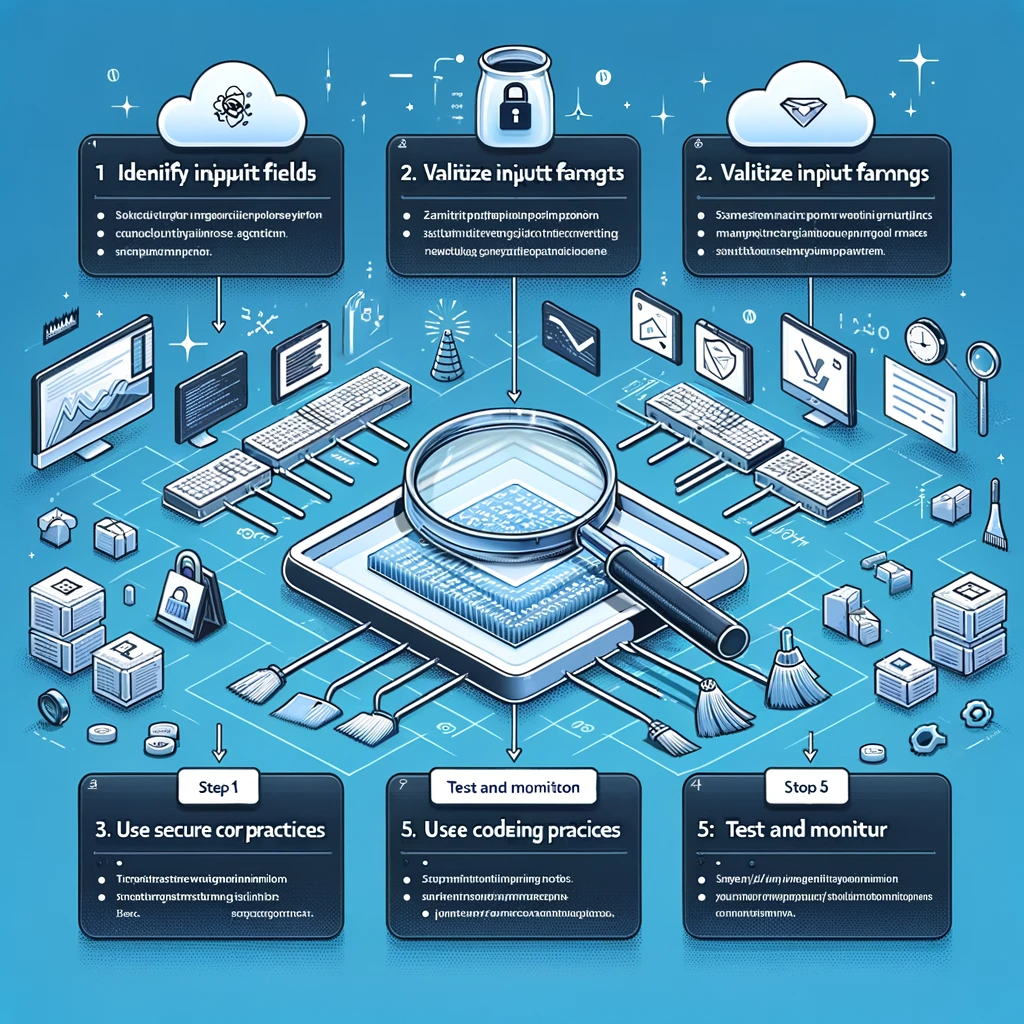
What Resources Are Available For Seniors After A Cyber Attack?
What Resources Are Available For Seniors After A Cyber Attack?
- Cybersecurity is a significant concern for seniors, especially after experiencing a cyber attack.
- Local community centers often provide workshops tailored to older adults, covering safe browsing and recognizing phishing attempts.
- Libraries have evolved into tech hubs, offering free access to computers and online safety classes in partnership with cybersecurity organizations.
- The Federal Trade Commission (FTC) has a section on its website dedicated to helping seniors with cyber threats, including identity theft resources.
- The Elder Abuse Hotline offers support for victims of digital crimes, assisting in recovery and next steps.
- Peer support networks provide comfort and advice, encouraging connections through in-person meet-ups or online forums.
- Cybersecurity firms may offer free assessments or consultations for seniors who have faced cyber fraud, helping them secure their data.

What Resources Are Available For Seniors After A Cyber Attack?
How Do Family Members Support Seniors After Cyber Incidents?
In our interconnected world, where a single click can lead to vast consequences, family members play a critical role in providing support to seniors who may fall victim to cybersecurity threats. It’s a daunting landscape out there, filled with phishing emails, fraudulent websites, and elaborate scams, and the responsibility often falls on the shoulders of familial support networks. So, how do we step up to the plate and safeguard our loved ones?
First and foremost, open communication is key. Families should foster an environment where seniors feel comfortable discussing their online activities. Imagine a grandfather chatting over coffee, revealing that he clicked a link in an unsolicited email. Instead of meeting this revelation with frustration, let’s embrace it as an opportunity to educate. Sharing knowledge about common cyber threats and how to recognize them can be empowering. Families can gather for informal workshops or simply share digital literacy tips during family gatherings. It’s not about talking down; it’s about bringing everyone up to speed.
Next comes the importance of setting up preventive measures. Family members should assist seniors in establishing strong passwords, using multifactor authentication, and keeping software up to date. These practical steps lay down a solid foundation for cybersecurity, often requiring just a little tech-savvy and a willingness to help.
Importantly, if a senior does experience a cyber incident, swift action is essential. Family members should guide them through the process of reporting the issue, whether it’s blocking a number, reporting a scam email, or contacting their bank. Remember, the critical thing is to act without panic. Anxiety can make a stressful situation worse, so a calm demeanor can help tremendously.
Additionally, if fraud has occurred, emotional support cannot be overstated. Victims of cybercrime often feel a sense of violation and embarrassment, akin to being robbed in broad daylight. Listening to their feelings, offering reassurance, and reminding them that they’re not alone in this battle can go a long way toward healing.
Finally, staying informed is crucial. Family members should keep themselves updated about the latest cybersecurity threats and trends. After all, knowledge is power. By educating ourselves, we can better protect those we love. In summary, supporting seniors in the face of cyber incidents is about compassion, conversation, and a commitment to keeping them safe in an ever-evolving digital landscape.

How Do Family Members Support Seniors After Cyber Incidents?
How Do Family Members Support Seniors After Cyber Incidents?
- Family members play a critical role in supporting seniors against cybersecurity threats.
- Open communication is vital; seniors should feel comfortable discussing their online activities.
- Educational opportunities can be created through informal workshops or sharing digital literacy tips.
- Setting up preventive measures like strong passwords and multifactor authentication is essential.
- Swift action is necessary if a cyber incident occurs, guiding seniors without panic.
- Emotional support is crucial for victims of cybercrime, offering reassurance and understanding.
- Staying informed about the latest cybersecurity threats helps protect loved ones.

How Do Family Members Support Seniors After Cyber Incidents?
What Preventive Measures Can Seniors Take Against Cyber Attacks?
When it comes to cybersecurity, ignorance can be as dangerous as it is frustrating. In today’s digital age, seniors find themselves more connected than ever, but that connectivity comes with a hefty dose of risk. Fortunately, there are preventive measures that can help keep those pesky cyber attacks at bay.
First and foremost, a commitment to knowledge is key. Many seniors might feel overwhelmed by technology, but taking the time to educate oneself can significantly bolster cybersecurity. There are countless resources available, from online tutorials to community workshops, which provide straightforward explanations and practical tips. Familiarize yourself with common threats, such as phishing emails or suspicious links—these are the cyberattackers’ bread and butter.
Next, a strong and unique password for every online account is non-negotiable. It’s tempting to use the same password across multiple sites for the sake of convenience, but this practice invites trouble. Instead, opt for complex passwords that include a mix of letters, numbers, and symbols. Password management tools can help keep track of all these passwords without the need for sticky notes or memory games.
Two-factor authentication (2FA) is another crucial step in enhancing cybersecurity. This extra layer of protection can feel like a minor inconvenience, but it’s akin to adding a deadbolt to your front door. Whenever possible, enable 2FA on your accounts; it often involves receiving a text or email with a code whenever you log in from an unrecognized device. It’s an extra bit of security that can deter potential intruders.
Regular software updates are also seriously underrated. Whether it’s your computer, tablet, or smart device, keeping everything up-to-date ensures that you have the latest security patches. Cyber attackers often exploit vulnerabilities that have been addressed in newer versions of software—so don’t put that update off!
Finally, always trust your instincts. If something feels off—a strange email, a phone call requesting personal information, or an unexpected pop-up ad—don’t engage. It’s better to be safe than sorry. Report these incidents to your service provider or local authorities.
Seniors can fortify their cybersecurity by staying informed, using strong passwords, enabling two-factor authentication, keeping software updated, and trusting their instincts. While the digital world may seem daunting, these simple strategies can help navigate it with greater confidence and security.

What Preventive Measures Can Seniors Take Against Cyber Attacks?
What Preventive Measures Can Seniors Take Against Cyber Attacks?
- Cybersecurity is critically important for seniors in the digital age.
- Knowledge and education can significantly enhance cybersecurity awareness.
- Familiarize yourself with common online threats like phishing emails and suspicious links.
- Use strong, unique passwords for each online account to enhance security.
- Enable two-factor authentication (2FA) for an extra layer of protection.
- Regularly update software to protect against vulnerabilities exploited by cyber attackers.
- Trust your instincts and report suspicious activities to service providers or authorities.

What Preventive Measures Can Seniors Take Against Cyber Attacks?
Conclusion
As we draw the curtains on this eye-opening exploration of the impact of cyber attacks on seniors, it’s essential to take a hard look at the stark realities faced by our older loved ones in this ever-evolving digital landscape. While technology has broadly enhanced communication and access, the sinister underbelly of cybercrime poses significant risks—particularly for those who might not be as tech-savvy. Picture Grandma attempting to embrace the digital age, only to find herself ensnared in a web of deceit designed to exploit her innocence. It’s enough to make you want to throw your hands up in frustration, but the real story here is about resilience and empowerment.
Seniors are not merely victims in this scenario; they are individuals who deserve our respect and support. Cyber threats like phishing scams and identity theft don’t just rob them of finances; they strip away trust and instill fear—emotionally devastating consequences that no one should endure. Imagine a world where the simple act of connecting with loved ones becomes a source of anxiety instead of joy. It’s heartbreaking, but there’s hope: with education, communication, and proactive measures, we can reverse this trend.
By fostering an environment where open discussions about cybersecurity take center stage, families can arm their elders with knowledge and confidence. It’s not just about teaching them to identify scams; it’s about empowering them to reclaim their digital lives. Resources abound—workshops, community centers, and the wisdom of tech-savvy family members can serve as lifelines for those navigating the treacherous waters of online threats.
Moreover, we must remain vigilant. Just as we would keep an eye on our aging parents crossing a busy street, we need to ensure they are aware of suspicious communications and irregularities. By recognizing the warning signs of a cyber attack, we can step in before a potential crisis escalates into a nightmare.
Ultimately, protecting our seniors is a communal responsibility fueled by compassion and proactive involvement. Each of us has a role to play in creating a safer digital environment. The stakes are high, but with commitment and cooperation, we can help our older loved ones thrive—not just survive—in this technology-driven world. So let’s roll up our sleeves and get to work—because safeguarding the well-being of our seniors is just as important as cherishing their physical health.

Conclusion
Conclusion:
- The rise of cybercrime poses significant risks to seniors who may be less tech-savvy.
- Seniors deserve respect and support, as they are not just victims but individuals with dignity.
- Cyber threats like phishing and identity theft cause emotional devastation by stripping trust and instilling fear.
- Education, communication, and proactive measures can empower seniors to navigate the digital landscape safely.
- Open discussions about cybersecurity can equip seniors with the knowledge to identify and avoid scams.
- Families must remain vigilant and help seniors recognize warning signs of cyber attacks.
- Protecting seniors is a collective responsibility, requiring community involvement and commitment.

Conclusion
Other Resources

Other Resources
Here is a list of other resources you can review online to learn more:
- Incenter Technology
- CynergisTek
- Datapath
- Focus Audits
- IT Hotdesk
- Mazars USA
- Safeway
- KAMIND IT
- Proficio
- CriticalStart
Use This Prompt To Get More Resources With Your Favorite Online AI Tool: Please provide me with a list of online articles with their URLs in a bulleted list that I can read regarding What Harrowing Consequences Did Seniors Face After Cyber Attacks?

Other Resources
Glossary Terms
What Harrowing Consequences Did Seniors Face After Cyber Attacks? – Glossary Of Terms
1. Cyber Attack: A malicious attempt to breach the information systems of an individual or organization, often leading to data theft or system harm.
2. Phishing: A deceptive technique used by hackers to trick individuals into providing sensitive information, often through fraudulent emails or websites.
3. Ransomware: A type of malware that encrypts a victim’s files, and demands payment for the decryption key, often targeting vulnerable populations like seniors.
4. Identity Theft: The unauthorized use of someone’s personal information, leading to financial loss and emotional distress, commonly affecting seniors.
5. Financial Exploitation: The misuse of a senior’s financial resources, often facilitated by cyber crimes like phishing or fraud.
6. Data Breach: An incident where unauthorized individuals gain access to sensitive information, potentially exposing seniors to increased risks.
7. Malware: Malicious software designed to harm or exploit any programmable device, including computers and smartphones, affecting seniors’ data security.
8. Social Engineering: Manipulative tactics used by cybercriminals to trick individuals into divulging confidential information, often exploiting the trust of older adults.
9. Credential Stuffing: A cyber attack in which stolen usernames and passwords are used to gain unauthorized access to multiple accounts, endangering seniors’ online accounts.
10. Scams: Fraudulent schemes that attempt to steal money or personal information from unsuspecting individuals, often targeting elderly populations.
11. Cyberbullying: The use of technology to harass or threaten individuals, impacting the mental health of seniors who may be targeted.
12. Privacy Violation: Unauthorized access to personal data, which can lead to a loss of privacy and trust among seniors regarding their digital interactions.
13. Password Management: The practice of creating and storing complex passwords securely, crucial for seniors to protect themselves against cyber threats.
14. Two-Factor Authentication: An additional security layer that requires not only a password but also a second form of verification, helping to safeguard senior accounts.
15. Digital Literacy: The ability to use digital technology effectively, which is essential for seniors to understand and combat cyber threats.
16. Fraud Report: A document submitted to law enforcement or consumer protection agencies detailing fraudulent activities, often initiated by seniors after being targeted.
17. Virtual Elder Abuse: Financial or emotional abuse inflicted on seniors through digital means, highlighting the vulnerabilities in their online interactions.
18. Cybersecurity Measures: Actions taken to protect computer systems and networks from cyber threats, which are vital for seniors to understand.
19. Botnets: A network of compromised computers that can be controlled by malicious actors to carry out cyber attacks, potentially affecting seniors’ devices.
20. Synthetic Identity Theft: A form of identity theft where hackers create a new identity using a combination of stolen data, often targeting senior financial information.
21. Internet of Things (IoT): Devices connected to the internet that can be hacked if not secured properly, posing risks to seniors’ daily living appliances.
22. Account Takeover: When a cybercriminal gains access to a senior’s online account to exploit it, often leading to significant financial and emotional consequences.
23. Online Safety Education: Programs aimed at teaching seniors how to navigate the internet safely and avoid cyber threats.
24. Technological Isolation: The feeling of disconnection from technology experienced by some seniors, which can be exacerbated by cyber attacks that create fear.
25. Cyber Hygiene: The practices and steps that individuals take to maintain the health and security of their online presence, crucial for seniors.
26. Emotional Distress: The psychological impact and anxiety seniors may experience after falling victim to cyber attacks, affecting their quality of life.
27. Victim Support Services: Resources and organizations that help seniors recover from the impact of cyber crimes, providing counseling and advice.
28. Secure Browsing: Practices ensuring safe and secure internet use, vital for seniors to avoid malicious sites and scams.
29. Fraud Prevention: Strategies and methods used to identify and prevent fraudulent activities, especially important for vulnerable populations like seniors.
30. Cyber Insurance: A policy that provides coverage for financial losses related to cyber attacks, offering peace of mind for seniors who may have been targeted.

Glossary Of Terms
Other Questions
What Harrowing Consequences Did Seniors Face After Cyber Attacks? – Other Questions
If you wish to explore and discover more, consider looking for answers to these questions:
- What specific types of cyber attacks are most common among seniors?
- How can families help their elderly loved ones improve their digital literacy?
- What signs indicate that a senior has fallen victim to a cyber attack?
- What steps should seniors take immediately after realizing they have been attacked?
- Are there specific organizations that offer assistance to seniors after a cyber attack?
- How can seniors recover their losses after a cyber incident?
- What role do community resources play in cybersecurity education for seniors?
- How can seniors verify the legitimacy of emails or messages they receive?
- What are some effective online resources for seniors to learn about cybersecurity?
- How can seniors maintain their emotional well-being after experiencing a cyber attack?

Other Questions
Haiku
What Harrowing Consequences Did Seniors Face After Cyber Attacks? – A Haiku
Cyber threats loom large,
Seniors bear heavy scars,
Guard hearts, minds, and hopes.

Haiku
Poem
What Harrowing Consequences Did Seniors Face After Cyber Attacks? – A Poem
In a world woven tight with webs of light,
Where connections spark and hearts take flight,
Lies a danger lurking, silent and unseen,
Preying on those who’ve not witnessed the machine.
Seniors dance in the digital glow,
Sharing cat videos, letting their laughter flow,
But one quick click on an “urgent” plea,
Can unravel their peace, their trust, their glee.
From phishing schemes that lure with deceit,
To masked faces of fraud, lurking in the street,
Vulnerability gilded with innocence bold,
Innocent souls left exposed and cold.
Emotions run deep as the shadows grow long,
Fear seeps through walls where they once felt strong.
Anxiety creeps in, trust frays at the seams,
Isolation takes hold, dissolving their dreams.
Yet the flicker of hope shines in hands held tight,
As family gathers to guide to the light.
With whispers of wisdom and lessons anew,
Together they stand, resilient and true.
So arm them with knowledge, let courage ignite,
Let passwords be strong, and their sights stay insight.
In the symphony of safety, let love play its part,
For in unity’s grace lies the strength of the heart.
Empower our elders to walk without fear,
In this digital age, let their voices be clear.
Through workshops and patience, with support hand in hand,
We stand as their guardians, a resolute band.
Let not the dark shadows dim their brave hearts,
For together we rise, in security’s arts.
So dance with the pixels, be bold and be wise,
In the embrace of technology, let their spirits rise.

Poem
Checklist
What Harrowing Consequences Did Seniors Face After Cyber Attacks? – A Checklist
Understanding Common Cyber Threats
_____ Learn about phishing scams: Identify emails that seem urgent or misleading.
_____ Recognize signs of identity theft: Monitor for unfamiliar transactions or accounts.
_____ Be aware of malware: Avoid clicking on suspicious links or downloading unknown software.
_____ Watch out for online scams: Stay cautious of unsolicited offers or donations.
_____ Safeguard your social media: Limit the personal information shared on platforms.
Emotional Preparedness
_____ Understand that it’s Okay to feel vulnerable: Recognize that many people face cyber threats.
_____ Seek emotional support: Talk to family or support groups about feelings of violation or frustration.
_____ Maintain a positive mindset: Focus on recovery and learning rather than self-blame.
Identifying Signs of a Cyber Attack
_____ Keep an eye out for unexpected charges on statements.
_____ Be alert to unusual behavior on devices (e. g. , strange sent messages).
_____ Note any unusual requests or urgency in emails and calls.
Protective Measures
_____ Educate yourself on common cyber threats: Take workshops or online courses.
_____ Use strong, unique passwords for each account.
_____ Enable two-factor authentication (2FA) wherever possible.
_____ Regularly update your software and operating systems to patch vulnerabilities.
_____ Consult with family or tech-savvy friends when unsure about online activities.
After a Cyber Incident
_____ Report any suspicious activity immediately: Contact your bank or credit card company.
_____ Seek resources for support: Utilize community centers and libraries for cybersecurity workshops.
_____ Connect with helplines like the Elder Abuse Hotline for additional support.
Family Support and Empowerment
_____ Encourage open communication about online experiences and concerns.
_____ Help them establish online safety measures (e. g. , strong passwords, updates).
_____ Assist them in navigating any cyber incidents calmly.
Resources for Learning and Support
_____ Visit the Federal Trade Commission (FTC) website for information on identity theft.
_____ Check local community centers or libraries for workshops on online safety.
_____ Use reputable online resources and courses to boost digital literacy.
By following this checklist, seniors can cultivate a safer online environment, protecting themselves from potential cyber threats while maintaining their digital independence.

Checklist
At BestCyberSecurityNews, we help teach entrepreneurs and solopreneurs the basics of cybersecurity and its impact on their businesses by using simple concepts to explain difficult challenges.
Please read and share any of the articles you find here on BestCyberSecurityNews with your friends, family, and business associates.


