


Prioritizing Efficiency Over Safety: The Dangers Of Saving Time Online
By Tom Seest
At BestCyberSecurityNews, we help teach entrepreneurs and solopreneurs the basics of cybersecurity and its impact on their businesses by using simple concepts to explain difficult challenges.
Please read and share any of the articles you find here on BestCyberSecurityNews with your friends, family, and business associates.
Is Saving Time Online Costing You Security?
In today’s lightning-fast digital world, the allure of convenience can be hard to resist. We tap, swipe, and click our way through tasks, often overlooking the quieter, shadowy corners of the internet where threats lurk. Cybersecurity may not be the first thing on your mind when you’re snagging that sweet deal or streaming your favorite show, but it’s an ever-present reality that deserves your attention.
Think about it for a moment. Does the prospect of saving a few seconds give you the license to overlook that pesky two-factor authentication? Or maybe you’ve opted for “Remember Me” on a website, risking your personal information for the sake of a little convenience? These temptations might seem harmless, but they can quickly undermine your safety online.
Picture yourself at a checkout line, impatiently tapping your foot while the cashier battles with an outdated register. Now, picture that feeling multiplied to the infinite power of cyberspace, where every second counts and every click has consequences. In this high-speed environment, it’s easy to overlook the security measures that stand between you and potential threats. After all, who has time for complicated passwords or lengthy login processes when you’re just trying to get dinner on the table, right?
But let’s pause for a moment. Every time you prioritize speed over security, you’re inviting a risk that could come back to haunt you. Think about the identity theft that can arise from a quick online purchase made through an unsecured connection. Or consider how easily a cybercriminal could exploit your information once you’ve let your guard down. It could turn your quick online transaction into a lengthy nightmare.
So, what’s the takeaway? Start rethinking how you interact online. Instead of rushing through digital tasks, embrace the notion that prioritizing safety is an investment in your peace of mind. Take a few extra moments to secure your accounts, learn about cybersecurity best practices, and educate yourself about potential threats.
By making small changes today, you’ll not only protect yourself but also promote a culture of safety and awareness that extends to everyone in your digital circle. Remember, the online world may be enticingly fast, but the cost of saving time shouldn’t be your security. Let’s make smarter choices together—because protecting what matters shouldn’t be a second thought.

Is Saving Time Online Costing You Security?
Is Saving Time Online Costing You Security?
- Convenience in the digital world often overshadows the importance of cybersecurity.
- Quick actions, like skipping two-factor authentication, can compromise personal safety.
- Online impatience can lead to overlooking essential security measures.
- Prioritizing speed over security invites risks like identity theft.
- Take time to rethink online interactions and emphasize safety practices.
- Small changes in behavior can enhance personal security and promote awareness among peers.
- Choosing security over speed is crucial for protecting what matters online.

Is Saving Time Online Costing You Security?
Table Of Contents
- Is Saving Time Online Costing You Security?
- Is Saving Time Online Compromising Your Personal Data Security?
- How Can I Balance Convenience And Security When Using Online Services?
- What Are The Hidden Risks Of Using Quick Login Options?
- Are My Passwords Secure If I Save Them In My Browser?
- How Does Two-Factor Authentication Enhance My Online Security?
- Can Using Public Wi-Fi Affect My Online Privacy And Security?
- What Should I Consider Before Downloading New Apps For Efficiency?
- Conclusion
- Other Resources
- Glossary Of Terms
- Other Questions
- Haiku
- Poem
- Checklist
Is Saving Time Online Compromising Your Personal Data Security?
In today’s fast-paced digital world, efficiency often rules the roost. We swipe, tap, and click our way through life, searching for the quickest ways to get things done. But in this relentless race against the clock, have we ever stopped to consider the price we might be paying? When it comes to our personal data security, it seems the old adage, “You get what you pay for,” still rings true—especially in the realm of Cybersecurity.
Let’s be honest. We’ve all experienced the temptation of that shiny new app or streamlined website promising to save us time and hassle. It could be anything from a personal finance tracker to a social media platform aiming to enhance our connections. At first glance, they look like a godsend—until you realize that those seemingly innocent shortcuts come with a potential cost. You know what I’m talking about: an unsettling urge to trade safety for convenience, as we thumb our way through yet another user agreement, eyes glazed over, clicking “Accept” before we really understand the implications.
So what’s the risk? Well, every time you provide your email address or sign up with a password that’s probably not the vault-like fortress it should be, you’re adding to a digital profile that cybercriminals would love to get their hands on. That’s right; in the quest for immediate satisfaction, we may inadvertently open ourselves up to identity theft, phishing scams, and all sorts of cyber shenanigans. Think of it like leaving your front door wide open while telling everyone you’re out for the evening. It’s now a matter of who’s watching and waiting to swoop in.
But don’t let fear rule your decisions. Instead, let’s empower ourselves by adopting a few simple habits that bolster our Cybersecurity without sacrificing that precious time we crave. Employing strong, unique passwords, enabling two-factor authentication, and being mindful about the information we share are all small adjustments that can yield significant returns on the safety of our personal data.
Remember, in this digital age, slowing down can lead to a much safer and secure experience. So, the next time you’re tempted to cut corners for the sake of convenience, take a moment to think about what really matters. Your privacy and security are worth the extra effort; after all, a few extra clicks could save you a lot of hassle down the road.

Is Saving Time Online Compromising Your Personal Data Security?
Is Saving Time Online Compromising Your Personal Data Security?
- Efficiency dominates our fast-paced digital world, prompting us to seek quick solutions.
- Temptation arises from apps and websites that promise convenience at the cost of personal data security.
- Ignoring user agreements can lead to a trade-off between safety and convenience.
- Providing personal information increases vulnerability to identity theft and cyber scams.
- It’s essential to remain vigilant and not let fear dictate tech choices.
- Adopting strong passwords and two-factor authentication enhances cybersecurity without significant time loss.
- Taking time to secure personal data can prevent future complications and enhance overall safety.

Is Saving Time Online Compromising Your Personal Data Security?
How Can I Balance Convenience And Security When Using Online Services?
Striking the Perfect Balance: Convenience Meets Security
In our fast-paced digital world, finding the sweet spot between convenience and security can feel like trying to find a needle in a haystack. You know that feeling—you’re juggling an endless stream of tasks, from work emails to online shopping, and suddenly you’re faced with a decision: prioritize your time or your safety. It’s a dilemma many of us face, but fear not! With a little knowledge and a proactive mindset, you can navigate this tightrope with confidence.
First off, let’s get one thing straight—embracing cybersecurity doesn’t mean altering your daily routine into something unrecognizable. It’s about integrating protective measures effortlessly into your online activities. Start by evaluating your devices and apps; they’re often the front lines of your digital existence. Use two-factor authentication when available. It’s like locking your front door and then installing a second deadbolt. Sure, it takes an extra moment, but it adds an invaluable layer of protection.
Another tactic? Choose strong, unique passwords for every service you use. I know, I know—password managers sound like a hassle, but consider them the secret weapon in your cybersecurity arsenal. Just imagine this: instead of wracking your brain trying to remember that cryptic password for your online bank account while simultaneously dodging a pesky barrage of phishers, you could be savoring that second cup of coffee, secure in the knowledge that your information is shielded.
And let’s not forget about being savvy online. Social media is a great way to connect, but over-sharing can be risky. Remember, the term “sharing is caring” doesn’t always apply to personal details—guard your information, and your security will be all the better for it.
Navigating through the online wilderness is no small task, but don’t let fear postpone your digital adventures. Equip yourself with knowledge, stay alert, and make informed choices. By keeping your cybersecurity game strong, you can enjoy all the conveniences the internet has to offer without sacrificing your peace of mind. Think of it as a digital safety net—one that allows you to explore the world wide web with the confidence of a seasoned explorer.
So, go ahead! Embrace your online life while keeping security close at hand. Trust in yourself and take action—because a balanced life is a good life, both online and off.

How Can I Balance Convenience And Security When Using Online Services?
How Can I Balance Convenience And Security When Using Online Services?
- Balancing convenience and security is crucial in today’s fast-paced digital environment.
- Effective cybersecurity can be smoothly integrated into daily routines without significant disruption.
- Evaluate devices and apps as they are the primary points of vulnerability in your digital life.
- Implement two-factor authentication for an extra layer of protection on your online accounts.
- Utilize strong, unique passwords and consider password managers as a convenient cybersecurity tool.
- Be cautious about oversharing on social media to protect personal information.
- Stay informed and proactive to enjoy online conveniences while maintaining security and peace of mind.

How Can I Balance Convenience And Security When Using Online Services?
What Are The Hidden Risks Of Using Quick Login Options?
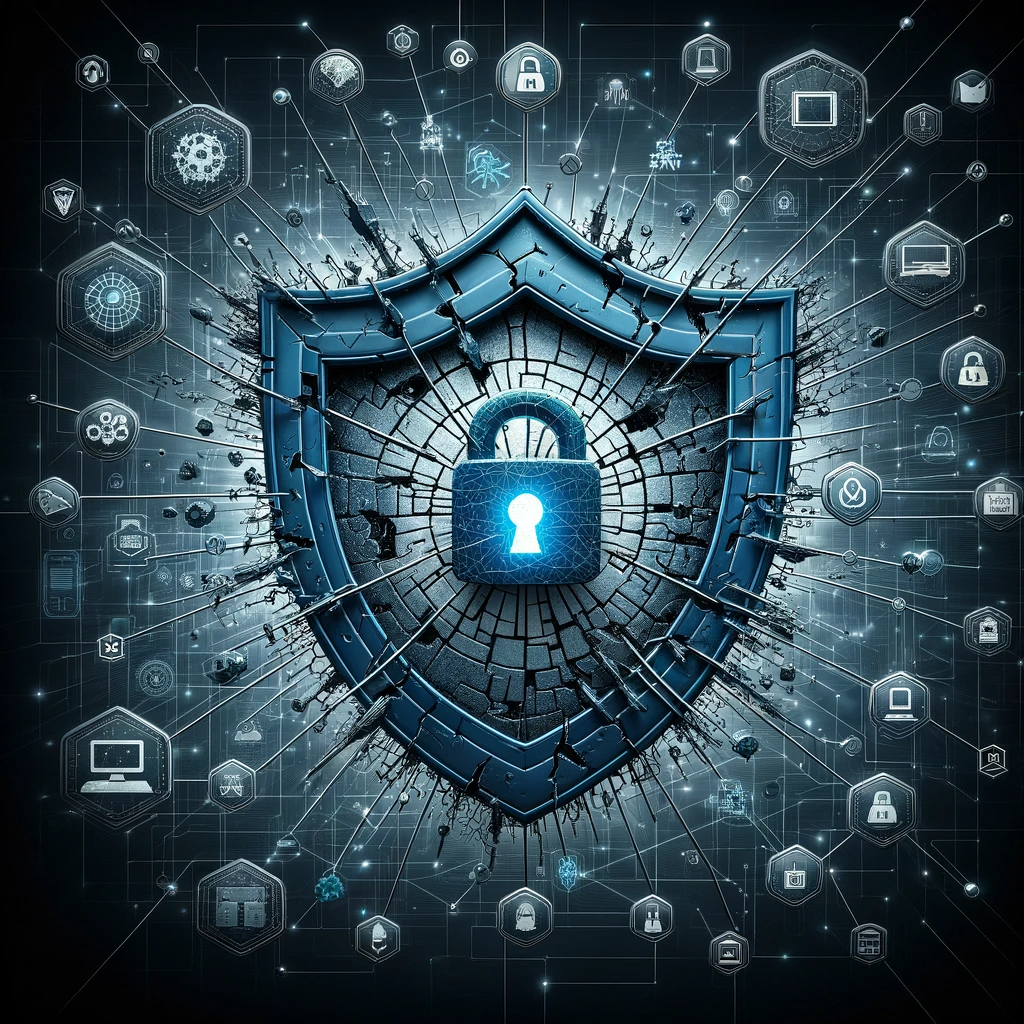
In today’s fast-paced digital world, where every second seems to count, it’s tempting to glide through the login process with the speed of a cheetah. Quick login options—those shiny buttons that let you connect with a tap or a click using your social media accounts—offer convenience, but they come with hidden risks that could leave you feeling like you’ve just stepped into a murky pond without looking down.
Let’s face it: we’ve all been there, standing in front of our screens and fumbling with usernames and passwords that feel more like hieroglyphics than modern credentials. Who wants to go through that rigmarole when you can just use the very social media account you’re already logged into? It feels like a no-brainer, right? But here’s the kicker: every time you opt in for quick login, you open a gateway—sometimes without even realizing it—to potential cybersecurity pitfalls.
Think about it. When you sign in with a third-party account, you’re not just linking to your basic info. You’re handing over the keys to your online domain. If that third party has a security breach, guess what? Your personal data is now a prime target, held in the crosshairs of cybercriminals who don’t care about your digital peace of mind. Scary thought, isn’t it?
But it gets better—or worse, depending on how you look at it. Many people don’t fully grasp the implications of those terms and conditions they impatiently scroll through. When you quick-login, you may unwittingly grant the third party access to more than you bargained for: contact lists, location data, and other sensitive information. The notion of digital privacy can feel like a fading memory in the age of convenience.
Now, don’t get me wrong; quick logins aren’t the enemy. They save time and streamline our online experiences. But like a well-loved toolbox, you need to use them wisely. Enable two-factor authentication when available, regularly update your passwords, and even consider using a password manager to keep those ancient hieroglyphics safe.
There’s nothing wrong with wanting to simplify your online life. We all do. Just remember that with great convenience comes great responsibility. Make informed choices, stay aware of potential risks, and invest a little time to safeguard your digital existence. Your future “self” will thank you.

What Are The Hidden Risks Of Using Quick Login Options?
What Are The Hidden Risks Of Using Quick Login Options?
- Quick login options offer convenience but come with hidden cybersecurity risks.
- Using social media accounts for login can make credential management easier, but exposes users to potential data breaches.
- Signing in with third-party accounts can allow access to sensitive information if those platforms are compromised.
- Many users overlook the implications of the terms and conditions they agree to during quick login processes.
- Quick logins can inadvertently grant access to personal data such as contact lists and location data.
- While quick logins save time, users should take precautions like enabling two-factor authentication and using password managers.
- Convenience in online experiences should be balanced with responsibility and informed decision-making regarding digital security.
What Are The Hidden Risks Of Using Quick Login Options?
Are My Passwords Secure If I Save Them In My Browser?
Let’s have a heart-to-heart about a topic that might be sitting at the back of your mind, collecting digital dust: the passwords you save in your browser. It’s easy to see the appeal—one click, and you’re in! But let’s not kid ourselves; this isn’t simply a matter of convenience; it’s about cybersecurity. Think about it this way: every time you save a password in your browser, you’re trusting that it can keep your secrets safe from prying eyes.
Now, I’m not here to tell you that browsers are inherently unsafe. They’ve come a long way in terms of protecting your data, and many of them come equipped with robust encryption and advanced security features. Still, the fact remains: when you save your password, you’re leaving it in a digital vault that some crafty hacker might just have the key to. Consider that; your browser saves and gathers all your precious passwords like a squirrel hoarding acorns—seemingly safe, until a hungry predator shows up.
So, here’s the kicker: it’s not just about storing those passwords; it’s about how you’re guarding the fort. Many of us walk around with our devices unlocked, much like leaving the front door wide open when you head out. You wouldn’t do that in your own home, would you? Just looking at your phone shouldn’t be a treasure hunt for hackers to embark on. If you decide to save your passwords, make sure to enable features like two-factor authentication. It’s like bolting that door tight.
Let’s clear up a common misconception: saving passwords in your browser isn’t inherently bad, but it’s not the end-all solution either. Using a password manager can take your security to the next level. These specialized tools encrypt your passwords and offer the added benefit of generating strong, unique passwords for every account. It’s like having a personalized bodyguard for your digital life.
Ultimately, safeguarding your online presence is a little bit like caring for your home. You wouldn’t rely on a flimsy lock, would you? So, take a moment to assess your current security practices. Consider a password manager or, at the very least, strengthen your browser’s defenses. Your passwords are worth it, and so are you. So step up, take charge, and ensure that your online world is as secure as you deserve it to be.

Are My Passwords Secure If I Save Them In My Browser?
Are My Passwords Secure If I Save Them In My Browser?
- Saving passwords in browsers offers convenience but raises cybersecurity concerns.
- Trusting browsers to securely store passwords involves risks, as hackers may exploit vulnerabilities.
- Many modern browsers have strong encryption and security features, but risks persist.
- Leaving devices unlocked is akin to leaving your front door open, exposing you to potential threats.
- Using two-factor authentication can enhance security, similar to reinforcing a door lock.
- Password managers provide superior security by encrypting passwords and generating strong, unique ones.
- Evaluate your security practices and consider better tools to safeguard your online presence.

Are My Passwords Secure If I Save Them In My Browser?
How Does Two-Factor Authentication Enhance My Online Security?
Picture this: You’re standing at the front door of your house, fumbled your keys a bit, but you finally get it opened. You step inside, only to realize you’ve forgotten to lock the door behind you. Now, imagine your online accounts are like that front door, only the stakes are far higher. That’s where the concept of two-factor authentication (2FA) struts in like a well-armed bodyguard, ready to protect you in the expansive and often chaotic world of cybersecurity.
Two-factor authentication is a bit like adding another lock to that front door. You’ve got your standard password—your first line of defense—but what if someone gains access to that password? Enter 2FA, the trusty sidekick that requires a second form of verification before anyone can truly waltz through the threshold of your digital life. It could be a text message to your phone, a fingerprint scan, or even a one-time code generated by an app. Whatever form it takes, it adds a solid layer of protection.
Let’s break it down. We’ve all had those moments of frustration when we forget our passwords, and believe me, we’re in good company. But what if I told you that even if someone had your password, they still couldn’t get in without that second piece of info? It’s like having a bouncer who doesn’t just check IDs but also verifies that the guest is indeed who they say they are by asking for something only they would know. Maybe a childhood pet’s name or the title of your favorite book—something personal that no one could just guess.
Now, I want you to consider your online habits for a moment. Think about how frequently you check your email, your bank account, or your social media. Each time you log in, you’re swinging open that door. With 2FA, you’re not just closing it behind you; you’re reinforcing it with extra security. It’s about helping you rest easier, knowing that you’re taking proactive steps to enhance your online security. The ease of use and layers of protection give you that warm feeling of confidence—a sense that your information is safer than a prized family heirloom locked in a glass case.
So, don’t wait until someone’s rifling through your virtual belongings. Embrace two-factor authentication and feel the power of taking control over your online security. Make it a habit, and transform your digital life into a fortress. Trust me, your future self will thank you.

How Does Two-Factor Authentication Enhance My Online Security?
How Does Two-Factor Authentication Enhance My Online Security?
- Two-factor authentication (2FA) acts as an additional layer of security for your online accounts.
- It is similar to adding another lock on your front door, providing extra protection beyond just a password.
- 2FA requires a second form of verification, such as a text message, fingerprint, or one-time code from an app.
- Even if someone has your password, they cannot access your account without the second verification step.
- The process can include personal questions or unique identifiers known only to you for added security.
- Using 2FA reinforces the security of your online activities, making you feel more secure as you log in to various accounts.
- Adopting 2FA helps take control over your online security and safeguard your digital life.

How Does Two-Factor Authentication Enhance My Online Security?
Can Using Public Wi-Fi Affect My Online Privacy And Security?
Let’s face it: we live in a world that’s practically wired into our pockets. The convenience of public Wi-Fi is undeniably tempting—whether it’s that cozy café down the street, the local library, or the bustling airport terminal. Who wouldn’t want to tap into the internet for free while sipping a coffee or paused in their travels? But here’s the catch: while you might be kicking back with your laptop, hackers could be lurking in the shadows, ready to pounce.
First off, let’s clarify something. Public Wi-Fi is like an open invitation; it’s a welcoming environment for anyone to join. This openness is precisely what makes it a potential goldmine for cybercriminals. Picture this: You’re innocently surfing the web, maybe checking your bank balance, all while a curious individual across the room is quietly fishing for your personal information. That’s right—leaving your connection unsecured could let someone intercept your data faster than you can say “Wi-Fi.” This is where the concept of cybersecurity really comes into play. It’s like having a sturdy lock on your front door. If you leave it wide open, you can’t be surprised if someone walks right in.
Now, you might be thinking, “I’ve got nothing to hide.” Well, that’s where the stakes begin to rise. It’s not just about your “hidden” data; it’s about the principle of safeguarding your personal information. It isn’t just identity theft you need to worry about; there are malware infections, unauthorized access to your accounts, or even the hijacking of your devices. The potential implications stretch far and wide.
So, what’s a savvy internet user to do? First, consider using a virtual private network (VPN). This nifty tool encrypts your data and keeps it private—even on public Wi-Fi. It’s like wearing a cloak of invisibility while connecting. Also, make sure to connect only to secured networks when possible, and always, always log out of accounts when you’re finished. Trust me, planning ahead and adopting a few best practices can mean the difference between a breezy café experience or a nightmarish data breach.
In this digital age, being empowered means being informed. Take control of your online privacy and security, and turn that tempting public Wi-Fi into a safe space for connection rather than a vulnerability zone. Because at the end of the day, you deserve to enjoy your internet with peace of mind—free from lurking threats.

Can Using Public Wi-Fi Affect My Online Privacy And Security?
Can Using Public Wi-Fi Affect My Online Privacy And Security?
- Public Wi-Fi is convenient but can attract hackers looking to exploit unsecured connections.
- Connecting to public Wi-Fi is like leaving your door open for cybercriminals to access your personal information.
- Cybersecurity is essential for safeguarding personal data while using public networks.
- Risks include identity theft, malware infections, and unauthorized account access.
- Using a virtual private network (VPN) helps encrypt data and enhances online privacy.
- Always connect to secured networks and log out of accounts after use to minimize risks.
- Staying informed and adopting best practices can help protect against data breaches.

Can Using Public Wi-Fi Affect My Online Privacy And Security?
What Should I Consider Before Downloading New Apps For Efficiency?
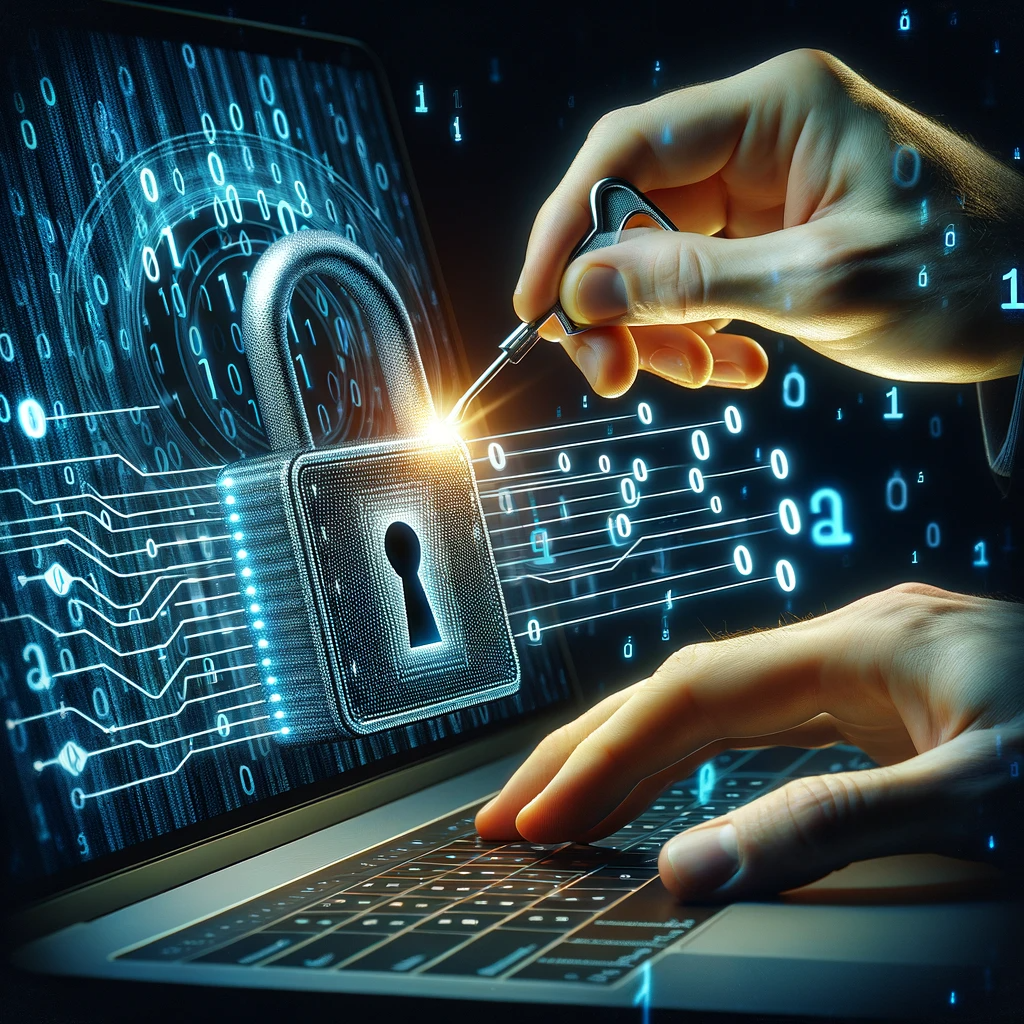
Alright, let’s be real for a moment—downloading new apps can feel like a gamble. With thousands of shiny icons beckoning you from your device, the allure of increased efficiency is hard to resist. But before you dive headfirst into that digital pool, there are a few things you should mull over. Think of it as your very own pre-game warm-up.
First off, let’s talk about cybersecurity. In this age of information, it’s not just about finding that perfect tool; it’s about making sure it doesn’t turn into a double-edged sword prone to backfiring. Before you hit that download button, ask yourself: who made this app? Do they have a solid reputation? Read the reviews—not just the glowing ones, but all of them. Pay attention to comments about security breaches or data mishaps. It’s a jungle out there, and one poorly-vetted app can expose your personal information to threats you didn’t even know existed.
Next, consider the permissions the app is requesting. Do you really need to grant it access to your camera, or allow location tracking? If the app demands more than it should, that’s your cue to step back and rethink your priorities. Efficient is great, but not at the expense of your peace of mind.
How about usability? An app that promises efficiency but is a chore to navigate will be about as useful as a screen door on a submarine. Try to find apps with user-friendly interfaces. Look for those that fit smoothly into your daily routine rather than gnawing at your time.
And let’s not forget the app’s purpose. Ask yourself if it genuinely meets a need you have or if it’s just another shiny distraction trying to pull you away from what really matters. Efficiency isn’t just about cramming more tasks into your day; it’s about creating more meaningful moments.
Finally, don’t hesitate to take a gut check. Trust your instincts. If something feels off or too good to be true, it probably is. Efficiency should enrich your life, not complicate it. So before you bring another app into your already cluttered digital landscape, give all these factors a thought. It might just save you from future headaches, and hey, you might even find yourself with more time for the things you actually enjoy.
What Should I Consider Before Downloading New Apps For Efficiency?
What Should I Consider Before Downloading New Apps For Efficiency?
- Downloading new apps can feel like a gamble with thousands of options available.
- Prioritize cybersecurity by researching app creators and reading all user reviews.
- Pay attention to the permissions requested by the app and assess their necessity.
- Choose apps with user-friendly interfaces to ensure ease of navigation.
- Consider whether the app genuinely meets a need or serves as a distraction.
- Trust your instincts and reconsider downloading if something feels off.
- Evaluate whether the app adds value to your life, enhancing efficiency without complicating it.

What Should I Consider Before Downloading New Apps For Efficiency?
Conclusion
In a world where every second counts, we often find ourselves caught in a tug-of-war between convenience and cybersecurity. It’s tempting to zip through online interactions at breakneck speed, sacrificing the safety nets we need to navigate the unpredictable terrain of the digital landscape. But here’s the crux of the matter: while we chase efficiency like it’s the Holy Grail, we may very well be inviting threats that could turn quick and easy into catastrophic and costly.
Now, take a moment to think about your habits: How often do you bypass pesky security measures, opting for that “Remember Me” checkbox or skipping two-factor authentication just so you don’t have to type in a few extra characters? Every time we prioritize speed over security, we roll the dice on our personal data. Each hurried decision paves the way for identity theft, phishing schemes, and a mountain of regret that would have been easily averted with a bit more mindfulness.
Let’s not sugarcoat it—public Wi-Fi looks great when you’re sipping your coffee, but it’s the digital equivalent of leaving your front door wide open. The same rules apply when downloading apps that promise to save you time: if you’re not vetting them carefully, you could be giving a stranger the keys to your kingdom.
So, how do we strike that elusive balance? It’s simple: embrace small changes in your online practices. Consider investing a few extra moments in creating strong, unique passwords and putting that two-factor authentication to work. These aren’t just hurdles; they’re fortifications that keep cybercriminals at bay. And when you’re tempted to use that easiest, quickest login option, remember that with convenience comes responsibility.
Rethink your approach. Security isn’t an obstacle; it’s a necessity. Make it an integral part of your online routine. Educate yourself and equip those around you with knowledge about best practices until you establish a bubble of safety that envelopes your digital life. Five extra minutes spent safeguarding your accounts could save you countless hours of heartbreak down the road.
In the end, your digital life should be a joy, not a headache. So let’s make those smart choices together, because in this race for efficiency, we can’t afford to cut corners on our security. Your peace of mind is worth every second.

Conclusion
Conclusion:
- Balancing convenience and cybersecurity is crucial in an increasingly fast-paced digital world.
- Skipping security measures for speed can expose personal data to threats like identity theft and phishing.
- Using public Wi-Fi without caution is akin to leaving your front door open—dangerous and reckless.
- Investing time in strong passwords and two-factor authentication is essential for online safety.
- Security should be regarded as a necessity, not an obstacle, and integrated into daily online routines.
- Educate yourself and others about cybersecurity best practices to create a safer digital environment.
- Prioritizing security can prevent future heartbreak and headaches in your digital life.

Conclusion
Other Resources

Other Resources
Here is a list of other resources you can review online to learn more:
- DataLink Interactive
- CybrHawk
- NDSE
- Cognizant
- Dataprise
- Adarma
- Telstra
- RoundTower Technologies
- Focus Audits
- Sirius Computer Solutions
Use This Prompt To Get More Resources With Your Favorite Online AI Tool: Please provide me with a list of online articles with their URLs in a bulleted list that I can read regarding Is Saving Time Online Costing You Security?
Other Resources
Glossary Terms
Is Saving Time Online Costing You Security? – Glossary Of Terms
1. Cybersecurity: The practice of protecting systems, networks, and programs from digital attacks, theft, or damage.
2. Data Breach: An incident where unauthorized individuals gain access to sensitive data, often leading to identity theft or fraud.
3. Phishing: A method of trying to gather personal information using deceptive emails and websites that appear legitimate.
4. Encryption: The process of converting information into a code to prevent unauthorized access.
5. Two-Factor Authentication (2FA): A security process that requires two different methods of verifying a user’s identity before granting access.
6. Malware: Malicious software designed to harm, exploit, or otherwise compromise a computer or network.
7. Password Manager: A tool that securely stores and manages a user’s passwords in an encrypted format.
8. Breach Notification: The process of informing individuals or organizations that their personal data has been compromised in a data breach.
9. Firewall: A network security device that monitors and controls incoming and outgoing network traffic based on predetermined security rules.
10. Social Engineering: The manipulation of individuals into divulging confidential information for fraudulent purposes.
11. VPN (Virtual Private Network): A service that encrypts your internet connection and masks your IP address for online security and anonymity.
12. Browser Extension: A small software module that adds functionality to a web browser, which can sometimes pose security risks if not from trusted sources.
13. Identity Theft: The act of stealing someone’s personal information to impersonate them, often for financial gain.
14. Risk Assessment: The process of identifying, analyzing, and evaluating risks associated with online activities or systems.
15. Privacy Policy: A legal document that explains how a website or organization collects, uses, and protects user data.
16. Secure Socket Layer (SSL): A standard security technology for establishing an encrypted link between a web server and a browser.
17. User Awareness Training: Education programs designed to increase understanding of cybersecurity threats and safe practices among users.
18. Ad Tracker: A piece of software that collects data on user behavior to deliver targeted advertising, which can sometimes invade user privacy.
19. Cross-Site Scripting (XSS): A security vulnerability that allows attackers to inject malicious scripts into trusted websites, compromising user data.
20. Ransomware: A type of malware that encrypts a user’s files and demands a ransom to restore access to the data.
21. Browser Privacy Settings: Options provided by web browsers that allow users to control their privacy levels, including cookie management and tracking.
22. Public Wi-Fi: Wireless internet access provided in public places, which can be less secure and expose users to cyber threats.
23. Account Takeover: A form of identity theft where a hacker gains access to a user’s online account, often using stolen credentials.
24. Digital Footprint: The trail of data one leaves online, which can include social media activity, browsing habits, and online transactions.
25. Secure Password: A strong password that is difficult to guess, typically a mixture of letters, numbers, and symbols without easily identifiable information.
26. Unsecured Network: A network without adequate security protocols, making it vulnerable to attacks and data breaches.
27. Botnet: A network of infected devices controlled by a hacker to launch attacks or send spam without the device owners’ knowledge.
28. Data Loss Prevention (DLP): Strategies and tools used to ensure that sensitive data is not lost, misused, or accessed by unauthorized users.
29. Cloud Storage Security: The measures and protocols put in place to protect data stored in cloud services from unauthorized access and breaches.
30. Incident Response Plan: A documented response strategy for managing the aftermath of a security breach or cyber-attack to mitigate damage and recovery time.

Glossary Of Terms
Other Questions
Is Saving Time Online Costing You Security? – Other Questions
If you wish to explore and discover more, consider looking for answers to these questions:
- What are the most effective cybersecurity best practices for individuals?
- How can I identify secure websites before entering my personal information?
- What are the signs that my online accounts have been compromised?
- How do I report a potential cybersecurity incident or data breach?
- What steps should I take if I suspect my personal information has been stolen?
- Which password managers are recommended for safeguarding my passwords?
- How can I educate myself further about cybersecurity threats?
- What role do firewalls play in online security?
- How often should I update my online passwords?
- What measures can I take to enhance my online privacy?
- How can I protect my children while they are online?
- Are there any specific apps that promote better cybersecurity?
- How can I recognize phishing attempts or scams?
- What should I do if I’ve fallen victim to a phishing attack?
- How does using strong passwords differ from using weak passwords?

Other Questions
Haiku
Is Saving Time Online Costing You Security? – A Haiku
Convenience calls loud,
Yet shadows weave through the net—
Guard your peace with care.

Haiku
Poem
Is Saving Time Online Costing You Security? – A Poem
A Balance of Time and Trust
In the rush of clicks and swipes we chase,
A fleeting moment, a comforting space,
Yet lurking in shadows, threats quietly creep,
While we dance on the edge, security’s steep.
Each speedy login, each saved password charm,
Promises of ease, a digital balm,
But heed this warning, oh wise net surfer,
What glimmers with convenience can quickly deter.
Two-factor authentication, your bodyguard strong,
Bolstering doors that might lead to the wrong,
Embrace small habits that protect and refine,
For safety’s the cornerstone; peace of mind, divine.
Public Wi-Fi calls, oh how sweet it may seem,
Yet hackers are watching, lurking within the beam,
A VPN cloak wraps you safe in this sphere,
So enjoy that café, but keep trouble at bay, dear.
And as apps beckon, with promises grand,
Pause and consider what risks are at hand,
Do they ask for too much, or invade your own space?
Efficiency’s allure shouldn’t compromise grace.
So let’s gather the wisdom, let’s choose to be wise,
A careful balance, not caught in the lies,
For saving a second may cost you your peace,
When the dance with convenience can lead to a cease.
In this digital maze, where the fast oft beguile,
Invest in your safety, let trust be your style,
Take time to secure, to nurture, to care,
For a life unencumbered is truly quite rare.

Poem
Checklist
Is Saving Time Online Costing You Security? – A Checklist
Checklist: Balancing Convenience and Security Online
Use this checklist to ensure you’re prioritizing your online security while seeking convenience in your digital life.
1. Two-Factor Authentication (2FA)
_____ Enable two-factor authentication on all accounts that offer it.
_____ Use authentication methods such as SMS, authenticator apps, or biometrics.
2. Password Management
_____ Create strong, unique passwords for each account.
_____ Consider using a password manager to store and generate passwords.
_____ Regularly update passwords, especially for sensitive accounts.
3. Avoiding Quick Login Options
_____ Be cautious when using third-party login options (Facebook, Google, etc. ).
_____ Review permissions granted to apps and limit access to personal data.
4. Public Wi-Fi Precautions
_____ Avoid accessing sensitive information (banking, personal data) on public Wi-Fi.
_____ Use a Virtual Private Network (VPN) for added security on public networks.
_____ Always log out of accounts after use in public spaces.
5. App Safety Checks
_____ Research apps before downloading; check the developer’s reputation.
_____ Read through reviews focusing on security and privacy concerns.
_____ Evaluate app permissions—only grant necessary access to functions.
6. Security Best Practices
_____ Look for signs of HTTPS in website URLs before entering sensitive information.
_____ Regularly review privacy settings on social media and online accounts.
_____ Be wary of unsolicited emails or texts asking for personal information (phishing).
7. Educational Awareness
_____ Stay informed about current cybersecurity threats and scams.
_____ Familiarize yourself with common terminology (phishing, malware, etc. ).
8. Device Security
_____ Keep devices updated with the latest security patches and updates.
_____ Use antivirus software and enable firewall settings.
_____ Ensure your devices are locked with passwords or biometric security.
9. Mindful Sharing
_____ Be selective about the information you share online.
_____ Review audience settings on posts or stories shared on social media.
10. Taking Time to Secure Your Digital Life
_____ Allocate time to review and strengthen your online security practices.
_____ Remember: investing a little more time in security can save you from major complications later.
Use this checklist as a guideline to navigate the digital landscape safely while balancing convenience and security. Your online safety is worth the extra time and effort!

Checklist
At BestCyberSecurityNews, we help teach entrepreneurs and solopreneurs the basics of cybersecurity and its impact on their businesses by using simple concepts to explain difficult challenges.
Please read and share any of the articles you find here on BestCyberSecurityNews with your friends, family, and business associates.


