The Unseen Dangers Of Seniors’ Online Disclosure
By Tom Seest
At BestCyberSecurityNews, we help teach entrepreneurs and solopreneurs the basics of cybersecurity and its impact on their businesses by using simple concepts to explain difficult challenges.
Please read and share any of the articles you find here on BestCyberSecurityNews with your friends, family, and business associates.
Is Oversharing Online Another Hidden Threat for Senior Security?
In today’s digital landscape, we often find ourselves wandering the vast, virtual wilderness, sharing snippets of our lives with a click. For many seniors, this means posting photos of grandchildren, sharing stories about family gatherings, or voicing opinions on everything from Sunday dinner recipes to political debates. While these connections can bring joy and foster relationships, there’s a lurking shadow—one that threatens to compromise more than just privacy. Yes, I’m talking about cybersecurity, or the lack thereof.
You see, the internet is like a bustling marketplace. You can find great deals on memories, snippets of wisdom exchanged over coffee, and camaraderie that transcends age. However, if you’re not paying attention to who’s eavesdropping, those delightful moments can become a feast for those on the lookout for personal information. It’s a bit like leaving your front door wide open with a sign that reads “Welcome!”—except you don’t know who’s really making themselves at home.
Seniors, often less familiar with the intricacies of the digital world, can inadvertently reveal a lot more than intended. Their online presence might highlight personal details such as birthdays, addresses, family names, and frequent locations—all of which make for a buffet of information that can be exploited. Cybersecurity experts have coined terms like “oversharing,” and it’s a phenomenon that flies under the radar, causing problems that many don’t initially recognize.
Think about it: those vacation photos? They might as well say, “Hey, come rob my house!” And those fondly recounted stories about family heirlooms? That’s just an open invitation to the wrong crowd. With a little bit of effort and a dash of awareness, you can arm yourself against the predators lurking in the digital shadows. Use privacy settings wisely, limit the amount of personal information shared publicly, and be cautious about friend requests from unfamiliar faces.
It’s not about living in fear; it’s about being informed. The online world can be a wonderfully enriching place, full of laughter, advice, and connection. But just like stepping out into the great outdoors, a little common sense goes a long way in ensuring that you stay safe. After all, sometimes the biggest threat to our security isn’t a fancy hacker with high-tech gadgets, but simply oversharing our lives in a world where nothing is ever truly private.

Is Oversharing Online Another Hidden Threat for Senior Security?
Table Of Contents
- Is Oversharing Online Another Hidden Threat for Senior Security?
- What Is Oversharing And How Does It Affect Seniors’ Security?
- What Are The Common Platforms Where Seniors Overshare?
- How Can Oversharing Lead To Identity Theft For Seniors?
- What Types Of Information Should Seniors Avoid Posting Online?
- How Can Family Members Help Seniors Manage Their Online Presence?
- What Steps Can Seniors Take To Protect Their Privacy On Social Media?
- Are There Tools To Help Seniors Limit Their Online Sharing?
- Conclusion
- Other Resources
- Glossary Of Terms
- Other Questions
- Haiku
- Poem
- Checklist
What Is Oversharing And How Does It Affect Seniors’ Security?
In today’s digital landscape, it’s all too easy to get carried away with sharing every aspect of our lives online. For seniors, who may not have grown up with social media and digital communication, the phenomenon of oversharing can pose significant risks, particularly in the realm of cybersecurity. But what exactly is oversharing? Simply put, it’s the act of revealing too much personal information on public forums, social networks, or even in private messages.
Imagine a senior citizen posting a photo of their recent vacation and detailing their entire itinerary—dates of travel, hotel information, and even their home address for the duration. On the surface, it looks harmless, but this type of oversharing can leave them vulnerable to cybercriminals. With all that detailed information, an opportunistic hacker can piece together a profile, knowing when the individual is away from home and potentially planning a break-in.
It isn’t just physical security at stake; sharing sensitive information about health issues, financial situations, or family dynamics can also be a goldmine for identity thieves. For seniors, who may receive unsolicited offers or scams targeting their financial resources, the stakes are even higher. An online post mentioning a recent inheritance or a new grandchild can draw the attention of those who might want to exploit that information for financial gain.
So how do we combat oversharing in this digital age? First, education is crucial. Seniors need to be informed about the kinds of information that are best kept private. This means treating social media like a public speaking event—only share what you wouldn’t mind your neighbor overhearing. Additionally, practice using privacy settings available on most social networks. These tools add an important layer of protection, allowing individuals to control who sees their posts and personal details.
Furthermore, it’s vital to regularly review accounts for any signs of unauthorized access. Keeping software updated and using strong, unique passwords can fortify their cybersecurity. Family members can play a supportive role by discussing online behavior and helping their loved ones navigate the digital world safely.
In summary, oversharing isn’t just a minor misstep; it can lead to serious security concerns for seniors. By raising awareness and emphasizing smart online habits, we can help protect our older generations from the pitfalls that come with our modern, digital lives.

What Is Oversharing And How Does It Affect Seniors’ Security?
What Is Oversharing And How Does It Affect Seniors’ Security?
- Oversharing involves revealing too much personal information on public forums and social networks.
- Seniors are particularly vulnerable to oversharing due to their limited experience with social media and digital communication.
- Examples of oversharing include posting detailed vacation itineraries and personal information, which can attract cybercriminals.
- Sharing sensitive information related to health, finances, or family can also make seniors targets for identity theft.
- Education is key in combating oversharing; seniors should share information as if in a public speaking event.
- Using privacy settings on social media and regularly reviewing account security can enhance protection against cyber threats.
- Family members can assist by discussing safe online practices and helping seniors navigate the digital landscape.

What Is Oversharing And How Does It Affect Seniors’ Security?
What Are The Common Platforms Where Seniors Overshare?
In this day and age, the internet isn’t just a young person’s playground. More and more seniors are embracing digital tools, but they often tread where they shouldn’t—oversharing personal details on platforms that serve as a double-edged sword. It’s crucial to understand which platforms seniors frequent and why it can be a problem.
Facebook remains one of the most notable platforms. Originally designed as a social networking site for college students, it’s now a digital gathering place for families and friends of all ages. While Facebook provides a platform for connection, it also opens the door to potential privacy issues, as seniors might post updates about their daily routines, vacations, or health status without a second thought. Unfortunately, this kind of oversharing can provide invaluable information to scammers and identity thieves.
Instagram isn’t far behind. Known for its visually driven content, many seniors are hopping on the bandwagon to share their life moments in snapshots. The problem arises when they tag locations or show off their latest trip while posting in real-time. While it might seem harmless, these innocent posts can signal to the wrong people that their home is empty and ripe for the picking.
Then there’s Twitter, where brevity is the soul of wit. Older users love to share links and engaging opinions, but they often forget that their tweets can reach a broader audience than intended. While it may be tempting to share personal anecdotes or controversial takes, such oversharing can lead to unwanted visits from online trolls or even legal troubles down the line if someone takes offense.
Lastly, we can’t ignore platforms like Nextdoor, which connect neighbors but can also breed misinformation and excessive personal sharing. In the quest to foster community, seniors might overshare about their health issues, financial concerns, or even their daily schedules, all of which can become fodder for opportunists looking to exploit weaknesses.
In the digital age, the mantra should be “think before you post.” Seniors need to navigate the tricky waters of social media mindfully. It’s not just about sharing memories with family or staying in touch; it’s about protecting oneself from the risks that come with oversharing in a world where cybersecurity threats loom large. Awareness and education can empower seniors to enjoy their online experiences without falling prey to the pitfalls that come with the territory.

What Are The Common Platforms Where Seniors Overshare?
What Are The Common Platforms Where Seniors Overshare?
- The internet is increasingly embraced by seniors, who often overshare personal details on social media.
- Facebook serves as a popular platform where seniors may unintentionally disclose information about their daily lives, leading to privacy issues.
- Seniors using Instagram risk exposing their homes when posting real-time updates or location tags.
- On Twitter, older users may not realize that their tweets can reach a much larger audience, potentially inviting unwanted attention.
- Nextdoor connects neighbors but can lead to oversharing about personal issues, making seniors vulnerable to opportunistic behavior.
- The importance of “think before you post” emphasizes mindful navigation of social media to safeguard personal information.
- Education and awareness are key for seniors to enjoy online experiences while avoiding cybersecurity threats.

What Are The Common Platforms Where Seniors Overshare?
How Can Oversharing Lead To Identity Theft For Seniors?
In today’s digital landscape, where convenience and connectivity reign supreme, oversharing has become a double-edged sword, especially for seniors. Picture this: a lovely grandmother is scrolling through her social media feed, sharing every delightful moment of her life, from her latest baking triumph to her pets’ silly antics. While these posts undoubtedly bring joy, they can also open the floodgates for identity theft, a troubling reality that’s particularly concerning in the realm of cybersecurity.
Seniors, often more trusting of the digital world, may not realize the vulnerabilities that come with oversharing. When they post personal details—like their full birth date, address, or even the name of their first pet—they unwittingly create a smorgasbord for identity thieves. These criminals are savvy, often piecing together seemingly innocuous bits of information to craft a detailed profile. By the time an unsuspecting senior understands the implications of that harmless birthday post or the vacation pictures they’ve shared, it may be too late.
Let’s consider the implications of sharing travel plans publicly. When someone broadcasting their impending trip out of town, they might think they’re simply spreading sunshine. What they don’t realize is they’re effectively broadcasting an open invitation to criminals, signaling that their home will be empty and ripe for the picking. This notion of innocently sharing personal anecdotes can morph into a potential nightmare, as thieves use social media to identify targets and execute their dastardly plans with alarming ease.
Moreover, many seniors enjoy online quizzes and games that often ask for fun facts—like the street they grew up on or their favorite color. Despite the benign appearance of these activities, they can serve as unintentional identity theft roadmaps. Answers to such questions frequently act as security questions when accessing online accounts, creating a precarious situation if the information lands in the wrong hands.
In the world of cybersecurity, awareness is the first line of defense. Seniors must adopt the mindset of cautious sharing—before hitting that “post” button, they should consider if their words may inadvertently assist someone in stealing their identity. It’s crucial to approach social media with a healthy dose of skepticism and discretion, transforming personal anecdotes into private treasures rather than public goods. By doing so, seniors can continue enjoying the blessings of connection without jeopardizing their personal security.
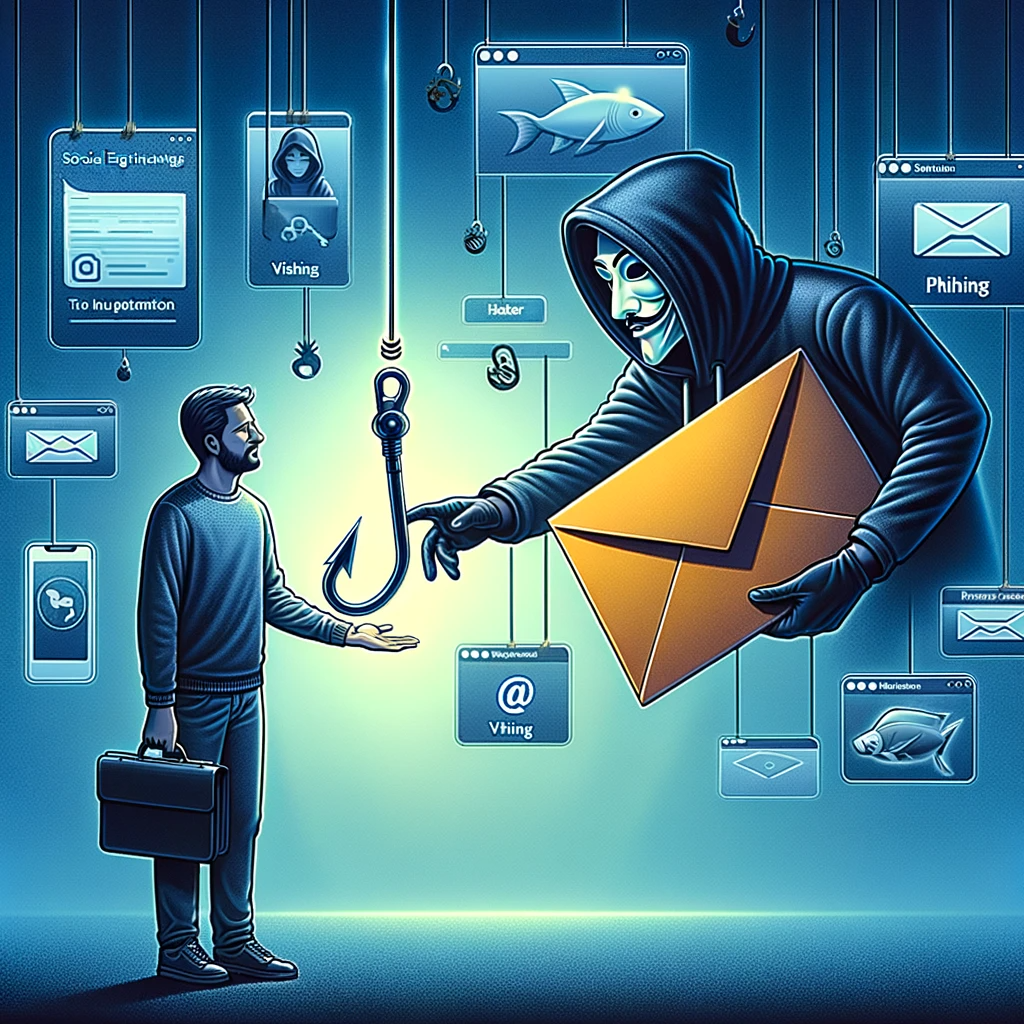
How Can Oversharing Lead To Identity Theft For Seniors?
How Can Oversharing Lead To Identity Theft For Seniors?
- Oversharing on social media can lead to identity theft, particularly concerning for seniors.
- Seniors may unknowingly share personal details that identity thieves can exploit.
- Criminals can piece together information from innocent posts, leading to potential identity theft.
- Sharing travel plans can signal to thieves that a home is empty and vulnerable to burglary.
- Online quizzes can inadvertently reveal security question answers, compromising online security.
- Awareness is essential for seniors as a first line of defense against identity theft.
- Seniors should practice cautious sharing and keep personal information private to enhance their security.

How Can Oversharing Lead To Identity Theft For Seniors?
What Types Of Information Should Seniors Avoid Posting Online?
In today’s digital world, where sharing life’s little moments can feel as easy as breathing, it’s critical to remember that not every piece of information is meant for the public eye. As folks mature, they acquire wisdom, but sometimes that wisdom doesn’t extend to online sharing. Here’s a rundown of various types of information seniors should think twice about before hitting that “post” button, all tied to the umbrella of cybersecurity.
First up, we have personal information. This might sound like a no-brainer, but you’d be surprised how often folks share their full name, address, phone number, or even their Social Security number. You wouldn’t hang a sign outside your home with all that info—so why would you put it online for anyone to find? Cybersecurity experts will tell you that sharing personal details makes it easier for identity thieves to do their dirty work. Unlocking your bank account or personal assets with just a few keystrokes is easier than you think.
Next on the hit list is any financial information. It’s tempting to discuss your retirement plans or post your achievements, but revealing too much can invite unwanted attention. Financial scams are rampant, and by sharing details about your monetary situation or even a large purchase, you might just be rolling out the welcome mat for scammers.
Consider your medical history too. Stay away from chatting about specific health issues or medications online. While it might feel comforting to connect with others going through similar struggles, you could inadvertently expose yourself to cybercriminals looking to exploit vulnerabilities. Medical identity theft is a growing concern, and a little caution can go a long way.
Let’s not forget about your location. Sharing your whereabouts in real-time—such as posting photos from a vacation or announcing you’re away from home—can be a green light for burglars. Cybersecurity experts frequently remind us that the internet doesn’t forget. Those posts can stick around forever, and what seems like a harmless check-in can potentially lead to a very real break-in.
Finally, political and religious opinions can be polarizing. While it’s natural to express your beliefs, social media can quickly turn into a battleground. If you don’t want your views used against you or to stir up unnecessary drama, it’s often better to keep those thoughts close to the vest.
Navigating the digital landscape takes strategy. Being mindful about what to share and what to guard is key to keeping your information secure and your life your own.

What Types Of Information Should Seniors Avoid Posting Online?
What Types Of Information Should Seniors Avoid Posting Online?
- Not all information is suitable for public sharing online, especially for seniors.
- Personal information (full name, address, phone number, Social Security number) should never be shared to prevent identity theft.
- Financial details, such as retirement plans or large purchases, can attract unwanted attention from scammers.
- Discussing specific medical history or medications online may expose individuals to potential medical identity theft.
- Real-time location sharing can signal vulnerability, potentially leading to burglary.
- Expressing political or religious views can lead to conflict; it may be safer to keep these opinions private.
- Strategic sharing is essential for maintaining cybersecurity and personal privacy in the digital world.

What Types Of Information Should Seniors Avoid Posting Online?
How Can Family Members Help Seniors Manage Their Online Presence?
Getting online these days is as common as a cup of coffee in the morning—almost everybody does it. But for seniors, the internet can feel like a wild west, full of possibility and lurking dangers. That’s where family members come into play, but the question is: how can you, as a loved one, step in and lend a hand?
First and foremost, let’s tackle the world of cybersecurity. This isn’t just a buzzword; it’s the armor your senior family member needs to navigate safely. Begin by having a heart-to-heart about the importance of strong passwords. A password isn’t just a key; it’s a robust lock that keeps the bad guys out. Help them create passwords that are not only secure but easy for them to remember. Written notes can be a lifesaver here—just make sure they’re kept in a secure place!
Next, familiarize them with the various online platforms they might use. Explain the importance of privacy settings on social media and what it means when they share information. Elder family members can often be too trusting or simply unaware of the implications of their online actions. Take the time to walk them through the settings on their accounts. Show them how to keep their profiles private, restrict who can see their posts, and review friend requests carefully.
As you guide them through, pay attention to potential scams. Seniors are frequently targeted by cybercriminals, and they often don’t realize when a deal sounds too good to be true, it usually is. Share real-world examples of scams that have made headlines. Often, creating a sense of awareness can arm them with the knowledge they need to avoid falling into the trap.
Help them cultivate a positive online presence as well. Whether it’s sharing life stories, hobbies, or photographs, show them how to create engaging content that reflects who they are. Teach them how to interact with others, understand the etiquette of online communication, and enjoy the connection technology brings to family and friends.
Finally, don’t just be a guide; be a participant. Encourage them to join social media or online forums where they can share interests and stay connected. Together, you can create a digital environment that is not only safe but enriching. With a bit of assistance, the internet can become a valuable tool in their golden years, rather than a source of stress.

How Can Family Members Help Seniors Manage Their Online Presence?
How Can Family Members Help Seniors Manage Their Online Presence?
- Online access is now common, but seniors may feel overwhelmed by the internet’s complexities.
- Cybersecurity is crucial; discuss the importance of strong, memorable passwords with senior family members.
- Familiarize them with online platforms, focusing on social media privacy settings and careful information sharing.
- Educate them about potential online scams and share examples to increase their awareness and protection.
- Encourage a positive online presence by helping them share their stories and engage with others effectively.
- Become a participant in their online activities, promoting safe and enriching digital experiences.
- With guidance, the internet can transition from a source of stress to a valuable tool for seniors.

How Can Family Members Help Seniors Manage Their Online Presence?
What Steps Can Seniors Take To Protect Their Privacy On Social Media?
Let’s talk straight about social media—where the click of a button can send your private life barreling into the public sphere. The unfortunate truth is that while these platforms can keep us connected, they can also be a minefield when it comes to protecting your privacy. And as folks get older, the stakes in this digital landscape can get higher. So, what can seniors do to tighten up that cybersecurity and ensure their private moments stay just that—private?
First off, look at your settings. That little gear icon or menu button? It’s your new best friend. Most social media platforms give you fairly robust privacy controls that let you dictate who sees what. This means you can decide whether your posts are visible to the whole wide world, your friends, or just a select few. If you haven’t taken the time to sift through these options, it’s about time to roll up your sleeves and get to work.
Next, be mindful of the information you share. This might seem like a no-brainer, but it’s astonishing how many folks inadvertently broadcast personal details. Birthday info, addresses, and personal phone numbers—these can be like breadcrumbs for someone with less-than-honorable intentions. Keep in mind that less is more when it comes to sharing personal insights.
Don’t forget about the importance of strong passwords. No, “123456” isn’t going to cut it! Use a mix of letters, numbers, and symbols, and consider changing your passwords regularly. Even better, explore password managers—they can take a load off your mind by securely storing all that potentially sensitive information.
And while you’re at it, think before you click. Scams and phishing attempts are all around us, and they often come disguised as friendly messages or innocuous links. If something looks fishy, or if a friend sends you a message that just doesn’t feel right—which can happen when accounts get hacked—alert your friend and proceed with caution. A little skepticism goes a long way in the world of social media.
Lastly, consider who you accept as friends or followers. It might feel nice to have a big social circle, but sometimes a smaller, trusted group is a much safer bet. Check profiles before adding connections; ensure they are who they say they are.
By taking a few simple steps, seniors can navigate the social media landscape with a sense of security, keeping both their privacy intact and enjoying all the benefits these platforms have to offer.

What Steps Can Seniors Take To Protect Their Privacy On Social Media?
What Steps Can Seniors Take To Protect Their Privacy On Social Media?
- Social media can compromise privacy despite keeping us connected.
- Seniors need to enhance cybersecurity to protect private moments.
- Check and adjust privacy settings on social media platforms regularly.
- Be cautious about sharing personal information like birthdays, addresses, and phone numbers.
- Use strong passwords with a mix of letters, numbers, and symbols; consider password managers.
- Stay alert for scams and phishing attempts; trust your instincts when something seems off.
- Be selective about adding friends or followers; verify profiles before connecting.

What Steps Can Seniors Take To Protect Their Privacy On Social Media?
Are There Tools To Help Seniors Limit Their Online Sharing?
Are There Tools to Help Seniors Limit Their Online Sharing?
In today’s digital world, online sharing has become as commonplace as Sunday dinners, but for seniors, wading through the internet can feel like navigating a minefield. Once upon a time, most of our personal stories were shared over cups of coffee and family gatherings. Now, with a click of a button, those same stories can be broadcasted to distant relatives, friends, and even strangers. This raises an important question: How can seniors protect their privacy and limit what they share online without feeling like they’re in a high-stakes game of Cybersecurity?
First off, let’s acknowledge the elephant in the room. Cybersecurity can sound intimidating, especially for those who didn’t grow up with smartphones or social media. But fear not! There are tools out there designed specifically to help seniors navigate this unfamiliar terrain. For starters, many social media platforms offer robust privacy settings that allow users to control who sees what. For example, Facebook has options to restrict posts to just friends or even specific people. This is a good first line of defense for seniors wishing to limit their audience.
Additionally, consider apps and browser extensions that can help filter content or limit sharing. Tools like Privacy Badger or Ghostery can be particularly useful for blocking trackers and ads that often gather personal information without users even realizing it. Simple, user-friendly records of sharing history can help seniors understand what they’ve posted in the past, guiding them toward a more cautious approach in the future.
Another invaluable resource is the plethora of tutorials available online. Many organizations offer free, user-friendly guides tailored for seniors. These can range from step-by-step instructions on enhancing account security to tips for identifying scams and phishing attempts. The key here is education. A little knowledge can go a long way in building confidence and promoting safe online behavior.
Finally, let’s not overlook the power of conversation. Engaging with family members about online habits can be a game changer. Open discussions can clarify what is shared on different platforms and help identify any areas of concern. Seniors can learn more in those discussions than they might find through articles or tools.
In short, while the digital landscape may seem daunting, there are plenty of resources and tools available to help seniors limit their online sharing and navigate the tricky waters of Cybersecurity with greater ease. With a bit of patience and practice, they can enjoy the benefits of the internet without compromising their privacy.

Are There Tools To Help Seniors Limit Their Online Sharing?
Are There Tools To Help Seniors Limit Their Online Sharing?
- Online sharing is prevalent, but can be overwhelming for seniors navigating the internet.
- Privacy settings on social media platforms, like Facebook, allow seniors to control their audience.
- Tools such as Privacy Badger and Ghostery can block trackers and ads, helping protect personal information.
- User-friendly records of sharing history help seniors monitor past posts and encourage cautious sharing.
- Online tutorials and guides tailored for seniors provide valuable education on account security and identifying scams.
- Engaging in conversations with family members can clarify online habits and identify privacy concerns.
- With the right resources and tools, seniors can safely navigate online sharing without compromising their privacy.

Are There Tools To Help Seniors Limit Their Online Sharing?
Conclusion
As we wrap up this exploration of the sometimes murky waters of online sharing for seniors, let’s take a moment to reflect. In a world that’s more connected than ever, it’s easy to slide into the habit of sharing life’s little moments online—the photographs, the anecdotes, even the opinions about last night’s game. But let’s not forget that this digital age comes with its own set of challenges, especially for our older generations who might be less acquainted with the intricacies of cybersecurity.
Think of the internet as a sprawling community. Sure, it’s convenient to pop in and share what we had for dinner or post that adorable grandkid photo, but consider the ramifications of those seemingly innocent updates. Vulnerabilities lie just beneath the surface, waiting for an opportune moment to strike. Oversharing isn’t just harmless fun; it carries real risks. With personal information floating around, seniors can unwittingly provide the breadcrumbs identity thieves need to piece together a profile ripe for exploitation. What seems like a simple post about a recent trip can turn into an invitation for trouble, as cybercriminals can plan accordingly, knowing homes are vacant.
So, how can we better shield our loved ones from these unseen dangers? It starts with education and awareness. Seniors need to understand that the stakes are high and that being prudent about what they share isn’t about living in fear—it’s about taking control of their online narratives. Encouraging the use of privacy settings, being judicious with friend requests, and maintaining a healthy skepticism toward online interactions can go a long way in ensuring their security.
Family members, you have a vital role to play here. Take the time to engage in dialogue about smart online behavior. Equip your loved ones with the knowledge and resources they need to traverse social media safely. The digital world should be a place of connection, not a minefield of potential hazards.
In the end, let’s embrace the beauty of digital interactions while approaching online sharing with caution. With a dash of common sense, we can ensure that these vibrant connections don’t inadvertently lead to security pitfalls. So, keep sharing, keep connecting, but make sure you’re doing it with eyes wide open. The joy of being online should never come at the cost of personal safety.

Conclusion
Conclusion:
- Online sharing can be fun but poses unique challenges for seniors, particularly regarding cybersecurity.
- The internet is like a vast community, making it easy to share personal updates, but there are risks involved.
- Oversharing can lead to identity theft, as personal information can be pieced together by cybercriminals.
- Awareness and education are crucial for seniors to navigate online sharing safely.
- Using privacy settings, being cautious with friend requests, and maintaining skepticism about online interactions can enhance security.
- Family members should engage in discussions about safe online behavior and provide support and resources.
- Embrace digital connections while being cautious to protect personal safety and avoid security pitfalls.

Conclusion
Other Resources

Other Resources
Here is a list of other resources you can review online to learn more:
- BlackFog
- Collabrance
- US itek
- Overwatch Managed Security
- Cloud24x7
- Ackcent Cybersecurity
- Amnet
- Novacoast
Use This Prompt To Get More Resources With Your Favorite Online AI Tool: Please provide me with a list of online articles with their URLs in a bulleted list that I can read regarding Is Oversharing Online Another Hidden Threat for Senior Security?

Other Resources
Glossary Terms
Is Oversharing Online Another Hidden Threat for Senior Security? – Glossary Of Terms
1. Oversharing: The act of disclosing excessive personal information online, often leading to privacy risks.
2. Privacy Settings: Features on social media platforms that allow users to control who can view their personal information and posts.
3. Digital Footprint: The trail of data generated by users when they share information online, which can be tracked and analyzed.
4. Cybersecurity: The practice of protecting internet-connected systems from cyber threats, including unauthorized access and data breaches.
5. Social Engineering: The manipulation of individuals into divulging confidential or personal information for fraudulent purposes.
6. Identity Theft: The unauthorized use of someone’s personal information, typically for financial gain, often facilitated by oversharing.
7. Phishing: A form of cybercrime that uses deceptive emails or websites to trick individuals into revealing sensitive information.
8. Awareness Training: Educational programs designed to inform individuals about online safety and security practices to prevent oversharing.
9. Malware: Malicious software designed to disrupt, damage, or gain unauthorized access to computer systems.
10. Unsecured Wi-Fi: A wireless network that lacks sufficient protection, making it easier for hackers to intercept data.
11. Data Breach: An incident where unauthorized individuals gain access to sensitive information, often due to oversharing.
12. Two-Factor Authentication (2FA): An added security layer requiring two methods of verification before granting access to accounts.
13. Public Profile: A social media account setting that allows anyone to view the user’s information and posts.
14. Geotagging: The process of adding geographical identification to photos or posts, which can reveal a user’s location and routines.
15. Secure Password: A strong password that combines letters, numbers, and symbols to protect online accounts from unauthorized access.
16. Online Reputation: The perception of an individual based on their digital presence, which can be negatively affected by oversharing.
17. Digital Literacy: The ability to effectively navigate and understand digital platforms, crucial for safe online behavior.
18. Scams: Deceptive schemes designed to take advantage of individuals, often targeting seniors who overshare personal details.
19. Elder Fraud: Financial exploitation of seniors, occurring more often due to their oversharing and lack of online awareness.
20. Phishing Emails: Deceptive messages sent to trick recipients into providing personal information, often targeting oversharing practices.
21. Social Media Hygiene: The practice of maintaining privacy and security on social media platforms to prevent oversharing.
22. User Agreement: A legal contract between users and service providers outlining the terms of use, including data sharing practices.
23. Confidentiality: The principle of keeping personal information private and secure, vital for protecting seniors online.
24. Reputation Management: Strategies to maintain or improve a person’s online image, often necessitated by past oversharing.
25. Senior Scams: Specialized fraudulent schemes targeting seniors, exploiting their potential oversharing on online platforms.
26. Personal Branding: The practice of marketing oneself and their career using digital platforms, which needs to be carefully managed.
27. Online Communities: Virtual groups or platforms where users connect over shared interests, where oversharing can pose risks.
28. Disinformation: False or misleading information spread online, which seniors may be vulnerable to due to oversharing.
29. Account Recovery: A process to regain access to an online account that may have been compromised due to oversharing personal information.
30. Cyber Resilience: The ability to prepare for, respond to, and recover from cyber threats, particularly important for seniors navigating online risks.

Glossary Of Terms
Other Questions
Is Oversharing Online Another Hidden Threat for Senior Security? – Other Questions
If you wish to explore and discover more, consider looking for answers to these questions:
- What are the key signs that a senior might be oversharing online?
- How can seniors recognize and avoid phishing scams?
- What specific privacy settings should seniors adjust on common social media platforms?
- What are some real-life examples of identity theft caused by oversharing?
- How does the digital literacy of seniors compare to younger generations?
- What resources are available for seniors to learn more about cybersecurity?
- How can family members initiate discussions about online safety without causing alarm?
- What role does social media etiquette play in protecting seniors online?
- Are there community programs or workshops focused on teaching seniors about internet safety?
- What impact does oversharing have on mental health for seniors?
- How can technology, like smartphones and tablets, be used more safely by seniors?
- What legal repercussions exist for oversharing private information online?

Other Questions
Haiku
Is Oversharing Online Another Hidden Threat for Senior Security? – A Haiku
Seniors share too much,
Digital smiles hide dangers—
Guard your life online.

Haiku
Poem
Is Oversharing Online Another Hidden Threat for Senior Security? – A Poem
In the vast expanse of cyberspace,
Where stories blend and moments race,
Seniors share with hearts so bright,
Yet in the shadows lurk new fright.
With every post and photo shared,
Innocent joys become ensnared,
Behind the smiles, a risk awaits,
As strangers sift through open gates.
“Here I am, away on vacation,”
Posts that shout, “Consider this invitation!”
While snapshots of family smiles,
Might beckon thieves across the miles.
Remember, dear ones, wisdom holds,
More precious than the tales retold,
Guard your birthdays, names, and more,
Let not the world unlock your door.
Beware the quizzes, the friendly queries,
That seem so harmless, yet stir the fiend’s worries,
Questions once safe now whittle away,
The secrets you’d never meant to display.
Gather your loved ones, take a stand,
Create strong passwords—a digital brand,
Teach them to navigate with cautious thread,
In online jungles, where dangers tread.
Review the settings, privacy tight,
Limit the reach of your digital light,
With a click and a glance, a more guarded stance,
Can help protect your life’s little dance.
So share the laughter, the tales divine,
But shield the details that are yours, not mine.
In the age of sharing, remember to weigh,
The balance of joy and security’s sway.
With knowledge as armor, you can scroll with glee,
In the endless maze of technology.
Stay connected, stay wise, in this wondrous web,
And let not the shadows extinguish your ebb.

Poem
Checklist
Is Oversharing Online Another Hidden Threat for Senior Security? – A Checklist
1. Understand What Oversharing Is
_____ Recognize the types of personal information that should be kept private.
_____ Be aware of the potential risks associated with sharing too much online.
2. Review Privacy Settings
_____ Check and adjust privacy settings on social media platforms (e. g. , Facebook, Instagram).
_____ Limit who can see your posts (friends only, specific individuals, or private).
3. Be Cautious with Personal Information
_____ Avoid sharing your full name, address, phone number, and Social Security number.
_____ Refrain from posting specific travel plans or details about your home.
4. Share Mindfully on Social Media
_____ Treat social media as a public space; only share information you wouldn’t mind others knowing.
_____ Think before you post—do you want this information to be permanent and visible to strangers?
5. Use Strong Passwords
_____ Create strong, unique passwords for different accounts (use a mix of letters, numbers, and symbols).
_____ Consider using a password manager to store and manage passwords securely.
6. Recognize Scams and Phishing Attempts
_____ Be skeptical of messages or links from unknown sources.
_____ Familiarize yourself with common scams targeted at seniors and share this knowledge with others.
7. Cultivate a Safe Online Presence
_____ Share positive, non-sensitive information about hobbies and interests instead of personal details.
_____ Engage in community discussions responsibly to protect your opinions and privacy.
8. Limit Friend Requests and Connections
_____ Review profiles before accepting friend requests; ensure contacts are genuine.
_____ Be selective about who you connect with online.
9. Stay Informed and Educated
_____ Utilize online resources and tutorials designed for seniors to improve your digital literacy.
_____ Discuss online habits and safety with family and friends for shared learning.
10. Use Tools to Enhance Privacy
_____ Explore privacy apps and browser extensions (e. g. , Privacy Badger, Ghostery) that help manage online tracking.
_____ Regularly check your sharing history to understand what you’ve shared online.
11. Regularly Monitor Your Accounts
_____ Keep an eye out for any unauthorized access or suspicious activity on your accounts.
_____ Update software regularly to ensure you have the latest security features.
12. Engage Family Members in Your Online Journey
_____ Involve family in conversations about online behavior and safety.
_____ Encourage family members to help you navigate social media safely and securely.
By following this checklist, seniors can enhance their online security and enjoy their digital lives with greater peace of mind.

Checklist
At BestCyberSecurityNews, we help teach entrepreneurs and solopreneurs the basics of cybersecurity and its impact on their businesses by using simple concepts to explain difficult challenges.
Please read and share any of the articles you find here on BestCyberSecurityNews with your friends, family, and business associates.