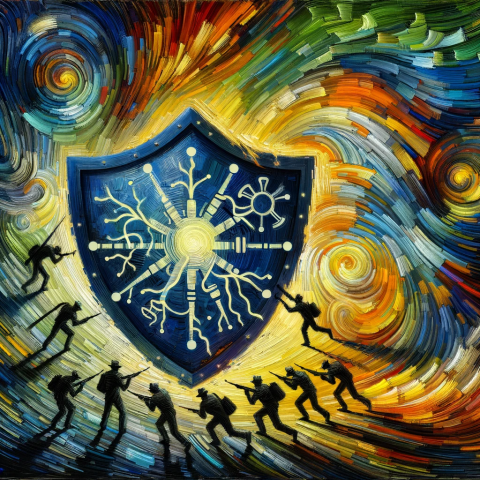
Protecting Seniors: The Importance Of Online Security Updates
By Tom Seest
At BestCyberSecurityNews, we help teach entrepreneurs and solopreneurs the basics of cybersecurity and its impact on their businesses by using simple concepts to explain difficult challenges.
Please read and share any of the articles you find here on BestCyberSecurityNews with your friends, family, and business associates.
How Critical Is It for Seniors to Update Their Online Security?
In today’s digital landscape, the conversation around cybersecurity is no longer just a techie topic reserved for the young and spry. Instead, it should be on the minds of everyone, especially seniors. Now, I know what you might be thinking: “I’m not really into technology.” But here’s the kicker—cybersecurity doesn’t care about your age or your interest level. Hackers are out there, lurking like sharks in a kiddie pool, ready to exploit gaps in your online defenses.
Picture this: You’ve finally figured out how to use that fancy smartphone, and you’re signing up for social media to keep in touch with family. It seems innocent enough, right? But with each click, you’re leaving behind a trail of personal information that cybercriminals can’t resist. From phishing scams that come disguised as friendly emails from grandkids to identity theft that takes place while you’re busy watching cat videos—those risks are real and they’re high. Seniors, unfortunately, are often targeted because they may not have the same level of online vigilance as a younger crowd.
So, how critical is it to update your online security? Think of it like maintaining a car. If you ignore those warning lights on the dashboard, eventually, you’re going to end up broken down on the side of the road. Similarly, outdated passwords, neglected software updates, and an oblivious approach to online privacy can leave you exposed. Trust me, no one wants to be the senior who lost their life savings to a cyber scam.
Remember, updating your online security isn’t just about overhauling your tech. It’s about cultivating good habits. Use strong, unique passwords for different accounts—consider a password manager if they overwhelm you. Enable two-factor authentication. It seems like an extra hurdle, but it’s like locking your door twice before heading out. And please, don’t click on suspicious links. If it looks sketchy, it probably is.
So take a moment, dive into those security settings, and do a little digital housekeeping. It might feel like a chore, but it could save you from a heap of trouble. Being savvy about cybersecurity isn’t just important; it’s essential for living well and safely in this increasingly connected age. Commit to it—because peace of mind is worth every second spent on updating your online security.

How Critical Is It for Seniors to Update Their Online Security?
How Critical Is It for Seniors to Update Their Online Security?
- Cybersecurity is a critical issue for everyone, including seniors, not just tech enthusiasts.
- Digital footprints left during online activities can expose personal information to cybercriminals.
- Seniors are often targeted due to lower levels of online vigilance compared to younger individuals.
- Updating online security is essential, similar to maintaining a car to avoid breakdowns.
- Practicing good security habits includes using strong, unique passwords and enabling two-factor authentication.
- Be cautious of suspicious links; if something looks sketchy, avoid clicking on it.
- Regular digital housekeeping is vital for peace of mind and safety in an increasingly connected world.

How Critical Is It for Seniors to Update Their Online Security?
Table Of Contents
- How Critical Is It for Seniors to Update Their Online Security?
- What Online Security Risks Do Seniors Face Today?
- How Can Seniors Recognize Phishing Scams?
- What Are The Best Practices For Creating Strong Passwords?
- Why Is Two-Factor Authentication Important For Seniors?
- How Can Seniors Protect Their Personal Information Online?
- What Common Cybersecurity Threats Target Seniors Specifically?
- How Often Should Seniors Update Their Security Software?
- Conclusion
- Other Resources
- Glossary Of Terms
- Other Questions
- Haiku
- Poem
- Checklist
What Online Security Risks Do Seniors Face Today?
As we dive into the world of online security, we have to grapple with the harsh reality that seniors face some serious cybersecurity risks today. The digital landscape is a wild frontier, and unfortunately, many of our elders find themselves navigating it without a map. They deserve better, and it’s on all of us to shine some light on the treacherous paths they may encounter.
First off, let’s talk about phishing scams. These digital traps are often disguised as emails or messages from reputable sources, luring unsuspecting seniors into revealing personal information. Imagine opening your inbox to find what appears to be a message from your bank, urging you to “verify your account.” It’s an all-too-common ploy, one that preys on the trust and unfamiliarity many seniors have with the digital realm. They see a name they recognize and, bam, right into the trap they go.
Another significant risk is malware, which is sneaky software that can infiltrate devices without a user even realizing it. For seniors who may struggle to identify suspicious links or downloads, this can be a critical concern. Malware can wreak havoc on a device, locking it down or stealing sensitive data. It’s like letting a wolf into your house – it might look innocent, but it’s not going to have your best interests at heart.
Then, there’s the matter of weak passwords. Many seniors still rely on simple, easy-to-remember passwords, which is like leaving the front door wide open for cybercriminals. In a world where data breaches are rampant, the need for strong, complex passwords has never been greater. It’s essential to remind our elders that their online identities are worth protecting.
Let’s not forget about social media. While it can be a wonderful tool for connection, it also opens up avenues for exploitation. Scammers view social platforms as prime hunting grounds, capitalizing on the information that seniors might unwittingly share. A seemingly innocent post can reveal far too much about one’s life, which can be a gateway for identity theft or fraud.
The message is clear: while technology holds tremendous potential for enriching lives, seniors must be made aware of the cybersecurity minefield they’re traversing. It’s time to prioritize education, awareness, and robust defense mechanisms to ensure they can explore online without fear. After all, it’s about empowering them to embrace the digital age with confidence, rather than leaving them vulnerable to the risks that lurk around every corner.

What Online Security Risks Do Seniors Face Today?
What Online Security Risks Do Seniors Face Today?
- Seniors face significant cybersecurity risks in the digital landscape.
- Phishing scams often target seniors, luring them to reveal personal information through disguised messages.
- Malware can infiltrate devices unnoticed, posing a critical concern for seniors who may struggle with identifying suspicious links.
- Weak passwords are common among seniors, making them vulnerable to cybercriminals and data breaches.
- Social media can be a tool for connection but also serves as a prime hunting ground for scammers exploiting shared information.
- Education and awareness about online security are essential to help seniors navigate the digital world safely.
- Empowering seniors to embrace technology with confidence can reduce their vulnerability to online threats.

What Online Security Risks Do Seniors Face Today?
How Can Seniors Recognize Phishing Scams?
In a world increasingly shaped by technology, the importance of cybersecurity can’t be overstated—especially for seniors navigating the digital landscape. With email and social media being part and parcel of daily life, it’s crucial to recognize the telltale signs of phishing scams that lurk in our inboxes like a wolf in sheep’s clothing.
First, let’s talk about the emails that seem too good to be true. If you find yourself looking at a message promising a windfall, free gift cards, or an incredible deal, it might just be bait on a line. Legitimate organizations don’t go fishing for personal information by dangling alluring offers. Keep an eye out for those flashy graphics and official-looking logos—the fancier the email, the more skeptical you should be. Scammers have become quite adept at mimicking brand imagery.
Next up, check that sender address. Often, it can be a subtle twist on a legitimate domain. Instead of “@bank.com”, it might show up as “@b4nk.com” or some other clever distraction. Always hover over links before clicking. If the URL seems fishy, exercise caution. It’s better to manually type in a website than to risk a one-click disaster that leads you to a malicious site.
Let’s not forget grammar and spelling. Where you might expect polished communication, you might instead find awkward phrasing and typos that could make even a high school English teacher cringe. Reputable organizations pride themselves on their professionalism—scammers? Not so much.
Moreover, it’s important to trust your instincts. If something feels off, it probably is. Don’t hesitate to investigate further. A simple phone call to the company in question can clear up any uncertainty. Scammers thrive on urgency and pressure, so if you’re being rushed to act quickly, take a step back. The real world allows for taking a moment to breathe and think it through.
Lastly, encourage your family and friends to talk about their experiences. Sharing stories about phishing attempts can sharpen everyone’s awareness. Community vigilance is one of the best defenses we have in the fight for cybersecurity. So, stay informed, stay alert, and don’t let those crafty phishers catch you off guard. Remember, in this digital age, awareness is your best line of defense.

How Can Seniors Recognize Phishing Scams?
How Can Seniors Recognize Phishing Scams?
- The importance of cybersecurity is critical for seniors navigating the digital landscape.
- Emails promising unrealistic offers may indicate phishing scams.
- Pay attention to the sender’s email address for subtle variations of legitimate domains.
- Always hover over links and manually type URLs to avoid malicious sites.
- Look out for poor grammar or spelling, as reputable organizations maintain professionalism.
- Trust your instincts; if something feels off, investigate further before acting.
- Encourage discussions about phishing experiences among family and friends to enhance community awareness.

How Can Seniors Recognize Phishing Scams?
What Are The Best Practices For Creating Strong Passwords?
When it comes to cybersecurity—and let’s be honest, folks, that’s a hot topic these days—you can’t skip over the fundamental building blocks of digital safety. One of those building blocks? A rock-solid password. It’s your first line of defense against the online riffraff, and in a world where breaches and hacks are as common as bad reality TV, crafting a sturdy password takes precedence.
So, where do we start? Well, let’s make one thing clear: a good password isn’t just some random string of letters and numbers slapped together in a hurry. No, it needs to be more deliberate. First off, length matters. The longer the password, the tougher it is for cybercriminals to crack it. Aim for at least 12 characters, but 16 is even better. Think of it this way: the longer the password, the more combinations there are for a hacker to work through.
Next, you’ll want to incorporate a mix of characters. I’m talking uppercase and lowercase letters, numbers, and special characters like those funny little symbols—the ones that look like they belong in a foreign language class. A well-rounded password might look like this: 3x@mplE17P@ssw0rd!. It’s complex, it’s unique, and most importantly, it’s not something you can guess while waiting in line for your morning coffee.
Now, you might be tempted to use personal information—your birthday, your pet’s name, or that embarrassing nickname your college friends gave you. Resist that temptation! Cybercriminals love to dig into social media profiles and other public records to find these golden nuggets of information. Instead, consider using passphrases comprised of unrelated words or even a line from your favorite song. “BlueElephant&Guitar$Dance!” is whimsical, yet it checks all the boxes for security.
And let’s not forget about uniqueness. Don’t use the same password across multiple sites. If a hacker picks up on one of your favorites, they’ll have a free pass to your other accounts. Use a password manager—it’s a handy tool that can help you generate and store complex passwords without cluttering your brain.
Lastly, change your passwords regularly and be vigilant about monitoring your accounts. If something feels off, don’t wait—act fast. Cybersecurity is like a well-oiled machine; regular maintenance is what keeps it running smoothly. Remember, a strong password isn’t just a choice; it’s a necessity in today’s digital landscape. So gear up, get creative, and lock things down. Your virtual self will thank you.

What Are The Best Practices For Creating Strong Passwords?
What Are The Best Practices For Creating Strong Passwords?
- Cybersecurity is a crucial topic, with strong passwords being a fundamental component of digital safety.
- A good password should be at least 12 characters long, with 16 characters being even better to deter hackers.
- Incorporate a mix of uppercase and lowercase letters, numbers, and special characters to enhance password complexity.
- Avoid using personal information such as birthdays or pet names in passwords; consider using unrelated words or phrases instead.
- Ensure uniqueness by not reusing passwords across different sites to prevent a security breach from spreading.
- Utilize a password manager to generate and store complex passwords easily without memory overload.
- Regularly change passwords and monitor accounts for suspicious activity to maintain optimal security.

What Are The Best Practices For Creating Strong Passwords?
Why Is Two-Factor Authentication Important For Seniors?
In a world where technology races ahead at breakneck speed, the importance of cybersecurity cannot be overstated—especially for seniors. As they navigate the complex digital landscape, fraught with potential pitfalls, two-factor authentication (2FA) becomes an indispensable tool in their arsenal. But let’s break it down in a way that resonates: just like wearing a seatbelt or locking your front door, 2FA is about protecting what matters most.
Picture this: you’ve got your favorite photos stored on a cloud service, precious memories that you don’t want to lose. Without proper protection, these memories are vulnerable to cybercriminals who might see them as their next target. With the rise of online fraud, phishing scams, and social engineering attacks, seniors are particularly at risk. They can be easily tricked into giving away personal information. That’s where 2FA swoops in like a hero in a caped disguise.
So, what exactly is two-factor authentication? In layman’s terms, it’s an extra layer of security. When you log into your account, you don’t just provide a password; you also verify your identity using a second method. This could be a text message with a code, a phone call, or an authentication app. Think of it as having a bouncer at the door of your digital life—no password alone is getting you through without that second check.
For seniors, who may not be as accustomed to working with technology, this added step might feel like a hassle. Yet, it’s a small price to pay for peace of mind. It’s about taking control of one’s online presence. With cyber threats lurking around every corner, the last thing you want is to hand over your personal information on a silver platter.
Moreover, embracing two-factor authentication is empowering. It’s the digital equivalent of learning how to ride a bike or bake a cake. Once you get the hang of it, you not only feel more secure but also more confident in engaging with technology. This newfound confidence can encourage seniors to connect with loved ones, explore new interests, or even manage their finances online—all while knowing they’re taking proactive steps in the realm of cybersecurity.
In short, two-factor authentication is more than just a technical upgrade; it’s a vital practice that ensures seniors can engage safely with the digital world. So, strap in and reinforce those defenses. The more layers of protection you have, the safer you—and your memories—will be.

Why Is Two-Factor Authentication Important For Seniors?
Why Is Two-Factor Authentication Important For Seniors?
- The rapid advancement of technology highlights the critical need for cybersecurity, especially for seniors.
- Two-factor authentication (2FA) serves as a crucial tool for protecting online accounts, much like a seatbelt or locked door.
- Seniors are particularly vulnerable to cyber threats such as phishing scams and social engineering attacks.
- 2FA provides an extra security layer by requiring a second method of identity verification beyond just a password.
- While 2FA may seem cumbersome, it offers vital peace of mind and control over one’s online presence.
- Embracing 2FA empowers seniors, boosting their confidence in using technology to connect and manage online activities.
- Two-factor authentication is a necessary practice that ensures seniors can safely navigate the digital landscape.

Why Is Two-Factor Authentication Important For Seniors?
How Can Seniors Protect Their Personal Information Online?
In today’s digital landscape, where the world is just a click away, seniors must become savvy sheriffs in their online domains, safeguarding their personal information like a prized treasure. Cybersecurity isn’t just a techy buzzword; it’s the bedrock of a safe online experience. Here’s how our wise elder friends can help themselves navigate through the tangled web of the internet.
First off, create strong, unique passwords. It’s tempting to reuse that old high school mascot name or a birthday, but that’s like leaving the door wide open for any would-be intruder. Instead, think of passwords as the locks on your door—make them complex with a mix of letters, numbers, and special characters. Utilize a password manager; it’s like employing a trusty guard who remembers all your combinations.
Next, educate yourself about phishing scams. These scams usually come in the guise of friendly emails or messages from seemingly legitimate sources, asking for sensitive personal information. It’s like someone knocking at your door pretending to be the neighbor; it pays to peek through the window first. If something looks fishy, trust your gut and don’t click that link.
Also, look for the “HTTPS” in web addresses when shopping or entering personal information. The “S” stands for secure; it’s your assurance that the website takes your cybersecurity seriously. No “S”? That’s like wandering into a dark alley—avoid it at all costs.
Keeping your software updated is another crucial step in the battle for cybersecurity. Software companies release updates to patch vulnerabilities and protect against the latest threats. Think of it as maintaining your car; regular check-ups keep it running smoothly and safely. So, set those automatic updates and forget about them—let the system do its job.
Lastly, consider two-factor authentication (2FA). It’s an extra layer of security, and while it might seem like a hassle, it’s the equivalent of having a bouncer at your party checking IDs. With 2FA enabled, even if someone gets hold of your password, they’ll still need that second piece of information to get through the door.
So there you have it, folks! By taking these everyday precautions, seniors can shield their personal information from the hands of identity thieves and enjoy a richer online experience informed by confidence and caution. Embrace that tech-savvy spirit, and don’t let the internet turn you into an easy target.

How Can Seniors Protect Their Personal Information Online?
How Can Seniors Protect Their Personal Information Online?
- Seniors should act as vigilant guardians of their personal information online.
- Creating strong, unique passwords is essential; avoid reusing easy-to-guess options.
- Utilize a password manager to securely store and manage all passwords.
- Be aware of phishing scams that mimic legitimate sources to extract personal information.
- Check for “HTTPS” in web addresses to confirm a website’s security before sharing information.
- Keep software updated to protect against vulnerabilities and latest threats.
- Enable two-factor authentication (2FA) for an additional layer of security.

How Can Seniors Protect Their Personal Information Online?
What Common Cybersecurity Threats Target Seniors Specifically?
In a world that’s raced toward digital landscapes faster than a squirrel on caffeine, seniors often find themselves holding a map filled with unfamiliar terrain. While technology can empower and connect, it also attracts unsavory characters looking to exploit those who may not be as savvy in the digital domain. When we talk about cybersecurity, we’re diving into the wild jungle of the internet, filled with threats that can leave anyone—especially seniors—vulnerable. So what are those threats, and how can we shine the light on them?
First up, we have phishing attacks. Not the fun kind where you cast a line in a stream; this phishing comes in the form of emails designed to trick users into divulging personal information. Seniors, who might not recognize the telltale signs of a scam, can easily fall for these bait-and-switch tactics. Imagine receiving an email that looks like it’s from your bank, only to find out it’s a cleverly crafted trap aimed at stealing your hard-earned savings. It’s deceptive, and sadly, it’s all too common.
Then there are scams on social media. Despite the wild reputation of these platforms, many seniors have embraced them to stay connected with family and friends. But this warmth can come with a chill. Scammers lurk in chat rooms and on posts, preying on the unsuspecting. They may pretend to be someone familiar, only to extort money or personal info. And who can forget the romance scams? Those heartwarming stories of love can quickly turn sour when someone living miles away is only after a credit card number or a wire transfer.
Don’t overlook malware, either. Seniors often download apps or click on links without fully understanding the implications. A simple goal of “finding a recipe” can turn into an installation of malicious software that compromises their devices and, ultimately, their privacy.
Finally, let’s discuss the downside of lackluster passwords. Many seniors, perhaps due to nostalgia, tend to stick with outdated or simplistic passwords. This makes them easy targets for cybercriminals who specialize in brute-force attacks, swooping in like birds of prey, seeking to snatch sensitive data with minimal effort.
The digital age has transformed our lives, but with that transformation comes responsibility. Educating and protecting our seniors against these common cybersecurity threats can help them navigate this tricky terrain with greater ease and security. After all, everyone deserves to enjoy the benefits of technology without falling prey to its lurking dangers.

What Common Cybersecurity Threats Target Seniors Specifically?
What Common Cybersecurity Threats Target Seniors Specifically?
- Seniors often struggle with unfamiliar technology in a fast-evolving digital world.
- Cybersecurity is a critical issue, particularly for seniors who may be more vulnerable to online threats.
- Phishing attacks involve deceptive emails that aim to steal personal information from unsuspecting users.
- Scams on social media platforms prey on seniors, with scammers posing as familiar contacts to extort money or data.
- Romance scams exploit emotional connections, often targeting seniors for financial gain.
- Malware risks arise when seniors download apps or click links without understanding the potential dangers.
- Weak passwords make seniors easy targets for cybercriminals, highlighting the need for better online security practices.

What Common Cybersecurity Threats Target Seniors Specifically?
How Often Should Seniors Update Their Security Software?
In today’s digital age, cybersecurity is crucial for everyone, but it’s especially important for seniors navigating the often-treacherous waters of the internet. Old or outdated software can become a welcome mat for cybercriminals, making it essential to stay on top of security updates. But how often should you be checking and updating that software? Well, let’s break it down into bite-sized nuggets.
First off, consider your digital device. Whether it’s a tablet, smartphone, or a good ol’ desktop, updates don’t just carry shiny new features. They’re designed to close loopholes that bad actors exploit. Think of it this way: every time your software gets an update, it’s like adding a new lock on your front door. So, when your device tells you there’s an update available, treat it like an alert that someone’s messing with your front porch lights—take the hint and get that update installed.
Now, you might be asking, “How frequently should I check for updates?” Ideally, you should be looking for updates at least once a month. Some tech-savvy folks might even opt for a bi-weekly check. This doesn’t mean you have to sit by your device like a hawk; most modern software has automated update features that handle the heavy lifting for you. However, a quick manual check now and then can’t hurt, especially if your device seems sluggish or strange to you.
Next up, let’s chat about those pesky notifications. If you receive an alert that your security software needs an update, don’t ignore it. Procrastination might feel comfortable, but it’s a one-way ticket to Cybersecurity City, where your data could be up for grabs. Clicking “remind me later” could morph into “oops, I didn’t mean to lose all my sensitive information.”
Lastly, remember that cybersecurity is not just a one-time deal. You wouldn’t go to the dentist once and expect perfect teeth for life. In the same vein, your digital defenses need regular attention. So, make a habit of scheduling updates and monitoring your security settings.
By staying vigilant and proactive, you’ll not only safeguard your personal information but also gain the peace of mind that comes with knowing you’re doing your part to keep the digital wolves at bay. After all, a little effort today can save you from a big headache tomorrow.

How Often Should Seniors Update Their Security Software?
How Often Should Seniors Update Their Security Software?
- Cybersecurity is essential, especially for seniors using the internet.
- Outdated software can attract cybercriminals, emphasizing the need for regular security updates.
- Updates close loopholes in software, enhancing security similar to adding locks on a door.
- Check for software updates at least once a month, with bi-weekly checks as an option.
- Don’t ignore notifications for security updates; procrastination can lead to data loss.
- Cybersecurity requires ongoing attention and regular monitoring of defenses.
- Proactive efforts in cybersecurity provide peace of mind and protect personal information.

How Often Should Seniors Update Their Security Software?
Conclusion
In this wild world of technology, where everything from grocery shopping to connecting with loved ones is just a click away, seniors have a crucial task: fortifying their online defenses. If there’s one takeaway from this entire discussion, it’s that online security is not just for the tech-savvy youngsters. It’s a priority for everyone, especially for our elder friends. Let’s face it, folks—the digital landscape can be a minefield, and seniors often find themselves navigating it without a roadmap. But fear not; with some awareness and proactive measures, you can turn the tide in your favor.
First off, let’s tackle the heart of the issue. Seniors are particularly appealing targets for cybercriminals, who operate like sharks in murky waters. The threats come in many forms—phishing scams that masquerade as friendly emails, malware lurking behind seemingly innocent links, and identity theft branching out from hasty social media posts. It’s like the Wild West, and ignorance is not bliss when it comes to online safety.
Do yourself a favor and treat your passwords with the same care you would a cherished keepsake. Strong, unique passwords are your first line of defense. Using a password manager can make this daunting task manageable, storing those complex codes so you don’t have to. That’s right—no more using “Password123.” And while you’re at it, enable two-factor authentication—it’s a straightforward way to add that extra layer of protection.
Let’s also not forget about keeping your software current. Think of those updates as the oil changes your digital devices need to keep running smoothly. This means checking for updates regularly—at least once a month. Set it and forget it with automatic updates when you can, but don’t ignore those notifications. Ignoring security warnings is like leaving your front door wide open when you go out.
So, what’s the takeaway? Embrace the digital world with confidence by staying informed and vigilant. Knowledge is your best ally in this digital age. Engage in conversations with friends and family about online safety, share experiences, and encourage one another. Empower yourself to enjoy the rich benefits of the internet, whether it’s connecting over social media or managing finances, but do so with your eyes wide open.
In the end, folks, investing the time in updating your online security isn’t just a task—it’s a lifeline. So gear up, get to work, and keep those digital wolves at bay. Because living your best life means protecting what matters most, and that includes not just your memories but your hard-earned savings too.

Conclusion
Conclusion:
- Seniors need to prioritize online security as cyber threats target them specifically.
- Common threats include phishing scams, malware, and identity theft.
- Use strong, unique passwords and consider a password manager to simplify the process.
- Enable two-factor authentication for added security on online accounts.
- Keep software up to date by checking for updates regularly and utilizing automatic updates.
- Stay informed and engage in discussions about online safety with friends and family.
- Investing time in online security protects personal memories and finances from cyber threats.

Conclusion
Other Resources

Other Resources
Here is a list of other resources you can review online to learn more:
- Securely Managed
- Braintrace
- AccountabilIT
- Spade Technology
- RedLegg
- Philantech3
- Wipro
- Plurk
- Abacode
- Infopercept Consulting
Use This Prompt To Get More Resources With Your Favorite Online AI Tool: Please provide me with a list of online articles with their URLs in a bulleted list that I can read regarding How Critical Is It for Seniors to Update Their Online Security?

Other Resources
Glossary Terms
How Critical Is It for Seniors to Update Their Online Security? – Glossary Of Terms
1. Online Security: Measures and protocols designed to protect users from unauthorized access, theft, and damage to their online information and accounts.
2. Password: A secret word or phrase that is used to authenticate a user’s identity and gain access to an account or system.
3. Two-Factor Authentication (2FA): An additional security layer that requires not only a password but also a second form of verification, such as a smartphone code.
4. Phishing: A fraudulent attempt to obtain sensitive information (like passwords) by disguising as a trustworthy entity in electronic communications.
5. Malware: Malicious software designed to disrupt, damage, or gain unauthorized access to computer systems.
6. Antivirus Software: A program that detects and removes malware from computers and devices to safeguard user data.
7. VPN (Virtual Private Network): A service that encrypts internet connections to protect users’ online activities and privacy from eavesdropping.
8. Firewall: A security system that monitors and controls incoming and outgoing network traffic based on predetermined security rules.
9. Data Breach: An incident where unauthorized individuals gain access to sensitive data, often leading to identity theft and financial loss.
10. Social Engineering: Manipulative tactics used to trick individuals into divulging confidential information, often through deceitful communication.
11. Encryption: The process of converting data into a coded format to prevent unauthorized access, ensuring data confidentiality.
12. Update/Patch: Software updates that fix vulnerabilities or enhance features, critically important for maintaining security.
13. Identity Theft: The unauthorized use of someone’s personal information for fraud, often leading to financial loss.
14. Secure Connection (HTTPS): A secure version of HTTP that encrypts data between the user’s browser and the website, ensuring safe communication.
15. Digital Footprint: The trail of data users leave online, including social media interactions, website visits, and online purchases.
16. Wi-Fi Security: Protocols and measures that safeguard wireless networks from unauthorized access or exploitation.
17. User Awareness: An understanding of potential online threats and knowledge on how to protect oneself, crucial for seniors.
18. Account Recovery: The process of regaining access to an online account that has been locked or compromised, often via email or phone verification.
19. Privacy Settings: Controls within online accounts that allow users to manage who can see their information and how much is shared.
20. Email Security: Measures taken to protect email accounts from unauthorized access and phishing attacks.
21. Browser Security: Features and settings in web browsers designed to ensure safe browsing and protect against various online threats.
22. Social Media Safety: Practices to protect personal information shared on social media platforms, such as adjusting privacy settings.
23. Credential Stuffing: A cyber-attack in which stolen account credentials are used to gain unauthorized access to other accounts.
24. Cybersecurity: The practice of protecting computers, servers, mobile devices, and data from malicious attacks.
25. Digital Literacy: The ability to effectively and critically navigate, evaluate, and create information in various digital formats.
26. Scam: A fraudulent scheme designed to con individuals out of their money or personal information.
27. System Backup: The process of copying and archiving computer data to restore it in case of data loss or corruption.
28. Spyware: Software that secretly monitors user activity, collecting information without the user’s consent.
29. Online Account Management: The processes involved in maintaining the security and organization of online accounts, including regular updates and password changes.
30. Safe Browsing Practices: Recommended behaviors for avoiding online threats, such as not clicking on suspicious links and verifying sources.
These terms provide a comprehensive understanding of online security challenges faced by seniors and emphasize the importance of staying updated on best practices.

Glossary Of Terms
Other Questions
How Critical Is It for Seniors to Update Their Online Security? – Other Questions
If you wish to explore and discover more, consider looking for answers to these questions:
- What are the most effective ways for seniors to improve their online security?
- How can seniors identify and avoid malicious websites?
- What steps should be taken if a senior believes they have fallen victim to a cyber scam?
- Are there resources or programs available specifically to help seniors enhance their cybersecurity knowledge?
- What role do family members or caregivers play in assisting seniors with online security?
- How can seniors verify the legitimacy of emails or messages asking for personal information?
- What should seniors do if they receive suspicious texts or calls?
- How frequently should passwords be updated for optimal security?
- What are some reliable password managers recommended for seniors?
- What additional measures, besides two-factor authentication, can seniors implement for enhanced security?
- How can seniors safely use public Wi-Fi without compromising their personal information?
- What are the specific types of malware that often target seniors, and how can they protect against them?
- Are there common misconceptions seniors have about online security that should be addressed?
- What are the signs that a senior’s online account may have been compromised?

Other Questions
Haiku
How Critical Is It for Seniors to Update Their Online Security? – A Haiku
Seniors navigate,
Cyber threats lurk all around,
Update for your peace.

Haiku
Poem
How Critical Is It for Seniors to Update Their Online Security? – A Poem
In the vast digital sea where dangers roam,
Seniors cast nets, but feel far from home.
Cyber sharks circle, lurking with glee,
It’s crucial they learn how to guard their decree.
With laughter and love, they seek to connect,
Yet every click whispers, “Inspect, reflect!”
Phishing hooks disguised, promises of gold,
A curious heart can lead to the cold.
Passwords like treasures can open the gate,
But simple codes say, “Oh, come replicate!”
A fortress built strong with characters mixed,
Just like a door—keep the weak ones fixed.
Two-factor authentication, a second embrace,
Adds layers of safety, a protective space.
For every sweet moment and cherished fond scene,
Secure all the memories, keep the spaces clean.
Update your shields, let no warning slide,
For software unpatched leaves gaps open wide.
Regular checks like a loyal friend’s call,
Help keep your defenses snug, standing tall.
So share with your family, stories of scoff,
Teaching each other can turn fear to soft scoff.
With eyes open wide and wisdom in hand,
Seniors can navigate this digital land.
Embrace the new tools, let confidence swell,
In this age of connection, they can flourish and dwell.
Guardians of the screen, with knowledge they’ll rise,
In the heart of the web, they’ll find joy, not demise.

Poem
Checklist
How Critical Is It for Seniors to Update Their Online Security? – A Checklist
1. Strengthen Your Passwords
_____ Create strong and unique passwords (at least 12-16 characters).
_____ Include a mix of uppercase, lowercase, numbers, and special characters.
_____ Avoid using personal information (birthdays, pet names, etc. ).
_____ Consider using passphrases or phrases from favorite songs.
_____ Utilize a password manager to store and manage passwords safely.
2. Enable Two-Factor Authentication (2FA)
_____ Activate 2FA on all accounts that offer it.
_____ Use a second method of verification (text message, phone call, authentication app) when logging in.
3. Stay Vigilant Against Phishing Scams
_____ Be cautious of emails that seem too good to be true (offers of money, gift cards, etc. ).
_____ Check sender addresses for subtle changes that may indicate a scam.
_____ Hover over links to view their actual URLs before clicking.
_____ Look for poor grammar and spelling as signs of a scam.
_____ Trust your instincts; if something feels off, verify it directly with the organization.
4. Practice Safe Browsing Habits
_____ Ensure websites are secure (look for “HTTPS” in URLs).
_____ Avoid entering personal information on unsecured websites.
_____ Do not click on suspicious links or download unknown attachments.
5. Keep Your Software Updated
_____ Check for software updates at least once a month.
_____ Enable automatic updates where possible.
_____ Regularly update your antivirus software and check its effectiveness.
6. Be Careful on Social Media
_____ Limit personal information shared online.
_____ Adjust privacy settings to restrict who can see your posts.
_____ Be wary of friend requests or messages from unknown individuals.
7. Monitor Your Financial Accounts Regularly
_____ Check bank and credit card statements frequently for unauthorized transactions.
_____ Report any suspicious activities to your financial institution immediately.
8. Educate Yourself and Others
_____ Stay informed about common online threats.
_____ Share experiences and knowledge with friends and family to increase awareness.
9. Create a Secure Environment
_____ Use devices in secure locations where you won’t be easily distracted.
_____ Log out of accounts when finished, especially on shared devices.
10. Seek Help When Uncertain
_____ Don’t hesitate to ask family or trusted friends for assistance with technology.
_____ Contact customer support for help with security settings on devices and accounts.
By following this checklist, seniors can significantly enhance their online security and protect their personal information from cyber threats. Remember, being proactive is key to staying safe online!

Checklist
At BestCyberSecurityNews, we help teach entrepreneurs and solopreneurs the basics of cybersecurity and its impact on their businesses by using simple concepts to explain difficult challenges.
Please read and share any of the articles you find here on BestCyberSecurityNews with your friends, family, and business associates.