


Stay Alert: Recognizing The Red Flags Of A Cyber Attack
By Tom Seest
At BestCyberSecurityNews, we help teach entrepreneurs and solopreneurs the basics of cybersecurity and its impact on their businesses by using simple concepts to explain difficult challenges.
Please read and share any of the articles you find here on BestCyberSecurityNews with your friends, family, and business associates.
Are You Ignoring Warning Signs Of a Cyber Attack?
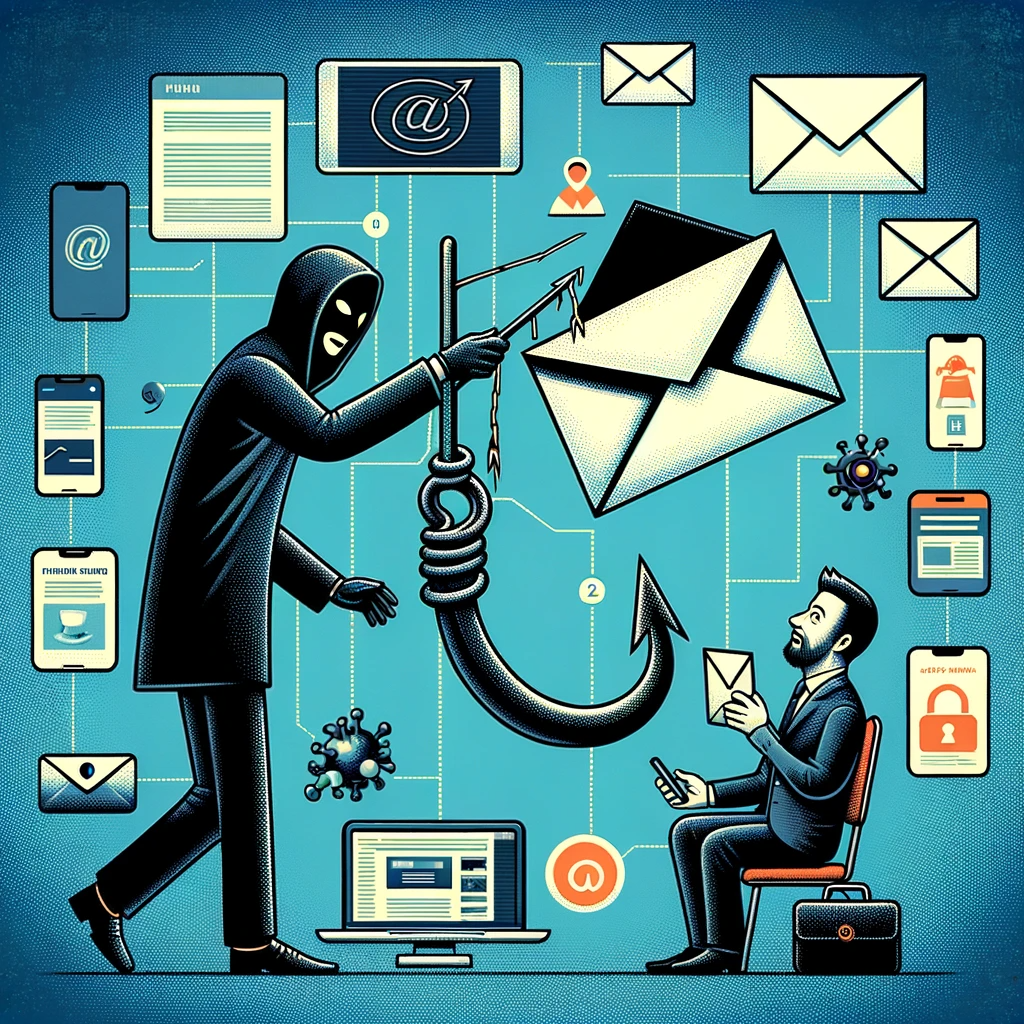
In the fast-paced world we live in today, the conversation around cybersecurity has never been more essential. Whether you’re a small business owner or just browsing the internet after a long day, you might find yourself on the frontlines of a digital battlefield without even knowing it. Yes, folks, cyber attacks are lurking like a thief in the night, and ignoring the warning signs can turn a minor inconvenience into a cataclysmic event.
Think back to the last time you received an odd email from a colleague, or maybe it was a friend asking for help with an unfamiliar link. Those seemingly innocuous moments can be a precursor to something much larger—like an attempted breach into your entire system. If your spidey senses aren’t tingling at times like these, you might be missing the vital clues that could save your data—and your sanity—from an imminent attack.
The reality is that every clicking sound, every strange email, and every unexpected software glitch could be part of a larger puzzle you ought to pay attention to. Cybersecurity isn’t just a tech term thrown around at a seminar; it’s the armor you wear in a realm where the dangers are both potent and persistent.
Now, let’s talk about some tangible signs that might scream “Pay attention!” If you notice your device running slower than usual, or if your browser starts to pop open with ads that could make a sailor blush, don’t just shrug it off. Those could be indicators of hidden malware at work, waiting for the right moment to strike. Similarly, if your passwords mysteriously change or you find accounts you don’t recall creating, your digital fortress might be under siege.
It’s not just about you, either. Think about your colleagues, your clients, and the wider network of people you interact with. A breach doesn’t just impact an individual; it sends shockwaves throughout entire organizations and communities. Being proactive means being vigilant. Regular software updates, two-factor authentication, and employee training on recognizing phishing attempts are just a few measures you can take to fortify your defenses.
So, folks, as you navigate this digitally connected world, keep your eyes peeled. Recognizing the early warning signs of a cyber attack isn’t just smart; it’s essential. Don’t let complacency leave the back door open for an unwelcome visitor. Stay alert, stay informed, and always prioritize cybersecurity. It just might save you when it matters most.

Are You Ignoring Warning Signs Of a Cyber Attack?
Are You Ignoring Warning Signs Of a Cyber Attack?
- The importance of cybersecurity has grown significantly in today’s fast-paced digital world.
- Even innocuous situations, like odd emails from friends or colleagues, may signal potential cyber threats.
- Awareness of clicking sounds, strange emails, and software glitches can reveal underlying cybersecurity issues.
- Signs of malware can include slow device performance and unexpected account changes.
- A cyber breach affects not only individuals but also their colleagues, clients, and entire organizations.
- Proactive measures include software updates, two-factor authentication, and training on phishing recognition.
- Staying alert and informed about cybersecurity is essential to protect sensitive data and maintain safety.

Are You Ignoring Warning Signs Of a Cyber Attack?
Table Of Contents
- Are You Ignoring Warning Signs Of a Cyber Attack?
- Are You Aware Of The Common Warning Signs Of A Cyber Attack?
- How Can You Identify Suspicious Activities On Your Network?
- Are Your Employees Trained To Recognize Potential Threats?
- What Security Tools Can Help Detect Early Signs Of An Attack?
- How Often Do You Update Your Security Protocols And Software?
- Are You Monitoring Your Systems For Unusual Data Transfers?
- What Steps Should You Take If You Suspect A Cyber Attack?
- Conclusion
- Other Resources
- Glossary Of Terms
- Other Questions
- Haiku
- Poem
- Checklist
Are You Aware Of The Common Warning Signs Of A Cyber Attack?
In a world that runs on convenience, it’s easy to overlook the dangers lurking in the digital shadows. Cybersecurity is not just a buzzword; it’s a vital shield against the increasingly sophisticated threats that can encroach upon our personal and professional lives. Recognizing the common warning signs of a cyber attack is crucial—because when it comes to protecting what’s yours, being proactive is far better than being reactive.
Let’s paint a picture. You’re sitting at your desk, coffee in hand, and out of nowhere, your computer starts acting like it has a mind of its own. Programs crash unexpectedly or, even worse, strange pop-ups appear at the most inconvenient times. If your system is suddenly displaying erratic behavior, don’t shrug it off as just a glitch. Often, these symptoms signal that someone is trying to breach your defenses.
Monitoring your online accounts is equally essential. If you notice unauthorized transactions or changes in your account settings, grab the nearest fire extinguisher—because you might have a situation on your hands. Cyber attackers thrive on exploiting weak passwords or phishing their way into accounts. A sudden influx of password reset requests that you didn’t initiate? Another warning bell.
And let’s not forget about emails. If your inbox is suddenly bombarded with mysterious messages, especially ones asking for sensitive information or urgent actions, that’s a flashing red light. Cyber criminals have perfected the art of deception, often disguising themselves as trusted entities. It’s like finding a wolf in sheep’s clothing, and it pays to be skeptical.
Then there are the security updates that seem endless. A delayed update or, worse, a refusal to install the latest security patches can create an opening wider than a barn door. Cyber attackers are constantly finding and exploiting vulnerabilities, and a failure to keep your systems up to date is like leaving your front door wide open in a neighborhood infamous for theft.
When it comes to safeguarding your data and privacy, awareness of these common signs can be your best defense. Cybersecurity isn’t just about technology; it’s about cultivating the right mindset. So, keep your eyes peeled and your instincts sharp—because in the digital realm, it’s better to be safe than sorry. After all, a little vigilance today might save you a whole lot of trouble tomorrow.

Are You Aware Of The Common Warning Signs Of A Cyber Attack?
Are You Aware Of The Common Warning Signs Of A Cyber Attack?
Here is the bulleted summary formatted as an HTML list:
- Cybersecurity is a vital shield against sophisticated digital threats.
- Recognizing warning signs of a cyber attack is crucial for proactive defense.
- Erratic computer behavior, such as crashing programs and unexpected pop-ups, may indicate a potential breach.
- Monitoring online accounts for unauthorized transactions or changes is essential to identify threats.
- Suspicious emails asking for sensitive information or urgent actions are common tactics used by cyber criminals.
- Delayed or neglected security updates can leave systems vulnerable to attacks.
- Awareness and vigilance are key components in maintaining cybersecurity and protecting personal data.

Are You Aware Of The Common Warning Signs Of A Cyber Attack?
How Can You Identify Suspicious Activities On Your Network?
When you’re navigating the unpredictable waters of cybersecurity, the first step to maintaining a safe harbor is identifying suspicious activities on your network. Think about it: you wouldn’t ignore the signs of a leak in your boat. In the same way, you can’t afford to overlook oddities in your digital world.
Start by keeping an eye on user behaviors. Everyone has a typical way of working—maybe Susan always checks emails around 9 AM, or Joe dives into the sales reports in the afternoon. What happens when their routine changes? If Susan is suddenly logging in at midnight, or Joe’s downloading massive files at an odd hour, you might be in murky waters. Sudden changes often indicate something isn’t right, and your radar should be up.
Next, take a close look at your network traffic. Unusual spikes can signal suspicious activities. If a quiet Tuesday takes a turn for the worse and you notice traffic soaring through the roof, it could be a sign of a data breach or a denial-of-service attack. Keep those lights on and your network monitoring tools active; they’re your eyes in the sky.
In addition to behavioral changes and traffic patterns, examine your system logs regularly. Logs record everything—debug messages, warnings, errors—you name it. A single strange entry could tell you a lot about what’s happening behind the scenes. Look for failed login attempts, particularly in rapid succession; that could be a brute-force attack, where a hacker is trying every possible password combination to crack the code.
Another critical area to monitor is application activity. Are unauthorized applications showing up? Or are approved apps acting unusually? If you suddenly notice a spike in this behavior, investigate. Cybercriminals often exploit vulnerabilities in software, and a rogue application can be a gateway to chaos.
Lastly, educate your team. Ensure everyone understands what suspicious activities to look for. A well-informed team can often spot early warning signs that might otherwise slip through the cracks. Encourage open communication when something feels off—a second set of eyes can make all the difference.
In the world of cybersecurity, vigilance is key. The more proactive you are in identifying suspicious activities, the safer your digital waters will be. Protecting your network isn’t just a task; it’s a continuous journey that requires your constant attention.

How Can You Identify Suspicious Activities On Your Network?
How Can You Identify Suspicious Activities On Your Network?
- Identifying suspicious activities is crucial for maintaining cybersecurity.
- Monitor user behaviors for sudden changes in routine as they may indicate potential threats.
- Pay attention to network traffic; unusual spikes can signal a data breach or denial-of-service attack.
- Regularly review system logs for any anomalies, such as failed login attempts which may suggest a brute-force attack.
- Keep an eye on application activity for unauthorized apps or unusual behavior in approved applications.
- Educate your team about suspicious activities and encourage open communication for reporting concerns.
- Proactive monitoring and vigilance are essential for protecting your network in the ever-evolving cybersecurity landscape.

How Can You Identify Suspicious Activities On Your Network?
Are Your Employees Trained To Recognize Potential Threats?
In today’s world, where we’re tethered to the internet like a toddler to a favorite blanket, the conversation about cybersecurity isn’t just for the IT folks sitting in the back room anymore. Nope, it’s something everyone in your organization needs to grasp, regardless of their job title. You see, cybersecurity isn’t purely a tech issue; it’s a culture and awareness challenge that affects every single one of us.
Think about it. Your employees spend hours online—checking emails, browsing social media, and clicking through various applications. Each time they log in, they’re walking a tightrope over a pit of potential threats. And guess what? If they stumble, the entire organization could fall into the abyss. That’s why training your employees to recognize potential threats is not just a good idea; it’s an absolute necessity.
Now, let’s be clear. When we talk about potential threats, we’re not just referring to nefarious hackers lurking in the shadows, waiting for the right moment to pounce. We’re talking about phishing emails that masquerade as legitimate communications, websites designed to trap the unwary, and even friendly-looking attachments that conceal malicious intent. The digital landscape is riddled with hidden dangers, and if your team isn’t trained to spot them, it’s like sending a toddler into a candy store with no supervision.
Training isn’t just about slapping together a PowerPoint and calling it a day. It’s about fostering a mindset of vigilance and encouraging everyone to be a part of the solution. Offer interactive workshops, simulated phishing exercises, and regular refreshers on cybersecurity best practices. Make it engaging. Let your employees know that their vigilance is the first line of defense against threats that can cost an organization millions.
Remember, cybersecurity isn’t a solo game. It’s a team sport. If employees don’t recognize a potential threat and take appropriate actions, all the firewalls and antivirus software in the world aren’t going to save you. When your people are trained to identify and react to risks, you’re building a fortress, brick by brick.
Investing in employee training isn’t just a nice add-on; it’s an integral part of your cybersecurity strategy. A well-informed workforce is your strongest ally in the ongoing battle against ever-evolving threats. So, how are you ensuring your employees are prepared? If you’re not sure, it’s time to roll up your sleeves and find out.

Are Your Employees Trained To Recognize Potential Threats?
Are Your Employees Trained To Recognize Potential Threats?
- Cybersecurity awareness is essential for everyone in an organization, not just IT personnel.
- Employees spend considerable time online, making them vulnerable to various cybersecurity threats.
- It’s crucial to train employees to recognize threats like phishing emails and malicious attachments.
- Effective training should foster a mindset of vigilance and engagement among employees.
- Interactive workshops and simulated phishing exercises are effective training methods.
- Cybersecurity is a collective effort; individual vigilance is key to a strong defense.
- Investing in employee training is integral to a successful cybersecurity strategy against evolving threats.

Are Your Employees Trained To Recognize Potential Threats?
What Security Tools Can Help Detect Early Signs Of An Attack?
In today’s digital landscape, where the virtual and the physical worlds collide, keeping our data secure is more crucial than ever. The stakes are high—one small oversight could open the door to a world of pain. Cybersecurity isn’t just a buzzword; it’s a necessary fortress that protects our livelihood. But how do we fortify that fortress and, more importantly, detect the signs of a breach before it’s too late?
First off, let’s talk about intrusion detection systems (IDS). These are like the sentinels of your digital castle, continuously scanning for unwanted guests. They monitor network traffic and flag any suspicious patterns that might indicate a potential breach. By closely examining anomalies, you can catch the early whispers of an attack, giving you precious time to respond before things escalate.
Next, there’s endpoint detection and response (EDR) software. Think of EDR as the security detail for all the devices in your organization. Each computer or mobile device becomes a critical piece of your cybersecurity puzzle. EDR tools provide real-time monitoring and can automatically neutralize threats, ensuring your digital soldiers are always on high alert.
Then we’ve got security information and event management (SIEM) systems. These are like the central nervous system of your cybersecurity efforts. SIEM collects data from various sources—firewalls, servers, applications—and analyzes it in real-time for patterns that might suggest a breach. By centralizing your security data, you can swiftly detect trends that ordinary tools might miss, allowing for quicker responses to emerging threats.
Additionally, consider implementing threat intelligence platforms. These systems aggregate data on known vulnerabilities, emerging threats, and even the shady tactics used by cybercriminals. With this information, your team can proactively defend against the latest tricks in the hacker’s playbook, staying one step ahead.
Lastly, never underestimate the value of security awareness training for your staff. They are your first line of defense. Empowering employees with knowledge about phishing scams and social engineering tactics not only strengthens your cybersecurity posture but also cultivates a culture of vigilance within your organization.
In this battle against cyber adversaries, we can’t afford to be complacent. The right tools and a well-informed team can mean the difference between a minor incident and a catastrophic breach. So, gear up, stay vigilant, and remember, in the world of cybersecurity, an ounce of prevention is truly worth a pound of cure.

What Security Tools Can Help Detect Early Signs Of An Attack?
What Security Tools Can Help Detect Early Signs Of An Attack?
- Data security is essential in today’s digital landscape, where virtual and physical worlds intersect.
- Cybersecurity acts as a fortress safeguarding our livelihoods against potential breaches.
- Intrusion Detection Systems (IDS) continuously monitor network traffic for suspicious patterns, providing early warning signs of potential attacks.
- Endpoint Detection and Response (EDR) software ensures real-time monitoring and automatic threat neutralization for all organizational devices.
- Security Information and Event Management (SIEM) systems analyze data from various sources to detect patterns that may suggest a breach.
- Threat Intelligence Platforms aggregate data on vulnerabilities and tactics used by cybercriminals, allowing for proactive defenses.
- Security awareness training for staff empowers employees, enhancing vigilance and strengthening the overall cybersecurity posture.

What Security Tools Can Help Detect Early Signs Of An Attack?
How Often Do You Update Your Security Protocols And Software?
In today’s fast-paced, ever-evolving digital world, keeping your cybersecurity protocols and software fresh is no longer a luxury; it’s a necessity. Imagine this: you’re driving your car down a well-worn road, comfortable in the knowledge that your GPS knows the route. But what happens when the map is outdated? You take a wrong turn, and before you know it, you’re lost in unfamiliar territory. The same principle applies to your cybersecurity measures.
The reality is, cybercriminals are constantly honing their skills, developing new tactics, and exploiting vulnerabilities faster than you can say “data breach.” That’s why you can’t afford to sit back and relax once you’ve installed the latest antivirus software or updated your password. If your security protocols are sitting stagnant, they’re like an aging defense line against a blitzing opponent. You need to keep that line fortified, and that means regular updates and assessments.
But here’s the kicker: updating your cybersecurity doesn’t have to feel like a chore. Think of it as tuning up a classic car. Sure, it’s an investment of time and resources, but the payoff is peace of mind. Depending on the size and nature of your business, recommendations suggest reviewing your cybersecurity protocols at least once every quarter. Regular updates ensure you’re not just reactive but proactive, tackling potential threats before they snowball into catastrophic problems.
In addition to scheduling those routine check-ups, make it a point to keep your software up-to-date. Many software programs roll out updates that address not only new features but vulnerability patches. Ignoring these updates is like driving around with a flat tire—eventually, it’s going to catch up with you. Also, consider adopting a culture of security within your organization. Regular training for your employees can make a world of difference. After all, the most sophisticated security software is only as good as the people operating it.
So, whether you’re running a small operation out of your garage or managing a multinational corporation, remember this: you must constantly assess and update your cybersecurity protocols and software. It’s not just about keeping bad actors at bay; it’s about creating a resilient environment that allows you to focus on what you do best. And that’s the kind of security that lets you drive confidently, no matter what road lies ahead.

How Often Do You Update Your Security Protocols And Software?
How Often Do You Update Your Security Protocols And Software?
- Keeping cybersecurity protocols and software updated is essential in today’s digital landscape.
- Cybercriminals continuously improve their tactics, necessitating regular security assessments.
- Stagnant security measures are ineffective; regular updates are crucial for effective protection.
- Updating cybersecurity is akin to tuning a classic car, requiring time but yielding peace of mind.
- Recommendations suggest reviewing cybersecurity protocols at least quarterly for proactive defense.
- Ignoring software updates can lead to vulnerabilities, similar to driving with a flat tire.
- Fostering a culture of security through employee training enhances the effectiveness of security software.

How Often Do You Update Your Security Protocols And Software?
Are You Monitoring Your Systems For Unusual Data Transfers?
In an age where data drives decisions, monitoring your systems for unusual data transfers is more than just a best practice; it’s a necessity. Cybersecurity isn’t just a buzzword that gets tossed around in boardrooms—it’s the lifeblood of trust in this digital age. And let’s be honest, if you’re not keeping a watchful eye on the movement of your data, you might as well be leaving your front door wide open with a welcome mat that says “Please, help yourself!”
Picture this: you’re sitting in your cozy office, sipping coffee, oblivious to the fact that a sneaky little data thief is rummaging through your files like a raccoon in a dumpster. An unusual data transfer here, a suspicious download there, and before you know it, you’ve got a full-on heist on your hands. That’s where vigilant monitoring comes into play. It’s like having security cameras installed in your workspace—you want to know who’s coming and going, especially when it comes to valuable information.
With the landscape of cybersecurity constantly shifting, the tools available for monitoring unusual data transfers have improved, but they’re not foolproof. Implementing a robust monitoring system requires a proactive approach. Regular audits, anomaly detection, and automated alerts can help identify the proverbial rustling in the bushes before the thief makes off with your prized possessions.
You don’t have to be a tech wizard to catch strange data transfers. Just stay informed and attentive. You’ll want to train your team to recognize the red flags, such as a massive spike in data flow or transfers occurring at odd hours. The digital world is like a big city; you wouldn’t ignore a suspicious character lurking in the shadows outside your home, so why would you do the same with your sensitive data?
If you’re running a business or managing sensitive information of any kind, considering how you approach cybersecurity should be at the forefront of your mind. It’s not just about setting up firewalls and antivirus programs; it’s about staying vigilant. By monitoring your systems for unusual data transfers, you’re not just guarding your assets; you’re fostering a culture of awareness and security that spurs confidence amongst clients and employees alike. So gear up, keep your eyes peeled, and remember that in this high-stakes game, the shield is only as strong as the watchful eye behind it.

Are You Monitoring Your Systems For Unusual Data Transfers?
Are You Monitoring Your Systems For Unusual Data Transfers?
- Monitoring unusual data transfers is essential for cybersecurity in the digital age.
- Cybersecurity builds trust and should be prioritized by businesses.
- Vigilant monitoring acts as a security measure to prevent data theft.
- Robust monitoring systems involve regular audits, anomaly detection, and automated alerts.
- Training teams to recognize red flags can help identify suspicious activities.
- Effective cybersecurity goes beyond firewalls and antivirus programs.
- Fostering a culture of awareness and security enhances confidence among clients and employees.

Are You Monitoring Your Systems For Unusual Data Transfers?
What Steps Should You Take If You Suspect A Cyber Attack?
In today’s digital age, a robust cybersecurity posture is more crucial than ever. If you’ve got a nagging feeling that something fishy is going on with your devices or networks, take a deep breath and let’s approach this like a seasoned mechanic troubleshooting a stubborn engine.
First off, don’t panic. Fear is a poor guide when it comes to cybersecurity. Instead, your best bet is to gather your wits and do a little detective work. Start by monitoring your systems closely. Look out for unusual behavior—files that vanish or appear out of nowhere, accounts that are being accessed at odd hours, or a dramatic slowdown in your network speeds. Any of these can signal a breach.
Next, if you suspect a cyber attack, disconnect from the internet immediately. This is like shutting off the main valve for a house leak; it can prevent the further spread of any damage that might be occurring. By disconnecting, you’re effectively isolating the potential threat, allowing you to assess the situation without risking greater exposure.
Now, here comes the investigative part. Review your logs, and check for unfamiliar IP addresses or login attempts. You want to seek out anomalies that don’t belong. If you’ve got a cybersecurity team or IT department, get them involved immediately. Don’t sit on this one; you want professionals who can analyze and understand the threat landscape.
It’s also wise to change your passwords—make them strong and unique. Use two-factor authentication wherever possible because, let’s be real, a little extra security goes a long way. You’d be surprised how many cybercriminals can be deterred by a simple, but tougher, lock on the door.
If after your initial investigation you still feel like you’re in the deep end, consider bringing in outsiders. A cybersecurity firm can perform a thorough assessment, help you understand the extent of the breach, and, more importantly, help you mitigate any potential damage.
Finally, don’t forget to notify relevant parties. If sensitive data has been compromised, inform those affected and report the incident to authorities. Transparency is key in maintaining trust and ensuring that everyone is on the same page.
Remember, cybersecurity isn’t just a tech issue; it’s a mindset. Stay vigilant, keep learning, and don’t shy away from asking for help when needed. Your digital safety really is worth it.

What Steps Should You Take If You Suspect A Cyber Attack?
What Steps Should You Take If You Suspect A Cyber Attack?
- A strong cybersecurity posture is essential in today’s digital landscape.
- Stay calm and conduct thorough monitoring of your devices and networks for unusual behavior.
- If a cyber attack is suspected, immediately disconnect from the internet to prevent further damage.
- Review logs for unfamiliar IP addresses or login attempts; seek help from your cybersecurity team or IT department.
- Change passwords to strong, unique ones and use two-factor authentication for added security.
- If concerns persist, consider hiring a cybersecurity firm for a comprehensive assessment.
- Notify relevant parties if sensitive data is compromised; transparency is vital for maintaining trust.

What Steps Should You Take If You Suspect A Cyber Attack?
Conclusion
Alright, folks, let’s wrap this up with a gut check. In our hyper-connected world, where the lines between the digital and real blur like a badly drawn cartoon, putting your guard down for even a second can lead to a hot mess of trouble. Cybersecurity isn’t a luxury or a passing fad; it’s your shield against the relentless waves of digital threats that seem to creep up on us, just waiting for a moment of negligence to pounce.
Every time you log on, whether you’re sipping coffee at your desk or lounging on the couch, you’re entering a battlefield. Those warning signs—a sluggish computer, unexpected software glitches, sketchy password changes—are like smoke signals for impending cyber disasters. Ignoring them? That’s a recipe for chaos. Remember that odd email from a colleague or a friend with an unexpected link? It’s not just your imagination; these are often the starting shots in a potential attack. If your instincts aren’t honed to pick up on these red flags, you’re rolling the dice with your data security.
What can you do? Stay proactive. Make educating your team about recognizing threats a priority. A well-trained crew can be your first line of defense, spotting trouble before it escalates. You wouldn’t send untrained soldiers into battle, so why treat cybersecurity any differently? Equip your employees with tools, schedules, and knowledge because they’re not just workers—they’re your vulnerability front line.
Now, let’s talk safety tools. Intrusion detection systems, endpoint response software, and network monitors aren’t just tech jargon; they’re crucial allies in your cybersecurity strategy. Monitoring unusual data transfers is as vital as locking your doors at night. If something doesn’t seem right, act! Disconnect, document what you see, and involve experts if needed. When it comes to cybersecurity, the hero is the one who stays alert and takes action early.
In short, if you ignore the signs or get complacent, you’re setting the stage for disaster. The best offense against cyber threats? A prepared and aware organization that understands the weight of vigilance. Buckle up, stay sharp, and remember—when it comes to cybersecurity, an ounce of prevention is worth a pound of fear. Let’s keep those hackers at bay, shall we?

Conclusion
Conclusion:
- Cybersecurity is essential in today’s hyper-connected world, serving as a shield against digital threats.
- Every online activity presents risks; signs like sluggish computers and unexpected changes can indicate potential cyber disasters.
- Odd emails with unexpected links are often the start of cyber attacks, and recognizing these red flags is crucial.
- Proactivity is key; educating your team on recognizing threats should be a top priority.
- Trained employees are your first line of defense in preventing cyber incidents.
- Utilize safety tools like intrusion detection systems and network monitors to enhance cybersecurity strategy.
- Ignoring warning signs can lead to disaster; awareness and preparedness are vital to fend off cyber threats.

Conclusion
Other Resources

Other Resources
Here is a list of other resources you can review online to learn more:
- Fujitsu
- CyFlare
- Adarma
- MOE Cyberdefense
- eSentire
- Nuspire
- Telstra
- CSIS Group
- CriticalStart
- ACME Communications Limited
Use This Prompt To Get More Resources With Your Favorite Online AI Tool: Please provide me with a list of online articles with their URLs in a bulleted list that I can read regarding Are You Ignoring Warning Signs Of a Cyber Attack?

Other Resources
Glossary Terms
Are You Ignoring Warning Signs Of a Cyber Attack? – Glossary Of Terms
1. Cyber Attack: An intentional exploit of computer systems and networks aimed at damage, disruption, or information theft.
2. Phishing: A fraudulent attempt to obtain sensitive information by disguising as a trustworthy entity, often via email.
3. Malware: Malicious software designed to disrupt, damage, or gain unauthorized access to computer systems.
4. Ransomware: A type of malware that locks users out of their data or systems, demanding a ransom for access.
5. Firewall: A security device or software that monitors incoming and outgoing network traffic, blocking unauthorized access.
6. Intrusion Detection System (IDS): Software or hardware that monitors network or system activities for malicious actions or policy violations.
7. Data Breach: An incident where unauthorized access to sensitive, protected, or confidential data occurs.
8. Social Engineering: Techniques used to manipulate individuals into divulging confidential information or performing actions that compromise security.
9. Zero-Day Exploit: A vulnerability that is exploited before the vendor releases a fix, leaving systems unprotected.
10. Denial of Service (DoS) Attack: An overwhelming influx of traffic directed at a system, rendering it unable to respond to legitimate requests.
11. Multi-Factor Authentication (MFA): An extra layer of security requiring more than one form of verification to access an account.
12. Antivirus Software: Programs designed to detect, prevent, and respond to malware threats on computer systems.
13. Vulnerability Assessment: A systematic evaluation of security weaknesses in a system or application to identify potential risks.
14. Incident Response: A structured approach to managing the aftermath of a security breach or cyber attack.
15. Cryptography: The practice of securing information by converting it into a format that is unreadable without a decryption key.
16. Network Security: Measures taken to protect the integrity, confidentiality, and accessibility of computer networks and data.
17. Spyware: Software that secretly monitors user activities and collects personal information without consent.
18. Threat Intelligence: Information about current or emerging threats that helps organizations prepare defenses against cyber attacks.
19. Exfiltration: The unauthorized transfer of data from a computer or network, often done during an attack.
20. Patch Management: The process of distributing and applying updates to software to fix vulnerabilities.
21. Security Compliance: Adherence to standards and regulations designed to protect information systems and data privacy.
22. Supply Chain Attack: A cyber attack that targets less secure elements in a supply chain to compromise an organization’s systems.
23. Botnet: A network of compromised computers used to automate cyber attacks, often controlled by a single entity.
24. Prevention: The implementation of measures designed to detect and stop potential cyber threats before they occur.
25. Breach Notification: The process of informing affected individuals or authorities when their data has been compromised.
26. User Education: Training provided to individuals within an organization to enhance their understanding of cybersecurity risks and best practices.
27. Incident Report: A document summarizing details about a cybersecurity incident to facilitate analysis and response.
28. Red Teaming: A simulated cyber attack conducted by ethical hackers to test an organization’s defenses and identify weaknesses.
29. Incident Recovery: The steps taken to restore systems and data after a security incident to return to normal operations.
30. Risk Assessment: The process of identifying, analyzing, and evaluating risks associated with potential threats to an organization’s information systems.

Glossary Of Terms
Other Questions
Are You Ignoring Warning Signs Of a Cyber Attack? – Other Questions
If you wish to explore and discover more, consider looking for answers to these questions:
- What are the most common types of cyber attacks?
- How can I protect my personal information online?
- What should I do if I receive a suspicious email?
- What tools can I use for monitoring my network security?
- How can I recover from a cyber attack?
- What are best practices for creating strong passwords?
- How often should I conduct a security audit?
- What are the legal implications of a data breach?
- How can I educate myself and my employees about cybersecurity risks?
- What steps can I take to improve my business’s overall cybersecurity posture?
Other Questions
Haiku
Are You Ignoring Warning Signs Of a Cyber Attack? – A Haiku
Vigilant we stand,
Cyber shadows lurk and creep—
Watch for warning signs.

Haiku
Poem
Are You Ignoring Warning Signs Of a Cyber Attack? – A Poem
In a world where shadows creep,
Cyber threats silently sweep,
A digital realm where data flows,
Yet danger lurks where no one knows.
Emails strange, a friend’s odd plea,
Clicks and glitches, what could they be?
Signs abound—a spidey sense,
Complacency is a risky defense.
Your fortress weakens with every delay,
Updates ignored can lead you astray.
Malware waits, as patience wears thin,
A digital breach could soon begin.
Monitor closely as routines shift,
Odd behaviors hint at the rift.
Watch for spikes, data’s deceit,
Lurking thieves may soon take a seat.
Empower your team, their eyes alert,
Training essential, ignorance hurts.
Phishing attacks, a wolf in disguise,
One wrong click and trust denies.
With tools like IDS at your side,
To detect intrusions where secrets abide.
Keep innovating your stronghold’s stance,
For vigilance leads to a fighting chance.
If trouble brews and fear rears its head,
Take a deep breath, don’t dash ahead.
Disconnect first, then seek the cause,
Log the signs with a steady pause.
Change your passwords, call for aid,
Outside eyes for breaches displayed.
Notify quickly when harm has been done,
Transparency builds trust—compressing the shun.
So heed these warnings, stay ever aware,
In this digital world, show that you care.
For the battle rages in silent night,
Stay alert, stay sharp, keep your data tight.

Poem
Checklist
Are You Ignoring Warning Signs Of a Cyber Attack? – A Checklist
1. Identify Warning Signs
_____ Monitor for unusual device behavior (e. g. , slow performance, unexpected crashes).
_____ Look for strange pop-ups or ads that seem out of place.
_____ Be aware of unauthorized password changes or unknown accounts.
2. Recognize Odd User Behaviors
_____ Observe any unusual login times or patterns for yourself and your team.
_____ Check for large file downloads or transfers occurring unexpectedly.
3. Stay Vigilant with Email Communication
_____ Watch for suspicious emails, especially those requesting sensitive information or urging immediate action.
_____ Be cautious of unfamiliar links in emails from colleagues or friends.
4. Implement Strong Security Measures
_____ Ensure regular software updates and security patch installations.
_____ Utilize two-factor authentication on essential accounts.
_____ Educate employees on recognizing phishing attempts and other threats.
5. Regularly Monitor Network Activity
_____ Keep track of network traffic for unusual spikes or patterns.
_____ Review system logs for failed login attempts or unauthorized access.
_____ Check for unexpected applications or changes in approved application activity.
6. Use Security Tools Effectively
_____ Employ intrusion detection systems (IDS) for constant monitoring.
_____ Implement endpoint detection and response (EDR) software for device protection.
_____ Utilize security information and event management (SIEM) systems for data analysis.
7. Update Security Protocols
_____ Review security protocols at least quarterly.
_____ Create a culture of security awareness through regular training for all employees.
8. Monitor Systems for Data Transfers
_____ Set up alerts for unusual data transfers.
_____ Conduct regular audits on data flow and access logs.
9. Take Action If an Attack Is Suspected
_____ Document any unusual incidents and behaviors.
_____ Disconnect from the internet immediately to isolate the threat.
_____ Change passwords and implement two-factor authentication where applicable.
_____ Involve IT specialists or cybersecurity professionals for further assessment.
_____ Report any compromised data to relevant authorities and affected parties.
10. Foster a Culture of Vigilance
_____ Encourage an open dialogue about cybersecurity concerns among staff.
_____ Share updates and information regarding recent threats and responses to maintain awareness.
Be proactive about cybersecurity. Staying alert and identifying the warning signs can protect your data and organization from potential cyber threats. Regularly use this checklist as part of your cybersecurity strategy.

Checklist
At BestCyberSecurityNews, we help teach entrepreneurs and solopreneurs the basics of cybersecurity and its impact on their businesses by using simple concepts to explain difficult challenges.
Please read and share any of the articles you find here on BestCyberSecurityNews with your friends, family, and business associates.


