


Protect Yourself: Avoid Online Scams Now
By Tom Seest
At BestCyberSecurityNews, we help teach entrepreneurs and solopreneurs the basics of cybersecurity and its impact on their businesses by using simple concepts to explain difficult challenges.
Please read and share any of the articles you find here on BestCyberSecurityNews with your friends, family, and business associates.
What Steps Can You Take to Avoid Online Scams Today?
We live in a world where information flows faster than a high-speed train, and while it offers incredible opportunities, it can also leave us vulnerable to those pesky online scams. But fear not! Avoiding them isn’t rocket science; it just takes a little attention and a willingness to adapt. So grab a cup of coffee and let’s talk about some practical steps you can take to protect yourself from the clutches of cyber mischief.
First up, familiarize yourself with the landscape of *cybersecurity*. Now, I know that might sound a bit daunting, but really, it’s just about training your radar to pick up the signs. Websites that promise a million-dollar prize or an unbelievable discount on popular items? You might want to steer clear. Always double-check URLs. A little magnifying glass action can reveal subtle typos or dodgy domains that scream “scam!” You wouldn’t walk into a house with a ‘Welcome’ mat that’s falling apart; the same goes for websites!
Next, think before you click! A simple email that’s got an irresistible offer? Tempting, isn’t it? But ask yourself: do I really know who sent this? Scammers often disguise themselves as trusted organizations, so don’t hesitate to verify. You can always contact the company directly—using contact information from their official website—and ask if that deal is legit. It may take a few extra minutes, but it beats losing a chunk of change, right?
Now let’s talk passwords. Just like you wouldn’t put your house key under the doormat, don’t use easily guessable passwords or the same password across multiple sites. Strong passwords are your best friends. Think of them as the guard dogs of your online presence. A mix of letters, numbers, and symbols is what you’re aiming for. And for those who really want a solid fortress, consider a password manager—because, let’s be honest, keeping track of twenty different passwords is as fun as a flat tire.
Finally, stay informed. Cyber threats evolve, and keeping up with the latest information helps to build your own *cybersecurity* knowledge. Join forums, read blogs, or simply connect with community groups that discuss these topics. Remember, you’re not alone in this—you have a community right at your fingertips.
So, let’s wrap this up: vigilance is key. By following these steps, you empower yourself to navigate the digital landscape with confidence, turning the tables on those scammers. You’ve got this, and each small precaution you take adds up to a stronger, safer online experience!

What Steps Can You Take to Avoid Online Scams Today?
What Steps Can You Take to Avoid Online Scams Today?
- Information flows rapidly, providing opportunities but also exposing individuals to online scams.
- Understand the basics of *cybersecurity* to identify potential scams.
- Always verify URLs and check for typos or suspicious domains before visiting a website.
- Think critically before clicking on tempting offers in emails; verify the sender’s identity.
- Use strong, unique passwords for different sites; consider a password manager for convenience.
- Stay informed about evolving cyber threats by engaging in community forums and reading blogs.
- Vigilance and small precautions can significantly enhance online security and confidence.

What Steps Can You Take to Avoid Online Scams Today?
Table Of Contents
- What Steps Can You Take to Avoid Online Scams Today?
- What Are The Common Signs Of An Online Scam?
- What Steps Should You Take If You Suspect A Scam?
- How Can Strong Passwords Protect You From Scams?
- What Role Do Antivirus Programs Play In Scam Prevention?
- Why Is It Important To Avoid Sharing Personal Information?
- How Can You Spot Phishing Emails And Messages?
- What Are Safe Payment Methods To Use Online?
- Conclusion
- Other Resources
- Glossary Of Terms
- Other Questions
- Haiku
- Poem
- Checklist
What Are The Common Signs Of An Online Scam?
In the wild west of the digital age, navigating the online landscape can feel like walking through a minefield. We’ve all been there—maybe you received that unexpected email promising you a fortune from a long-lost relative or came across a too-good-to-be-true offer for a product you’ve desperately wanted. But just like that pesky nagging feeling when you’re about to take a leap of faith, your instincts are often your best defense against the lurking shadows of online scams.
First off, let’s talk about the classic red flags. If you ever see an email or message riddled with typos and grammatical errors, you might want to pump the brakes. Legitimate businesses take pride in their communication, and poor language skills are usually a sign that something fishy is afoot. Imagine getting a letter from your bank that starts with “Dear Customer.” Alarm bells should ring loud and clear.
Another common indicator of a scam is urgency. Scammers excel at creating a false sense of urgency. “Act now!” they implore, “Limited time offer!” But here’s the kicker: real opportunities typically provide the breathing room for careful consideration. If someone’s pushing you to make a quick decision—especially when it comes to your hard-earned cash—this is a classic cybersecurity maneuver to shake you loose from your common sense.
Then there’s that siren song of unsolicited offers. You know, the ones that slip into your inbox promising riches or extravagant trips? If you didn’t ask for it, there’s a high likelihood it’s not legitimate. Companies don’t just hand out prizes without a reason. If it sounds too good to be true, it probably is.
Don’t forget those suspect links and pesky attachments. Hover over links; if they look weird or lead to unknown sites, you’re traveling a dangerous road. Genuine communications from reputable companies will link back to their official websites, so keep your finger off that click like you’re dodging a puddle on a rainy day.
Finally, always trust your gut. If something feels off, dig a little deeper. Do some research, look for reviews, or talk to someone you trust. Safeguaring your personal information is not just wise; it’s essential. Remember that online scams thrive on isolation and doubt. Stay informed, be vigilant, and cultivate the confidence to protect yourself in this ever-evolving digital landscape. After all, a little skepticism goes a long way in keeping you safe from those online gremlins.

What Are The Common Signs Of An Online Scam?
What Are The Common Signs Of An Online Scam?
- Navigating the online landscape can be risky, akin to a minefield.
- Be cautious of emails or messages with typos and poor grammar, as they may indicate scams.
- Beware of urgency tactics, where scammers pressure you to act quickly; real opportunities allow for consideration.
- Unsolicited offers promising riches or prizes are often fraudulent; if you didn’t ask for it, be skeptical.
- Check links carefully; avoid clicking on suspicious links or attachments that lead to unknown sites.
- Trust your instincts; do research and seek advice if something feels off to you.
- Stay informed and vigilant to protect your personal information from online scams.

What Are The Common Signs Of An Online Scam?
What Steps Should You Take If You Suspect A Scam?
So, you’ve sensed something fishy lurking in the digital waters. Maybe a suspicious email landed in your inbox, or you received a phone call that felt more like a fishing expedition than a friendly chat. First off, take a deep breath; you’re not alone in this. Scams are becoming as common as morning coffee, and knowing how to navigate this murky terrain is essential for safeguarding yourself in this age of cybersecurity.
The first step is to trust your gut. If something feels off, it probably is. Don’t dismiss those nagging feelings. Scammers thrive on your hesitation and confusion. Document any details about the encounter: screenshots, names, phone numbers, and the content of the communication. This will not only help you articulate your concerns but could also aid authorities in pinpointing the source of the scam.
Next, hit the brakes on your response. Scammers thrive on urgency; that urgency is a red flag. Take a moment to research the organization or individual who reached out to you. A quick internet search could reveal patterns or warnings from others who have dealt with the same situation. Websites and forums can be treasure troves of information, offering insight into what to look out for.
Once you’re armed with knowledge, it’s time to verify. If the scam came via email or message, reach out to the sender through a trusted channel—not the contact details they provided. Scammers often replicate real companies’ correspondence, so double-checking the source is crucial.
If your senses continue to scream ‘scam,’ it’s time to take action. Report your findings to local law enforcement and relevant cybersecurity authorities. Not only does this help protect you, but it also contributes to a larger effort to combat fraud. Sharing information helps others avoid falling into the same trap.
Finally, bolster your defenses. Make sure your digital life is secure by installing robust cybersecurity measures. Regularly change your passwords and enable two-factor authentication whenever possible. The more proactive you are, the less likely you are to become a victim of deceit.
Remember, you’re not just a passive participant in this digital ocean. With each informed step, you’re charting a course for safety, confidence, and empowerment in the face of scams. Stay vigilant, stay smart, and always trust your instincts. After all, you deserve to navigate the internet unscathed!

What Steps Should You Take If You Suspect A Scam?
What Steps Should You Take If You Suspect A Scam?
- Scams are increasingly common; trust your instincts when something feels off.
- Document all details about suspicious encounters, including screenshots and contact information.
- Pause before responding; urgency is a hallmark of scams.
- Research the organization or individual to uncover potential scams.
- Verify communications by contacting the sender through trusted channels, not provided details.
- Report scams to local law enforcement and cybersecurity authorities to help others avoid fraud.
- Enhance digital security by using strong passwords and enabling two-factor authentication.

What Steps Should You Take If You Suspect A Scam?
How Can Strong Passwords Protect You From Scams?
Let’s face it: in a world buzzing with endless notifications and digital distractions, we might be tempted to think that passwords are just an afterthought. But let me tell you something—strong passwords are your first line of defense in the wild frontier of cybersecurity. They’re the wall you build to keep the marauders at bay, and trust me, those marauders are out there, lurking behind every pop-up ad and shady link.
Imagine for a moment that your digital life is like your home. You wouldn’t leave your front door wide open, would you? Yet, many folks do just that every day by using easily guessable passwords. “123456,” “password,” or even your beloved pet’s name followed by their birth year might seem harmless, but in the eyes of an aspiring scammer, they’re as inviting as an open door. A strong password is more than just a collection of letters and numbers—it’s your fortress. It’s that sturdy door you’ve disguised as a welcoming porch.
Now, don’t get me wrong. It’s not just about crafting a long, convoluted password; it’s about the thought you put into it. Picture a well-composed password, one that combines uppercase letters, lowercase letters, numbers, and even special characters. It’s like mixing a little paprika and cumin into a bland recipe. Suddenly, you’ve got flavor—a password that’s as unique as you are, making it a real challenge for cybercriminals.
But here’s the kicker: even the best walls can crumble if you’re not vigilant. That strong password needs protecting too, so avoid writing it down where prying eyes can find it. Consider using a password manager; think of it like having your own digital safe. Not only does it keep your passwords secure, but it also helps you manage them, turning the headache of remembering into a breeze.
Incorporating strong passwords into your daily routine isn’t just good practice; it’s empowering. It’s taking a stand against complacency in our digital lives. So, go ahead—take that extra few minutes to create a password that makes sense to you but looks like gibberish to anyone else. In doing so, you’re not just protecting yourself; you’re building confidence in your cybersecurity measures and inspiring those around you to do the same. It’s a small effort for a more secure life, and trust me, your future self will thank you.
How Can Strong Passwords Protect You From Scams?
How Can Strong Passwords Protect You From Scams?
- Strong passwords are crucial for cybersecurity and serve as a first line of defense against digital threats.
- Many users make the mistake of utilizing easily guessable passwords, akin to leaving their front doors open.
- A strong password should consist of a mix of uppercase and lowercase letters, numbers, and special characters for added security.
- Even strong passwords need to be protected; avoid writing them down in accessible places.
- Utilizing a password manager can help store and manage passwords securely, acting like a digital safe.
- Incorporating strong passwords into daily routines empowers individuals and combats complacency in digital security.
- Investing time to create complex passwords enhances personal cybersecurity and encourages others to prioritize their own security.

How Can Strong Passwords Protect You From Scams?
What Role Do Antivirus Programs Play In Scam Prevention?
In today’s digital world, where cyber threats lurk around every corner, the term “cybersecurity” feels like both a necessity and a maze. We find ourselves bombarded by terms like phishing, malware, and ransomware, and while it might seem all too overwhelming, there’s a sensible ally in the midst of it all: antivirus programs.
Think of antivirus software as your reliable watchdog—a loyal guardian that patrols the digital landscape. Just like a good fence keeps out unwanted visitors to your yard, antivirus programs protect your device from many online threats. They work tirelessly to sniff out viruses and malware before they breach your system, all while providing you with a sense of security.
Now, let’s be honest: No tool is infallible. It’s essential to recognize that antivirus programs are only part of a broader cybersecurity strategy. They’re like the safety net at a circus—you may still be juggling precariously, but with that net below, you can focus on your act with a little more confidence. To strengthen that confidence, keeping your antivirus software updated is crucial. Just as you wouldn’t drive around with worn-out tires, don’t run your devices on outdated software.
But antivirus programs don’t just sit there like a quaint garden gnome; they actively engage in the ongoing battle against scams. Many modern solutions are equipped with smart algorithms and real-time scanning capabilities, which means they learn and adapt, often before a threat can even reach you. Think about it: it’s like having a seasoned warrior on your side, ready to anticipate moves that cybercriminals might make.
And it gets better: strong antivirus programs can offer additional features, like phishing protection, which monitors your emails and browsers for suspicious links. They’re like that wise friend who tells you, “Hey, don’t go down that alley.” With these barriers in place, you’re not just another target; you’re insulated from a barrage of threats.
Investing in an antivirus program isn’t just about having a tool on your computer; it’s a commitment to securing your digital life. So, let’s not neglect this vital defense. Be proactive. Stay informed. Embrace the world of cybersecurity with a partner that champions your safety. After all, when we feel secure in our digital journey, we can explore, connect, and thrive without the shadow of scams hanging over us.

What Role Do Antivirus Programs Play In Scam Prevention?
What Role Do Antivirus Programs Play In Scam Prevention?
- Cybersecurity is essential in a digital world filled with cyber threats.
- Antivirus programs serve as protective tools against online threats like viruses, malware, and ransomware.
- They should be considered part of a broader cybersecurity strategy rather than a standalone solution.
- Regular updates to antivirus software are crucial for optimal protection.
- Modern antivirus solutions utilize smart algorithms and real-time scanning for effective threat detection.
- Many antivirus programs offer additional features, such as phishing protection, enhancing user safety.
- Investing in antivirus software signifies a commitment to securing one’s digital life.

What Role Do Antivirus Programs Play In Scam Prevention?
Why Is It Important To Avoid Sharing Personal Information?
Why Is It Important to Avoid Sharing Personal Information?
Let’s be honest; in today’s fast-paced digital world, it can feel like we’re living in a fishbowl. Every move we make, every recipe we crave, and every cute cat video we enjoy seems to come at a price. That price? Our personal information. Now, before you roll your eyes and dismiss this as just another overblown concern, let’s take a moment to understand why keeping our personal details under wraps is a lot more crucial than it seems.
First and foremost, it’s all about cybersecurity. It’s not just a buzzword tossed around in tech circles; it’s a reality we face every day. Every time you share your birthday, your address, or even a photo of your pet, you’re adding a puzzle piece for someone who might not have the best intentions. In the wrong hands, what seems harmless can be exploited in ways that leave you vulnerable. Whether it’s someone trying to steal your identity or invade your privacy, a little caution can go a long way.
Think about it like this: sharing personal information online is akin to leaving your front door wide open while you go for a walk. Sure, you might be in a safe neighborhood, but you can’t guarantee that all your neighbors have good intentions. When you put your information out there, you’re not just inviting trouble; you might be paving the way for it.
But it’s not just about protecting ourselves from potential threats. It’s also about cultivating a sense of trust and respect for our digital footprint. When we choose to keep certain details to ourselves, we send a message that our privacy matters—both to us and to those we interact with online. This approach fosters a healthier digital environment where everyone can feel secure.
Now, let’s not kid ourselves; it’s not always easy. In an age where sharing is the norm, avoiding it can feel downright countercultural. But that’s the beauty of making informed choices. By consciously deciding what to share and what to keep private, we empower ourselves. We equip ourselves with the ability to navigate the web with confidence, knowing we’re not just another data point in someone’s algorithm.
So, the next time you’re tempted to click “share” without a second thought, pause for a moment. Reflect on what you’re giving away. Remember, your personal information is valuable—treat it with the respect it deserves and keep that digital door closed just a bit tighter. Trust me; future you will thank you.
Why Is It Important To Avoid Sharing Personal Information?
Why Is It Important To Avoid Sharing Personal Information?
- Sharing personal information online can jeopardize your cybersecurity.
- Even seemingly harmless details can be exploited by malicious actors.
- Sharing personal details is like leaving your front door open, exposing you to potential risks.
- Maintaining privacy fosters trust and respect in online interactions.
- Avoiding oversharing contributes to a healthier digital environment for everyone.
- Making informed choices about sharing empowers individuals online.
- Value your personal information and treat it with the respect it deserves.

Why Is It Important To Avoid Sharing Personal Information?
How Can You Spot Phishing Emails And Messages?
How Can You Spot Phishing Emails and Messages?
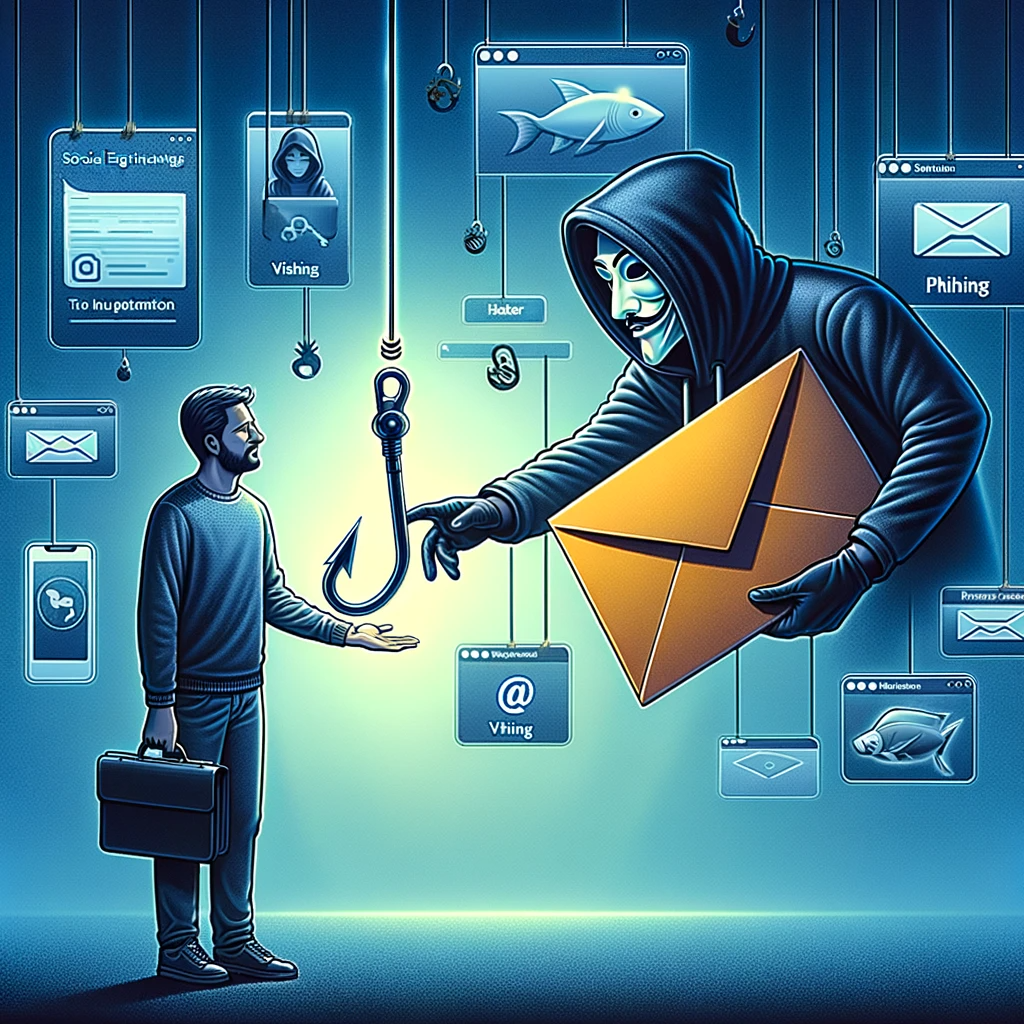
Let’s talk about something that’s as slippery as a wet floor sign in a secretly greasy diner: phishing emails and messages. You know, those pesky digital traps designed to reel you in faster than a hungry catfish on a summer night. In today’s cyber-centric world, where everything from banking to family gossip happens at the click of a button, understanding how to spot these digital deceivers isn’t just a techie’s hobby. It’s part of our shared responsibility for good cybersecurity.
First off, let’s chat about the tip-off: if it sounds too good to be true, it probably is. Imagine that email promising you a lifetime supply of tacos for clicking a link—in reality, the only thing you’ll be getting is a headache as you sift through the aftermath of a scam. Legitimate organizations don’t offer free tacos, so remember: be skeptical.
Next, pay attention to the sender’s email address. Sure, it might look convincing at first glance, but a closer look might reveal something off. Rarely is the email from the “CEO of Taco Inc.” sent from “tacoinc1234@gmail.com.” This trickery, my friends, is one of the prevalent schemes used by cyber tricksters. Always double-check before trusting that a “bank” is really your bank.
Now, let’s not forget the classic grammar snafus and pathetic misspellings. If you receive correspondence dripping with urgency, packed with typos and vague threats about your account being “compromised,” grab your detective hat. Legitimate businesses maintain a standard of professional communication, and they definitely won’t be using thirteen exclamation marks in a single sentence.
If an email or message asks for personal information, hit the brakes faster than a dog spotting a cat. Never, and I mean never, provide sensitive information via email or click on sketchy links. That little dose of caution can save you from heading down a treacherous path that might lead to identity theft or financial loss.
Lastly, leverage that handy tool called the internet. Don’t hesitate to look up the sender or the subject line of the email. A quick search can reveal whether you’re dealing with a known scam or phishing attempt. Trust your gut; if something feels off, trust it. You have the power to combat these deceitful practices.
When it comes down to it, spotting phishing attempts is really about keeping your wits about you and being a little skeptical. It’s a skill we all can cultivate, and in today’s cyber-driven marketplace, it’s just good sense. Stay vigilant, and remember: you’re not just protecting yourself; you’re keeping the digital world safer for all. Let’s keep one another in the know!

How Can You Spot Phishing Emails And Messages?
How Can You Spot Phishing Emails And Messages?
- Phishing emails are digital traps designed to deceive users, making cybersecurity awareness essential for everyone.
- If an offer sounds too good to be true, it likely is—stay skeptical of unexpected promises.
- Check the sender’s email address for authenticity; fake addresses often resemble legitimate ones but have minor discrepancies.
- Look out for poor grammar and misspellings; legitimate organizations maintain professional communication standards.
- Never provide personal information via email or click on suspicious links to protect yourself from identity theft.
- Use the internet to research the sender or subject line for known scams; your intuition is a valuable tool.
- Develop a habit of skepticism and vigilance to enhance your ability to spot phishing attempts and protect the digital community.

How Can You Spot Phishing Emails And Messages?
What Are Safe Payment Methods To Use Online?
Let’s face it, we live in an age where our wallets can be as full of digital cards as our cars are of actual junk—as in, “Where did all that stuff come from?” But while you’re clicking through your online shopping spree, the last thing you want to think about is the lurking shadow of cyber threats. Don’t worry; that’s where robust payment methods come to the rescue, giving your online shopping a dose of peace and comfort.
First up, we have credit and debit cards. It’s a classic, but with a twist. Many banks now offer advanced cybersecurity features like two-factor authentication, which is as close as you can get to a virtual bouncer. Your card info might get compromised, but with zero-liability policies from most issuers, the damage can be mitigated if you act quickly. It’s like having a safety net beneath you as you perform your high-wire act over the digital abyss.
Then there’s the world of digital wallets. Think of services like PayPal or Venmo as the cozy, well-lit corner of your favorite café where you gather with friends instead of a dark alley. They mask your financial information and take care of the heavy lifting. Storing your bank details behind a secure layer is like opening a bank vault where only you hold the keys. With rising concerns around cybersecurity, these platforms have made it simpler and safer for you to complete transactions without exposing your personal information.
Cryptocurrency is another option creating quite a buzz—and not just because it sounds cool! While it might seem a bit speculative, using digital currencies can provide a layer of anonymity. Just remember, it takes a savvy shopper to dodge meticulous rug pulls and volatility.
And let’s not forget about buy now, pay later options. It feels like magic, doesn’t it? You get to snag that new gadget now and spread the payment out. But stay savvy; always check how that service handles cybersecurity and whether you’re sticking with secure merchants.
So as you gear up for your next online escapade, remember to vet your payment methods. Staying informed about safe options not only helps you safeguard your hard-earned cash but also empowers you to shop with confidence. The digital world is vast and thrilling, but with the right tools, you can navigate those waters like a seasoned sailor at the helm. Welcome aboard!

What Are Safe Payment Methods To Use Online?
What Are Safe Payment Methods To Use Online?
- Digital wallets, credit and debit cards, and cryptocurrency are essential for secure online shopping.
- Credit and debit cards offer advanced cybersecurity features such as two-factor authentication and zero-liability policies.
- Digital wallets (e.g., PayPal, Venmo) mask financial information and simplify transactions while enhancing security.
- Cryptocurrency provides anonymity but requires caution due to potential risks like rug pulls and volatility.
- Buy now, pay later options allow for flexible payments but should be used with caution regarding security practices.
- Choosing the right payment methods helps safeguard your money and instills confidence in online shopping.
- Staying informed about secure payment options enables safer navigation of the digital marketplace.

What Are Safe Payment Methods To Use Online?
Conclusion
Well folks, here we are at the conclusion, and if you’ve stuck around this long, let me just say—you’re already ahead of the game! You’ve taken the first step toward protecting yourself in an increasingly fraught digital landscape. Now, let’s break it down: staying safe online isn’t about being paranoid; it’s about being prepared. Think of it like putting on a seatbelt before taking a drive; it’s a small action that can have big consequences.
First off, understanding the cyber jungle we’re all wandering through is crucial. Familiarization is key, so keep your radar on high alert for scams that might sneak into your inbox. Those emails promising something too good to be true? They usually are! Always double-check those URLs, and remember that a little caution is better than a lot of regret.
Next, let’s talk passwords—they’re the digital locks on your doors. Don’t settle for “password123.” Instead, craft those strong passwords like you’re building a fortress. A blend of uppercase, lowercase, numbers, and symbols will make it tough for any digital burglar to break your protective wall. And while we’re at it, consider using a password manager; it’s like hiring a security team for your personal data.
Now, in the unfortunate event that you encounter a scam or phishing email, your gut instinct is your best friend. If it feels fishy, dig deeper! Document everything and take your time to verify before responding. Remember, real organizations don’t pressure you; they respect your need for caution. And if something still seems off, don’t hesitate to report it—you’re not just safeguarding yourself; you could be protecting the whole community.
Let’s not overlook the power of antivirus programs. Just like that loyal dog watching your front porch, a good antivirus solution can keep the nasties at bay as long as you keep it updated. And folks, sharing personal information? Treat that like a family heirloom—precious and worth protecting.
Finally, when financial transactions roll around, stick to trusted payment methods. Your information deserves to be treated like the treasure it is.
Navigating the digital world might feel like a tightrope walk, but with these practical steps, you’re equipping yourself to dance rather than stumble. Stay informed, stay alert, and remember—scammers thrive on complacency. With a little vigilance, you can turn the tables and enjoy the online world without undue worry. You’ve got this!

Conclusion
Conclusion:
- Congratulations on taking the first step to protect yourself in a risky digital landscape.
- Staying safe online is about being prepared, similar to buckling up in a car.
- Understand the digital environment and be alert for scams that may enter your inbox.
- Create strong passwords using a mix of characters and consider using a password manager.
- Trust your instincts when facing potential scams; document and verify before responding.
- Utilize antivirus programs to keep your systems secure and keep them updated.
- Use trusted payment methods for financial transactions and be cautious with personal information.

Conclusion
Other Resources

Other Resources
Here is a list of other resources you can review online to learn more:
- F-Secure Corp.
- CybrHawk
- Protective Actions Research for Cyberattacks
- Cyberforce Security
- rSolutions
- Radar Cyber Security
- Cerberus Sentinel
- General Dynamics
- Department of Homeland Security’s Cybersecurity and Infrastructure Security Agency
Use This Prompt To Get More Resources With Your Favorite Online AI Tool: Please provide me with a list of online articles with their URLs in a bulleted list that I can read regarding What Steps Can You Take to Avoid Online Scams Today?

Other Resources
Glossary Terms
What Steps Can You Take to Avoid Online Scams Today? – Glossary Of Terms
1. Phishing: A deceptive attempt to obtain sensitive information by disguising as a trustworthy entity in digital communication.
2. Malware: Malicious software designed to harm or exploit devices, including viruses, worms, and ransomware.
3. Scam: A fraudulent scheme designed to con individuals out of money or personal information.
4. Spam: Unsolicited and often irrelevant messages sent over the internet, typically for advertising or phishing.
5. Two-Factor Authentication (2FA): A security process that requires two different forms of identification to access an account, enhancing security against unauthorized access.
6. VPN (Virtual Private Network): A service that creates a secure, encrypted connection over the internet, protecting data and privacy while browsing.
7. Firewall: A network security system that monitors and controls incoming and outgoing network traffic based on predetermined security rules.
8. Social Engineering: The psychological manipulation of individuals to disclose confidential information through deceptive tactics.
9. Ransomware: A type of malware that encrypts a victim’s files, demanding a ransom to restore access to the data.
10. Secure Socket Layer (SSL): A standard security technology for establishing an encrypted link between a web server and a browser, ensuring data integrity.
11. Identity Theft: The fraudulent acquisition and use of a person’s private identifying information, typically for financial gain.
12. Scareware: Malware designed to trick victims into purchasing or installing malicious software by displaying alarming and misleading messages.
13. Secure Password: A password that is complex, combining letters, numbers, and symbols, making it difficult to guess or crack.
14. Imposter Websites: Fake websites designed to mimic legitimate sites, used to steal personal information or financial data.
15. Data Breach: An incident in which unauthorized access is gained to sensitive or confidential data, often resulting in data loss or compromise.
16. Tokenization: The process of replacing sensitive information with non-sensitive equivalents, or tokens, to enhance data security.
17. Browser Extensions: Added software components that enhance web browsers’ functionality, which can sometimes unintentionally expose users to risks.
18. DDoS Attack (Distributed Denial of Service): An attack aimed at making a website or service unavailable by overwhelming it with traffic from multiple sources.
19. Secure Payment Method: Payment options that provide enhanced security features, such as virtual credit cards or payment services with buyer protection.
20. Ad Blocker: A software tool that prevents advertisements from being displayed on web pages, reducing exposure to potential scams.
21. Email Authentication: Methods to verify the sender’s email address, helping to prevent phishing by ensuring emails are legitimately from the claimed source.
22. Privacy Settings: Configurable options within software or online platforms that allow users to control their personal information visibility.
23. Online Reputation Management: The practice of monitoring, influencing, and managing a person or brand’s reputation on the internet, important for avoiding scams.
24. Incident Response: A set of procedures to follow when an online attack or scam is detected, aimed at mitigating damage and restoring normal operations.
25. Url Shorteners: Services that convert lengthy URLs into shorter ones; while useful, these can hide the actual destination, sometimes leading to malicious sites.
26. Credit Monitoring: Services that keep track of changes to your credit report and alert you to suspicious activities, useful for detecting identity theft.
27. Consumer Reports: User-generated reviews or ratings of products and services that can help identify potential scams by highlighting negative experiences.
28. Cybersecurity Awareness: An educational practice that informs individuals about potential online threats and how to protect themselves from scams.
29. Unsolicited Requests: Requests for personal information or money that come unexpectedly, often indicating potential scams.
30. Report Scams: The act of notifying authorities or online platforms about suspicious or fraudulent activities to help combat scams.

Glossary Of Terms
Other Questions
What Steps Can You Take to Avoid Online Scams Today? – Other Questions
If you wish to explore and discover more, consider looking for answers to these questions:
- How can I recognize a secure website?
- What are some examples of common online scams?
- What should I do if I’ve fallen victim to an online scam?
- How often should I change my passwords?
- What additional security measures can I implement beyond passwords?
- What are the best antivirus programs available?
- How can I protect my personal information while using social media?
- What should I do if I receive a suspicious email?
- Are there specific tools or software to help detect phishing attempts?
- What should I look for in online payment methods to ensure safety?
- How can I protect my children from online scams?
- What are the legal actions available against online scammers?
- How can community awareness help in combating online scams?

Other Questions
Haiku
What Steps Can You Take to Avoid Online Scams Today? – A Haiku
In the digital age,
Stay alert, guard your secrets—
Scams lurk, wisdom saves.

Haiku
Poem
What Steps Can You Take to Avoid Online Scams Today? – A Poem
A Cyber Shield: Navigating the Digital Sea
In a world where whispers travel fast,
The lure of scams our peace harass.
But with a watchful eye and a clever mind,
You can leave those phantoms far behind.
First, tune your radar, uncover the signs,
Of dubious offers wrapped in thin lines.
A prize that’s too grand, a deal too sweet,
Might just be bait, a cyber deceit.
Trust your instincts, they’re your best guide,
When emails invite you to click, don’t slide.
Verify senders, investigate requests,
With a pause and a search, elude their tests.
Craft passwords strong, like fortresses tight,
Characters mixed, keep them out of sight.
A password manager, your digital key,
Locks down your data, keeps you scam-free.
Stay updated, share in knowledge’s spree,
Join forums, connect with a community.
Antivirus armor, your steadfast shield,
Protects your devices, makes your fate sealed.
Guard your details with vigilant care,
For every shared piece opens doors to despair.
The web’s a fishbowl, so consider it wise,
To keep private things from prying eyes.
With wisdom at hand, as you navigate,
The shadows of fraud can’t seal your fate.
So forge your path through this digital expanse,
With strength and awareness, give safety a chance.
A dance with the net, with caution we wade,
Empowered and wise, let no trust be swayed.
For in this vast world where the dangers reside,
Stay vigilant, friends, let your guard be your guide.

Poem
Checklist
What Steps Can You Take to Avoid Online Scams Today? – A Checklist
Checklist: Steps to Avoid Online Scams
Educate Yourself
_____ Familiarize yourself with common online scams.
_____ Stay updated on the latest cybersecurity threats and trends.
Verify Before You Click
_____ Double-check URLs for typos or odd domains.
_____ Think before clicking on links in emails or messages.
_____ Contact the company directly using official contact details for verification.
Protect Your Passwords
_____ Create strong, unique passwords for every account (use a mix of letters, numbers, and symbols).
_____ Consider using a password manager to keep track of your passwords.
_____ Regularly change your passwords.
Recognize Red Flags
_____ Be wary of emails with poor grammar or excessive urgency.
_____ Avoid unsolicited offers that sound too good to be true.
Use Trusted Security Measures
_____ Install and regularly update antivirus software.
_____ Enable two-factor authentication where possible.
Safeguard Personal Information
_____ Avoid sharing sensitive personal information online.
_____ Be conscious of the data you share on social media and other platforms.
Know What to Do If You Suspect a Scam
_____ Trust your instincts—if something feels off, investigate further.
_____ Document any suspicious communications (screenshots, details).
_____ Report the scam to local authorities and relevant cybersecurity organizations.
Spot Phishing Attempts
_____ Look for signs of phishing emails (too-good-to-be-true offers, suspicious sender addresses).
_____ Never provide personal information via email.
_____ Do a quick internet search to verify suspicious emails or senders.
Use Safe Payment Methods
_____ Use credit or debit cards with zero-liability policies for online purchases.
_____ Consider using digital wallets (e. g. , PayPal, Venmo) to protect your financial information.
_____ Research any payment service to ensure they handle cybersecurity effectively.
Stay Vigilant
_____ Participate in forums, blogs, or community groups focusing on cybersecurity.
_____ Share knowledge and experiences with others to foster a safer online environment.
By following these steps, you can significantly reduce your risk of falling victim to online scams and protect yourself in the digital space. Stay informed and vigilant!

Checklist
At BestCyberSecurityNews, we help teach entrepreneurs and solopreneurs the basics of cybersecurity and its impact on their businesses by using simple concepts to explain difficult challenges.
Please read and share any of the articles you find here on BestCyberSecurityNews with your friends, family, and business associates.


