Protect Yourself: Safeguarding Personal Information From Fraud
By Tom Seest
At BestCyberSecurityNews, we help teach entrepreneurs and solopreneurs the basics of cybersecurity and its impact on their businesses by using simple concepts to explain difficult challenges.
Please read and share any of the articles you find here on BestCyberSecurityNews with your friends, family, and business associates.
Is Your Personal Information Secure From Fraudsters?
Alright, let’s get real for a moment. In this age where almost every detail of our lives is just a click away, it’s vital to ask: how secure is your personal information? Cybersecurity isn’t just some buzzword thrown around at tech conferences; it’s the lifeline in our increasingly digital world. Think of it as the fortress walls guarding your castle, the locks on your doors, and the trusted friends who keep an eye on your stuff when you’re not around.
Now, let me paint a picture. Imagine you’re standing in your kitchen, sipping a cup of coffee while scrolling through your favorite social media platform. Suddenly, you hear that dreaded ping—a notification that your account has been compromised. Your stomach drops, and you start frantically wondering who has access to your private details. It’s a sinking feeling we’ve all had, and trust me, it’s enough to make even the toughest among us feel vulnerable.
But here’s the good news: you don’t have to be a tech wizard to create layers of protection around your personal info. Simple steps can radically improve your cybersecurity. Strong passwords are your first line of defense. Don’t just rely on “password123”; think of something unique and complex—maybe a sentence from your favorite song or a combination of random words. Remember, creativity is your best ally here.
Next, consider two-factor authentication (2FA). Yes, it might seem like a hassle to pull out your phone for that pesky code, but let me tell you, it’s a small price to pay for peace of mind. It’s like having a bouncer at your exclusive party, only letting in those who belong. You’d be surprised how quickly those extra steps can deter fraudsters who are lurking, looking for easy prey.
And let’s not forget about vigilance. Regularly check your financial statements and credit reports for any unusual activity. Fraudsters thrive in the shadows, but you have the power to shine a light on their schemes before they can do real damage.
So, take a moment today to evaluate your cybersecurity practices. It doesn’t take much to fortify your defenses, but the effort can mean the difference between security and chaos. Make it a priority, and you’ll not only safeguard your personal information, but also sleep a little more soundly at night. After all, peace of mind is priceless, especially in a world where things can change in an instant.

Is Your Personal Information Secure From Fraudsters?
Is Your Personal Information Secure From Fraudsters?
- The importance of cybersecurity is essential in our digital age, protecting personal information.
- The feeling of vulnerability can hit suddenly when accounts are compromised.
- Creating strong passwords is crucial; they should be unique and complex.
- Two-factor authentication (2FA) is recommended for added security, despite its inconvenience.
- Regularly monitoring financial statements and credit reports is vital for detecting fraud.
- Evaluating and improving cybersecurity practices can lead to significant security benefits.
- Prioritizing cybersecurity helps ensure peace of mind in an unpredictable world.

Is Your Personal Information Secure From Fraudsters?
Table Of Contents
- Is Your Personal Information Secure From Fraudsters?
- Is Your Personal Information Vulnerable To Online Theft?
- How Can You Identify A Phishing Scam?
- What Steps Can You Take To Strengthen Your Passwords?
- Are There Effective Tools To Monitor Your Identity Online?
- How Do Data Breaches Impact Your Personal Information Security?
- What Should You Do If Your Personal Data Is Stolen?
- Can Two-Factor Authentication Truly Enhance Security?
- Conclusion
- Other Resources
- Glossary Of Terms
- Other Questions
- Haiku
- Poem
- Checklist
Is Your Personal Information Vulnerable To Online Theft?
In today’s digital age, few things are more exhilarating than the convenience of online banking, shopping, and social networking. But with every click, there’s a shadow lurking in the background—one that you might not even see coming. You see, we live in a world where your personal information can feel like an open book, laid out for anyone with a predatory instinct. That’s right, we’re talking about cybersecurity or the lack of it, which poses a real risk to your hard-earned information.
Picture this: you’re relaxing at home, scrolling through your favorite sites to buy gifts or plan your next vacation. It’s easy to ignore the nagging feeling that there could be someone on the other side, peering into your digital life, gathering details that could lead to outright theft. Think about it—names, addresses, Social Security numbers, banking information; they’re the jewels in your treasure chest, and it’s crucial to safeguard them.
So, how do we fortify ourselves against these unseen threats? First off, take a hard look at your passwords. If “password123” is still in your repertoire, it might be time for a serious chat with yourself. Strong, unique passwords are like sturdy locks on your front door. Mix it up: use a combination of letters, numbers, and symbols, and don’t be afraid to get crafty with them.
Next, consider enabling two-factor authentication. A little added effort on your end can offer an extra layer of protection that’s worth its weight in gold. Think of it as having a trusty guard dog that doesn’t trust just anyone.
Then there’s your online footprint—yes, that means social media. While it’s tempting to share every detail of your life, remember that too much information can be a double-edged sword. Adjust your privacy settings and think twice before posting personal snippets that could easily fall into the wrong hands.
The web is a vast landscape, and while it offers so much, it also requires a healthy dose of respect and vigilance. If you take a proactive approach, you can help ensure your personal information remains yours and yours alone. So take a moment today to assess your online habits; it just might save you from tomorrow’s headache. After all, digging into your digital security isn’t just smart—it’s essential.

Is Your Personal Information Vulnerable To Online Theft?
Is Your Personal Information Vulnerable To Online Theft?
- Online banking, shopping, and social networking provide convenience but come with cybersecurity risks.
- Personal information can be vulnerable to theft in the digital age.
- Safeguarding sensitive details like names, Social Security numbers, and banking information is crucial.
- Use strong, unique passwords to enhance security—avoid common passwords.
- Enable two-factor authentication for an additional layer of protection.
- Be cautious about oversharing on social media; adjust privacy settings to protect your information.
- Proactively assessing online habits is essential for maintaining personal information security.

Is Your Personal Information Vulnerable To Online Theft?
How Can You Identify A Phishing Scam?
Let’s face it: in this digital age, we’re all trying to keep up with the endless waves of emails, pop-ups, and notifications that bombard us daily. But next time you’re tempted to click on that conveniently-labeled link or respond to an urgent message from your “bank,” take a moment to pause—because that’s where the danger often lurks. Cybersecurity isn’t just a buzzword; it’s your frontline defense against the crafty techniques used by scammers to reel in unsuspecting victims.
First things first, recognize that not every email you receive is from a familiar face. Phishing scams often masquerade as legitimate messages from trusted institutions. So, if you receive a note claiming your account has been compromised, take a breath. Instead of hastily clicking a link, navigate directly to your bank’s website or give them a call. Trust me; it’s far better to spend a few extra minutes verifying than to risk airing out your personal information like it’s laundry day.
Next up, check those email addresses. Phishing attempts often come from addresses that look close enough to make you second-guess. An extra letter or a quirky domain can be the red flag that screams, “danger ahead!” Get familiar with what authentic communications look like from the establishments you interact with regularly. When you spot a mismatch, it’s a sign to steer clear—just like you would avoid stepping into a shady alley at night.
And let’s not overlook the power of language. Phishing emails often feature generic greetings like “Dear Customer” or contain spelling and grammatical errors that make you wonder if the sender just hopped off a late-night flight. Legitimate companies take pride in their communication, so if something feels off, your gut is probably onto something.
Lastly, don’t allow fear to paralyze you. Take proactive steps in your online life. Educate yourself and your loved ones about the evolving tactics that scammers employ. Keeping your software updated, using strong passwords, and enabling two-factor authentication are simple yet effective ways to guard your treasure—your personal information.
In a world where cybersecurity is becoming increasingly vital, awareness is your ally. By staying alert and skeptical, you give those phishing attempts the boot, keeping your digital life safe from unsuspecting intruders. Remember, a little vigilance goes a long way in securing what matters most.

How Can You Identify A Phishing Scam?
How Can You Identify A Phishing Scam?
- In the digital age, we face constant email, pop-up, and notification overload.
- Cybersecurity is essential as scammers use sophisticated techniques to target victims.
- Not all emails are from trusted sources; phishing scams can appear legitimate.
- When in doubt, verify messages directly with institutions before clicking links.
- Check email addresses carefully; slight variations can indicate phishing attempts.
- Be cautious of generic greetings and grammatical errors in emails, as legitimate companies communicate professionally.
- Stay proactive: educate yourself, use strong passwords, and implement two-factor authentication to protect personal information.

How Can You Identify A Phishing Scam?
What Steps Can You Take To Strengthen Your Passwords?
Alright, folks, let’s talk about something we all love to avoid—passwords. You know, those little gatekeepers standing between your precious personal information and the predators lurking in the digital shadows. Cybersecurity is a hot topic these days, and for good reason. It’s become a battlefield out there, and your passwords are your soldiers. So, how do you fortify them? Let’s dig in.
First off, don’t treat your passwords like an afterthought or a pesky chore. Imagine them as if you’re crafting a secret recipe or designing a robust fortress. It’s all about complexity. Aim for at least twelve characters, mixing upper and lower case letters, numbers, and special symbols. Think of it like your secret sauce—unique and hard to replicate. Forget about using your pet’s name or your birthday. Those are the digital equivalent of leaving your front door wide open!
Next, consider using a passphrase. This is where you string together a collection of random words to create something memorable yet fortifiable. “BlueFishDancingOnStars!” for instance. It’s lengthy, easy to remember, and downright formidable. Bonus points if you throw in some personal meaning; just make sure it’s not easily guessable.
Now, let’s chat about those password managers people often talk about. They can feel intimidating, I get it—a bit like handling power tools for the first time. But these nifty programs can store and encrypt your passwords so you don’t have to remember them all. All you need to do is remember one master password, which should be the strongest in your arsenal. You wouldn’t want to lose the key to your fortress, would you?
Don’t forget about two-factor authentication (2FA)! It’s like having a bouncer at the entrance to your digital realm. Even if someone gets a hold of your password, they still need that second authentication—like a text message or an authenticator app—to gain entry. It’s an extra hurdle, but one worth jumping over.
Lastly, change your passwords regularly. I know, it’s a hassle, but think of it as maintenance for your digital machinery.
Put these practices into action, and you’ll be well on your way to forging more secure online experiences. Remember, in this dog-eat-dog world of cybersecurity, the strength of your passwords can make all the difference. So roll up your sleeves and get to work—your digital life depends on it!

What Steps Can You Take To Strengthen Your Passwords?
What Steps Can You Take To Strengthen Your Passwords?
- Password security is crucial in the current landscape of cybersecurity.
- Craft complex passwords with at least twelve characters, mixing letters, numbers, and symbols.
- Avoid using easily guessable information such as pet names or birthdays in your passwords.
- Consider using a passphrase made up of random words that is memorable yet strong.
- Password managers can securely store and encrypt passwords, requiring only one master password to remember.
- Implement two-factor authentication (2FA) for an added layer of security beyond just passwords.
- Regularly change your passwords to maintain security and protect your digital life.

What Steps Can You Take To Strengthen Your Passwords?
Are There Effective Tools To Monitor Your Identity Online?
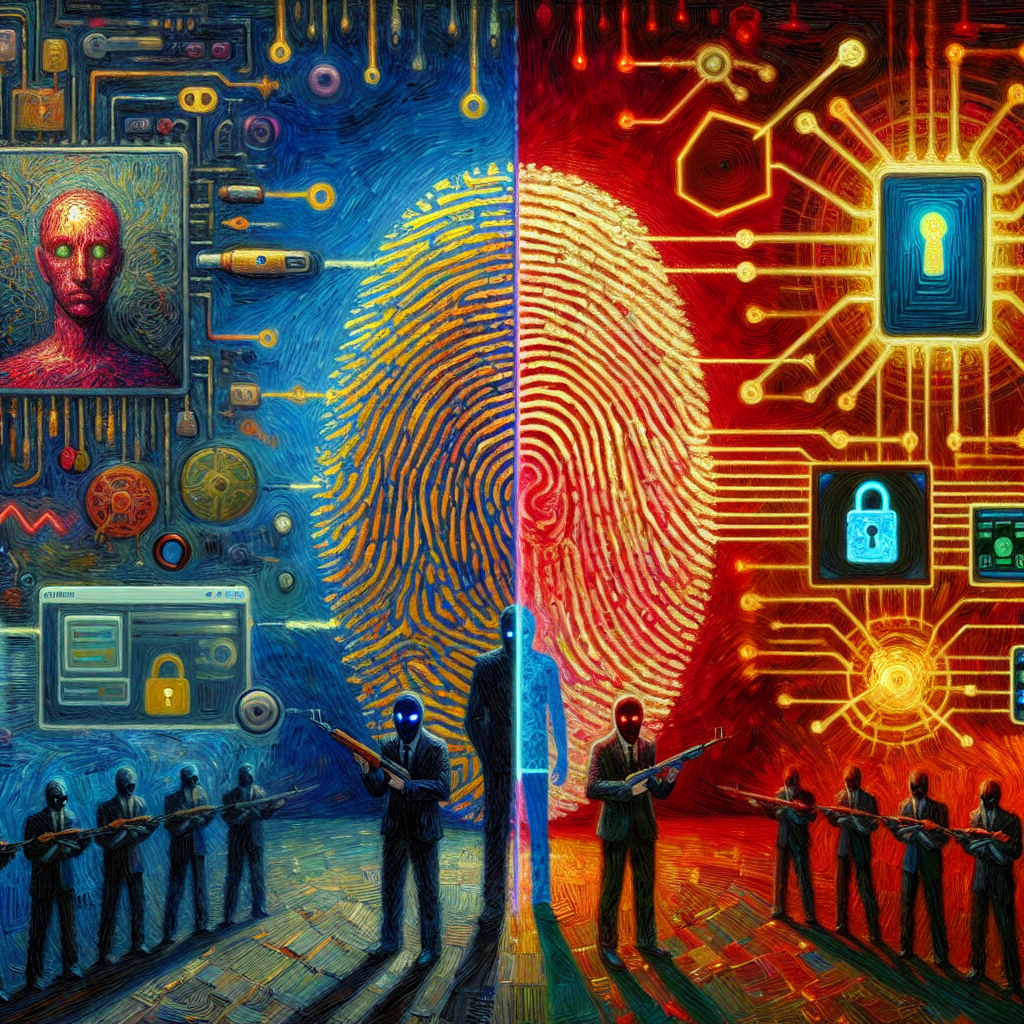
In today’s fast-paced digital world, staying ahead of identity threats can feel like trying to find a needle in a haystack – a haystack that’s constantly shifting, no less. Cybersecurity may seem like a complex realm reserved for tech gurus, but the truth is, you don’t need a PhD in computer science to keep your online identity secure. Let’s break down some effective tools that can help you monitor your presence in this vast digital landscape.
First off, consider identity theft protection services. These tools are designed to keep a watchful eye on your personal information. They scour the dark corners of the internet for any signs of your data being misused – whether that’s credit card numbers, Social Security numbers, or email addresses. When you know someone is keeping tabs on your identity, you can sleep a little better at night, knowing that if something seems off, you’ll be alerted quickly.
Then there’s credit monitoring. Did you know your credit report is like a mosaic of your financial life? Keeping it clean and up-to-date is crucial for protecting your identity. Services that offer continuous credit monitoring can help track changes in your credit report, adding another layer of security to your online existence. If something changes unexpectedly, you’ll be the first to know, empowering you to take action before any real damage is done.
And let’s not overlook password managers. They aren’t just convenient—they’re a vital part of a strong cybersecurity strategy. By using a password manager, you can create complex, unique passwords for every account without the hassle of trying to remember them all. Plus, many of these tools offer alerts for suspicious logins, giving you another line of defense in your identity protection arsenal.
So, as we wade through this digital swamp, having the right tools at your disposal can make all the difference. The power is in your hands to monitor your online identity and take charge of your cybersecurity. Start researching the options available and take that first step toward protecting what’s rightfully yours. It may seem daunting, but each step you take is a step toward a more secure digital life. You deserve that peace of mind—so don’t wait for the next headline about identity theft to make a move. Your identity isn’t just a number; it’s part of who you are, and protecting it is nothing short of essential.
Are There Effective Tools To Monitor Your Identity Online?
Are There Effective Tools To Monitor Your Identity Online?
- Identity threats are prevalent in today’s fast-paced digital world.
- You don’t need extensive tech knowledge to secure your online identity.
- Identity theft protection services monitor personal information and alert you to misuse.
- Credit monitoring helps track changes in your credit report that could indicate identity theft.
- Password managers create unique, complex passwords and provide alerts for suspicious logins.
- Utilizing the right tools empowers you to take control of your online security.
- It’s essential to actively protect your identity before harm occurs.

Are There Effective Tools To Monitor Your Identity Online?
How Do Data Breaches Impact Your Personal Information Security?
Let’s talk about data breaches. You might be thinking, “Well, that’s something that happens to someone else.” But here’s the kicker: data breaches can, and often do, happen to any of us—yes, even you. Imagine sitting at a café, latte in hand, scrolling through your phone, blissfully unaware that your personal information is being whisked away by cybercriminals faster than you can say “identity theft.” They’re lurking, waiting for that perfect moment, and when a company gets breached, they can scoop up all kinds of sensitive data—and that could include your name, social security number, or even bank details.
Let’s break it down. When a company that holds your data suffers a breach, it’s like leaving the backdoor of your house wide open. On the surface, you might feel fine, but just beneath the surface, there are layers of vulnerability. The moment your information is compromised, it doesn’t just disappear into the ether; it’s often sold on the dark web or used in more targeted attacks, like social engineering scams. Those cybercriminals know how to exploit every bit of personal information they get their hands on, making it vital that we stay one step ahead.
Now, you might wonder, “What can I do to protect myself?” The first step is awareness. Understanding how cybersecurity works is crucial. Consider it like discovering the importance of wearing a seatbelt—you buckle up to prepare for the unexpected. Regularly updating your passwords, using two-factor authentication, and keeping an eye on your financial statements can serve as effective shields against potential breaches. Think of it as fortifying your home: you put up strong locks, install alarms, and keep a watchful eye.
Moreover, vigilance doesn’t have to be stressful. It’s about establishing good habits. Set a reminder to check your accounts each month, and don’t hesitate to reach out if something seems fishy. If a company you love sends out a warning about a breach, pay attention to that—trust your instincts. Your personal information is only as safe as you make it, and every action you take lays down another brick in your security wall.
Let’s face it: the world is full of risks, but by staying informed and proactive, we can turn those risks into manageable challenges. After all, your personal information is precious, and it deserves the best protection you can muster.

How Do Data Breaches Impact Your Personal Information Security?
How Do Data Breaches Impact Your Personal Information Security?
- Data breaches can happen to anyone, not just to others.
- Cybercriminals actively seek opportunities to obtain personal information, like names and bank details.
- A data breach is akin to leaving the backdoor of your house open, creating vulnerabilities.
- Compromised information is often sold on the dark web or used in targeted attacks.
- Awareness and understanding of cybersecurity are crucial for protection.
- Implementing good habits, like regular password updates and financial monitoring, can enhance security.
- Being informed and proactive transforms risks into manageable challenges, safeguarding personal information.

How Do Data Breaches Impact Your Personal Information Security?
What Should You Do If Your Personal Data Is Stolen?
So, you’ve found yourself in the unsettling predicament of having your personal data snatched by some digital opportunist. First off, breathe. You’re not alone in this; thousands of folks find themselves picking up the pieces after a data breach. But don’t panic—there’s a sensible way to navigate this murky water.
The first step is about act-fast-energy. Your instincts are crucial right now, so jump into action. Check your bank and credit card statements like a hawk. You’re looking for any suspicious transactions that could give you a clue about where your data might have gone. If something looks fishy, don’t hesitate: contact your bank or card issuer immediately. They can put a hold on your accounts and safeguard your hard-earned cash.
Next on the list is monitoring your credit. You have a right to check your credit report at least once a year for free. Use that to take stock of your situation and spot any authorized inquiries or new accounts that don’t ring a bell. If you see something you don’t recognize, it’s time to start digging deeper and correcting that record. Remember, in today’s world of cybersecurity, vigilance is your best defense.
Now, let’s talk about the involvement of the authorities. If your data theft involves identity theft—a sticky situation where someone decides to masquerade as you—you need to file a report with the Federal Trade Commission (FTC) and your local police department. Document everything; timestamps, names, all of it. You’ll appreciate having a detailed account when sorting through the mess later.
Consider placing a fraud alert on your credit file. This simple step can help deter identity thieves from opening accounts in your name and serves as a big red flag to potential lenders. If your identity has been seriously compromised, think about freezing your credit altogether. It’s a surefire way to keep those opportunists at bay until you’ve cleaned up the mess.
Lastly, use this experience as a spur for taking charge of your cybersecurity future. Update your passwords—make them long, strong, and unique. Embrace two-factor authentication like a loving partner. There’s something empowering about taking those proactive steps, turning a troublesome situation into a learning opportunity.
It’s a wild world out there, but with a solid plan and a little tenacity, you’ll not only recover but come out the other side even stronger.

What Should You Do If Your Personal Data Is Stolen?
What Should You Do If Your Personal Data Is Stolen?
- Experiencing a data breach is common; remain calm and take actionable steps.
- Quickly review bank and credit card statements for any suspicious transactions.
- Contact your bank or card issuer immediately if you find any unauthorized activity.
- Monitor your credit report at least once a year to identify any unfamiliar accounts.
- File a report with the FTC and local police if identity theft is involved.
- Consider placing a fraud alert on your credit file to prevent identity theft.
- Enhance your cybersecurity by updating passwords and using two-factor authentication.

What Should You Do If Your Personal Data Is Stolen?
Can Two-Factor Authentication Truly Enhance Security?
When we think about cybersecurity, it often feels like we’re gearing up for a battle. You’ve got passwords, firewalls, and all sorts of defenses, yet somehow, those pesky hackers keep knocking at the door. That’s where two-factor authentication (2FA) steps into the limelight—a trusty sidekick ready to bolster your defenses.
Now, let’s break this down in a way we can all relate to. Imagine for a moment that your online accounts are like your home. You’ve got a sturdy front door (your password), and you might feel pretty comfortable with that alone. But what if you think about adding a deadbolt. That’s exactly what 2FA does—adds an extra layer of protection that complicates the life of any would-be intruder.
Here’s how it works: once you log in with your password, 2FA requires a second element—something you have, like your phone. This means that even if a hacker manages to snag your password, they’re still staring down the barrel of a locked door. They’d need that second piece of the puzzle, making their job a whole lot tougher.
This extra hurdle isn’t just a shiny gimmick; it’s proven to enhance security dramatically. Think of it this way: we carry insurance for our homes, cars, and health, knowing that there’s peace of mind in having that safety net. That’s what 2FA provides for your digital life—a sense of security amidst the wild, wild web.
But here’s the catch—it’s only effective if you choose to engage with it. Enabling two-factor authentication might seem like an inconvenience at first. You might think, “Do I really need to go through all that?” Well, let me ask you this: when was the last time you skipped locking your front door just because it was easy?
In this age of increasing cyber threats, taking that extra step to safeguard your accounts is not just wise; it’s essential. So, don’t shy away from it. Embrace two-factor authentication and give yourself the peace of mind you deserve. It’s not just a tech trend; it’s a practical safeguard in a world that sometimes feels more like a digital jungle. Empower yourself. Secure your world.

Can Two-Factor Authentication Truly Enhance Security?
Can Two-Factor Authentication Truly Enhance Security?
- Cybersecurity feels like gearing up for a battle against persistent hackers.
- Two-factor authentication (2FA) adds an extra layer of protection beyond just passwords.
- 2FA works by requiring a second verification method, usually something you have, like a mobile phone.
- Even if a hacker obtains your password, they cannot access your account without the second factor.
- 2FA significantly enhances security, similar to having insurance for your possessions.
- Engaging with 2FA may seem inconvenient, but it’s essential for protecting your online accounts.
- Embracing 2FA empowers you to defend against cyber threats and secure your digital life.

Can Two-Factor Authentication Truly Enhance Security?
Conclusion
As we wrap up this conversation about safeguarding your personal information in the digital wild west, let’s be clear: cyberspace is a double-edged sword. On one hand, it offers breathtaking convenience, allowing us to bank, shop, and communicate like never before. On the other hand, it has opened the floodgates for fraudsters, identity thieves, and cybercriminals—those digital gremlins waiting in the shadows for a moment of vulnerability.
Now, don’t panic. There’s no need to throw your hands in the air and abandon your online life altogether. The good news is that you don’t have to be a tech whiz to fend off these modern-day marauders. In fact, getting smart about cybersecurity starts with some simple, proactive measures. First and foremost, strong, unique passwords are your frontline defense—so ditch “password123” and get creative. Think of your passwords as the sturdy locks on the doors of your virtual castle. Add layers to that defense with two-factor authentication; it’s like employing a vigilant bouncer who won’t let just anyone inside.
Education is your best weapon. Learn to identify phishing scams, scrutinize suspicious emails, and be vigilant about unusual account activity. Set aside time to check your financial statements and credit reports—this routine practice is your way to keep the digital marauders at bay.
But why stop there? Equip yourself with monitoring tools and identity theft protection services. After all, vigilance doesn’t just mean being reactive—it means being proactive. By knowing what’s out there and keeping tabs on your online presence, you can thwart attacks before they gain traction.
Finally, let the specter of past data breaches inspire a preventive mindset. If your information ever falls into the wrong hands, remain calm but prepared. Act swiftly by monitoring your accounts and reporting any suspicious activity. This isn’t just about bounce-back capability; it’s about rearming yourself for future encounters.
In this brave new world where personal data is currency, remember: security doesn’t have to be complicated. Make it a priority, and you’ll be able to navigate this digital landscape with confidence, knowing you’ve fortified your defenses. Embrace these habits, evaluate your vulnerabilities, and take charge of your cybersecurity journey. Remember, folks, staying informed and proactive is the best way to keep those fraudsters at bay. After all, your peace of mind is worth its weight in gold. Stay safe out there!

Conclusion
Conclusion:
- Cyberspace is a double-edged sword, providing convenience while exposing users to fraud and cybercrime.
- Strong and unique passwords serve as the primary defense; avoid common passwords like “password123.”.
- Implement two-factor authentication for added security, similar to having a vigilant bouncer at your door.
- Educate yourself about phishing scams and maintain vigilance over account activity by regularly checking financial statements.
- Use monitoring tools and identity theft protection services for proactive defense against online threats.
- If your data is compromised, stay calm, monitor your accounts, and report any suspicious activity promptly.
- Prioritize cybersecurity by adopting good habits, evaluating vulnerabilities, and staying informed to ensure peace of mind.

Conclusion
Other Resources

Other Resources
Here is a list of other resources you can review online to learn more:
- CenturyLink Managed Security Services
- Foresite MSP Inc.
- BlackFog
- 1440 Security
- SeedSpark
- ReliaQuest
- VirtualArmour
- Proficio
- CSIS Group
- ON2IT
Use This Prompt To Get More Resources With Your Favorite Online AI Tool: Please provide me with a list of online articles with their URLs in a bulleted list that I can read regarding Is Your Personal Information Secure From Fraudsters?

Other Resources
Glossary Terms
Is Your Personal Information Secure From Fraudsters? – Glossary Of Terms
1. Authentication: The process of verifying the identity of a person or device before granting access to sensitive information or systems.
2. Authorization: The procedure of determining if a user has the right to access specific resources or perform certain actions.
3. Breach: An incident where unauthorized individuals gain access to confidential data, often leading to data loss or theft.
4. Data Encryption: A method of converting information into a code to prevent unauthorized access during storage or transmission.
5. Identity Theft: The act of stealing someone else’s personal information, such as Social Security number or bank details, to commit fraud.
6. Firewall: A network security system that monitors and controls incoming and outgoing traffic based on predetermined security rules.
7. Malware: Malicious software designed to harm, exploit, or otherwise compromise computer systems, often used to steal personal information.
8. Phishing: A fraudulent attempt to obtain sensitive information by pretending to be a trustworthy entity in electronic communications.
9. Password Manager: A software application that stores and manages users’ passwords securely, offering the ability to generate strong passwords.
10. Personal Identifiable Information (PII): Any data that can be used to identify an individual, such as name, address, email, and phone number.
11. Ransomware: A type of malicious software that encrypts a victim’s data and demands payment for the decryption key to regain access.
12. Secure Socket Layer (SSL): A standard technology for establishing an encrypted link between a web server and a browser for secure data transmission.
13. Security Token: A physical device or digital object used to gain access to a network or application, adding another layer of security.
14. Two-Factor Authentication (2FA): An extra security measure requiring two forms of verification before granting access to an account.
15. Spyware: Software that secretly monitors user activity and collects personal information without consent.
16. Data Breach Notification: A legal obligation that requires organizations to inform affected individuals about unauthorized access or acquisition of personal data.
17. Social Engineering: Manipulative tactics used by fraudsters to trick individuals into divulging confidential information.
18. Adware: Software that automatically displays or downloads advertisements, which can lead to security vulnerabilities or data theft.
19. Intrusion Detection System (IDS): A system that monitors network traffic for suspicious activities and alerts administrators to potential breaches.
20. Data Minimization: The principle of limiting personal information collection and retention to only what is necessary for a specific purpose.
21. VPN (Virtual Private Network): A service that creates a secure, encrypted connection over a less secure network, often used to protect online privacy.
22. Insider Threat: A security risk that originates from within the organization, often involving employees or contractors misusing their access.
23. Cybersecurity: The practice of protecting computers, networks, and data from unauthorized access, vulnerabilities, or attacks.
24. Public Key Infrastructure (PKI): A framework for managing digital keys and certificates used in data encryption and secure communications.
25. Zero-Day Vulnerability: A security flaw in software or hardware that is unknown to the vendor and for which no patch or fix exists.
26. Data Loss Prevention (DLP): Strategies and tools employed to ensure that sensitive data is not lost, misused, or accessed by unauthorized users.
27. User Education: Training individuals on best practices for online security, recognizing threats, and protecting personal information.
28. Compliance: Adherence to laws, regulations, and standards governing data protection and privacy, such as GDPR or HIPAA.
29. Encryption Key: A string of characters used in algorithms to encrypt and decrypt data for secure communication.
30. Digital Footprint: The trail of data you leave behind while using the internet, including social media activity, website visits, and online transactions.

Glossary Of Terms
Other Questions
Is Your Personal Information Secure From Fraudsters? – Other Questions
If you wish to explore and discover more, consider looking for answers to these questions:
- What are some common methods used by fraudsters to steal personal information?
- What should I do immediately if I suspect my personal information has been compromised?
- How can I know if a website is secure before entering my personal information?
- What types of personal information are most often targeted by cybercriminals?
- Are there specific indicators or signs that I might be a victim of identity theft?
- How do social media habits impact personal information security?
- What are the long-term effects of a data breach on an individual’s financial health?
- How can I effectively educate my family members about cyber threats?
- What resources are available for identity theft recovery?
- How can businesses better protect customer data from breaches?
- What features should I look for in an identity theft protection service?
- How often should I update my passwords and why?
- What legal actions can I take if my personal data is stolen?

Other Questions
Haiku
Is Your Personal Information Secure From Fraudsters? – A Haiku
Guard your secrets well,
Layers of defense you build—
Peace in a click’s reach.

Haiku
Poem
Is Your Personal Information Secure From Fraudsters? – A Poem
In the Digital Shadow
In the realm where shadows creep,
Our lives unfold, both wide and deep.
With each click, our secrets lay,
Yet fraudsters lurk to seize the day.
A fortress built of passwords strong,
A chorus sings—“Protect, belong!”
Craft your keys with care and thought,
For simple words can leave you caught.
Two-factor shields, a vigilant guard,
A safeguard worth the slight bombard.
A bouncer at your digital door,
Keeps dangers lurking evermore.
Amidst the maze of the web’s expanse,
Be wary of every chance.
Phishing scams in the guise of trust,
Pause and check—it’s a must.
Monitor closely, your records review,
Awareness is power, it starts with you.
Find the tools to keep watchful eyes,
As identity stealthily slips into disguise.
When breaches strike, don’t sit in despair,
Act swiftly, respond—show you care.
Check your finances, pull your reports,
Document everything; it’s your support.
In a world ever-spinning, uncertain, we tread,
Empower yourself, don’t be misled.
For in this dance of cybersecurity fight,
Vigilance shines—a guiding light.
So lock your doors, both online and off,
Stand strong against those who scoff.
Your information, a treasure kept,
Guard it closely, for peace is the debt.

Poem
Checklist
Is Your Personal Information Secure From Fraudsters? – A Checklist
Personal Information Security Checklist: Protect Yourself from Fraud
Here’s a handy checklist to help you safeguard your personal information from fraud and cyber threats. Use this as a guide to ensure you’re taking the right steps to enhance your cybersecurity.
1. Password Security
_____ Create strong, unique passwords for each account (at least 12 characters with a mix of upper and lower case letters, numbers, and special symbols).
_____ Consider using a passphrase (a random collection of words) for ease of remembering and complexity.
_____ Utilize a password manager to store and generate secure passwords.
_____ Change your passwords regularly (every 3-6 months).
2. Enable Two-Factor Authentication (2FA)
_____ Enable 2FA on all accounts that offer it to add an extra layer of security.
_____ Use an authenticator app or receive codes via SMS as your second factor.
3. Monitor Your Online Presence
_____ Regularly check your financial statements for unusual transactions.
_____ Review your credit reports at least once a year for any unauthorized activity.
_____ Consider subscribing to identity theft protection services.
4. Stay Vigilant Against Phishing Scams
_____ Be cautious of emails from unknown senders, especially those asking for personal information.
_____ Check the email address and look for typos in grammar and spelling.
_____ Avoid clicking on links in unsolicited emails; instead, go directly to the official website.
5. Secure Your Social Media Accounts
_____ Adjust privacy settings to limit who can see your personal information.
_____ Be cautious of the information you share publicly.
6. Prepare for Data Breaches
_____ Sign up for alerts from companies holding your personal information regarding any breaches.
_____ If notified of a breach, monitor your accounts closely and consider freezing your credit.
7. What To Do If Your Data Is Stolen
_____ Act quickly: check bank statements and credit reports for unauthorized transactions.
_____ Notify banks and credit card companies of any suspicious activity.
_____ Place a fraud alert on your credit file with the major credit bureaus.
_____ Freeze your credit if necessary to prevent unauthorized accounts from being opened in your name.
8. Stay Informed and Educated
_____ Keep learning about cybersecurity practices and regularly update your knowledge.
_____ Share this information with family and friends to enhance their cybersecurity.
9. Regular Maintenance
_____ Set reminders to review and update your security practices quarterly.
_____ Clean out old accounts and unsubscribe from services you no longer use.
By following this checklist, you can help protect your personal information from fraudsters and create a safer digital environment for yourself. Remember, vigilance is key!

Checklist
At BestCyberSecurityNews, we help teach entrepreneurs and solopreneurs the basics of cybersecurity and its impact on their businesses by using simple concepts to explain difficult challenges.
Please read and share any of the articles you find here on BestCyberSecurityNews with your friends, family, and business associates.