


Maximizing Online Security With Firewall Software
By Tom Seest
At BestCyberSecurityNews, we help teach entrepreneurs and solopreneurs the basics of cybersecurity and its impact on their businesses by using simple concepts to explain difficult challenges.
Please read and share any of the articles you find here on BestCyberSecurityNews with your friends, family, and business associates.
Can Firewall Sofware Help You Stay Safe Online?
When it comes to staying safe online, the term “cybersecurity” gets thrown around more often than a rusty wrench in a crowded toolbox. It’s one of those buzzwords that people love to rattle off, but when you really dig into it, it’s clear that cybersecurity is like a leaky faucet—constantly dripping with new threats and challenges. Enter the unsung hero of the digital age: firewall software.
Now, let’s break it down. A firewall acts like a digital bouncer, standing guard at the entrance to your precious data. Much like a local bar that strictly checks IDs, firewall software monitors incoming and outgoing traffic on your network. If it spots anything suspicious or unwanted—like a hacker with a crowbar trying to break in—it simply says, “Not today, pal.” Not all heroes wear capes, after all; some just sit quietly in your computer, checking each data packet like a seasoned detective.
Imagine you’re running a small business from your home office. You’ve got sensitive information, client details, and maybe even a few secret sauce recipes. Without proper protection, you’re basically leaving the front door wide open while hoping for the best—akin to setting up a lemonade stand in a thunderstorm and not having a rain cover. Firewall software keeps that door closed and locked, ensuring that only trusted visitors can get a peek inside your world.
Now, just slapping a firewall on your system isn’t like putting on some invisible cloak—you’ve got to understand it, too. Configuration is key. Not customizing your firewall settings is like showing up to a neighborhood BBQ without bringing anything to share—it leaves everyone scratching their heads and wondering what you’re doing there. Fine-tuning your firewall ensures that your protection is tailored to your unique needs, reducing your vulnerability to the ever-evolving landscape of online threats.
Certainly, using firewall software is an essential layer in your broader strategy of cybersecurity. But remember: it’s not a silver bullet. It works best when combined with good practices like regular updates, cautious browsing, and common sense. So before you dive into the wild world of the internet, ask yourself—what kind of digital armor do you have on today? After all, your online safety isn’t just a checkbox; it’s a commitment to protecting what matters. So, gear up and let that firewall do its job!

Can Firewall Sofware Help You Stay Safe Online?
Can Firewall Sofware Help You Stay Safe Online?
- Cybersecurity is a frequent topic, often misunderstood, much like a leaking faucet with ongoing threats.
- Firewall software acts as a digital bouncer, monitoring network traffic and blocking suspicious activities.
- A firewall protects sensitive data, similar to locking the door of a home office or business.
- Proper configuration of firewall settings is crucial for effective protection.
- Not customizing firewall settings can leave systems vulnerable, like attending a BBQ empty-handed.
- Firewall software is an essential part of a broader cybersecurity strategy, but not a complete solution.
- Good cybersecurity practices should include regular updates, cautious browsing, and common sense.

Can Firewall Sofware Help You Stay Safe Online?
Table Of Contents
- Can Firewall Sofware Help You Stay Safe Online?
- What Is Firewall Software And How Does It Work?
- How Can Firewall Software Protect My Devices?
- Do All Firewalls Provide The Same Level Of Security?
- What Are The Different Types Of Firewall Software Available?
- How Can I Choose The Right Firewall For My Needs?
- Can Firewall Software Block Malware And Viruses?
- How Does A Firewall Differ From Antivirus Software?
- Conclusion
- Other Resources
- Glossary Of Terms
- Other Questions
- Haiku
- Poem
- Checklist
What Is Firewall Software And How Does It Work?
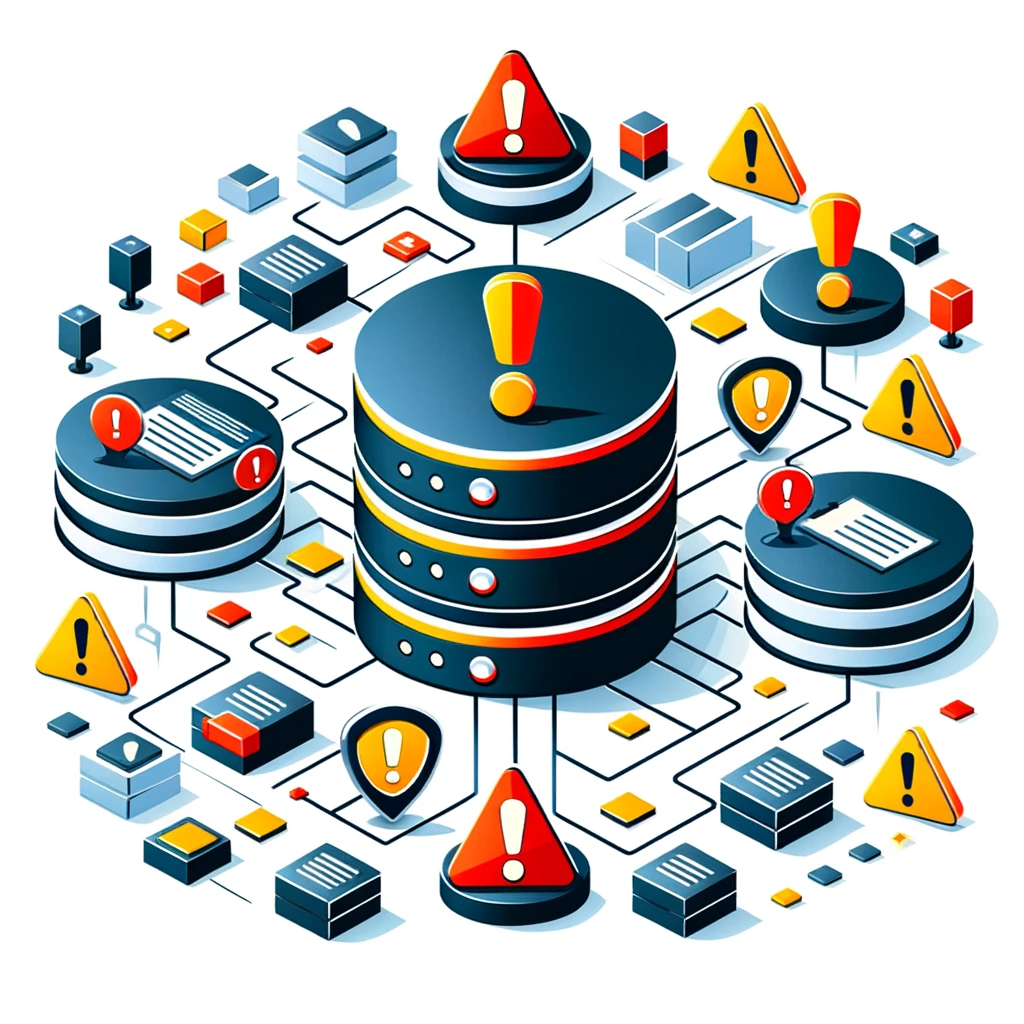
Let’s talk about firewall software—the unsung hero in the world of cybersecurity. It’s the digital gatekeeper that stands between your precious data and the lurking threats out there in the vast expanse of the internet. Imagine a wall, sturdy and unyielding, but instead of bricks and mortar, it’s made up of lines of code, constantly scanning every bit of information that tries to come in or go out of your computer or network.
At its core, a firewall is designed to monitor and control incoming and outgoing network traffic based on predetermined security rules. Think of it as a vigilant security guard at the entrance of a high-security facility, examining every vehicle that approaches. If that vehicle—a data packet, in our case—meets the criteria set by our security guard (or the firewall’s rules), it gets waved in. If it doesn’t, well, it’s sent packing—no exceptions.
There are two primary types of firewall software: network firewalls and host-based firewalls. Network firewalls are the larger, enterprise-grade sentries that stand guard at the perimeter of a network, protecting multiple devices within that network. Host-based firewalls, on the other hand, reside on individual devices, offering a more personalized layer of defense. It’s like having a personal bodyguard for every computer in your fleet. Both work under the same fundamental principles but serve different purposes in the overarching strategy of cybersecurity.
Firewalls use various methods to evaluate traffic with incredible precision. Packet filtering scrutinizes the header of each packet for compliance with security protocols, while stateful inspection keeps track of active connections and allows packets through if they’re part of an approved conversation. Then there are application-layer firewalls, which delve deeper, inspecting the content of messages to ensure no malicious code slips past unnoticed.
In today’s world, where cyber threats evolve faster than you can say “security breach,” deploying a reliable firewall software is not just an option; it’s a necessity. Whether you’re a small business owner protecting customer data or an individual keeping your personal information at bay from prying eyes, investing in a strong firewall solution is akin to fortifying your castle. So, next time you log into your favorite site, take a moment to appreciate that digital fortress working tirelessly in the background, ensuring your online experience remains safe and sound. It’s just another unsung part of the ever-important world of cybersecurity.
What Is Firewall Software And How Does It Work?
What Is Firewall Software And How Does It Work?
- Firewall software acts as a crucial digital gatekeeper against cybersecurity threats.
- It monitors and controls network traffic based on predetermined security rules.
- There are two main types of firewalls: network firewalls (protecting multiple devices) and host-based firewalls (individual device protection).
- Firewalls utilize methods such as packet filtering, stateful inspection, and application-layer inspection to evaluate traffic.
- They are essential in the rapidly evolving landscape of cyber threats to protect personal and business data.
- Investing in firewall solutions is comparable to fortifying a castle against breaches.
- Firewalls operate in the background, ensuring a safe online experience for users.

What Is Firewall Software And How Does It Work?
How Can Firewall Software Protect My Devices?
When it comes to cybersecurity, the notion of safeguarding your devices can often sound as complicated as a Rubik’s Cube in a darkened room. But let’s break it down into simpler terms, shall we? One of the most robust tools in this digital playground is firewall software, and it plays a pivotal role in protecting your devices from all manner of virtual mischief.
Imagine your device as a cozy little cabin in the woods. The firewall acts like a sturdy gate that only allows trusted guests to step through. In the digital realm, these gates come equipped with rules—akin to a bouncer at a club who decides who stays and who goes. This software scrutinizes incoming and outgoing data traffic, essentially filtering out the riffraff, while allowing the good stuff to pass through unimpeded.
The first line of defense in your cybersecurity arsenal, firewall software examines packets of data as they zip through the internet. Think of data packets as little deliveries, each carrying a message or a piece of the puzzle. If a packet looks suspicious or if it’s trying to access your system without permission, the firewall barricades the gate. It may sound like an overzealous security measure, but in a world where cyber threats lurk in the shadows, a little caution goes a long way.
But this is just the tip of the iceberg. Firewalls can be customized based on your specific needs and preferences—much like choosing the right ingredients for a hearty stew. You can set rules that define what types of traffic you want to allow and deny. Want to block certain websites? No problem. Concerned about applications that drain your resources? The firewall’s got your back.
Moreover, these digital sentinels can also track and log activity. Imagine having a watchtower that records every visitor, both welcome and unwelcome. If something shady happens, a good firewall will alert you, giving you a fighting chance to respond before any real damage is done.
In a time when data breaches and cyberattacks make headlines like they’re going out of style, investing in firewall software isn’t just smart; it’s essential. So, whether you’re using a desktop, tablet, or smartphone, remember this: in the world of cyber threats, your firewall is the unsung hero standing guard, ensuring that your digital life remains intact and secure.

How Can Firewall Software Protect My Devices?
How Can Firewall Software Protect My Devices?
- Cybersecurity can be complex, but firewall software simplifies protecting devices.
- A firewall functions like a sturdy gate, allowing only trusted data traffic through.
- It examines incoming and outgoing data packets, filtering out suspicious ones.
- Firewalls can be customized to define specific traffic rules and preferences.
- They can block unwanted websites and manage resource-draining applications.
- Firewalls track and log network activity, alerting users to suspicious events.
- Investing in firewall software is essential for safeguarding digital life against cyber threats.

How Can Firewall Software Protect My Devices?
Do All Firewalls Provide The Same Level Of Security?
When it comes to protecting our digital lives, the first line of defense usually comes in the form of firewalls. These cyber sentinels stand guard at the gate of our networks, determining what data gets through and what stays out. But let’s take a moment to ponder an important question: Do all firewalls provide the same level of security? Spoiler alert: they do not.
Just like every tool in a toolbox serves a different purpose, firewalls vary in complexity and effectiveness. Some are as straightforward as a wooden picket fence—keeping the furry critters at bay but offering little more than a visual deterrent. These basic firewalls, often built into consumer-grade routers, primarily filter out unwanted traffic through simple rules and protocols. Sure, they might be enough for Joe Average who just wants to browse cat videos and check email, but for those dealing with sensitive information, they’re about as useful as a screen door on a submarine.
Now, let’s get a bit fancier. Enter the next tier of firewalls—the next-generation firewalls (NGFWs). These bad boys don’t just sit there tossing unwanted packets over the fence; they actively analyze and assess traffic, offering deeper insights into what’s happening on the network. They incorporate features like intrusion detection systems and application awareness, allowing organizations to respond swiftly to emerging threats in the realm of cybersecurity. They’re like a well-trained guard dog—alert, capable, and at times, a little more demanding to maintain.
Then there’s the pièce de résistance: the application firewall. This type goes beyond basic packet filtering and inspects the content of messages. Think of it as a bouncer at a high-end nightclub—only allowing in guests who meet specific criteria. For businesses that handle critical data, such as financial institutions or healthcare providers, these firewalls provide a layer of security that’s as essential as a solid foundation in a house.
So, do all firewalls provide the same level of security? Absolutely not. It’s crucial for individuals and organizations to assess their specific needs and threats before deciding on which kind of firewall to implement. In a world teeming with cyber threats, it’s better to be over-prepared than left picking up the pieces after a breach. After all, in today’s digital age, a little extra vigilance can go a long way in keeping the bad guys at bay.

Do All Firewalls Provide The Same Level Of Security?
Do All Firewalls Provide The Same Level Of Security?
- Firewalls serve as the first line of defense in protecting digital lives.
- Not all firewalls provide the same level of security; they vary in complexity and effectiveness.
- Basic firewalls are simple and primarily filter out unwanted traffic, suitable for casual users.
- Next-generation firewalls (NGFWs) offer deeper insights and actively analyze network traffic.
- NGFWs include features like intrusion detection systems and application awareness for swift threat response.
- Application firewalls inspect message content, providing heightened security for sensitive data environments.
- Individuals and organizations should assess their specific needs to choose the right firewall to mitigate cyber threats.

Do All Firewalls Provide The Same Level Of Security?
What Are The Different Types Of Firewall Software Available?
When we talk about cybersecurity, it’s hard to ignore the essential role of firewalls. Think of them as the bouncers of the digital world, standing tall at the entrance to your computer or network, keeping the riffraff out while ensuring the good folks can waltz right in. But not all firewalls are created equal, and understanding the different types can be as crucial as knowing how to identify a solid pint of beer.
First off, let’s chat about the hardware firewall. Imagine a physical fortress built around your network. These devices are typically found in businesses, providing a sturdy barrier between the internal network and the chaotic expanse of the internet. They monitor incoming and outgoing traffic, filtering harmful data packets before they even reach your prized devices. Effective, robust, and often a little pricey, hardware firewalls are like the heavy-duty knights of cybersecurity, perfect for protecting sensitive data.
Next, we have the software firewall. This is more like having a trusty watchdog installed directly on your computer. These programs run in the background, keeping an eye on all data traffic and blocking anything suspicious. While they may not be as impenetrable as their hardware cousins, software firewalls are versatile and can be tailored to suit individual needs, making them a smart choice for both home users and small businesses.
But wait! There’s another layer to consider: the network firewall. This type works at the level of the entire system, managing traffic between different computers and ensuring that the whole network operates securely. Think of it as the traffic cop of cybersecurity, directing legitimate traffic while halting anything that could cause chaos.
For businesses looking for an added layer of protection, enter the next-generation firewall (NGFW). These sophisticated systems go beyond just packet filtering and include features like intrusion prevention and application awareness. It’s like having a digital security expert who understands the nuances of potential threats, making real-time decisions to keep your network safe and sound.
Lastly, let’s not forget the cloud firewall. In today’s world where data often floats around in the ethereal cloud, these firewalls protect data stored online. They monitor traffic between cloud-based applications and users, ensuring that what’s up there remains safe.
The spectrum of firewall options reflects the varied landscape of cybersecurity. Whether it’s hardware, software, network, next-gen, or cloud firewalls, each type serves a unique purpose. Equip yourself with knowledge, and you’ll be well on your way to establishing a solid defense against the digital dangers lurking around every corner.

What Are The Different Types Of Firewall Software Available?
What Are The Different Types Of Firewall Software Available?
- Firewalls are crucial in cybersecurity, serving as the first line of defense, akin to bouncers for digital spaces.
- Hardware firewalls act as physical barriers for networks, monitoring and filtering traffic to protect sensitive data.
- Software firewalls operate directly on individual devices, offering flexibility and customization for users.
- Network firewalls manage traffic across an entire system, ensuring secure communication between different computers.
- Next-generation firewalls (NGFW) provide advanced protection features such as intrusion prevention and application awareness.
- Cloud firewalls safeguard data stored online by monitoring traffic between cloud applications and users.
- Understanding the different types of firewalls helps in establishing a robust defense against cyber threats.

What Are The Different Types Of Firewall Software Available?
How Can I Choose The Right Firewall For My Needs?
When it comes to choosing the right firewall for your cybersecurity needs, it’s a little like picking the right tool for a job. You wouldn’t use a hammer to fix your dishwasher, right? Similarly, selecting a firewall means understanding what you need it to do before you dive headfirst into the sea of options available.
First up, think about the size and scope of your operations. Are you a small business trying to keep a handful of customer details safe, or are you a sprawling enterprise housing sensitive data across multiple locations? Your firewall needs to scale with your organization. For the small business, a simple hardware firewall might just be enough. But for larger entities, a more robust solution, possibly one that integrates with existing cybersecurity measures, is essential.
Next, consider your specific security requirements. Are you more concerned about protecting against intrusions, or are you worried about malware? Some firewalls specialize in filtering traffic, while others focus on detecting and responding to threats in real time. You have to ask yourself: What keeps me up at night? The answer will guide you to the right type of firewall.
Don’t forget about practicality. The firewall must fit seamlessly into your network without causing bottlenecks. It’s like trying to fit a square peg into a round hole; it won’t work, and might as well be a recipe for disaster. So look for user-friendly interfaces and features that make management a breeze. You don’t want to spend more time figuring out the settings than actually securing your network.
Now, let’s talk about cost. High-quality cybersecurity solutions often come with a hefty price tag. But like most things in life, you get what you pay for. Instead of settling for the cheapest option, focus on the value it brings. Take into account long-term support, potential for upgrades, and the overall reliability of the solution.
Lastly, don’t underestimate the importance of customer support and community. You might find yourself needing assistance, and having a solid support system can save you from countless headaches down the line. After all, in the world of cybersecurity, it pays to have that expert jab in your corner when the unexpected happens.
A firewall is more than just a set of rules; it’s your first line of defense against an array of threats. Do your homework, understand your needs, and make sure the firewall you choose is the right fit for you. That’s how you protect your peace of mind in the digital age.

How Can I Choose The Right Firewall For My Needs?
How Can I Choose The Right Firewall For My Needs?
- Choosing a firewall requires understanding specific needs, similar to selecting the right tool for a job.
- Consider the size and scope of operations; small businesses might need simple hardware firewalls, while larger enterprises require more robust solutions.
- Identify specific security requirements, such as protection against intrusions or malware, to guide firewall selection.
- Ensure the firewall integrates well with existing infrastructure, avoiding bottlenecks and facilitating ease of use.
- Evaluate cost versus value; invest in high-quality solutions that offer long-term support, upgrades, and reliability.
- Prioritize customer support and community resources for assistance, which can be crucial during unexpected issues.
- A firewall acts as your first line of defense, so thorough research and understanding of needs are essential for effective protection.

How Can I Choose The Right Firewall For My Needs?
Can Firewall Software Block Malware And Viruses?
In a world rife with digital threats, the term “cybersecurity” isn’t just a buzzword; it’s a way of life. Every day, millions of people rely on technology for everything from banking to socializing, and with that reliance comes a pressing question: can firewall software actually block malware and viruses? Let’s break it down.
First off, think of a firewall as a bouncer at a swanky nightclub. Its job is to let the good folks through while keeping out the troublemakers. In the realm of cybersecurity, this means monitoring data flowing in and out of your network. When it detects something suspicious—like malware trying to sneak in—it can send that data back to where it came from, effectively blocking it before it wreaks havoc on your system.
Now, the effectiveness of a firewall in stopping malware largely depends on its sophistication and the rules you’ve set up. A basic firewall might have limited capabilities, while advanced versions use artificial intelligence and machine learning to adapt and learn from previous threats. These smarter firewalls can identify and react to new malware even before it’s categorized, adding an extra layer of defense in a constantly evolving digital landscape.
But here’s the kicker: while firewalls are a vital part of your cybersecurity toolkit, they’re not foolproof. Some malware, especially more sophisticated variants that employ tactics like obfuscation or polymorphism, can slip past even the shrewdest bouncer. This is why a multi-layered approach to cybersecurity is crucial. Relying solely on firewall software can give you a false sense of security.
The best practice involves combining a solid firewall with other tools, like antivirus software, intrusion detection systems, and regular updates. This collaborative defense makes it that much tougher for malware to find an opening. Just as a good crew keeps an eye out for any signs of trouble, an integrated security system watches over your network from all angles.
In summary, while firewall software plays a crucial role in blocking malware and viruses, it’s just one piece of a much larger puzzle. Embracing a comprehensive approach to cybersecurity equips you to fight back against the relentless tide of threats lurking in the shadows of cyberspace. So, keep those digital bouncers in place, but don’t forget to arm yourself with a variety of defenses. After all, in the wild west of the internet, it pays to be prepared.

Can Firewall Software Block Malware And Viruses?
Can Firewall Software Block Malware And Viruses?
- Cybersecurity is essential in a world full of digital threats, impacting daily technology users.
- A firewall functions like a nightclub bouncer, allowing legitimate data through while blocking malicious traffic.
- The effectiveness of a firewall depends on its sophistication and user-defined rules.
- Advanced firewalls use AI and machine learning to identify and respond to new threats quickly.
- Firewalls are not foolproof; sophisticated malware may bypass them, necessitating a multi-layered security approach.
- The best cybersecurity practices combine firewalls with antivirus software and intrusion detection systems.
- A comprehensive defense strategy is crucial to protect against ongoing threats in cyberspace.

Can Firewall Software Block Malware And Viruses?
How Does A Firewall Differ From Antivirus Software?
When it comes to cybersecurity, the term “firewall” often gets tossed around alongside “antivirus software,” but these two protectors of your digital realm are about as different as night and day. Think of a firewall as your home’s sturdy front door – it’s the first line of defense, guarding your property against unwanted visitors. Conversely, antivirus software is more like your trusty vacuum cleaner, continuously working to clean up that same space, searching for dirt and debris that doesn’t belong. Both are vital players in the cybersecurity game, but they each have their own distinct roles.
A firewall’s main job is to monitor and control incoming and outgoing network traffic based on predetermined security rules. It’s a digital bouncer, if you will, deciding who gets to come in and who gets turned away. Whether it’s blocking certain websites, filtering out suspicious traffic, or isolating unauthorized access attempts, a firewall creates a protective barrier that can keep your private data under wraps. Without a solid firewall, your network could be a wide-open highway for cybercriminals, moving in and out unchecked.
On the other side of the equation, you’ve got antivirus software going about its business like an unrelenting detective. While the firewall is focused on who’s at the door, the antivirus is casting a wary eye over everything inside. It’s designed to identify, quarantine, and remove malware and viruses that make their way onto your devices. Picture it scanning files for any telltale signs of trouble – like the rogue virus trying to set up shop within your system. If the firewall is the door that keeps the bad guys out, the antivirus is the thorough housekeeper ensuring nothing unsavory has slipped through the cracks.
Now, don’t go thinking you can get by with just one or the other. In the ever-evolving landscape of cybersecurity, it’s best to adopt a multi-layered approach. Firewalls and antivirus software complement each other, creating a robust defense that can handle a wide array of threats. So, whether you’re fire-proofing your digital fortress or hunting down lurking malware, relying on both is the smart play. Only then can you feel truly secure in an age where cyberattacks are as common as morning coffee.

How Does A Firewall Differ From Antivirus Software?
How Does A Firewall Differ From Antivirus Software?
- Firewalls and antivirus software serve different purposes in cybersecurity.
- A firewall acts as the first line of defense, monitoring and controlling incoming and outgoing network traffic.
- It functions like a digital bouncer, blocking certain websites and suspicious traffic to protect private data.
- Antivirus software, on the other hand, works continuously to identify and remove malware and viruses from devices.
- While the firewall prevents threats from entering, antivirus software ensures no malware has infiltrated the system.
- Both tools are essential and complement each other for a robust defense against cyber threats.
- A multi-layered cybersecurity approach that uses both firewalls and antivirus software is recommended for optimal security.

How Does A Firewall Differ From Antivirus Software?
Conclusion
Conclusion: Wrapping It Up with Cybersecurity’s Unsung Hero
In a world where our online lives are increasingly tangled with our everyday existence, cybersecurity is no longer just a buzzword; it’s an absolute necessity. Enter firewall software—the quiet, steadfast guardian at the gates of our digital domain. Think of it as the impenetrable wall holding back the flood of incoming data, deciding what gets in and what stays out. Just like a bouncer at a nightclub, a firewall rigorously checks each packet that tries to glide through, welcoming only the trustworthy while turning away the shady characters.
But let’s be honest: a firewall is only part of the comprehensive strategy you need to stay safe in today’s digital jungle. It thrives on good company, so to speak. Sure, you can set up a basic configuration and think you’re all set, but that’s akin to standing in front of a large crowd with a flimsy shield. To maximize protection, you’ve got to zero in on your unique needs—tweak those settings, and customize it like your favorite recipe. After all, just as you wouldn’t want soggy fries when you ordered crispy, you don’t want a firewall that doesn’t fit your lifestyle.
And while firewall software adds a robust layer of defense, it’s not a magical solution that can stop everything dead in its tracks. Cyber threats are as crafty as a raccoon in a garbage can, utilizing ever-evolving strategies and tactics. It takes a multi-pronged approach to really secure your online life. Pair that firewall with antivirus solutions, stay alert while browsing, and always update your security measures. Your safety isn’t just a box you tick; it’s a lifestyle choice you make to protect what matters most—your data, privacy, and peace of mind.
So, the next time you log on, give a nod to that digital fortress standing guard in the background, tirelessly working to ensure a safe online experience. Ask yourself: how fortified is your cyber environment today? With a solid firewall in place, complemented by a suite of security practices, you can tackle those digital dangers head-on. Remember, the best defense is a well-rounded offense—equip yourself with the right tools and knowledge. Digital safety is no small task, but with the right commitment, you can keep the bad guys at bay and ensure your online adventures are as secure as they are thrilling. Keep that shield raised high, folks—you’re in for the ride of your life out there!

Conclusion
Conclusion:
- Cybersecurity is essential in today’s interconnected world.
- Firewall software acts as a protective barrier, filtering incoming data like a nightclub bouncer.
- A firewall alone is insufficient; it needs to be part of a broader security strategy.
- Customizing firewall settings is crucial for maximizing protection based on individual needs.
- Cyber threats are constantly evolving; a multi-faceted approach is necessary for effective defense.
- Essential practices include pairing firewalls with antivirus solutions, staying vigilant online, and updating security measures.
- Digital safety requires ongoing commitment and the right tools to fend off potential threats.

Conclusion
Other Resources

Other Resources
Here is a list of other resources you can review online to learn more:
- IPKeys
- BT Security
- Arctic Wolf Networks
- Odnoklassniki
- Computer Resources of America
- Digital Hands
- Cyberseer
- BDQ
- LiveJournal
- CyberGuard360
Use This Prompt To Get More Resources With Your Favorite Online AI Tool: Please provide me with a list of online articles with their URLs in a bulleted list that I can read regarding Can Firewall Sofware Help You Stay Safe Online?

Other Resources
Glossary Terms
Can Firewall Sofware Help You Stay Safe Online? – Glossary Of Terms
1. Firewall: A network security device or software that monitors and controls incoming and outgoing network traffic based on predetermined security rules.
2. Packet Filtering: A method used by firewalls to inspect packets of data and determine whether to allow or block them based on established rules.
3. Intrusion Detection System (IDS): Software that monitors network traffic for suspicious activity and potential threats, alerting users when breaches occur.
4. Intrusion Prevention System (IPS): An advanced security measure that detects and prevents identified threats in real-time by taking immediate action like blocking harmful traffic.
5. Network Security: Measures taken to protect the integrity, confidentiality, and availability of computer networks and data.
6. Virtual Private Network (VPN): A technology that creates a secure connection over the internet, which can help protect data from eavesdropping when used with a firewall.
7. Malware: Malicious software designed to harm, exploit, or otherwise compromise an individual’s computer or network.
8. Phishing: A cyber attack that attempts to trick individuals into providing sensitive information by pretending to be a trustworthy entity.
9. Brute Force Attack: A method used to gain unauthorized access to accounts by systematically trying all possible passwords until the correct one is found.
10. Access Control: A security technique that regulates who can view or use resources in a computing environment.
11. Proxy Server: A server that acts as an intermediary between a user’s device and the internet, providing an additional layer of security.
12. DDoS (Distributed Denial of Service): An attack where multiple systems are used to flood a target with traffic, overwhelming it and rendering it unavailable.
13. Security Patch: A software update designed to fix vulnerabilities and enhance the security of applications and operating systems.
14. Zero-Day Vulnerability: A software flaw that is unknown to the vendor and can be exploited by attackers before a fix is available.
15. Encryption: The process of converting data into a coded format to prevent unauthorized access, enhancing security.
16. Authentication: A process that ensures that users are who they claim to be, often involving passwords, biometrics, or multi-factor authentication.
17. Network Address Translation (NAT): A method used by firewalls to translate private IP addresses to a public IP address, adding a layer of security.
18. Reconnaissance Attack: An initial phase in cyber attacks where information about a target’s systems is gathered to find weaknesses.
19. Ransomware: A type of malicious software that encrypts a user’s data and demands payment for the decryption key.
20. Spyware: Software that secretly monitors user activities and collects sensitive information without their consent.
21. Endpoint Protection: Security measures designed to protect end-user devices like computers and smartphones from cyber threats.
22. Application Layer Firewall: A type of firewall that filters traffic at the application layer, providing more stringent controls compared to standard network firewalls.
23. User Education: Initiatives aimed at teaching users best practices for online safety, including how to recognize threats like phishing.
24. Social Engineering: Psychological manipulation of individuals into divulging confidential information, often used alongside technical attacks.
25. Security Policy: A documented set of guidelines that dictate how an organization protects its physical and information technology assets.
26. Malicious Code: Any code or software that is designed to damage or disrupt computers or networks.
27. Data Breach: An incident where unauthorized access to confidential data occurs, leading to its exposure or theft.
28. Firewall Rule Set: A collection of instructions that determine how a firewall handles incoming and outgoing traffic.
29. Security Audit: A systematic evaluation of an organization’s information system to assess its security measures and identify vulnerabilities.
30. Threat Intelligence: Information that helps identify potential threats, allowing organizations to proactively defend their networks.
Glossary Of Terms
Other Questions
Can Firewall Sofware Help You Stay Safe Online? – Other Questions
If you wish to explore and discover more, consider looking for answers to these questions:
- What are the most common types of malware that firewalls can block?
- How can I configure my firewall for maximum security?
- Do I need both firewall and antivirus software?
- How often should I update my firewall software?
- What are common mistakes when setting up a firewall?
- Can firewall software protect against zero-day attacks?
- What features should I look for in a next-generation firewall?
- How do I know if my firewall is working effectively?
- Are there any free firewall options available?
- What are the signs that my firewall may be compromised?
- How does a firewall impact internet speed?
- Can a firewall prevent data leaks?

Other Questions
Haiku
Can Firewall Sofware Help You Stay Safe Online? – A Haiku
Digital guards stand strong,
Firewalls shield from the unknown,
Safe paths in the net.

Haiku
Poem
Can Firewall Sofware Help You Stay Safe Online? – A Poem
Guardians of the Digital World
In cyberspace where shadows roam,
A fortress stands, your data’s home.
A firewall’s role, both stout and bold,
Keeps unwanted guests out in the cold.
Like a bouncer with watchful eyes,
It scans the traffic, detects the lies.
A silent sentinel, with rules to abide,
Filtering packets as they slide.
But beware the notion of simple might,
For not all firewalls are built to fight.
Some are mere fences, basic and frail,
While others are shields, that never fail.
From hardware knights to software guides,
Each type protects, with varied strides.
Next-gen warriors analyze with finesse,
While cloud sentinels guard the ethereal mess.
Yet remember, oh wise user, with care,
A single firewall won’t take all the dare.
Combine your tools, let them unite,
Antivirus, updates, keep threats in sight.
For in this wild west of digital threats,
Preparedness is key, don’t forget.
Gear up, stay sharp, don’t let down your guard,
In the realm of cyberspace, vigilance is hard.
So, choose your armors, tailor them right,
Understanding your needs, hold steadfast in the fight.
With each layer assembled, feel the peace of mind,
In the embrace of firewalls, security you’ll find.

Poem
Checklist
Can Firewall Sofware Help You Stay Safe Online? – A Checklist
Checklist: Maximizing Your Online Security with Firewall Software
Before Installing Firewall Software:
1. Assess Your Needs:
_____ Determine the size of your operation (individual, small business, or large enterprise).
_____ Identify what sensitive data you need to protect.
2. Research Firewall Types:
_____ Understand the difference between hardware and software firewalls.
_____ Consider Next-Generation Firewalls (NGFW) for advanced protection.
_____ Look into application, network, and cloud firewalls based on your requirements.
3. Budget Consideration:
_____ Set a budget for your firewall solution.
_____ Weigh the long-term value against the initial cost.
After Installing Firewall Software:
1. Customize Settings:
_____ Adjust firewall rules to suit your specific needs (e. g. , blocking certain websites).
_____ Enable logging features for monitoring network traffic.
2. Regular Updates:
_____ Set up automatic updates to ensure your firewall is always equipped to handle new threats.
3. Combine with Other Security Tools:
_____ Use antivirus software alongside your firewall for comprehensive protection.
_____ Consider additional defenses like intrusion detection systems.
Ongoing Security Practices:
1. Regular Monitoring:
_____ Routinely check logs for suspicious activities and adjust firewall rules accordingly.
_____ Conduct vulnerability assessments to identify potential weaknesses.
2. Stay Informed:
_____ Keep abreast of the latest cybersecurity threats and trends.
_____ Learn about new malware types and how firewalls can adapt to recognize them.
3. Educate Yourself and Others:
_____ Familiarize yourself with best practices in online safety.
_____ Share knowledge with family or employees about recognizing phishing attempts and secure browsing habits.
In Case of Breach:
1. Quick Response Plan:
_____ Develop a response plan for potential security breaches (e. g. , isolating affected devices).
_____ Ensure everyone knows who to contact for immediate support.
This checklist will help you create a well-rounded approach to maximizing your online security using firewall software. Stay vigilant and proactive in your digital safety efforts!

Checklist
At BestCyberSecurityNews, we help teach entrepreneurs and solopreneurs the basics of cybersecurity and its impact on their businesses by using simple concepts to explain difficult challenges.
Please read and share any of the articles you find here on BestCyberSecurityNews with your friends, family, and business associates.


