Protecting Seniors Against Cybersecurity Threats
By Tom Seest
At BestCyberSecurityNews, we help teach entrepreneurs and solopreneurs the basics of cybersecurity and its impact on their businesses by using simple concepts to explain difficult challenges.
Please read and share any of the articles you find here on BestCyberSecurityNews with your friends, family, and business associates.
How Can Seniors Safeguard Their Devices From Hacking Attempts?
In today’s electronic jungle, with all its gadgets, gizmos, and networks, cybersecurity might sound like a tough pill to swallow, especially for seniors just trying to manage through their afternoon email or video calls with the grandkids. But let me tell you, safeguarding your devices isn’t about becoming a tech whiz; it’s about adopting simple, effective habits that keep the hackers at bay. Think of it like wearing a seatbelt – it might feel like a hassle sometimes, but it sure beats the alternative.
First off, password protection is your first line of defense. And let’s be clear, “password123” isn’t going to cut it. Create passwords that are long, tough, and unique to each account. A great method is to use a phrase you’ll remember – something like “I love to garden in the spring!” could become “ILuv2Gdn!nSpring.” Throw in some symbols and numbers for good measure. Also, consider a password manager. These handy tools can help you keep track of all those complex passwords without driving you batty.
Next up, updates are your friend and not your enemy. You might have seen those notifications pop up, begging you to update your software or apps. Don’t ignore them! These updates often include patches that fix security vulnerabilities developers discovered. By saving a few moments here and there to stay current, you’re slamming the door in a hacker’s face.
Be mindful of those emails too. Phishing scams are as common as dust bunnies under the bed. If something looks sketchy—like unsolicited offers that seem too good to be true or urgent requests for personal information—don’t click anything! Learn to spot those red flags. The “delete” button is a senior’s best friend when it comes to suspicious emails.
Finally, set your devices to automatically back up your data. This is your safety net. If you ever find yourself dealing with a pesky ransomware attack, ensuring you have backups means you won’t lose those treasured family photos or important documents.
In this digital age, cybersecurity might feel daunting, but it’s manageable. By being proactive and making these small adjustments, seniors can take the wheel of their own cyber safety. It’s all about staying alert and informed—because a little caution goes a long way in keeping your digital life safe and sound.
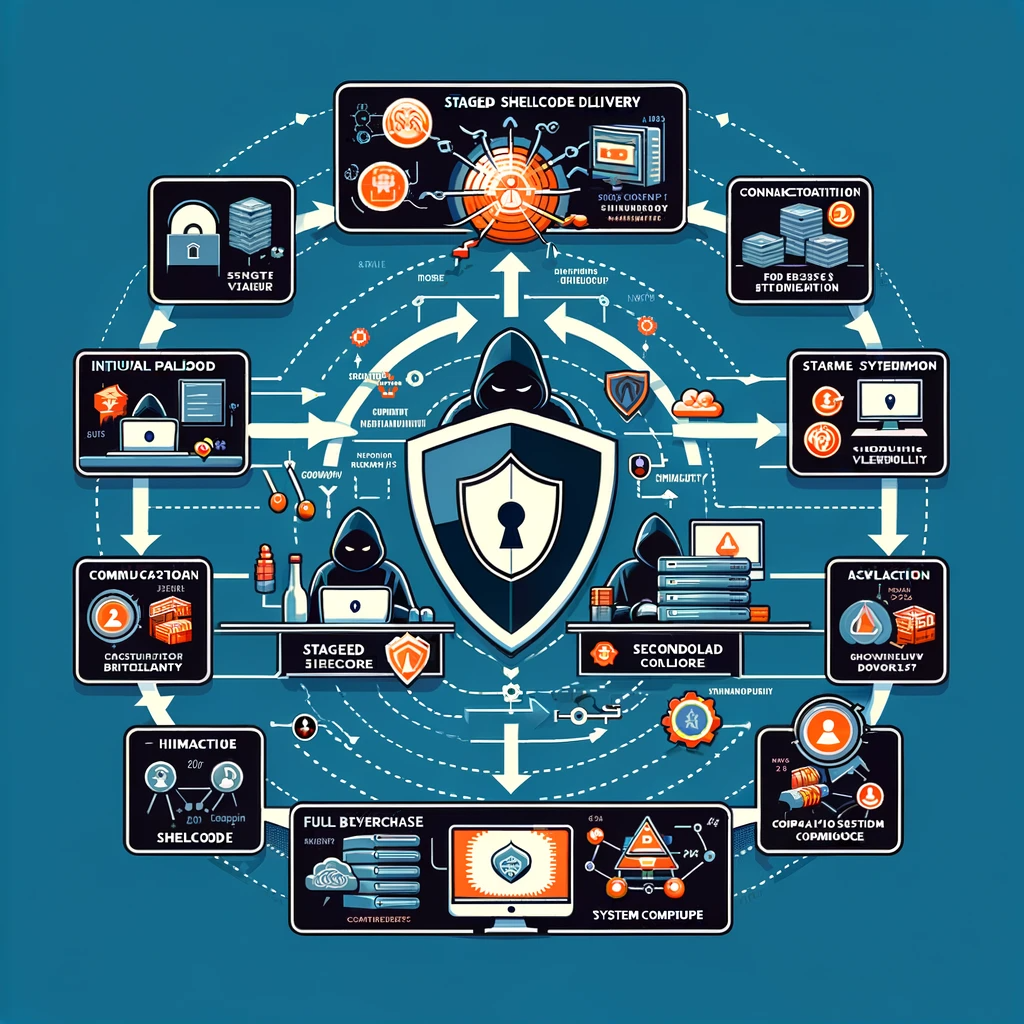
How Can Seniors Safeguard Their Devices From Hacking Attempts?
How Can Seniors Safeguard Their Devices From Hacking Attempts?
- Cybersecurity is important for seniors managing technology like emails and video calls.
- Use strong and unique passwords; avoid simple ones like “password123”.
- Consider creating memorable phrases with symbols and numbers for better passwords.
- Regularly update software and apps to fix security vulnerabilities.
- Be cautious of phishing scams and recognize suspicious emails.
- Automatically back up your data to safeguard against ransomware attacks.
- Staying proactive and informed contributes to personal cyber safety.
How Can Seniors Safeguard Their Devices From Hacking Attempts?
Table Of Contents
- How Can Seniors Safeguard Their Devices From Hacking Attempts?
- What Are The Common Hacking Threats For Seniors Today?
- How Can Seniors Recognize Suspicious Online Activity?
- What Role Does Antivirus Software Play In Device Security?
- How Can Seniors Create Strong And Memorable Passwords?
- What Security Features Should Seniors Enable On Their Devices?
- How Often Should Seniors Update Their Software And Apps?
- What Should Seniors Know About Public Wi-Fi And Security Risks?
- Conclusion
- Other Resources
- Glossary Of Terms
- Other Questions
- Haiku
- Poem
- Checklist
What Are The Common Hacking Threats For Seniors Today?
In the digital age, where our lives are interwoven with technology, the need for robust cybersecurity is more critical than ever, especially for our senior population. While the internet offers a wealth of information and communication tools, it also harbors a range of common hacking threats that pose real risks to seniors. Understanding these threats is a crucial first step in staying safe online.
First and foremost, let’s talk about phishing scams. These nefarious schemes often arrive in the form of innocent-looking emails or messages, tricking unsuspecting individuals into sharing personal information. Cybercriminals craft these communications to appear legitimate, enticing seniors with offers that seem too good to be true. Unfortunately, these scams can lead to identity theft, leaving victims with a financial hangover that’s tough to shake off.
Then there are the infamous tech support scams. Picture this: a senior receives a phone call from someone claiming to be from a well-known tech company. They’re told that their computer has a virus and that immediate action is required. Often, the callers ask for remote access to the computer, paving the way for further scams or malware installation. It’s a double whammy—first, the panic, and then the realization that they’ve been played.
Another threat to consider is ransomware. Just think of it—malicious software that locks a user out of their own files until a ransom is paid. Seniors, who may have precious family photos and documents stored on their devices, can find themselves in a dire situation if they fall victim to this threat. It’s a chilling reminder that no one is truly safe from lurking dangers in cyberspace.
Let’s not forget about the dangers present on social media. While platforms like Facebook and Instagram offer great opportunities for connection, they’re also hotbeds for scammers looking to exploit personal information. Seniors may unwittingly expose themselves to risks by sharing too much information or accepting friend requests from unfamiliar faces. It’s vital to foster a sense of vigilance in an environment designed for easy sharing.
As we navigate this increasingly complex digital landscape, understanding the common hacking threats for seniors today is an essential part of bolstering cybersecurity. Awareness and education are the first lines of defense. So, let’s roll up our sleeves, take a closer look at these risks, and arm our loved ones with the knowledge they need to navigate the digital world safely.

What Are The Common Hacking Threats For Seniors Today?
What Are The Common Hacking Threats For Seniors Today?
- The increasing integration of technology in daily life underscores the urgent need for enhanced cybersecurity, particularly for seniors.
- Phishing scams use deceptive emails or messages to trick seniors into revealing personal information, often resulting in identity theft.
- Tech support scams involve fraudulent calls claiming to be from reputable companies, aiming to gain remote access to a victim’s computer.
- Ransomware is malicious software that locks users out of their files until a ransom is paid, putting seniors’ cherished documents at risk.
- Social media platforms, while useful for connection, expose seniors to scams through oversharing personal information and accepting unknown friend requests.
- Awareness of common hacking threats is essential for increasing cybersecurity among seniors.
- Education and vigilance are crucial for equipping seniors with the knowledge needed to navigate the digital landscape safely.

What Are The Common Hacking Threats For Seniors Today?
How Can Seniors Recognize Suspicious Online Activity?
In today’s digital landscape, where our lives can blend seamlessly with technology, it’s vital for seniors to be vigilant about suspicious online activity. Cybersecurity isn’t just a buzzword; it’s a fundamental part of safely navigating the web. Imagine logging into your accounts, only to find out that someone with less-than-noble intentions has already slipped in unnoticed. That’s where awareness comes into play.
First and foremost, pay attention to unexpected emails. If you receive an email from a bank or service provider, but it doesn’t quite look right—maybe the logos are off or the language seems a tad peculiar—it’s time to take a step back. Legitimate institutions rarely request personal information via email, so don’t fall for the bait. Always verify by visiting their official website directly or giving them a call to ensure you’re not being hooked by a phisher.
Next, be wary of any suspicious links. A well-crafted email might include a link that looks harmless at first glance—a great deal, a “too good to be true” offer. But hold your horses! Before you click, hover over the link to see where it really leads. If it doesn’t match up, or if it looks like an unfamiliar URL, steer clear. Cybercriminals often hide their true destination behind seemingly innocuous links.
Social media is another area where caution is essential. You might find friend requests from people you don’t remember, or perhaps messages that seem overly familiar but feel off. It’s not uncommon for scammers to create fake profiles to get close. Always question the legitimacy of requests and Don’t give out personal information to anyone you don’t trust.
Last but not least, keep an eye on your accounts. Regularly check bank statements, credit card bills, and online accounts for any unauthorized transactions. Familiarize yourself with your normal activity, so you can spot anything out of the ordinary. If you notice an unfamiliar transaction, report it immediately.
In essence, staying safe online requires a little common sense mixed with a sprinkle of skepticism. Cybersecurity is in your hands, and with vigilance, you can not only enjoy the digital world but also protect yourself from its lurking dangers. So, suit up, stay alert, and safeguard that information like it’s your last piece of chocolate cake!

How Can Seniors Recognize Suspicious Online Activity?
How Can Seniors Recognize Suspicious Online Activity?
- Seniors must be vigilant about suspicious online activity to ensure cybersecurity.
- Always verify unexpected emails from banks or service providers by visiting their official website or calling them.
- Be cautious of suspicious links in emails; hover over them to check the true destination before clicking.
- Question friend requests and messages on social media from unknown individuals to avoid scams.
- Regularly monitor bank statements and online accounts for unauthorized transactions.
- Familiarize yourself with normal account activity to recognize anything out of the ordinary.
- Practice common sense and skepticism to protect yourself in the digital world.

How Can Seniors Recognize Suspicious Online Activity?
What Role Does Antivirus Software Play In Device Security?
In an era where everyone’s connected and data is the currency of modern life, the role of antivirus software in cybersecurity cannot be overstated. Picture this: you’re out in the wild, chopping wood or climbing heights, and the last thing on your mind is the lurking bear in the bushes. Well, the same can be said for your device. It’s alone in the digital wilderness, and without the right tools, it may just become a bear’s next meal.
Antivirus software acts as a dedicated watchman, standing sentinel against the hordes of malicious threats that emerge daily. These programs conduct real-time scans, monitoring your device for suspicious activity like a seasoned tracker watching for footprints in the snow. Once a threat is detected, antivirus software springs into action, neutralizing potential dangers before they can morph into full-blown disasters that could compromise your personal information or render your beloved device useless.
But let’s be real here: antivirus software isn’t a magic bullet. It’s a layer of defense, but not the only one. Picture it like wearing a helmet while riding a motorcycle. Sure, it’s crucial for your safety, but it’s not going to save you if you forget to check your mirrors or signal a lane change. Similarly, antivirus software gives you a fighting chance against viruses, malware, and other nefarious digital threats, but the best offense is a good defense that includes smart practices like regular updates and cautious browsing habits.
And then there’s the matter of detection capabilities. The landscape of cybersecurity is constantly evolving, and threats are often as clever as they are numerous. Antivirus software comes equipped with heuristic analysis that can identify new threats based on their behavior rather than relying solely on known patterns. This makes it a vital tool for catching those sneaky little viruses that haven’t yet made it onto the radar.
Now, before you sit back and assume you’re invulnerable with antivirus software in your corner, remember the importance of keeping that software updated. Developers are in a relentless race against cybercriminals, and what worked yesterday might be as useful as last week’s leftovers. Keeping your antivirus updated ensures it knows how to tackle the newest threats lurking around the digital corner.
Antivirus software plays a pivotal role in your device’s security landscape, acting as both a shield and a sword in the ongoing battle against cyber threats. By combining it with smart practices and regular updating, you can fortify your defenses and take proactive steps toward a safer digital experience.

What Role Does Antivirus Software Play In Device Security?
What Role Does Antivirus Software Play In Device Security?
- Antivirus software is essential in cybersecurity, acting as a defense against malicious threats.
- It performs real-time scans to monitor devices for suspicious activity, neutralizing threats proactively.
- Antivirus is one layer of defense; other practices like regular updates and cautious browsing are also crucial.
- The software utilizes heuristic analysis to detect new, unknown threats based on behavior.
- Keeping antivirus software updated is vital, as it helps combat ever-evolving cybercriminal tactics.
- It serves as both a shield and a sword, enhancing overall device security.
- Combining antivirus with good digital practices increases protection against cyber threats.
What Role Does Antivirus Software Play In Device Security?
How Can Seniors Create Strong And Memorable Passwords?
In a world where our lives are increasingly intertwined with technology, cybersecurity has become a topic everyone needs to grapple with—especially our seniors. With the vast array of accounts, from banking to social media, the importance of creating strong and memorable passwords can’t be overstated. Let’s explore some straightforward strategies to help our seasoned citizens navigate this digital landscape without feeling overwhelmed.
First off, it’s essential to understand that a simple password, like your birth date or your dog’s name, just won’t cut it anymore. Cybercriminals have gotten smarter, which means our passwords need to be more creative. Here’s a tip: think of a phrase that has personal meaning. Perhaps it’s a favorite line from a poem or a cherished family saying. Take that phrase and use the first letter of each word, mixing in some upper and lowercase letters, along with numbers and symbols. For example, “My cat Lucy loves to chase butterflies!” could transform into “McLl2cB!”.
Next, consider the practice of using a password manager. For those who may not be as comfortable with technology, a password manager can feel like a luxury. However, it’s a tool that can securely store and automatically generate complex passwords for multiple accounts. This minimizes the struggle of remembering every single password, thereby enhancing cybersecurity.
Another effective strategy is the use of unique phrases tied to specific sites. If you like to shop at a particular online store, create a password that relates specifically to that site. For example, if you frequently order books, you might use “BookLover@2023!” for that site. That way, each password is distinct, reducing the chances of a cyber breach across multiple accounts.
Finally, let’s talk about updating those passwords regularly. Just like a good set of tires, if your passwords are getting old, it might be time to replace them. Set a reminder every few months to go through and refresh your passwords. This simple act can serve as a potent defense line, keeping your accounts safe from prying eyes.
By taking these straightforward steps, seniors can transform their approach to cybersecurity. With a little creativity and the right tools, creating strong and memorable passwords doesn’t have to be a daunting task. Now go ahead, fortify those accounts, and feel more secure in this digital age.

How Can Seniors Create Strong And Memorable Passwords?
How Can Seniors Create Strong And Memorable Passwords?
- Cybersecurity is increasingly important in a tech-driven world, especially for seniors.
- Creating strong and memorable passwords is crucial for protecting accounts like banking and social media.
- Avoid simple passwords such as birth dates or pet names; they are not secure against cybercriminals.
- Use meaningful phrases to create complex passwords by taking the first letter of each word and mixing in numbers and symbols.
- Consider using a password manager to store and generate complex passwords securely.
- Create unique passwords for specific sites to reduce the risk of cyber breaches across multiple accounts.
- Regularly update passwords to maintain security; set reminders to refresh them every few months.

How Can Seniors Create Strong And Memorable Passwords?
What Security Features Should Seniors Enable On Their Devices?
In today’s digital landscape, navigating the world of technology can feel like walking a tightrope for many seniors. As more people of all ages embrace the benefits of going online—from video chats with grandkids to shopping for groceries—strong cybersecurity measures are vital. So, let’s take a closer look at some essential security features seniors should enable on their devices, ensuring a harmonious relationship with technology.
First off, let’s talk about strong, unique passwords. You wouldn’t use the same key to unlock your front door and your car, right? Similarly, using unique passwords for different accounts is crucial. Consider utilizing a password manager to store and generate secure passwords, eliminating the hassle of remembering them all.
Next up, two-factor authentication (2FA) is like locking your door twice. It adds an extra layer of protection by requiring not just your password but also a verification code sent to your smartphone or email. This simple step can deter unauthorized access to your accounts, giving you peace of mind.
Now, how about making sure your software is up to date? It might sound a bit tedious, but enabling automatic updates is a no-brainer. These updates often contain security patches that fix vulnerabilities, keeping your devices safer from predatory threats lurking in cyberspace.
Let’s not forget firewalls. Think of them as digital barriers that keep the bad guys out. Enabling the firewall on your devices can help protect against unauthorized access and potentially harmful attacks. Pairing this with reliable antivirus software ensures an extra line of defense, safeguarding your information from malware and viruses.
Moreover, it’s important to be cautious about public Wi-Fi. While it may be tempting to connect to free Wi-Fi hotspots at your local café or library, doing so without a Virtual Private Network (VPN) can expose your data to cybercriminals. A VPN encrypts your internet connection, making it much harder for anyone to steal your sensitive information.
Lastly, take a moment to review privacy settings. Social media accounts, and even your devices, often come with a range of settings that control who sees what. By customizing these settings, you safeguard not just your data but also your peace of mind.
In a world rife with digital threats, enabling these basic cybersecurity features can empower seniors to enjoy the advantages technology has to offer, without the nagging worry of vulnerability. After all, security isn’t just about locking up—it’s about living life fully, knowing you’re protected.

What Security Features Should Seniors Enable On Their Devices?
What Security Features Should Seniors Enable On Their Devices?
- Navigating technology is challenging for seniors, but strong cybersecurity is essential for safe online engagement.
- Use strong, unique passwords for different accounts and consider a password manager to keep them secure.
- Enable two-factor authentication (2FA) for an added layer of security requiring both a password and a verification code.
- Ensure software is up to date by enabling automatic updates to protect against vulnerabilities.
- Turn on firewalls for devices to block unauthorized access, and use reliable antivirus software for additional protection.
- Exercise caution with public Wi-Fi; use a Virtual Private Network (VPN) to encrypt your data and enhance security.
- Review and customize privacy settings on social media and devices to protect personal data and ensure peace of mind.

What Security Features Should Seniors Enable On Their Devices?
How Often Should Seniors Update Their Software And Apps?
Updating software and apps might seem like a chore, but for seniors navigating the digital landscape, it’s more like checking the map before a road trip. Just like you wouldn’t head out without a clear direction, diving into the online world without the latest updates can lead to unnecessary detours. So, how often should seniors hit that update button? Let’s break it down.
First off, let’s talk about why updates matter. They’re not just shiny new features or cosmetic changes; they often contain crucial fixes that help safeguard your devices. Cybersecurity threats evolve faster than most can keep track of, and older software can turn into a welcome mat for hackers. Cyber attackers thrive on out-of-date software, which can leave your personal information wide open for exploitation. So, when you receive those notifications about new updates, think of them as a friendly reminder to fortify your defense.
Now, there’s no magic number for how frequently you should update, but a good rule of thumb is to stay on top of them at least once a month. This doesn’t mean you must sit down for hours each time; often, the process is quick and painless. Many programs allow for automatic updates, which is the ideal setup for those who might not think to check in regularly. Don’t let the convenience of technology slip through your fingers.
However, vigilance is key. If you hear about a major cybersecurity breach or a vulnerability tied to a specific application you use, it’s smart to check for updates right away—even if you just installed something last week. Staying informed about tech news can help you keep pace with the fast-moving world of cybersecurity threats.
But let’s not forget about personal apps either. Whether it’s your favorite game, photo editing software, or a health monitoring app, each one deserves your attention. Updates often fix bugs, enhance performance, and can even add features that make your experience smoother and more enjoyable.
While it may not be the most exciting part of your day, regularly updating your software and apps is as essential as having a good set of tires before hitting the highway. It’s about safeguarding your digital life, making sure you can get from Point A to Point B without a hitch, and, most importantly, enjoying the journey along the way. So, roll up your sleeves and make it a routine—the digital world is waiting, and it’s better when you’re protected.

How Often Should Seniors Update Their Software And Apps?
How Often Should Seniors Update Their Software And Apps?
- Updating software and apps is crucial for seniors, akin to checking a map before a road trip.
- Software updates contain important security fixes that protect against evolving cybersecurity threats.
- Older software can be vulnerable, making personal information susceptible to cyber attackers.
- It’s recommended to check for updates at least once a month, ideally, setting up automatic updates.
- In case of major cybersecurity breaches, check for updates immediately, regardless of recent installations.
- Personal apps also require attention; updates improve performance and enhance user experience.
- Regular updates are fundamental for safeguarding your digital life and enjoying a seamless online journey.

How Often Should Seniors Update Their Software And Apps?
What Should Seniors Know About Public Wi-Fi And Security Risks?
What Should Seniors Know About Public Wi-Fi and Security Risks?
When it comes to using public Wi-Fi, it’s time to buckle up and get ready for the bumpy ride of cybersecurity. We’ve all been there—finding a cozy café or a sprawling library with a free internet connection, but losing sight of what that really means for your personal information. It might seem tempting to log in and check emails or browse social media, but knowing a bit about the risks can make all the difference.
First off, let’s face the reality: public Wi-Fi networks are like an open invitation for prying eyes. Anyone sitting nearby with a bit of know-how can potentially intercept the data being sent and received on those networks. Imagine walking into a bustling café only to find that every table has someone trying to peek at your online activity—now that’s a sobering thought!
To make matters worse, many folks don’t require a password to access these networks. That means anyone—friends, visitors, and cybercriminals alike—could be tapping into the same connection. Picture a crowded room where your most private conversations are laid bare. You wouldn’t do that in real life, so why let it happen online?
Now, it’s not all doom and gloom. There are steps seniors can take to bolster their cybersecurity when diving into the realm of public Wi-Fi. First off, never access sensitive information, like bank accounts or personal health records, on these unsecured networks. Think of it as stepping into a minefield—better to stay on the safe path than risk a blow-up!
Consider using a Virtual Private Network (VPN) as your trusty shield. A VPN encrypts your data, making it a whole lot harder for those cyber ne’er-do-wells to figure out what you’re doing online. It’s like putting on a pair of tinted glasses that obscure your activities from nosy eyes.
Also, make sure your device’s software is up to date. An out-of-date system is like leaving the door unlocked: it invites trouble right in. Activate firewalls and antivirus software as another layer of protection against potential threats lurking in the darkness.
In short, while public Wi-Fi can be an appealing convenience, it’s crucial to navigate these waters with your cybersecurity gear on. By taking a few simple precautions, seniors can enjoy the benefits of connectivity without exposing themselves to the lurking dangers that come with it. There’s a lot of joy in staying connected, but it all starts with being smart and safe.

What Should Seniors Know About Public Wi-Fi And Security Risks?
What Should Seniors Know About Public Wi-Fi And Security Risks?
- Public Wi-Fi networks pose significant cybersecurity risks, as they can allow prying eyes to intercept data.
- Many public Wi-Fi networks are unsecured and accessible without a password, inviting unwanted users, including cybercriminals.
- Seniors should avoid accessing sensitive information, such as bank accounts or health records, on public Wi-Fi.
- Using a Virtual Private Network (VPN) can encrypt data and protect online activities from unauthorized access.
- Keeping device software up to date and activating firewalls and antivirus programs adds an extra layer of security.
- Seniors can enjoy the benefits of public Wi-Fi by taking simple precautions to safeguard their personal information.
- Staying connected safely involves being aware of the risks and making informed choices while online.

What Should Seniors Know About Public Wi-Fi And Security Risks?
Conclusion
Alright, folks, let’s wrap this discussion on cybersecurity for seniors in a way that’s as straightforward as a class on how to boil water. In an era where our devices are like lifelines to family, friends, and information, it’s vital to adopt a foolproof approach to keep those pesky hackers at bay. Think of cybersecurity as your digital security system, and you don’t need to be a tech genius to set it up.
First, let’s get down to the basics: passwords. A strong password is your first line of defense, and trust me, “password123” just won’t do the trick. Instead, create a memorable phrase that could be turned into a password. Just like turning a good recipe into an award-winning dish, hash those phrases up with some numbers and symbols. And if your memory isn’t what it used to be, a password manager is your best friend—it’s like having a not-so-judgmental assistant keep track of your secret sauce.
Next up are updates. Think of them like routine oil changes for your car; they may seem boring, but they keep things running without a hitch. Those notifications to update your software? They’re your gadgets’ way of saying, “Hey, don’t let the bad guys in!” So, the next time you see that pop-up, don’t ignore it. Click it, update it, and go on about your business knowing your virtual doors are locked tight.
Now, let’s talk about the emails flooding your inbox. If something looks sketchy—like an unsolicited offer for a “too good to be true” deal—hit that delete button faster than you can say “phishing scam.”Spam emails and tech support scams are like those annoying telemarketers, but way worse. If someone claims to help you turn on your computer…it’s time for some healthy skepticism.
Finally, let’s not forget the importance of regular backups. In this rollercoaster of digital life, having your information backed up is your parachute for when things go awry. Whether it’s cherished photos or crucial documents, backing up means you can bounce back without breaking a sweat.
Sure, navigating this digital world can feel overwhelming, but a few smart habits can make all the difference. With a pinch of caution and a dash of vigilance, seniors can confidently stride through cyberspace, safe and sound. So, gear up and simplify your digital life! After all, staying connected should be a joyride, not a headache.

Conclusion
Conclusion:
- Prioritize a strong password as your first defense against cyber threats.
- Create memorable phrases for passwords, enhancing them with numbers and symbols.
- Use a password manager to securely keep track of your passwords.
- Update software regularly to protect against potential vulnerabilities.
- Be cautious with unsolicited emails and delete suspicious offers immediately.
- Regularly back up important information to safeguard against data loss.
- Adopt smart habits for safe digital navigation to enjoy connectivity without stress.

Conclusion
Other Resources

Other Resources
Here is a list of other resources you can review online to learn more:
- Blogger
- IBM Managed Security Services
- GuardSight Inc.
- Integrity IT
- ReliaQuest
- Threads
- ISSquared
- Safeway
- ControlScan, Inc.
- CyberCX
Use This Prompt To Get More Resources With Your Favorite Online AI Tool: Please provide me with a list of online articles with their URLs in a bulleted list that I can read regarding How Can Seniors Safeguard Their Devices From Hacking Attempts?

Other Resources
Glossary Terms
How Can Seniors Safeguard Their Devices From Hacking Attempts? – Glossary Of Terms
1. Antivirus Software: Programs designed to detect and eliminate malware (malicious software) that can harm devices or steal personal information.
2. Malware: Malicious software, including viruses, worms, and trojans, that can infiltrate devices to corrupt data or steal information.
3. Phishing: A fraudulent attempt to obtain sensitive information, such as usernames and passwords, by pretending to be a trustworthy source.
4. Firewall: A security system that monitors and controls incoming and outgoing network traffic based on predetermined security rules.
5. Two-Factor Authentication (2FA): An extra layer of security requiring not just a password, but also a second form of identification, such as a code sent to a mobile device.
6. Update: The process of installing the latest software versions for applications and operating systems to fix vulnerabilities and enhance security.
7. Encryption: The method of converting data into a code to prevent unauthorized access, ensuring privacy and protection of sensitive information.
8. Wi-Fi Security: Measures taken to secure a wireless network, including encryption protocols like WPA2 or WPA3, to prevent unauthorized access.
9. VPN (Virtual Private Network): A service that creates a secure connection over the internet, protecting your privacy by masking your IP address.
10. Strong Password: A complex password that includes a mix of letters, numbers, and symbols, making it difficult for others to guess.
11. Backup: The process of copying data to a secure location to protect against loss due to hacking or hardware failure.
12. Social Engineering: A tactic used by hackers to manipulate individuals into divulging confidential information, often through deception.
13. Security Settings: Configurations made in devices and applications to enhance security, including privacy controls and access restrictions.
14. Identity Theft: The unauthorized use of someone’s personal information, typically for financial gain, posing a significant risk for seniors.
15. Data Breach: An incident in which unauthorized access to sensitive data occurs, potentially exposing personal information.
16. Browser Security: Features within a web browser designed to protect users from phishing scams, malware, and other threats while browsing the internet.
17. Scam: A deceptive scheme designed to con individuals out of money or personal information, often targeting vulnerable populations like seniors.
18. Public Wi-Fi: Free or open wireless networks available in public spaces, which are often less secure and can pose hacking risks.
19. Secure Website: Websites beginning with “https://” that use encryption to protect data exchanged between the user and the site.
20. Device Lock: A security feature that requires a password, PIN, or biometric data to access a device, adding an extra layer of protection.
21. User Awareness: The education and understanding of potential security threats and safe practices to mitigate risks when using devices.
22. Credential Stuffing: A cyberattack method in which hackers use stolen passwords from one site to gain access to accounts on other sites.
23. Rootkit: A type of malicious software that provides unauthorized access to a computer while hiding its presence.
24. Ransomware: A type of malware that encrypts files on a device, demanding payment for their release, often targeting vulnerable individuals.
25. Adware: Software that automatically displays or downloads advertisements, which can be intrusive and potentially harmful.
26. Voice Recognition Security: A biometric security method that uses a person’s unique voice patterns to verify identity and grant access.
27. Privacy Policy: A document that outlines how a company collects, uses, and protects personal information from users.
28. Digital Footprint: The trail of data individuals leave online, which can include social media activity, browsing history, and online purchases.
29. Software Vulnerability: Security flaws in software that can be exploited by hackers to gain unauthorized access to systems or data.
30. Patch Management: The process of managing updates for software applications and technologies to fix vulnerabilities and improve security.

Glossary Of Terms
Other Questions
How Can Seniors Safeguard Their Devices From Hacking Attempts? – Other Questions
If you wish to explore and discover more, consider looking for answers to these questions:
- What is the importance of cybersecurity for seniors?
- What tools can help seniors enhance their online security?
- How can seniors identify phishing emails and scams?
- Are there specific antivirus programs recommended for seniors?
- What are the signs that a device might be compromised?
- How can seniors educate themselves about cyber threats?
- What steps should seniors take if they suspect they have been hacked?
- How can seniors secure their social media accounts?
- What features should seniors look for in a password manager?
- How can seniors protect their online privacy beyond passwords?
- Are there cybersecurity resources or organizations that offer support for seniors?
- What should seniors do to prepare for potential cyberattacks?
- How can family members help educate and support seniors in cybersecurity?

Other Questions
Haiku
How Can Seniors Safeguard Their Devices From Hacking Attempts? – A Haiku
Seniors, stay aware,
Guard your data with great care—
Cyber shields are rare.

Haiku
Poem
How Can Seniors Safeguard Their Devices From Hacking Attempts? – A Poem
In this digital jungle, where dangers loom wide,
Seniors must learn to navigate with pride.
With gadgets and gizmos, they connect and engage,
Yet hackers and phishers lurk on every page.
Wear your seatbelt, dear friends, stay secure,
Strong passwords and phrases are the best way to ensure.
“Password123” won’t keep the threats at bay,
So craft a safe mantra to guard night and day.
Updates are friends, don’t let them go missed,
With just a few moments, you can check off the list.
They patch up the holes where vulnerabilities creep,
A chance for safe sailing, so don’t lose your grip.
Beware of those emails, suspicious and sly,
If promises seem too grand, it’s best to pass by.
The delete button waits, your ally in need,
For scams and for threats that dare to impede.
Back up your treasures, those memories so dear,
Family photos and documents, keep them near.
In the face of backlogs and ransomware fright,
A safety net ready can make a dark night bright.
Antivirus software—your vigilant knight,
With updates and scans, it puts up a fight.
Not the only defense, but a crucial part,
Together with wisdom, it’s a strong work of art.
Utilize two-factor, and firewalls in stride,
A layer more protection, a safer online ride.
In public Wi-Fi, tread lightly, my friend,
With caution and care, its perils you’ll fend.
So roll up your sleeves, stay alert, and engage,
Cyber life can be joyful, a turn of the page.
With knowledge and wit, let vulnerabilities flee,
In this world of connectivity, let seniors roam free!

Poem
Checklist
How Can Seniors Safeguard Their Devices From Hacking Attempts? – A Checklist
Password Safety
_____ Create Strong Passwords: Use long, unique passwords for each account; consider a memorable phrase.
_____ Use a Password Manager: Store and manage your complex passwords securely.
_____ Change Passwords Regularly: Refresh your passwords every few months.
Device Updates
_____ Enable Automatic Updates: Keep your software and apps up to date to prevent vulnerabilities.
_____ Check for Important Updates: Monitor software for new updates, especially after a reported security breach.
Email and Communication Awareness
_____ Identify Phishing Emails: Be cautious of unsolicited emails; don’t click on suspicious links or attachments.
_____ Verify Requests for Personal Information: Contact the company directly through official channels rather than responding to emails.
Online Activity Vigilance
_____ Be Cautious on Social Media: Limit personal information shared publicly and only accept known contacts.
_____ Monitor Financial Accounts: Regularly check bank statements for unauthorized transactions.
Security Features
_____ Enable Two-Factor Authentication (2FA): Add an extra layer of verification to your accounts.
_____ Use Antivirus Software: Install reliable antivirus programs and keep them updated.
_____ Activate Firewalls: Ensure the firewall on your device is enabled for extra protection.
Public Wi-Fi Use
_____ Avoid Sensitive Transactions on Public Wi-Fi: Do not access banking or personal information on unsecured networks.
_____ Use a Virtual Private Network (VPN): Consider a VPN to encrypt your data on public networks.
Backup Practices
_____ Set Up Automatic Backups: Ensure you regularly back up your data, including important documents and photos.
General Cyber Awareness
_____ Stay Informed: Keep yourself updated about common cybersecurity threats and scams.
_____ Practice Safe Browsing Habits: Always double-check links before clicking and avoid unfamiliar websites.
By following this checklist, seniors can better protect their devices and sensitive information from cyber threats. Stay safe and enjoy the digital world!

Checklist
At BestCyberSecurityNews, we help teach entrepreneurs and solopreneurs the basics of cybersecurity and its impact on their businesses by using simple concepts to explain difficult challenges.
Please read and share any of the articles you find here on BestCyberSecurityNews with your friends, family, and business associates.