


Protecting Seniors: Essential Cybersecurity Tips
By Tom Seest
At BestCyberSecurityNews, we help teach entrepreneurs and solopreneurs the basics of cybersecurity and its impact on their businesses by using simple concepts to explain difficult challenges.
Please read and share any of the articles you find here on BestCyberSecurityNews with your friends, family, and business associates.
What Key Cybersecurity Tips Can Seniors Use to Stay Safe Online?
When it comes to cybersecurity, navigating the online world can feel a bit like trying to tame a wild stallion – exciting but potentially dangerous. Seniors, in particular, face unique challenges, so it’s essential to arm yourself with some practical tips to stay safe online. Let’s roll up our sleeves and dig into how you can protect yourself in today’s digital landscape.
First off, always start with strong passwords. Think of your password as the lock on your front door; the more complex, the harder it is for unwanted guests to get in. Combine upper and lower case letters, numbers, and even special characters. And never, ever use easily guessable info like birthdays or pets’ names. It’s a shame to see folks get compromised just because they used something like “Fluffy123.” Consider using a reputable password manager to keep track of all these complex passcodes—it’s like having a master key for every door in your digital world, without the hassle of remembering each one.
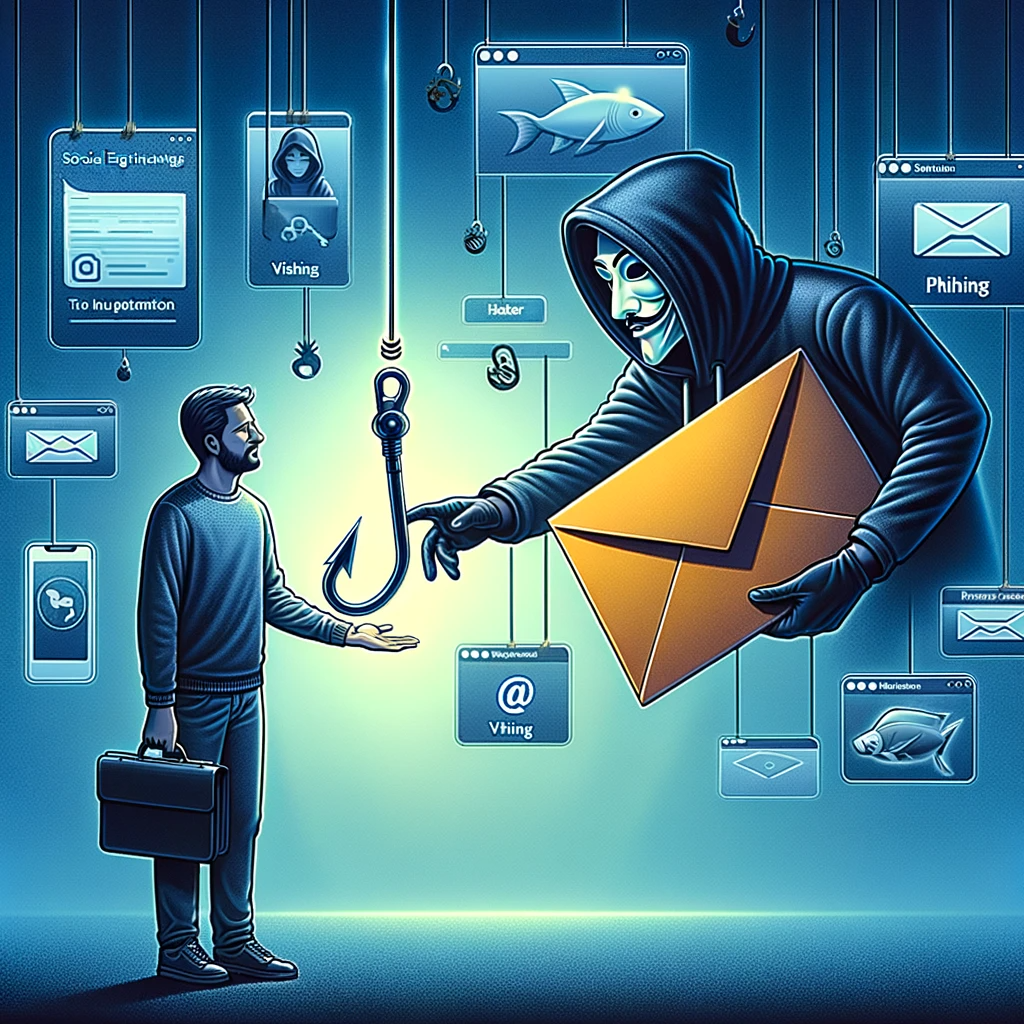
Next up is staying vigilant against phishing scams. Scammers are crafty and can impersonate nearly anyone—especially trusted figures you might interact with online. Always double-check the sender’s email address, and if it seems fishy, verify with a quick phone call. Remember, no legitimate organization is going to ask for sensitive information in an unsecure email. So, click with caution. If an offer sounds too good to be true, it probably is.
Now, let’s talk about software updates. I get it—it’s easy to ignore that little pop-up reminding you to update your apps or operating system. However, these updates often contain crucial patches that keep cybercriminals from exploiting vulnerabilities. Think of it as maintaining your vehicle; skipping routine checks can lead to breakdowns at the worst possible moment.
Lastly, embrace security tools! Install antivirus software and enable your firewall. These aren’t just geeky types of software—they’re the digital equivalent of having a neighborhood watch keeping an eye on things while you enjoy a cup of coffee.
So there you have it—by practicing strong passwords, staying alert to scams, keeping software updated, and using security tools, you set the foundation for better cybersecurity. In this digital age, being proactive is your best defense. Stay smart, stay informed, and, most importantly, stay safe out there!

What Key Cybersecurity Tips Can Seniors Use to Stay Safe Online?
What Key Cybersecurity Tips Can Seniors Use to Stay Safe Online?
- Navigate the online world carefully, especially for seniors who face unique cybersecurity challenges.
- Use strong, complex passwords that combine upper and lower case letters, numbers, and symbols, and avoid easily guessable information.
- Consider using a reputable password manager to keep track of all your complex passwords.
- Stay vigilant against phishing scams by double-checking email addresses and verifying suspicious requests through a phone call.
- Regularly update your software and apps to patch vulnerabilities and protect against cybercriminals.
- Install antivirus software and enable firewalls to enhance your digital security.
- Be proactive in your cybersecurity practices to ensure safety in the digital age.

What Key Cybersecurity Tips Can Seniors Use to Stay Safe Online?
Table Of Contents
- What Key Cybersecurity Tips Can Seniors Use to Stay Safe Online?
- What Are The Most Common Online Scams Targeting Seniors?
- How Can Seniors Create Strong Passwords?
- What Are Safe Practices For Using Public Wi-Fi?
- How Can Seniors Recognize Phishing Emails Or Messages?
- What Tools Can Help Protect Against Viruses And Malware?
- How Should Seniors Secure Their Social Media Accounts?
- What Steps Can Seniors Take To Protect Their Personal Data?
- Conclusion
- Other Resources
- Glossary Of Terms
- Other Questions
- Haiku
- Poem
- Checklist
What Are The Most Common Online Scams Targeting Seniors?
When it comes to navigating the vast expanse of the internet, seniors often find themselves in a daunting landscape, one where pitfalls lurk around every virtual corner. Unfortunately, this demographic, often perceived as less tech-savvy, becomes prime targets for a variety of online scams. Understanding these traps is crucial in fortifying their cybersecurity and keeping their hard-earned money out of the hands of fraudsters.
One of the most pervasive scams is the infamous phishing scheme. In these scenarios, hackers send emails that appear to come from reputable sources—think banks or government agencies—luring victims into clicking malicious links or divulging sensitive information. The bait? A fabricated problem that demands immediate attention, leveraging fear to prompt hasty decisions. Always be skeptical of unsolicited communications; if something smells fishy, it probably is.
Next up is the romance scam, which preys on the human desire for connection. Unsuspecting seniors may find themselves captivated by a supposedly charming individual online, only to discover that this “love” is nothing more than a con artist looking to exploit their emotions for financial gain. In these situations, scamming becomes a twisted form of social engineering, where trust is weaponized, and heartfelt conversations are weaponized against their victims.
Another common avenue for deceit is the lottery or prize scam. Scammers will inform seniors that they’ve won a grand prize—only to require an upfront payment for taxes or fees before the pot o’ gold can be claimed. This age-old trick exploits the dream of easy money, a sweet lure that can lead to costly traps. Remember, if you didn’t enter the contest, you probably didn’t win.
Finally, there’s the technical support scam, where fraudsters pose as representatives from well-known tech companies, claiming that the victim’s computer has a virus and offering to fix it for a fee. This type of scam is particularly insidious, as it exploits the technology-related anxiety many seniors may feel. A simple unsolicited call about your computer’s performance should raise red flags.
Acknowledging these online scams is the first step in building a robust defense. Enhancing cybersecurity awareness, fostering skepticism, and fostering conversation around these threats can go a long way in shielding seniors from the exploitative tactics of scammers. The internet can be a remarkable place, filled with opportunity, but it also requires awareness and vigilance to navigate safely.

What Are The Most Common Online Scams Targeting Seniors?
What Are The Most Common Online Scams Targeting Seniors?
- Seniors face a daunting online landscape, often becoming prime targets for scams due to perceived tech unawareness.
- Phishing scams involve fraudulent emails that mimic reputable sources, tricking recipients into revealing sensitive information.
- Romance scams exploit emotional connections, with con artists posing as charming individuals to manipulate victims for financial gain.
- Lottery or prize scams inform seniors they’ve “won” but require upfront payments for taxes or fees, exploiting dreams of easy money.
- Technical support scams involve fraudsters posing as tech company reps, falsely claiming victims’ computers have viruses to extract fees.
- Recognizing these scams is essential to build a defense against online threats, promoting cybersecurity awareness among seniors.
- Staying vigilant and fostering discussions about online safety can help seniors navigate the internet more safely and effectively.

What Are The Most Common Online Scams Targeting Seniors?
How Can Seniors Create Strong Passwords?
In the age of Cybersecurity, the importance of robust passwords cannot be overstated, especially for seniors who may feel overwhelmed by the digital landscape. But fear not! Creating strong passwords doesn’t have to be a daunting task. With a bit of guidance, anyone can arm themselves with the tools they need to navigate the online world safely.
First and foremost, forget about using easily guessable information like birthdays, names of pets, or your hometown. Sure, those may seem like easy choices, but they leave you vulnerable to attacks. Instead, think of a phrase that means something to you. Take a line from a favorite song, a book, or even an inside joke from the grandkids. For example, “The cat danced in the moonlight!” could transform into “Tcd@tl!” By mixing capital letters, numbers, and special characters, you’ve created a password that strikes a balance between memorable and formidable.
Next, consider the length of your password. A longer password is typically more secure, so aim for at least 12 to 16 characters. This is where that phrase can come in handy again. Longer passwords are preferable because they provide more combinations against cybercriminals’ guessing games. A good rule of thumb is to think of a sentence and use the first letter of each word, while substituting a few letters with numbers or symbols. “We love family reunions every summer!” could become “WlFr3s!”
It’s also crucial to employ different passwords for different accounts. Yes, it sounds like a hassle, but think of it as building a sturdy fence around various sections of your property. If one password gets compromised, the others remain safe. To keep track of all those unique creations, consider using a password manager. These handy tools can store and generate strong passwords without the risk of getting them mixed up.
Finally, remember to update your passwords regularly. Cybersecurity isn’t a one-time effort; it’s an ongoing commitment. Make it a habit to change them every few months. Set a reminder on your phone or calendar, so it doesn’t slip your mind.
Creating strong passwords isn’t rocket science. With a little creativity and mindfulness, seniors can bolster their online defenses—keeping prying eyes at bay and navigating the digital world with confidence. So go on, tighten that security, and surf the web without worry!

How Can Seniors Create Strong Passwords?
How Can Seniors Create Strong Passwords?
- Robust passwords are essential for cybersecurity, especially for seniors navigating the digital landscape.
- Avoid easily guessable information like birthdays and pet names; consider using meaningful phrases instead.
- Mix capital letters, numbers, and special characters to create memorable yet strong passwords.
- Aim for passwords that are at least 12 to 16 characters long for better security.
- Use different passwords for different accounts to enhance security; consider a password manager to track them.
- Regularly update passwords every few months as part of ongoing cybersecurity practice.
- With creativity and mindfulness, seniors can strengthen their online security and navigate the internet confidently.

How Can Seniors Create Strong Passwords?
What Are Safe Practices For Using Public Wi-Fi?
In an age where we’re constantly on the go, the allure of public Wi-Fi is as tempting as a double cheeseburger after a long hike. It’s convenient, it’s everywhere, and let’s face it, who doesn’t like a little free Internet? But before you dive headfirst into the digital buffet that is your local café’s Wi-Fi, let’s hit pause and talk about cybersecurity, because, believe me, not all that glitters in the digital realm is gold.
First off, when you connect to a public Wi-Fi network, think of yourself as an uninvited guest at a big party—one where you’re surrounded by strangers who might not have your best interests at heart. The bad news is that these networks can be a hacker’s playground. So what should you do? Start by avoiding any sensitive transactions. Your online banking or shopping? Leave that for your secure, personal network at home. If you must access sensitive information, make sure you’ve got a Virtual Private Network (VPN) running. A good VPN encrypts your connection, wrapping it in a cozy blanket of anonymity that makes it harder for snoopers to peep at what you’re doing.
Next up, ensure your device’s firewall and antivirus software are up to date. Just as you lock your doors at home, your devices need protection too. These software tools act as your sentries, helping to fend off unwanted intrusions while you’re busy scrolling through cat videos or checking emails.
Another wise move is to forget that network once you’re done with it. Seriously, many devices are set to automatically reconnect to known networks, which can be handy until you accidentally connect to that rogue hotspot named “Free Wi-Fi” in a crowded area. That could be a bait and switch, leading you right into the arms of cybercriminals ready to harvest your data like it’s ripe fruit.
Finally, always be mindful of what you’re sharing online. Remember, public Wi-Fi isn’t the place for oversharing personal details, whether that’s through social media or conversations overheard in a bustling café. Keep it light; the less information you put out there, the less risk you face.
In short, while public Wi-Fi can be a lifesaver for staying connected on the go, it’s essential to adopt safe practices. Treat it like you would any public space — with caution and awareness. After all, a little smart thinking can turn potential cyber pitfalls into a stroll in the park.

What Are Safe Practices For Using Public Wi-Fi?
What Are Safe Practices For Using Public Wi-Fi?
- Public Wi-Fi is convenient and tempting but poses cybersecurity risks.
- Consider yourself as an uninvited guest at a party when using public Wi-Fi.
- Avoid sensitive transactions like online banking on public networks; use a VPN for added security.
- Keep your device’s firewall and antivirus software updated for protection.
- Forget public networks after use to avoid automatically reconnecting to potential rogue hotspots.
- Be cautious about sharing personal information online when using public Wi-Fi.
- Adopt safe practices when using public Wi-Fi, treating it with caution and awareness.

What Are Safe Practices For Using Public Wi-Fi?
How Can Seniors Recognize Phishing Emails Or Messages?
In today’s digital age, the idea of receiving emails can feel as familiar as your favorite chair, but lurking in those inboxes are potential threats that could turn a simple click into a costly mistake. For seniors, navigating the landscape of cybersecurity can be daunting. However, recognizing the signs of phishing emails or messages is crucial for keeping both personal information and financial resources safe.
First and foremost, watch out for the big red flags—things that scream, “This is not normal!” Legitimate institutions rarely ask for sensitive information through email. If the message requests personal details like your Social Security number or banking credentials, it’s time to back away from that screen and take a deep breath.
Next up, misspellings and awkward grammar can be telltale signs of a phishing attempt. A reputable company prides itself on professionalism, so if you notice “urgent” spelling errors or “stressful” sentence structures, consider those as warning lights flashing across your computer screen.
Now, let’s not forget about the sender’s address. Phishing emails often come from addresses that look similar to those of real businesses but have odd or extra characters. For example, instead of @bank.com, you might see something untrustworthy like @bank1234.com. Don’t get caught in the trap—always double-check the sender’s details.
Another common trick is urgency. Phishing messages often try to create anxiety, insisting that you must “act now” or “verify immediately.” Think of it this way: if someone’s rushing you into a decision, it’s usually a cue to slow down. Take a moment to think before clicking on any links or attachments, no matter how convincing they may look.
Also, be on the lookout for emotionally charged language. Some emails play on feelings of fear or greed, offering gifts or warnings of immediate consequences to pressure you into making a quick decision. Remember, these triggers are tactics meant to exploit your emotions—don’t let them win!
Lastly, don’t hesitate to verify. If an email claims to be from a well-known company but you’re unsure, reach out to them directly using contact information from their official website. Trust your instincts; if something feels “off,” it probably is. Staying informed and skeptical in today’s digital landscape is a key aspect of solid cybersecurity practices. It’s a little bit of vigilance that can save you a whole lot of trouble down the line.

How Can Seniors Recognize Phishing Emails Or Messages?
How Can Seniors Recognize Phishing Emails Or Messages?
- Emails may seem familiar, but they can pose cybersecurity threats, especially for seniors.
- Look for red flags; legitimate companies rarely request sensitive information via email.
- Misspellings and poor grammar often indicate phishing attempts.
- Check the sender’s address for suspicious characters or variations of legitimate businesses.
- Beware of urgency tactics that pressure you to act quickly; always take a moment to think.
- Watch for emotionally charged language designed to manipulate feelings of fear or greed.
- If unsure about an email’s legitimacy, verify with the company directly using official contact information.

How Can Seniors Recognize Phishing Emails Or Messages?
What Tools Can Help Protect Against Viruses And Malware?
When it comes to keeping our digital lives safe and sound, understanding the landscape of cybersecurity is where we need to start. It’s a wild and often chaotic jungle out there, teeming with threats that can emerge when you least expect them. But fear not, for several trusty tools can help protect against viruses and malware, acting as your shield against these lurking dangers.
First up, let’s talk about antivirus software. Picture it as your trusty guard dog—always on the lookout, ready to bark at anything suspicious. This software scans your system for known malware and viruses, neutralizing them before they can cause any harm. Look for a reputable solution that updates its definitions regularly. If you want to feel as secure as a cat with a canary, make sure the software runs scheduled scans to catch any intruders hiding in the shadows.
Next on the list is anti-malware software. Now, you might wonder, isn’t that the same as antivirus? Well, not quite. While antivirus focuses mainly on viruses, anti-malware takes a broader approach to detect all types of malicious software, including spyware, adware, and trojans. Think of it as a Swiss Army knife—versatile and essential for robust cybersecurity.
Then there’s the firewalls, your first line of defense. These digital barriers do a fantastic job of controlling the incoming and outgoing traffic on your network, blocking unauthorized access like a bouncer at an exclusive nightclub. Be sure to enable your operating system’s built-in firewall, and consider investing in a hardware firewall for added protection, especially if you’re running a business or have sensitive information floating around.
And let’s not forget about keeping your software up to date. It’s a simple but often neglected tool in the cybersecurity arsenal. Software developers are always identifying vulnerabilities, and they update their programs to seal those gaps. By regularly updating your OS, applications, and browsers, you stay one step ahead of cyber pirates trying to exploit outdated systems.
Lastly, consider a password manager. Remembering a dozen complex passwords is no small feat, and that’s where these handy programs come into play. They generate, store, and even auto-fill strong, unique passwords for you, helping to keep your accounts locked tighter than a drum.
The world of cybersecurity isn’t as daunting as it seems. With a combination of these essential tools, you can fortify your digital presence and enjoy peace of mind while navigating the online wilderness. So gear up, stay informed, and let those pesky viruses and malware know they’re not welcome!

What Tools Can Help Protect Against Viruses And Malware?
What Tools Can Help Protect Against Viruses And Malware?
- Understanding the landscape of cybersecurity is crucial for protecting our digital lives.
- Antivirus software acts as a guard dog, scanning for known malware and viruses to neutralize threats.
- Anti-malware software detects a wider range of malicious software, including spyware and trojans, making it essential for robust security.
- Firewalls serve as a first line of defense, controlling network traffic and blocking unauthorized access.
- Keeping software up to date is vital, as regular updates help seal vulnerabilities identified by developers.
- Password managers simplify the management of complex passwords, helping to secure accounts effectively.
- By utilizing these tools, you can enhance your digital security and navigate online threats with confidence.

What Tools Can Help Protect Against Viruses And Malware?
How Should Seniors Secure Their Social Media Accounts?
In today’s increasingly digital world, cybersecurity isn’t just a fancy buzzword tossed around by tech gurus; it’s a vital part of our lives, especially for seniors navigating the social media landscape. As we dive deeper into the virtual realm, the need to keep our online presences secure becomes ever more urgent. You might be wondering, “How do I fortify my social media accounts against prying eyes?” Well, let’s break it down into some straightforward steps.
First and foremost, it’s essential to use strong, unique passwords. Think of your password as a gatekeeper to your online kingdom, and let’s be honest: we wouldn’t want to leave the front door wide open for just anyone to stroll in. A good password contains a mix of uppercase and lowercase letters, numbers, and special characters. And, for heaven’s sake, don’t use “123456” or “password”! I mean, that’s like putting up a neon sign that says, “Welcome, hackers!”
Next up, enable two-factor authentication wherever possible. This adds an extra layer of security beyond just your password. Essentially, it acts like a bouncer at the door, verifying your identity before allowing entry. If someone tries to log in from an unknown device, you’ll get a notification and can take appropriate action. It’s like a friendly nudge from your security system, reminding you that the internet is a little wilder than your backyard barbecue.
Another important aspect of cybersecurity is being cautious about what you share online. Many folks don’t realize how much personal information they’re putting out into the world. Avoid oversharing details like your birthdate, address, or vacation plans. A little discretion goes a long way in keeping you and your accounts safe. Even seemingly harmless posts can be pieced together by crafty individuals looking to exploit your information.
Awareness and education are your best friends in this digital age. Familiarize yourself with common scams and phishing attempts that target seniors, as they can be particularly insidious. When you receive that unsolicited message promising riches or urgent account updates—well, let’s just say it’s best to hit the “delete” button before you get any ideas.
Lastly, it never hurts to reach out for help. If tech isn’t your forte, don’t hesitate to ask family members or friends for assistance in securing your accounts. There’s no shame in seeking guidance; everyone’s got to start somewhere when it comes to mastering the art of cybersecurity. Remember, a little knowledge can be the shield that keeps you safe in the vast realm of social media.
So there you have it! With determination and a few simple steps, seniors can transform their social media accounts into veritable fortresses, keeping the cyber marauders at bay!

How Should Seniors Secure Their Social Media Accounts?
How Should Seniors Secure Their Social Media Accounts?
- Cybersecurity is essential for seniors navigating social media in today’s digital world.
- Use strong, unique passwords to secure social media accounts.
- Enable two-factor authentication to add an extra layer of security.
- Be cautious about sharing personal information online; avoid oversharing sensitive details.
- Stay informed about common scams and phishing attempts targeting seniors.
- Seek help from family or friends if you’re not tech-savvy; asking for guidance is important.
- With determination and simple steps, seniors can effectively protect their online presence.

How Should Seniors Secure Their Social Media Accounts?
What Steps Can Seniors Take To Protect Their Personal Data?
In an age where the daily news touts alarming stories about data breaches and online scams, it’s clear that cybersecurity should be a priority for everyone, particularly seniors who may not have grown up with technology. The internet can be a wonderful tool, connecting us with family and friends, but it also holds its share of risks. So, what steps can seniors take to safeguard their personal data? Well, let’s roll up our sleeves and get into it.
First things first: Passwords. If you’re still using “123456” or your birthdate as a password, it’s time for a change. Creating strong passwords is critical in the realm of cybersecurity. A solid password consists of at least 12 characters, including numbers, symbols, and uppercase and lowercase letters. Even better, consider using a password manager to keep track of different passwords for different sites. This not only helps you avoid the chaos of forgetting passwords, but it also ensures that each account has a unique and complex password.
Next on the list is software updates. I know, I know, who enjoys seeing that little notification reminding you to update your devices? But trust me, those updates often contain vital security patches that protect you from new cyber threats. Make it a habit to check for updates regularly—or even better, set them to install automatically. It’s a small step that can have a big impact on your cybersecurity.
Another essential step is to be cautious about the information you share online. Social media can be a fun way to connect, but it’s vital to be mindful of what you post. Scammers can glean personal details from seemingly innocuous posts—like your pet’s name, your favorite street, or your mother’s maiden name—which they can use to compromise your accounts. Keeping your profiles private and being selective about friend requests can help mitigate these risks.
Finally, consider taking a cybersecurity course geared toward seniors. Many community centers and organizations offer free or low-cost classes that teach online safety, phishing detection, and more. Knowledge is power, and arming yourself with the right information is the best defense against those with ill intentions.
At the end of the day, taking these simple steps can help create a safer online experience. So, don’t hesitate—embrace the digital age responsibly and safeguard your personal data!

What Steps Can Seniors Take To Protect Their Personal Data?
What Steps Can Seniors Take To Protect Their Personal Data?
- Cybersecurity is essential, especially for seniors who may be less familiar with technology.
- Create strong passwords: use at least 12 characters, including numbers, symbols, and varied letter cases.
- Consider using a password manager to securely track different site passwords.
- Regularly check for software updates, as they often contain crucial security patches.
- Be cautious about sharing personal information on social media to avoid scams.
- Keep social media profiles private and be selective with friend requests to mitigate risks.
- Consider taking cybersecurity courses for seniors to enhance online safety knowledge.

What Steps Can Seniors Take To Protect Their Personal Data?
Conclusion
Navigating the digital landscape can feel like stepping into a high-stakes game of chess, where one wrong move could put you in checkmate. For seniors, mastering the intricacies of online safety is not just beneficial; it’s essential. In this conclusion, let’s distill the key takeaways that will empower you to tackle the cyberworld with confidence.
First and foremost, treat your online accounts like your most prized possessions—because they are. Start with robust, unique passwords that combine letters, numbers, and symbols. Think of these passwords as the locks on your doors; the harder they are to pick, the safer you’ll be. Remember, it’s not the birthplace of your pet that should be the password; it’s something much less guessable and way more secure. Consider investing in a password manager so you don’t have to juggle multiple complex passwords like a circus performer.
Next, educate yourself about phishing scams. These deceptive emails and messages often disguise themselves as trustworthy communications, aiming to siphon off your sensitive information. Always approach unsolicited messages with a healthy dose of skepticism. If something seems off, it probably is. Verify the sender and resist the urge to click on suspicious links that promise you the moon and stars—because more often than not, those links lead straight to a digital rabbit hole of regret.
Don’t underestimate the importance of regular software updates. Each update is a security guard patrolling your system, catching vulnerabilities before cybercriminals can exploit them. Failing to install updates is akin to leaving your windows wide open while on vacation—the risk is simply too high.
When it comes to public Wi-Fi, think of it as a crowded room where everyone can overhear your conversations. Avoid sensitive transactions in these spaces; a VPN can help keep you under the radar, safeguarding your data from prying eyes. And don’t forget about your social media presence. Adjust your privacy settings and think twice before sharing any personal information. Curious eyes could easily turn you into a target.
Finally, stay engaged! Share what you learn with family and friends, and seek guidance when you need it. Knowledge is the best weapon in the fight against online threats. With these practical steps, you can turn that daunting digital landscape into a manageable path, ensuring that you stay safe and enjoy everything the internet has to offer. So buckle up, stay vigilant, and keep your online experience as rewarding and secure as it should be!

Conclusion
Conclusion:
- Treat online accounts as prized possessions by using robust, unique passwords.
- Invest in a password manager to manage multiple complex passwords easily.
- Educate yourself about phishing scams and approach unsolicited messages with skepticism.
- Regularly update software to protect against vulnerabilities and cyber threats.
- Avoid sensitive transactions on public Wi-Fi; use a VPN for added security.
- Adjust social media privacy settings and be cautious when sharing personal information.
- Stay engaged by sharing knowledge and seeking guidance from others.

Conclusion
Other Resources

Other Resources
Here is a list of other resources you can review online to learn more:
- Diigo
- Safeway
- Inspira Enterprise India Private Limited
- Cyber Defense Labs
- Shatter IT
- Accent Computer Solutions
- ACE IT Solutions
- RESTECH Information Services
- ECS Federal, LLC
Use This Prompt To Get More Resources With Your Favorite Online AI Tool: Please provide me with a list of online articles with their URLs in a bulleted list that I can read regarding What Key Cybersecurity Tips Can Seniors Use to Stay Safe Online?

Other Resources
Glossary Terms
What Key Cybersecurity Tips Can Seniors Use to Stay Safe Online? – Glossary Of Terms
1. Antivirus Software: Programs designed to detect, prevent, and remove malicious software (malware) from computers and devices.
2. Firewall: A security system that monitors and controls incoming and outgoing network traffic based on predetermined security rules.
3. Phishing: A fraudulent attempt to obtain sensitive information, such as usernames, passwords, and credit card details, often by impersonating a trustworthy entity in electronic communications.
4. Malware: Malicious software, including viruses, ransomware, and spyware, designed to harm, exploit, or otherwise compromise electronic devices.
5. Password Manager: A tool that securely stores and manages passwords, generating strong passwords for different accounts to enhance online security.
6. Two-Factor Authentication (2FA): A security process in which the user provides two different authentication factors to verify themselves, often combining something they know (password) with something they have (a phone or token).
7. Wi-Fi Security: Measures, such as strong passwords and encryption (e. g. , WPA3), used to protect wireless networks from unauthorized access.
8. Software Updates: Regular updates provided by software developers to patch security vulnerabilities, improve functionality, and enhance user experience.
9. Virtual Private Network (VPN): A service that creates a secure, encrypted connection over a less secure network, such as the internet, to protect online activity from surveillance.
10. Social Engineering: Manipulative tactics used by cybercriminals to trick individuals into divulging personal information, often through emotional appeal or deception.
11. Online Privacy: The level of control and protection one has over their personal information shared online, including data collection, storage, and usage.
12. Browser Security Settings: Configurations in web browsers that enhance security, including blocking pop-ups, disabling tracking, and protecting against fraudulent sites.
13. Secure Websites: Websites that use HTTPS and have a valid SSL certificate to encrypt data exchanged between the user and the site, ensuring safe transactions.
14. Data Breach: An incident where unauthorized individuals gain access to sensitive data, potentially exposing personal information.
15. Spam: Unwanted or junk emails, often containing advertisements or malicious links, that clutter inboxes and can pose security risks.
16. Backup: A copy of important data stored separately, helping to preserve information in case of data loss due to cyber threats or hardware failures.
17. Identity Theft: A form of fraud where someone unlawfully obtains and uses personal information, typically for financial gain.
18. Secure Password: A strong password that combines letters, numbers, and symbols, making it difficult for cybercriminals to guess or crack.
19. Digital Footprint: The trail of data a person leaves online, including social media activity, website visits, and online transactions.
20. Link Obfuscation: A practice used by cybercriminals to disguise malicious links, making them appear legitimate to trick users into clicking.
21. Credential Stuffing: A cyber attack method where stolen username and password combinations are used to gain unauthorized access to multiple accounts.
22. Ransomware: A type of malware that encrypts a user’s files and demands payment to restore access, often leaving victims with significant losses.
23. Insecure Wi-Fi: Public or poorly secured wireless networks that are vulnerable to eavesdropping and cyberattacks.
24. Security Awareness Training: Educational programs designed to teach individuals about cybersecurity risks and safe online practices.
25. Device Encryption: A security measure that encodes data on devices, making it unreadable without the correct decryption key.
26. Account Recovery: A process that allows users to regain access to their accounts after being locked out, often involving security questions or email verification.
27. Browser Extensions: Add-ons that enhance web browsing capabilities, including security and privacy tools that can block ads or protect against tracking.
28. Photo Sharing Caution: The practice of being cautious about sharing personal photographs or sensitive information in public forums or social media.
29. Physical Security: Measures to protect devices from physical theft, including locking computers and mobile devices when not in use.
30. Tech Support Scams: Fraudulent schemes where scammers impersonate tech support professionals to gain remote access to a victim’s device and steal information.
These terms and descriptions can help seniors understand key concepts in cybersecurity and empower them to take proactive steps in safeguarding their online presence.

Glossary Of Terms
Other Questions
What Key Cybersecurity Tips Can Seniors Use to Stay Safe Online? – Other Questions
If you wish to explore and discover more, consider looking for answers to these questions:
- What are some common signs that a website is secure?
- How can seniors identify suspicious phone calls or texts?
- What should seniors do if they suspect they’ve been scammed?
- Are there specific antivirus programs that are recommended for seniors?
- What features should a password manager have for optimal security?
- How can seniors safely browse online shopping sites?
- What steps can seniors take if their social media account is hacked?
- How often should seniors check for software updates?
- What is the importance of privacy settings on social media?
- Are there risk factors that make seniors more vulnerable to online threats?
Other Questions
Haiku
What Key Cybersecurity Tips Can Seniors Use to Stay Safe Online? – A Haiku
Seniors online safe,
Strong passwords, caution, and care,
Guard your data well.

Haiku
Poem
What Key Cybersecurity Tips Can Seniors Use to Stay Safe Online? – A Poem
In the vast expanse of the digital sea,
Seniors navigate with courage, wild and free.
Yet lurking shadows in the electronic maze,
Call for strong armor and vigilant ways.
Start with your passwords, a fortress they build,
Complex and clever, let caution be thrilled.
Combine upper and lower, with numbers in tow,
Forget “Fluffy123,” let creativity flow.
Stay wary of phishing, those clever deceit,
Emails from strangers can bring bitter defeat.
Double-check senders, trust not the allure,
If it’s urgent and fishy, be sure to deter.
Embrace updates, like routine care of your ride,
Patches and fixes are your trusted guide.
Antivirus tools are your faithful screen,
Like a neighborhood watch while you sip on caffeine.
On public Wi-Fi, beware of the crowd,
Leave banking and secrets away from the loud.
Use VPNs for safety, protect your domain,
Share not personal tales, keep risk off the chain.
In social media’s vastness, be seasoned and wise,
Two-factor authentication helps block the surprise.
Strong, unique passwords, privacy set right,
Avoid oversharing; keep your data tight.
As scams target trust, be informed and alert,
Delete unsolicited prompts that cause you to hurt.
Seek out community courses, the knowledge you’ll gain,
Empower your mind, and you’ll break every chain.
With vigilance and grace, navigate the age,
The digital realm doesn’t have to feel like a cage.
So to all seniors brave, in the online space roam,
With these tips in your pocket, you’ll never feel alone.

Poem
Checklist
What Key Cybersecurity Tips Can Seniors Use to Stay Safe Online? – A Checklist
1. Create Strong Passwords:
_____ Use a mix of uppercase, lowercase, numbers, and special characters.
_____ Avoid using easily guessable information (e. g. , birthdays, pet names).
_____ Aim for at least 12-16 characters in length.
_____ Consider using a memorable phrase and modifying it (e. g. , “The cat danced in the moonlight!” → “Tcd@tl!”).
_____ Use a password manager to keep track of your unique passwords.
2. Be Alert for Phishing Scams:
_____ Verify the sender’s email address—look for unusual characters.
_____ Be skeptical of unsolicited emails asking for personal information.
_____ Check for misspellings and awkward grammar as warning flags.
_____ Beware of urgency in messages, which may pressure you to act quickly.
3. Keep Software Updated:
_____ Regularly check for updates on your operating systems, apps, and browsers.
_____ Enable automatic updates if possible to stay current with crucial security patches.
4. Utilize Security Software:
_____ Install reputable antivirus and anti-malware software.
_____ Ensure your device’s firewall is enabled.
_____ Schedule regular system scans to catch potential threats.
5. Practice Caution on Public Wi-Fi:
_____ Avoid accessing sensitive information (e. g. , online banking) on public networks.
_____ Use a Virtual Private Network (VPN) if you must access sensitive data.
_____ Forget public networks after use to avoid accidental connections later.
6. Secure Social Media Accounts:
_____ Use strong, unique passwords for each account.
_____ Enable two-factor authentication (2FA) for an added layer of security.
_____ Be mindful of the personal information you share publicly.
7. Educate Yourself About Common Scams:
_____ Understand common online scams, such as romance, lottery, and technical support scams.
_____ Stay informed and vigilant about new types of scams targeting seniors.
8. Be Cautious With Personal Data:
_____ Limit the information you share online, especially on social media.
_____ Review privacy settings to keep your profiles as private as possible.
9. Consider Cybersecurity Training:
_____ Look for local courses or workshops designed for seniors to improve cybersecurity knowledge.
_____ Engage family members for support or to answer any technical questions.
10. Stay Informed:
_____ Keep up-to-date with the latest cybersecurity trends and threats.
_____ Follow reliable news sources or websites dedicated to internet safety.
By following this checklist, seniors can enhance their cybersecurity awareness and foster safer online experiences. Staying proactive and informed is essential in today’s digital landscape!

Checklist
At BestCyberSecurityNews, we help teach entrepreneurs and solopreneurs the basics of cybersecurity and its impact on their businesses by using simple concepts to explain difficult challenges.
Please read and share any of the articles you find here on BestCyberSecurityNews with your friends, family, and business associates.


