Protecting Seniors From Evolving Cyber Threats
By Tom Seest
At BestCyberSecurityNews, we help teach entrepreneurs and solopreneurs the basics of cybersecurity and its impact on their businesses by using simple concepts to explain difficult challenges.
Please read and share any of the articles you find here on BestCyberSecurityNews with your friends, family, and business associates.
Are You Aware Of The Cyber Threats Targeting Seniors Now?
In today’s digital world, where convenience reigns supreme, seniors have found themselves on the front lines of a new kind of battlefield—one that is often invisible and bewildering. The battlefield is not marked by signs or barricades; rather, it exists in the realm of Cybersecurity. And, whether we like it or not, it’s a challenge that demands our attention.
Imagine this: an elderly couple, once privileged to enjoy their twilight years free from worry, find themselves wrestling with the complexities of technology. They’re using social media to connect with family and maybe even exploring online shopping, but lurking in the shadows are folks with less-than-noble intentions—cybercriminals. These thieves don’t need a mask or a getaway car; they just need a computer, a Wi-Fi connection, and a willingness to exploit the vulnerabilities of those who may not be as tech-savvy.
Seniors face a unique set of risks. Phishing scams, for instance, have evolved into sophisticated traps that can be disguised as friendly emails or official communication from their bank. A click on the wrong link can lead to stolen personal information or drained bank accounts. It’s not just the bad guys who are clever; the methods they employ are constantly changing, making Cybersecurity a moving target for any unsuspecting user.
And let’s talk about social engineering—the art of manipulation. Cybercriminals often play the long game, making phone calls under the guise of tech support or even pretending to be a well-meaning charity. They exploit the trust that many seniors naturally extend to others, leading to dire consequences before the victim realizes they’ve been duped.
In addition, seniors tend to overlook software updates, thinking they’re unnecessary or too complicated. This oversight is an open door for attackers. It’s not just about having antivirus software installed; it’s about keeping it current and actively engaged in the ongoing battle for Cybersecurity.
So what can we do? It’s time to take proactive steps. Teaching seniors about the importance of security measures is crucial. They need to be aware of common scams, how to recognize them, and what to do if they find themselves in a precarious situation. It won’t be a battle won overnight, but with knowledge and awareness, we can help shield our beloved seniors from the cyber threats that loom large in our digital age.

Are You Aware Of The Cyber Threats Targeting Seniors Now?
Are You Aware Of The Cyber Threats Targeting Seniors Now?
- Seniors are increasingly vulnerable to cyber threats in today’s digital world.
- Cybercriminals exploit technological complexities faced by elderly users, often through social media and online shopping.
- Phishing scams have become sophisticated, making it easy for seniors to inadvertently share personal information.
- Social engineering tactics manipulate seniors’ trust, leading to scams disguised as tech support or charities.
- Many seniors neglect software updates, which can leave them open to attacks.
- Proactive education on cybersecurity measures is essential for protecting seniors from cyber threats.
- Increasing awareness about common scams can empower seniors to navigate the digital landscape safely.

Are You Aware Of The Cyber Threats Targeting Seniors Now?
Table Of Contents
- Are You Aware Of The Cyber Threats Targeting Seniors Now?
- Are Your Online Accounts Secure From Cyber Threats?
- How Can Seniors Protect Their Personal Data?
- What Are Common Online Scams Targeting Seniors?
- Are Phishing Emails A Significant Risk For Older Adults?
- How Can Seniors Recognize A Suspicious Website?
- What Steps Should Seniors Take If Their Information Is Compromised?
- How Can Family Members Assist Seniors With Online Safety?
- Conclusion
- Other Resources
- Glossary Of Terms
- Other Questions
- Haiku
- Poem
- Checklist
Are Your Online Accounts Secure From Cyber Threats?
In today’s digital age, safeguarding your online accounts is as crucial as locking the doors to your home. When it comes to cybersecurity, it’s not just a buzzword thrown around by tech gurus; it’s a fundamental necessity for anyone who interacts with the online world. Whether you’re a casual user or someone who relies on the internet for business, understanding how to secure your presence online can save you a world of trouble down the line.
Think of your accounts as treasures in a digital vault. You wouldn’t leave your front door wide open or toss your keys around carelessly, would you? Well, treating your login information with the same caution can make all the difference. Begin by empowering yourself with strong, unique passwords that are as tough to crack as a safe built with unbreakable steel. Use a mix of letters, numbers, and symbols, and steer clear of common phrases that hackers could easily guess.
Still, strong passwords are only part of the equation. Enabling two-factor authentication (2FA) is like adding an extra layer of protection to that vault. Even if a hacker manages to steal your password, they’ll be stuck scratching their heads, trying to figure out how to get through that second line of defense. It’s the digital equivalent of having a watchdog that barks at any suspicious activity.
It’s also essential to stay informed about the latest cybersecurity threats. Evolving constantly, cyber threats are akin to the shifting tides of the ocean; what worked yesterday might not do a thing today. Regularly updating your software and applications does more than just enhance features; it patches weaknesses that could be exploited by malicious actors. No one wants to play catch-up when a breach occurs—it’s far better to be proactive than reactive.
Lastly, be wary of phishing attempts. Just as you wouldn’t trust a stranger offering candy in a dark alley, don’t click on links or download files from unknown sources. Cybercriminals often disguise themselves as reputable entities to trick you into handing over your sensitive information. Keep your instincts sharp; if something looks off, it probably is.
In a world where the digital and physical realms coexist, taking charge of your online accounts has never been more important. Embrace proper cybersecurity habits, and rest assured that your virtual treasures will remain safe from unwelcome intruders. Stay vigilant, informed, and proactive—it’s your best defense against the ever-evolving landscape of cyber threats.
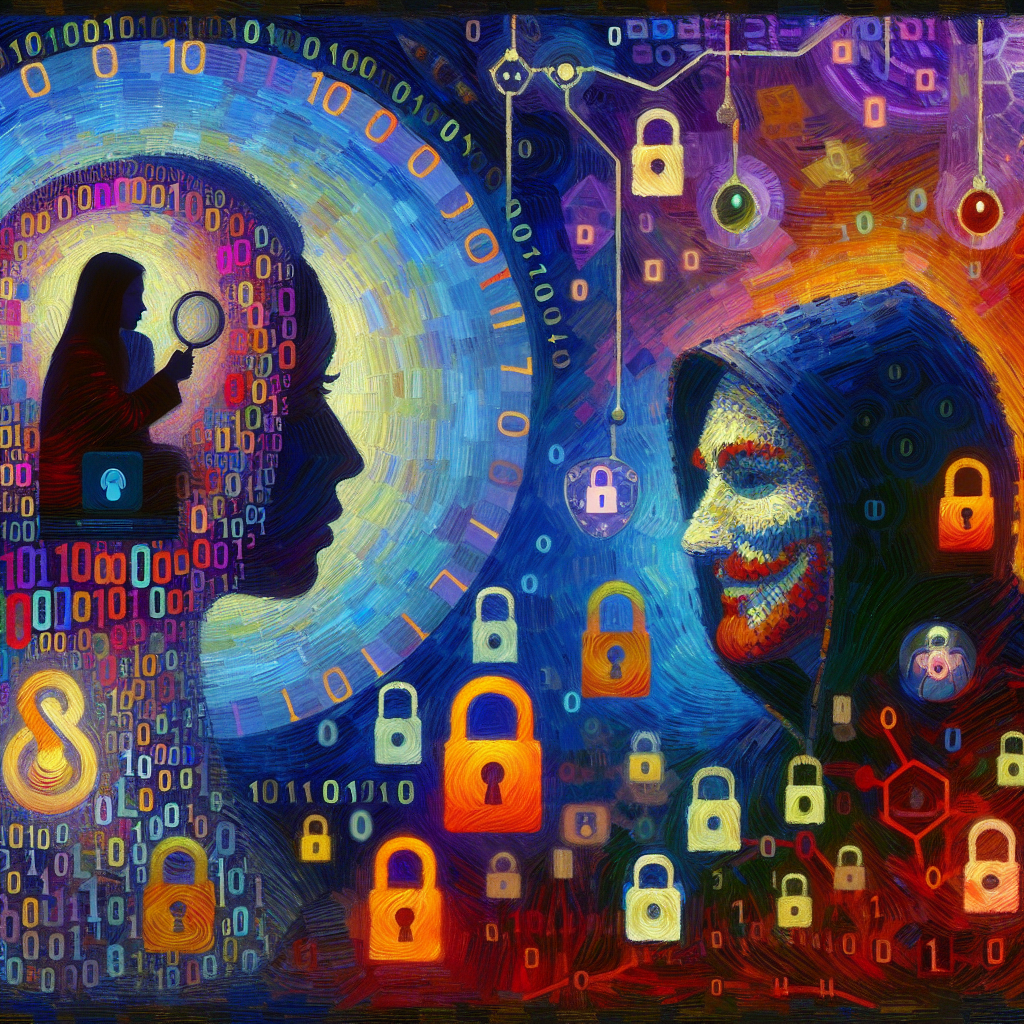
Are Your Online Accounts Secure From Cyber Threats?
Are Your Online Accounts Secure From Cyber Threats?
- Safeguarding online accounts is crucial in today’s digital age.
- Treat your login information like valuable treasures and use strong, unique passwords.
- Combine strong passwords with two-factor authentication (2FA) for added security.
- Stay informed about the latest cybersecurity threats to adapt your defenses.
- Regularly update software and applications to patch vulnerabilities.
- Avoid phishing attempts by not clicking on links or downloading files from unknown sources.
- Embrace proactive cybersecurity habits to protect your virtual assets.

Are Your Online Accounts Secure From Cyber Threats?
How Can Seniors Protect Their Personal Data?
In today’s digital world, seniors are increasingly finding themselves on the front lines of cybersecurity battles, whether they realize it or not. With the rapid advancement of technology, our personal data has become one of the most valuable commodities out there—making it crucial that we protect our information just like we would safeguard our own homes.
First and foremost, education is key. Seniors should take the time to familiarize themselves with the basics of cybersecurity. This doesn’t mean they have to become tech wizards, but learning about common threats—such as phishing scams or identity theft—can be incredibly empowering. Understanding the risks is the first step in safeguarding personal data. For instance, if you receive an email from a seemingly legitimate source asking for sensitive information, don’t be quick to click that link. Sometimes, your instincts are all you need.
Next, using strong passwords is non-negotiable. A password is your first defense in the cybersecurity line of fire. So, create them long and complex. A mix of letters, numbers, and symbols will do wonders in keeping your accounts secure. Think about it as a lock on your front door—do you want a flimsy one or something that can withstand a little rough handling? And remember to change those passwords regularly. Just like you wouldn’t keep the same keys to your house forever, don’t let your online access be an open invitation for trouble.
Be wise about the information you share online. Social media is a wonderful tool for staying in touch with friends family, but it can also be a gold mine for cybercriminals. Limit personal disclosures such as your location, birth date, or even your pet’s name. Every piece of information can be pieced together for identity theft, so keep that data close to your chest.
Lastly, keep software updated. This is more than just an annoying reminder; it’s a crucial aspect of cybersecurity. Updates often contain vital security patches that protect you from the latest threats. Just as you would keep the locks on your doors in good shape, maintaining your software can make all the difference in keeping unwanted intrusions at bay.
In short, protecting personal data isn’t just about understanding technology—it’s about taking proactive steps. With a little vigilance and some smart strategies, seniors can navigate the digital landscape without fear, fully enjoying the freedom that technology brings. After all, your personal data deserves as much care and attention as any treasured belonging.

How Can Seniors Protect Their Personal Data?
How Can Seniors Protect Their Personal Data?
- Seniors are increasingly involved in cybersecurity as personal data becomes a valuable target for cybercriminals.
- Education is essential; seniors should learn about common cybersecurity threats like phishing and identity theft.
- Strong and complex passwords are vital; they serve as the first line of defense against cyberattacks.
- Change passwords regularly to maintain security, similar to changing the keys to your home.
- Be cautious about the information shared online, as social media can provide valuable data for identity theft.
- Keep software updated to protect against the latest security threats through vital patches.
- Protecting personal data involves proactive measures and vigilance, allowing seniors to enjoy technology safely.

How Can Seniors Protect Their Personal Data?
What Are Common Online Scams Targeting Seniors?
As we dive into this crucial topic, let’s face a sobering reality: the digital landscape is a double-edged sword. While it offers convenience and connection, it’s also teeming with traps set specifically for the unwary—especially our seniors. Sadly, these crafty scams often rely on age-old tricks, but they’ve been dressed up in digital attire. Let’s break down the most common scams, shall we?
First up, we have the classic lottery scam. Imagine receiving a notification that you’ve won a grand prize in a lottery you never entered. These messages often look official, complete with logos and fine print, making it easy to fall for the ruse. The catch? You’ll need to pay upfront fees or provide personal information to claim your nonexistent winnings. Spoiler alert: if you didn’t buy a ticket, you didn’t win.
Next on the list, we can’t ignore the phishing scams—those deceptive emails or messages that appear to come from trusted sources. They might pretend to be your bank, asking you to verify your account details or update your password. With cybersecurity breaches happening all the time, hackers are getting savvier. Even the most tech-savvy among us can get caught off guard. Unfortunately, seniors often get targeted, with fraudsters counting on their good hearts and trust in authority.
Now, let’s talk about the ever-persistent tech support scam. This one revolves around a phone call or pop-up message claiming your computer has a virus. Before you know it, the scammer has convinced you to grant remote access to your system or pay for unnecessary services. It’s a diabolical twist on fear-mongering, taking advantage of the unsurety that many feel in this tech-driven age.
And we can’t forget about the romance scam. The internet can be a lonely place, and con artists often exploit that vulnerability. Seniors looking for companionship may be wooed online by someone who seems perfect—only to discover too late that the charmer is asking for money under false pretenses.
Finally, let’s highlight the grandparent scam. A call comes in claiming to be your grandchild in a tight spot, urgently needing funds for bail or medical fees. In the emotion of the moment, it can be all too easy to skip the details and send money without a second thought.
Staying informed and vigilant is key in avoiding these scams. A little skepticism can go a long way in this digital world, and remembering to verify any seemingly urgent requests can help keep your hard-earned money right where it belongs—in your pocket.

What Are Common Online Scams Targeting Seniors?
What Are Common Online Scams Targeting Seniors?
- The digital landscape offers both convenience and traps, particularly for seniors.
- Classic lottery scams involve notifications of winnings for tickets never purchased, often requiring upfront fees or personal information.
- Phishing scams mimic trusted sources, such as banks, asking for account details or password updates, targeting seniors’ trust.
- Tech support scams involve calls or messages claiming a computer virus, leading victims to grant remote access or pay for unnecessary services.
- Romance scams exploit loneliness, luring seniors into false relationships that ultimately ask for money.
- The grandparent scam involves callers pretending to be grandchildren in urgent need of money, catching seniors off guard emotionally.
- Staying informed, vigilant, and skeptical is essential to avoid falling victim to these scams.

What Are Common Online Scams Targeting Seniors?
Are Phishing Emails A Significant Risk For Older Adults?
In today’s tech-driven landscape, the term “cybersecurity” has become a household word, but it doesn’t come without its share of threats. Among these, phishing emails stand out, weaving a web of deception that can be particularly daunting for older adults. These emails aren’t just inconvenient; they pose a significant risk that can lead to financial loss, identity theft, and emotional distress.
Imagine an email landing in your inbox that looks perfectly legitimate. It may carry the logo of a bank, a familiar retailer, or even a government agency, aiming to catch the unsuspecting eye. The sender wants nothing more than to extract personal information. For some, recognizing these fake communications is second nature, but for others—especially older adults—deciphering the difference can be a challenge.
Older adults, often more trusting or less tech-savvy, can fall into the trap of believing that these digital communication methods are just as safe as a face-to-face conversation. Many have grown up in an age where reliable information came from a handshake, not an email address. The transition to a world where a click of the mouse can lead to disaster is daunting. This demographic may not be as familiar with the signs of phishing attacks—such as suspicious links, poor grammar, or an urgent call for action—as younger generations who have been raised in the digital age.
The consequences are real. Once a victim clicks that link, the ramifications can spiral out of control. From drained bank accounts to spiraling credit scores, the impact of phishing can be catastrophic, both financially and emotionally. Older adults often have more to lose, resulting in a sense of vulnerability that can be hard to shake.
However, there’s hope. Education and awareness are vital in the fight against phishing. Families and communities must rally together, empowering older adults with the knowledge to recognize these deceitful emails. Simple strategies—like hovering over links to check URLs, verifying suspicious communications through direct contact, and regularly updating software—can go a long way in bolstering their cybersecurity defenses.
While phishing emails make a compelling case for the fragility of the digital realm, they also remind us of the importance of vigilance. If we can equip older adults with the tools to navigate these treacherous waters, we can help safeguard not just their financial assets, but their peace of mind.

Are Phishing Emails A Significant Risk For Older Adults?
Are Phishing Emails A Significant Risk For Older Adults?
- The rise of “cybersecurity” highlights ongoing threats, particularly phishing emails.
- Phishing emails can lead to significant risks such as financial loss, identity theft, and emotional distress, especially for older adults.
- These deceptive emails often appear legitimate, mimicking banks, retailers, or government agencies.
- Older adults may struggle to distinguish phishing attempts due to unfamiliarity with digital communication and technology.
- The consequences of falling victim to phishing can include drained bank accounts and damaged credit scores.
- Education and awareness are key to combating phishing; communities can empower older adults by teaching them recognition strategies.
- Equipping older adults with necessary tools can help protect their financial assets and enhance their overall peace of mind.

Are Phishing Emails A Significant Risk For Older Adults?
How Can Seniors Recognize A Suspicious Website?
Navigating the digital landscape is a bit like walking across a rickety old bridge—one wrong step, and it could all come crashing down. For seniors, the journey through the vast world of the internet can be particularly treacherous. With the rising tide of cyber threats, it’s essential to have a keen eye for spotting suspicious websites. After all, a little knowledge goes a long way in the realm of cybersecurity.
First and foremost, pay attention to the website’s URL. A legitimate site usually has a secure connection, indicated by “https://” at the beginning of the URL, rather than just “http://.” The “s” signifies that the site is using a security layer to encrypt data. If that “s” is missing, consider it a red flag. Always remember, if the URL looks off or has strange characters, it’s best to avoid clicking on it.
Next, look for signs of professionalism. A well-designed website with clear navigation, quality images, and error-free text can indicate that the site is reputable. On the other hand, if you encounter a site that’s cluttered, misspelled, or filled with broken links, it might be time to turn back. Cybersecurity begins with recognizing the difference between a polished appearance and a haphazard effort.
Moreover, check for contact information on the website. Established businesses often provide a physical address, phone number, or customer support options. If you can’t find any means to reach out to the website owners, that’s a significant indicator of potential fraud. Remember, reputable companies are always open to dialogue.
Never underestimate the power of reviews and recommendations. If you’re unsure about a site, a quick search for customer reviews can shed light on its credibility. Be wary of overwhelmingly positive feedback with no substance—sometimes, fake reviews pop up like weeds in a garden. Genuine reviews often include a mix of experiences.
Lastly, trust your instincts. If something feels off about a site—a product that seems too good to be true or a deal that sounds jaw-droppingly low—don’t hesitate to do more research. Cybersecurity isn’t just about technology; it’s about being vigilant and questioning what you see.
In a world where the internet connects us all but also exposes us to threats, seniors must develop a critical eye. By following these simple guidelines, you can navigate the web more safely and confidently.

How Can Seniors Recognize A Suspicious Website?
How Can Seniors Recognize A Suspicious Website?
- Navigating the internet is challenging for seniors due to cyber threats.
- Check the website’s URL for security; “https://” indicates a secure connection.
- Look for professionalism in website design; cluttered and error-filled sites may be untrustworthy.
- Verify contact information to ensure reputable businesses provide means of communication.
- Research customer reviews, but be cautious of overly positive or fake feedback.
- Trust your instincts; investigate if something seems too good to be true.
- Develop a critical eye to navigate the web safely and confidently.

How Can Seniors Recognize A Suspicious Website?
What Steps Should Seniors Take If Their Information Is Compromised?
Alright, folks, let’s get down to brass tacks. If you’ve discovered that your information has been compromised, the first thing you need to do is take a deep breath. It may feel overwhelming, but there are clear steps you can follow to regain your footing and secure your data. Cybersecurity isn’t just a buzzword; it’s your digital armor. Let’s dive in.
1. Assess the Situation
Start by determining what information was compromised. Was it just your email, or did they snag your Social Security number and banking info? Knowing what you’re dealing with is crucial. Check your accounts for unusual activity. If something doesn’t feel right, it probably isn’t.
2. Change Your Passwords
Next on the list is password security. Change passwords for all your online accounts—using strong, unique passwords for each one. It’s no longer enough to use “123456.” Get creative and unpredictable. If the thought of remembering all these passwords seems daunting, consider using a password manager. Think of it like a digital vault where your keys are stored safely.
3. Monitor Financial Statements
Keep an eagle eye on your bank and credit card statements. Report any suspicious transactions to your bank immediately. They’re usually happy to help, and many institutions have policies in place to protect you from fraud. Don’t just sit back—take action!
4. Notify Financial Institutions
If your credit card or bank information was compromised, notify your financial institutions right away. They can place alerts on your accounts and offer additional protective measures. Being proactive can save you a world of hurt down the line.
5. Sign Up for Identity Theft Protection
Consider enrolling in an identity theft protection service. These services can help monitor your information and alert you to potential risks. While it’s another expense, think of it as an investment in your peace of mind.
6. Report the Incident
If you believe you’re a victim of identity theft, it’s crucial to file a report with your local police department. This may feel daunting, but having a formal report can be beneficial if you need to dispute fraudulent activities later on. Also, report the theft to the Federal Trade Commission (FTC) at IdentityTheft.gov.
Remember, you’re not alone in this. Cybersecurity threats are growing, but arming yourself with knowledge and taking immediate action can make all the difference. Stay vigilant, and don’t hesitate to reach out for help when you need it. The only way to win the game of digital safety is to play smart.

What Steps Should Seniors Take If Their Information Is Compromised?
What Steps Should Seniors Take If Their Information Is Compromised?
- Take a deep breath if you discover your information has been compromised.
- Assess the situation by determining what information was compromised and checking for unusual activity.
- Change passwords for all online accounts, using strong and unique passwords; consider a password manager.
- Monitor bank and credit card statements closely, reporting suspicious transactions immediately.
- Notify financial institutions if your account information was compromised for added protective measures.
- Consider enrolling in identity theft protection services to monitor and alert you to potential risks.
- Report identity theft to your local police and the Federal Trade Commission at IdentityTheft.gov.

What Steps Should Seniors Take If Their Information Is Compromised?
How Can Family Members Assist Seniors With Online Safety?
In today’s digital age, navigating the vast online world can be just as treacherous as hiking a rugged mountain trail without a map. For seniors, who may not be as tech-savvy, this landscape presents real challenges. That’s where family members step in to serve as guides, helping their loved ones enhance their cybersecurity without making it feel like rocket science.
First off, communication is key. Sit down with your senior family member and discuss the importance of online safety. Explain what cybersecurity really means. It’s not just some buzzword; it’s about protecting personal information from the ever-increasing number of online predators who lurk in the shadows. By framing the conversation in relatable terms, you’re likely to spark interest rather than instill fear.
Next, tackle the basics. Start by helping them create strong, unique passwords. It’s like teaching someone how to lock their doors at night—every door should have a distinct key. Show them how to use a password manager, which simplifies remembering multiple passwords while also keeping them safe. You can even assist them in setting up two-factor authentication on accounts. Think of it as an extra security guard for their most treasured possessions.
Also, educate them about recognizing phishing attempts. Many seniors may not be familiar with common scams that masquerade as legitimate emails or messages. Take time to walk them through examples, and encourage them to be skeptical of anything that seems too good to be true. Reinforce the idea that it’s perfectly acceptable to hit “delete” or ignore messages that raise their suspicions.
Moreover, ensure their devices are regularly updated. Software updates often include crucial security patches—think of them as protective armor against digital threats. Offer to manage updates for them, or set up reminders for when it’s time to do so.
Finally, encourage safe browsing habits. Remind them to stick to well-known websites and to look for “https” in the URL—it’s like a digital handshake confirming a trusted environment. If they enjoy sharing memories or photos on social media, explain privacy settings and let them know not everyone needs to see every detail of their lives.
By taking an active role in teaching online safety, family members become vital allies in enhancing a senior’s cybersecurity. The goal is to empower rather than overwhelm, turning an intimidating task into a shared adventure in learning. After all, it’s not just about staying safe online; it’s about enjoying the ride together.

How Can Family Members Assist Seniors With Online Safety?
How Can Family Members Assist Seniors With Online Safety?
- Navigating the online world can be challenging for seniors who lack tech-savviness.
- Family members play a crucial role as guides in enhancing seniors’ cybersecurity.
- Effective communication about online safety is essential; explain cybersecurity in relatable terms.
- Teach seniors to create strong, unique passwords and use password managers for security.
- Educate them on recognizing phishing attempts and the importance of skepticism regarding suspicious messages.
- Ensure regular software updates to protect against digital threats.
- Encourage safe browsing habits and awareness of privacy settings on social media.

How Can Family Members Assist Seniors With Online Safety?
Conclusion
As we wrap up our journey into the digital battleground that seniors face in today’s tech-driven society, let’s take a moment to reflect on what we’ve learned. The world has morphed into a complex network of conveniences that, while designed to enhance our lives, have also opened the door for unsavory characters lurking just out of sight. For our seniors—those who’ve spent their lives mastering their crafts and living rich lives—this can be overwhelming. The notion of cybersecurity can amplify the stress of navigating change, especially when it’s coupled with the risks posed by cybercriminals who are more than willing to exploit naivety.
Our good friends, the senior citizens, have unique vulnerabilities that we’ve come to recognize. Scammers and hackers don’t require masks or getaway vehicles; all they need is a computer and an understanding of human psychology. They prey on trust, creating intricate traps disguised as innocuous emails or phone calls. The evolution of phishing has made it more essential than ever for seniors to be educated about these threats and equipped with the skills needed to spot deception.
So, how do we protect the golden years of our beloved elders? First and foremost, education is our most potent weapon. It may take some time, but patience is a virtue. Teach seniors to recognize common scams, encourage them to use strong, unique passwords, and reinforce the importance of regular software updates. Just as they wouldn’t leave their front doors unlocked, they shouldn’t leave their digital doors ajar.
Next up is communication. Family members should step up and help guide them through the digital jungle. Going over examples of phishing emails together or discussing safe browsing habits can build their confidence. Remember, the goal isn’t just to keep them safe—it’s to empower them to navigate this new digital landscape independently.
In the end, safeguarding against cyber threats is as much about a mindset as it is about technical know-how. It’s about encouraging vigilance, skepticism, and a willingness to learn. By treating cybersecurity as a shared adventure rather than a daunting challenge, we can help our seniors not only survive in this digital age but thrive. So let’s get to it—together, we can turn this digital battleground into a safe haven for all.

Conclusion
Conclusion:
- The digital world presents both conveniences and risks for seniors, making it critical to understand cybersecurity threats.
- Seniors have unique vulnerabilities, often targeted by scammers who exploit trust through deceptive tactics such as phishing.
- Education is key in empowering seniors to recognize and respond to potential scams and threats.
- Building strong cybersecurity habits includes using unique passwords and regularly updating software.
- Open communication between seniors and family members is essential for guiding them through digital challenges.
- Encouraging seniors to be vigilant and skeptical fosters a proactive mindset towards cybersecurity.
- By viewing cybersecurity as a shared journey, we can help seniors thrive in the digital landscape.

Conclusion
Other Resources

Other Resources
Here is a list of other resources you can review online to learn more:
- Cofense
- ACE IT Solutions
- Velo ITG Holdings
- Trustwave
- Sennovate
- Agile1
- GM Security Solutions
- Cognizant
- Kudelski Security
- Diigo
Use This Prompt To Get More Resources With Your Favorite Online AI Tool: Please provide me with a list of online articles with their URLs in a bulleted list that I can read regarding Are You Aware Of The Cyber Threats Targeting Seniors Now?

Other Resources
Glossary Terms
Are You Aware Of The Cyber Threats Targeting Seniors Now? – Glossary Of Terms
1. Phishing: A fraudulent attempt to obtain sensitive information (like usernames, passwords, and credit card details) by masquerading as a trustworthy entity in electronic communication.
2. Spear Phishing: A targeted form of phishing where attackers tailor their messages to a specific individual or organization, often using personal information.
3. Ransomware: Malicious software that encrypts a victim’s files and demands a ransom payment to restore access.
4. Malware: Any software intentionally designed to cause damage to a computer, server, or network, including viruses, worms, and ransomware.
5. Trojan Horse: A type of malware that disguises itself as a legitimate application but grants unauthorized access to the user’s device.
6. Scam: A fraudulent scheme designed to con individuals into giving away money or personal information, often through promises of rewards.
7. Identity Theft: The unauthorized use of someone else’s personal information, often for financial gain, such as opening credit accounts in their name.
8. Social Engineering: Psychological manipulation that tricks individuals into disclosing confidential information, usually by pretending to be someone they trust.
9. Spyware: Software that secretly monitors a user’s activities, collecting information without their knowledge.
10. Adware: Software that automatically displays or downloads advertisements when a user is online, sometimes bundled with spyware.
11. Two-Factor Authentication (2FA): An extra layer of security that enhances security by requiring two forms of verification before gaining access to an account.
12. Firewall: A security system that monitors and controls incoming and outgoing network traffic based on predetermined security rules.
13. VPN (Virtual Private Network): A service that creates a secure tunnel over the internet, protecting users’ privacy and data from cyber threats.
14. Data Breach: An incident where unauthorized individuals gain access to sensitive, protected, or confidential data, often resulting in data loss.
15. Rootkit: A collection of software tools that allow an unauthorized user to maintain access to a computer while concealing their presence.
16. Botnet: A network of infected computers controlled by a cybercriminal to perform tasks such as sending spam or launching attacks.
17. Credential Stuffing: An attack method where stolen username-password pairs are used to gain unauthorized access to users’ accounts on different services.
18. Encryption: The process of converting data into a code to prevent unauthorized access, ensuring confidentiality and integrity of information.
19. Patch Management: The process of managing updates for software applications and technologies to fix vulnerabilities and improve security.
20. Online Fraud: Deceptive practices executed over the internet with the intent of financial or personal gain, including romance scams and auction fraud.
21. Elder Exploitation: Crimes that target older adults, often involving scams, financial abuse, or fraudulent schemes to manipulate or coerce them.
22. Tech Support Scam: A fraudulent scheme where scammers pose as tech support and convince victims to pay for unnecessary services or allow remote access.
23. Social Media Scams: Deceitful tactics used on social platforms to trick users into revealing personal information or sending money under false pretenses.
24. Online Privacy: The concept of personal data protection and the ability to control who has access to one’s digital information.
25. Internet Safety: The practice of protecting oneself while using the internet, including being aware of potential threats and practicing safe online habits.
26. Spam: Unsolicited messages, often commercial in nature, sent in bulk to users’ inboxes, which can include phishing attempts.
27. Digital Footprint: The trail of data individuals leave behind while using the internet, including websites visited, email communications, and social media posts.
28. Cyberbullying: The use of electronic communication to bully a person, typically through the use of threatening messages, which can also affect seniors.
29. Smishing: A type of phishing attack conducted via SMS text messages, where attackers trick recipients into disclosing personal information.
30. Cyber Hygiene: The practices and steps users take to maintain the health and security of their devices and prevent cyber threats.

Glossary Of Terms
Other Questions
Are You Aware Of The Cyber Threats Targeting Seniors Now? – Other Questions
If you wish to explore and discover more, consider looking for answers to these questions:
- What are the signs that a senior may be falling victim to a cyber scam?
- How can seniors identify reputable sources for cybersecurity training?
- What are the consequences of identity theft for seniors?
- What resources are available for seniors seeking help with technology?
- How can caregivers support seniors in maintaining cybersecurity?
- What are some cybersecurity tools specifically designed for seniors?
- How often should seniors update their passwords and other security measures?
- What steps should seniors take if they suspect they’ve been scammed?
- What are the best practices for social media use among seniors?
- How can family members help raise awareness about the risks of online scams?
- What are some common misconceptions that seniors have about online safety?
- How do national and local organizations support cybersecurity education for seniors?

Other Questions
Haiku
Are You Aware Of The Cyber Threats Targeting Seniors Now? – A Haiku
Seniors online face,
Hidden threats in shadows creep,
Awareness must grow.

Haiku
Poem
Are You Aware Of The Cyber Threats Targeting Seniors Now? – A Poem
In a world where screens glow bright,
Seniors tread a cautious plight.
Once carefree in twilight’s gleam,
Now navigating a digital stream.
From phishing traps, they must discern,
Emails masked with ill intent’s burn.
Those friendly waves can churn to dread,
If clicked too soon, their trust misled.
Oh, savvy they are in life’s embrace,
Yet the web’s complex, a daunting place.
With voice support, or tech’s false charm,
Manipulators weave their harmful yarn.
A treasure trove, their hearts laid bare,
Cyber thieves with chilling stare.
“Won this lottery!” or “Your account’s at risk,”
Promises sweet, but an evil twist.
Passwords strong, a fortress stand,
Unique keys for each opened hand.
Softwares patched, updates galore,
To close the gaps and thwart the score.
Family guides, with compassion’s grace,
Help them traverse this perilous space.
Conversations flow, awareness grows,
In unity, a sturdy shield bestows.
So let us rise, with vigilant eyes,
To guard our elders from the cyber lies.
In knowledge and care, their safety we’ll weave,
Empowering each day they choose to believe.
For in the digital world, though shadows blend,
Together we can light the path, and defend.
With love and wisdom, they’ll reclaim their way,
Navigating the online fray, come what may.

Poem
Checklist
Are You Aware Of The Cyber Threats Targeting Seniors Now? – A Checklist
1. Education and Awareness
_____ Discuss the importance of cybersecurity with seniors.
_____ Introduce common scams (e. g. , phishing, lottery scams, tech support scams).
_____ Provide examples of suspicious emails and messages.
2. Creating Strong Passwords
_____ Help seniors create strong, unique passwords for each account.
_____ Suggest using a mix of letters, numbers, and symbols.
_____ Teach them about password managers to store passwords securely.
3. Implementing Two-Factor Authentication (2FA)
_____ Assist in setting up 2FA for online accounts.
_____ Explain how it adds an extra layer of security.
4. Recognizing Phishing Attempts
_____ Teach seniors to hover over links to check URLs.
_____ Explain the signs of a phishing email (poor grammar, urgent requests).
_____ Encourage skepticism towards unexpected requests for personal information.
5. Regular Software Updates
_____ Stress the importance of keeping software and applications updated.
_____ Assist with setting reminders for updates or manage them regularly.
6. Safe Browsing Practices
_____ Encourage use of reputable, well-known websites.
_____ Teach identification of secure URLs (look for “https”).
_____ Explain the risks of public Wi-Fi and the importance of using secure connections.
7. Monitoring Financial Accounts
_____ Encourage regular checks of bank and credit card statements.
_____ Prompt reporting of any suspicious activity to financial institutions.
8. Handling Compromised Information
_____ Outline steps to take if personal information is compromised:
_____ Assess what information was affected.
_____ Change passwords.
_____ Notify banks and credit card companies.
_____ Consider identity theft protection services.
9. Communicating Openly
_____ Maintain an open line of communication about online experiences and challenges.
_____ Reassure seniors that they can seek help when unsure.
10. Encouraging Safe Sharing on Social Media
_____ Discuss privacy settings on social media.
_____ Advise on limiting personal information shared publicly.
11. Empowering Responsibility
_____ Encourage seniors to ask questions when unsure about online interactions.
_____ Promote confidence in their ability to navigate the digital landscape safely.
Final Note: This checklist serves as a guideline for protecting seniors against cyber threats. Stay engaged and supportive, fostering a culture of vigilance and awareness to keep them safer online.

Checklist
At BestCyberSecurityNews, we help teach entrepreneurs and solopreneurs the basics of cybersecurity and its impact on their businesses by using simple concepts to explain difficult challenges.
Please read and share any of the articles you find here on BestCyberSecurityNews with your friends, family, and business associates.