


Stay Safe: Tips For Seniors Navigating The Internet
By Tom Seest
At BestCyberSecurityNews, we help teach entrepreneurs and solopreneurs the basics of cybersecurity and its impact on their businesses by using simple concepts to explain difficult challenges.
Please read and share any of the articles you find here on BestCyberSecurityNews with your friends, family, and business associates.
How Can Your Elderly Family Members Protect Themselves Online?
In our fast-paced digital world, the internet can sometimes feel like a wild frontier, especially for our elderly family members. As we push our limits in this brave new digital age, it’s crucial to arm them with the knowledge and skills needed to navigate their online experiences safely. Cybersecurity isn’t just the latest buzzword—it’s a necessity. And understanding a few basic principles can go a long way in protecting them from the dangers lurking in the shadows of the web.
First things first: passwords. They’re often the first line of defense in any cybersecurity strategy. Encourage them to use strong, unique passwords for every account. Think of it this way: would you leave your front door wide open just because you trust your neighbors? No, you wouldn’t! Teach your loved ones to think equally critically about their digital “front doors.” Use a mix of letters, numbers, and special characters, and advise them to change passwords regularly—not just when they hear a scary news story.
Next, let’s talk about those pesky phishing emails. These are deceitful little bites that can reel in even the savviest folks. Remind them to be suspicious of unexpected messages, especially those asking for personal info. If it looks fishy, it probably is. Just because an email says it’s from a bank doesn’t mean it’s actually from their bank. Make sure they know: when in doubt, throw it out—don’t click!
Another important aspect of cybersecurity is software updates. Just like oil changes for our cars, keeping software up to date is essential for maintaining security. Encourage them to enable automatic updates on their devices. This helps ensure they have the latest protections against online threats, which can evolve as quickly as a jackrabbit. And if they’re unsure about a prompt to update, remind them that asking a trusted relative for guidance is always a smart move.
Finally, teaching them to recognize the importance of privacy settings on social media can significantly improve their online security. Remind them that not everyone needs to know their life story, and it’s perfectly okay to keep certain things close to the vest. By controlling what they share and with whom, they can better protect their personal information.
These simple practices can dramatically reduce the risks elderly family members face online. A little education goes a long way in ensuring they can enjoy the vast resources of the internet while safely navigating its potential pitfalls. Let’s help them hold the reins firmly on this digital journey!

How Can Your Elderly Family Members Protect Themselves Online?
How Can Your Elderly Family Members Protect Themselves Online?
- The internet can be overwhelming for elderly family members; it’s essential to equip them with cybersecurity knowledge and skills.
- Encourage strong and unique passwords for every account, emphasizing their importance as the first line of defense.
- Advise them to be cautious of phishing emails and to trust their instincts—if something seems off, it probably is.
- Stress the importance of keeping software up to date by enabling automatic updates on their devices.
- Teach them to recognize and manage privacy settings on social media to protect their personal information.
- Implementing these practices can significantly reduce online risks for the elderly.
- Education empowers them to navigate the internet safely and enjoy its vast resources.

How Can Your Elderly Family Members Protect Themselves Online?
Table Of Contents
- How Can Your Elderly Family Members Protect Themselves Online?
- How Can Elderly Family Members Identify Online Scams?
- What Are The Signs Of Phishing Emails?
- How Can Seniors Create Strong Passwords?
- How Can Elderly Users Keep Their Software Updated?
- What Privacy Settings Should Seniors Know About?
- How Can Elderly Individuals Recognize Safe Websites?
- What Role Does Antivirus Software Play For Seniors?
- Conclusion
- Other Resources
- Glossary Of Terms
- Other Questions
- Haiku
- Poem
- Checklist
How Can Elderly Family Members Identify Online Scams?
In today’s fast-paced digital world, where online scams lurk around every corner like a mischievous raccoon rummaging through your trash, elderly family members can find themselves in precarious situations if they’re not careful. What’s needed is a blend of caution, awareness, and a little bit of common sense. Let me shed some light on how our older relatives can steer clear of the digital minefields.
First things first, it’s all about recognizing the warning signs. Online scams often come with a sense of urgency that’s as overblown as a late-night infomercial pitch. If an email or message claims you’ve won a prize or that you must act immediately to prevent dire consequences, it’s time to raise that proverbial red flag. Legitimate organizations don’t typically pressure you, and they definitely won’t request sensitive information like your Social Security number or banking details via email.
Next up: the age-old mantra, “If it seems too good to be true, it probably is.” Scammers love to dangle attractively sweet deals that should make anyone stop and think. Take, for instance, a too-good-to-be-true investment opportunity promising sky-high returns with little risk. Remember, in the world of cybersecurity, there’s no magic bullet or golden ticket that brings riches overnight.
Now, let’s talk about the kingpin of online scams: phishing. This doesn’t involve actual fishing rods or bait; instead, it’s all about luring in unsuspecting individuals through deceptive emails or websites. Always scrutinize those URLs before clicking. Look for misspellings, unusual domains, or anything that seems off. A legitimate website is rarely going to be “bank-your-money123.com.”
Education is also a powerful tool in cybersecurity. Encourage your elderly family members to partake in workshops or online courses tailored to cybersecurity awareness. The more knowledge they acquire, the less likely they are to fall prey to deceptive tactics.
Lastly, it’s essential to have an open dialogue. Remind them that it’s okay to seek help or show skepticism about something that doesn’t sit right. Honest discussions about suspicious messages can lead to insights and safer online practices.
It all boils down to vigilance, education, and a pinch of common sense. Help your elderly family members navigate the murky waters of the internet so they can stay safe while enjoying the benefits that technology has to offer. And remember, in this digital age, we’re all a little more connected, but that also means we need to be a little more careful.

How Can Elderly Family Members Identify Online Scams?
How Can Elderly Family Members Identify Online Scams?
- Online scams are prevalent and require caution, awareness, and common sense, especially for the elderly.
- Recognizing warning signs is crucial; scams often create a false sense of urgency.
- If something seems too good to be true, it likely is, particularly in investment opportunities.
- Phishing scams use deceptive emails and websites to lure victims; always check URLs for authenticity.
- Encourage elderly family members to attend cybersecurity workshops or online courses.
- Maintain open communication; encourage them to ask for help or express skepticism about suspicious messages.
- Overall, vigilance, education, and common sense are essential to safe internet navigation.

How Can Elderly Family Members Identify Online Scams?
What Are The Signs Of Phishing Emails?
When it comes to cybersecurity, one of the biggest threats lurking in your inbox is the good old-fashioned phishing email. Much like a crafty fisherman casting a line, cybercriminals are always looking to snag unsuspecting targets. But before you bite the hook, it’s essential to know what signs to watch for.
First off, let’s talk about the sender. If the email comes from an unknown address or a strange variation of a legitimate one—perhaps it looks like “support@yourbank.co” instead of “support@yourbank.com”—that’s your first red flag waving in the breeze. Don’t let familiarity breed complacency. If you get an email from your “friend” informing you about a fantastic deal on a product you’ve never heard of, pause and take a closer look.
Next up is the tone of the email. Phishing emails often employ urgency, pressuring you to act quickly. You might see phrases like “Immediate action required” or “Your account will be suspended if you don’t respond.” Legitimate communication from service providers usually doesn’t include heavy-handed tactics intended to scare you into a quick response.
Then there’s the content itself. Look for odd language or several spelling and grammatical errors. Professional organizations typically take pride in their communications. If it sounds like it was written by someone who’s never picked up a dictionary, it’s best to steer clear. Additionally, be suspicious of uncommon requests for personal information. Most reputable companies won’t ask you to provide sensitive data like passwords or Social Security numbers via email.
Another common tactic is including suspicious links or attachments. Hover over links without clicking; if the URL doesn’t look right or directs you to an unexpected page, that’s a strong indication of a phishing scheme. Similarly, don’t download attachments unless you’re 100% certain of the source; they could be loaded with malware.
Lastly, take note of any suspicious offers or deals. If it sounds too good to be true, it probably is. Cybersecurity experts constantly warn us about the bait—free gift cards, fabulous vacations, or deeply discounted pharmaceuticals. These too are often bait in a deceptive game.
Understanding these signs will arm you with the knowledge you need to defend against phishing attempts. Keep your guard up, and remember, the safest email is the one you don’t open unless you’re entirely certain about the source.

What Are The Signs Of Phishing Emails?
What Are The Signs Of Phishing Emails?
- Phishing emails are a prevalent threat in cybersecurity, resembling crafty fishing tactics.
- Be wary of the sender’s email address; unknown or suspicious variations of legitimate addresses are red flags.
- Watch for urgency in the tone of the email, as phishing attempts often pressure you to act quickly.
- Check for odd language or grammatical errors; reputable organizations strive for professional communication.
- Be suspicious of requests for personal information; legitimate companies typically don’t ask for sensitive data via email.
- Avoid clicking on suspicious links or downloading attachments from unverified sources to prevent malware infections.
- Recognize that unbelievable offers often signal phishing attempts; if it seems too good to be true, it probably is.

What Are The Signs Of Phishing Emails?
How Can Seniors Create Strong Passwords?
When it comes to the world of online interactions, there’s one thing that’s become abundantly clear: cybersecurity is no joking matter. And for seniors, understanding how to create strong passwords is as essential as knowing how to use the TV remote. So, let’s break it down and simplify the process without all the technobabble.
First off, let’s talk about the basics. A strong password is your first line of defense in the wild west of the internet. It’s like locking your door before you head out for a day of errands. You wouldn’t leave your home wide open, right? The same mindset applies to your online presence. Now, what makes a good password? Think of it as a combination of a secret recipe that only you know.
Here’s a solid rule of thumb: mix it up! A strong password should include uppercase letters, lowercase letters, numbers, and symbols. A simple phrase can serve as a solid starting point. Take something meaningful to you—perhaps a favorite line from a song or even a family catchphrase. Now jazz it up! Transform “I love to garden!” into “I❤️2G@rden!” By doing this, you’ve not only kept it personal, but you’ve also made it tougher for anyone aiming to crack the code.
Moreover, avoid anything that’s too obvious. Steer clear of birthdays, anniversaries, or any sequence that could be easily guessed, like “123456.” You might think it’s cute or convenient, but it’s as inviting as leaving a welcome mat for cyber miscreants. Instead, think of a phrase that only you connect to—a nickname, a memorable vacation spot, or even a cherished pet’s name—but manipulate it a bit with substitutions.
And let’s not forget the cardinal rule of password management: don’t reuse passwords across multiple sites. If one gets compromised, it’s like giving the keys to your entire kingdom! Consider using a password manager, especially for all those online accounts. It’s like having a trusty vault that remembers everything for you, while you focus on savoring your favorite hobbies or catching up with friends.
Finally, remember to change your passwords regularly. Treat it like changing the oil in your car—a little routine maintenance goes a long way in keeping things running smoothly. So, embrace these tips, stay sharp, and keep those online accounts secure. The world of cybersecurity might seem daunting, but with a solid password strategy, you can navigate it with confidence. After all, a bit of caution can lead to a whole lot of peace of mind.
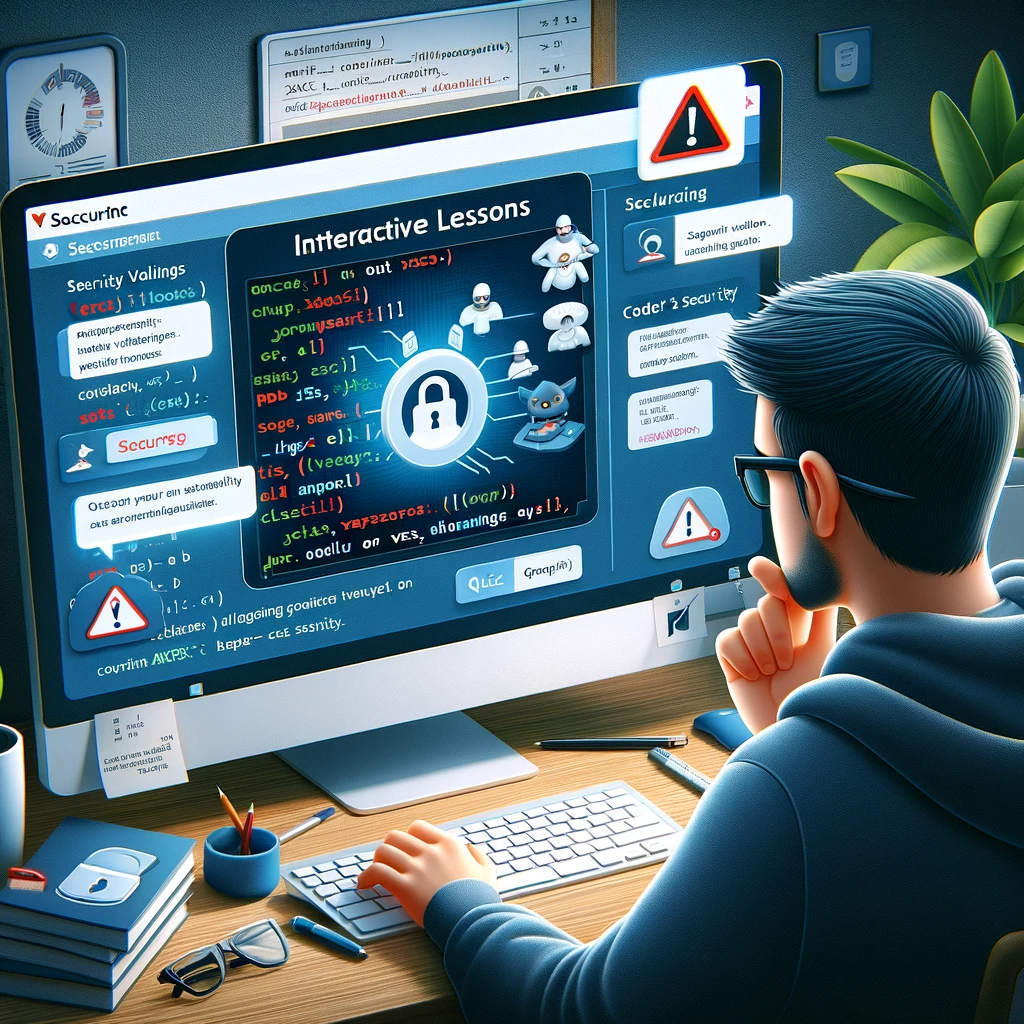
How Can Seniors Create Strong Passwords?
How Can Seniors Create Strong Passwords?
- Cybersecurity is crucial, especially for seniors who must learn to create strong passwords.
- A strong password serves as the first line of defense against online threats, similar to locking your door at home.
- Mix your password components: use uppercase, lowercase, numbers, and symbols for strength.
- Start with a meaningful phrase and enhance it (e.g., “I love to garden!” becomes “I❤️2G@rden!”).
- Avoid obvious passwords such as birthdays or simple sequences like “123456”.
- Never reuse passwords across multiple sites; consider using a password manager for security.
- Regularly change your passwords like routine car maintenance for optimal security.

How Can Seniors Create Strong Passwords?
How Can Elderly Users Keep Their Software Updated?
As technology continues to advance at a breakneck speed, keeping software updated becomes crucial, especially for elderly users. It’s not just about having the latest bells and whistles; it’s a matter of cybersecurity and protecting oneself from threats that lurk around every digital corner. But fear not—updating software doesn’t have to be a daunting task. Here’s a straightforward guide to help seniors navigate this essential process.
First and foremost, understanding the importance of updates is key. Software developers regularly release updates to patch security vulnerabilities and enhance functionality. For older adults who may not feel comfortable with technology, knowing that these updates help protect personal information is a compelling reason to stay on top of their software health.
Next, it helps to establish a regular schedule. Think of it like taking your daily vitamins. Set aside some time each week or month to check for updates. Most operating systems and applications have built-in features that notify users when an update is available. If those notifications feel overwhelming, consider asking a tech-savvy family member or friend to assist with the initial setup.
For those who want to keep it simple, enable automatic updates whenever possible. This feature allows software to update itself in the background without having to think about it. It’s like having someone come in to change the oil without even having to lift the hood. Just make sure to keep a close eye on notifications regarding these updates, as they may require confirmation to install.
Another way to stay safe and updated is to only download software from reputable sources. The internet can be a minefield, filled with malware and phishing scams, so it’s critical to stick with trusted websites. Encourage elderly users to ask questions if they’re unsure—there’s no shame in seeking guidance when navigating the digital world.
Lastly, education plays a vital role. Take the time to go over the basics of software updates—what they are, why they matter, and how to initiate them. Whether through a simple step-by-step guide or by watching video tutorials together, fostering an environment of curiosity can significantly reduce fear and anxiety surrounding technology.
In summary, keeping software updated is a crucial component of digital living and cybersecurity for elderly users. By simplifying the process, establishing routines, enabling automation, and relying on trusted resources, keeping up with updates can be transformed from a chore into a straightforward part of everyday life.

How Can Elderly Users Keep Their Software Updated?
How Can Elderly Users Keep Their Software Updated?
- Software updates are essential for cybersecurity, especially for elderly users.
- Updates fix vulnerabilities and enhance functionality, protecting personal information.
- Establish a regular schedule to check for updates, similar to taking daily vitamins.
- Enable automatic updates to simplify the process and minimize user involvement.
- Only download software from reputable sources to avoid malware and phishing scams.
- Educate seniors about software updates using guides or video tutorials to alleviate anxiety.
- Simplifying the update process can change it from a chore to an easy part of daily life.

How Can Elderly Users Keep Their Software Updated?
What Privacy Settings Should Seniors Know About?
Let’s get straight to it: in today’s digital age, understanding privacy settings is not just a good idea; it’s a necessity—especially for seniors. With technology advancing faster than a summer storm, it’s our responsibility to arm ourselves with the knowledge needed to navigate this online world. One key aspect of this navigation? Cybersecurity.
Imagine walking onto a busy street without looking both ways—sounds risky, right? That’s what it feels like when you jump into social media or online platforms without adjusting your privacy settings. It’s not just about making an account; it’s about protecting your information. Start by reviewing who can see your posts. Most platforms allow you to set your audience to “Friends,” “Friends of Friends,” or even “Public.” If you’re sharing photos from last year’s family reunion, you probably don’t want Uncle Jim’s neighbor peeking at those. Keep it close!
Next up is your personal information. Many platforms ask for details like your birthdate, location, and even your phone number. Sure, it could be fun to connect with others, but consider tightening those settings. Share only what you’re comfortable with. A good rule of thumb? If it feels too personal, it probably shouldn’t be out there, and that includes high school graduation year or your pet’s name.
Another biggie is location settings. It might be tempting to tag your favorite café, but broadcasting your location can invite unwanted attention. Turn off the location services within apps unless it’s absolutely necessary. Trust me; the world doesn’t need to know that you’re sipping coffee at 10 a.m. on a Tuesday!
Lastly, set privacy settings on your messaging apps. Whether you’re using WhatsApp, Facebook Messenger, or whatever’s trending, you can control who can send you messages or view your status updates. Remember, not everyone in your contact list needs to see every little thing.
Now, technology can feel overwhelming. Device features change, apps update their terms faster than you can say “password reset,” and every step forward comes with its own set of risks. But when you take the time to customize your privacy settings, you’re not just safeguarding your information; you’re taking charge. After all, knowledge is power, and setting up solid privacy is the best way to protect yourself in an increasingly connected world.

What Privacy Settings Should Seniors Know About?
What Privacy Settings Should Seniors Know About?
- Understanding privacy settings is crucial for seniors in the digital age.
- Adjusting privacy settings is essential to protect personal information on social media.
- Review the audience settings for your posts to control who can see them.
- Tighten personal information settings by sharing only what you’re comfortable with.
- Be cautious with location settings; disable them unless necessary.
- Set privacy configurations on messaging apps to control who can contact you.
- Customizing privacy settings empowers users to safeguard their information.

What Privacy Settings Should Seniors Know About?
How Can Elderly Individuals Recognize Safe Websites?
In today’s digital world, navigating the internet can feel a bit like wandering through a wild frontier, and for elderly individuals, knowing how to spot safe websites is crucial for avoiding the pitfalls of the online wilderness. We’re talking about cybersecurity here, folks, and this isn’t just tech jargon; it’s your armor against the lurking dangers of the internet.
First things first: look for the padlock icon. You know what I mean. You’re browsing a website, and up in the address bar, there’s a little padlock before the URL. That’s a good sign, signaling that the site uses HTTPS instead of HTTP. HTTPS is like a digital handshake that tells you your data is secure. If you don’t see that padlock, you might want to think twice about entering any personal information.
Next up, check the website’s design and content. A reputable site is often polished and professional. If a webpage looks like it was thrown together in someone’s basement, full of flashing graphics and poor spelling, it might be best to close that tab faster than you can say “phishing scam.” Established businesses typically invest in their online presence, so don’t underestimate the power of a tidy look.
Then there’s the age-old adage: if something seems too good to be true, it probably is. That flashy advertisement offering you a once-in-a-lifetime deal on a luxury cruise? It’s likely a trap. Scam artists prey on the hopeful and unsuspecting, and while a fantastic deal might catch your eye, do a little digging first. Look for customer reviews or third-party sites discussing the business. Transparency is key; trustworthy websites have a presence beyond their own pages.
Also, never underestimate the power of research. Before clicking on a link, take a moment to Google the website’s name along with terms like “scam” or “review.” You’ll be amazed at how much you can learn in just a few minutes. Websites like the Better Business Bureau can be handy allies in your quest for safety.
Lastly, keep your tech up to date. Make sure your devices have the latest security updates and antivirus software. It’s the digital equivalent of locking your front door.
In short, recognizing safe websites is all about staying alert and informed. Trust your instincts, do your homework, and don’t be afraid to ask someone for help if you’re unsure. After all, the internet should serve you, not the other way around. Stay safe out there, and happy browsing!

How Can Elderly Individuals Recognize Safe Websites?
How Can Elderly Individuals Recognize Safe Websites?
- Navigating the internet is crucial for elderly individuals to avoid online dangers.
- Look for the padlock icon in the address bar, indicating the site uses HTTPS for secure data transmission.
- A polished and professional website design is a good indicator of a reputable site.
- Beware of deals that seem too good to be true, as they may be scams.
- Research the website’s name with terms like “scam” or “review” before clicking links.
- Keep your devices updated with the latest security updates and antivirus software for protection.
- Trust your instincts, do your homework, and seek help if unsure about a website’s safety.

How Can Elderly Individuals Recognize Safe Websites?
What Role Does Antivirus Software Play For Seniors?
When you think of technology, the last thing that might come to mind is the sage wisdom of those who’ve weathered many storms—our beloved seniors. In a world increasingly dominated by digital chatter, cybersecurity has become a hot topic, and for good reason. The internet is a minefield, filled with risks and vulnerabilities that could send anyone—not just our elders—spiraling into chaos. That’s where antivirus software steps in like a trusty sidekick, ready to battle the unseen forces lurking in cyberspace.
Now, let’s get one thing straight: antivirus software isn’t a magic bullet. It’s not a guarantee of invulnerability, but it is an essential first line of defense. For seniors navigating the digital landscape, having reliable antivirus software installed is akin to having a sturdy lock on their front door. It provides that extra sense of security, a digital cloak of protection from threats that can roll in faster than a summer storm.
The sophistication of cyber threats has evolved dramatically over the years. Malware, spyware, phishing attacks—you name it, it’s out there knocking on the door. And while savvy young tech users may be quick on the keyboard, seniors often don’t have the same level of familiarity with these lurking dangers. Antivirus software acts as a guardian angel, scanning for issues and blocking potential hazards before they can wreak havoc on important files, cherished memories, or financial information. It’s about simplifying the complex world of cybersecurity for those who might feel overwhelmed by it.
Another critical role that antivirus plays is education. Many software programs come with helpful resources and tutorials tailored to assist users in understanding how to navigate their digital lives more securely. Whether it’s recognizing a shady email or knowing not to click on suspicious links, antivirus software often includes learning tools that can help seniors become more digitally savvy.
In addition to safeguarding personal data, antivirus programs also serve to keep devices running smoothly. Outdated software and security vulnerabilities can lead to sluggish performance or crashes. By regularly updating and maintaining antivirus protection, seniors can enjoy a seamless online experience without worrying about the hidden traps of the web.
Antivirus software plays a vital role in empowering seniors to navigate the digital world confidently. It brings a sense of security and peace of mind, ensuring that they can connect, explore, and stay in touch without being bogged down by the insidious threats that come with living in an increasingly connected society. When it comes to safeguarding our seniors in the wild cyber frontier, antivirus software is an indispensable ally.

What Role Does Antivirus Software Play For Seniors?
What Role Does Antivirus Software Play For Seniors?
- Technology often overlooks the insights of seniors, who have valuable experiences to share.
- Cybersecurity is crucial due to the increasing risks and vulnerabilities online, impacting everyone, including seniors.
- Antivirus software serves as a fundamental protective measure, comparable to a secure front door lock.
- Cyber threats like malware and phishing are particularly challenging for seniors, who may lack familiarity with these dangers.
- Antivirus software acts as a safety net, scanning for and blocking potential threats to personal and financial information.
- Many antivirus programs offer educational resources to help seniors recognize security risks and navigate online safely.
- Antivirus protection ensures devices run efficiently, allowing seniors to enjoy a smooth online experience and stay connected.

What Role Does Antivirus Software Play For Seniors?
Conclusion
As we wrap up this discussion on keeping our elderly family members safe in the wild frontier of the internet, let’s reflect on the crucial steps that can transform them from wary wanderers into confident navigators of the digital world. If the internet sometimes feels like a rickety old bridge swaying over turbulent waters, a bit of knowledge and preparation can make that crossing a whole lot safer.
First things first, let’s talk about that all-important first line of defense: passwords. Much like a solid door locks out unwanted guests, a strong, unique password can secure online accounts against opportunistic intruders. Encourage your loved ones to mix things up with a blend of letters, numbers, and symbols—no more “123456” or “password123”! Furthermore, remind them to regularly update their passwords—think of it as the digital equivalent of changing the locks every so often.
Then we have those pesky phishing emails; they’re like the deceitful tricksters of the internet, waiting for unsuspecting victims. Equip your elders with the ability to recognize the red flags: a sense of urgency, strange sender addresses, or suspicious links. It’s as simple as this: if it feels fishy, toss it out.
Keeping software up-to-date is another critical point. Staying current isn’t just about having the latest features; it’s about safeguarding against evolving threats. Encourage them to enable automatic updates, or work with a tech-savvy relative to simplify this task. Regularly updating software is akin to keeping the car tuned up—it prevents breakdowns and keeps everything running smoothly.
Let’s not overlook privacy settings. Encourage your family members to customize these on social media, as it’s vital to control who can see their posts and personal information. It’s about taking charge of their digital narrative.
Finally, education is paramount. Empower your elders to engage in workshops or tutorials on cybersecurity, helping them stay informed about the dangers that could be lurking just a click away. It’s about fostering open conversations about the tech world, creating an environment where they feel comfortable asking questions and seeking help.
As we help our elderly family members maneuver through this complex digital landscape, let’s arm them with tools, knowledge, and a sense of empowerment so they can confidently embrace the vast resources the internet has to offer while skillfully dodging its potential pitfalls. After all, it’s not just about surviving in this digital age; it’s about truly thriving. So let’s help them grab the reins and join the ride!

Conclusion
Conclusion:
- Strong, unique passwords serve as the first line of defense against online intruders.
- Encourage the use of a mix of letters, numbers, and symbols in passwords and remind them to update them regularly.
- Educate elders about recognizing phishing emails, focusing on red flags like urgency and suspicious links.
- Highlight the importance of keeping software up-to-date to safeguard against evolving threats.
- Encourage customization of privacy settings on social media to control visibility of their posts and personal information.
- Promote cybersecurity education through workshops or tutorials to empower elders with knowledge and confidence.
- Overall, equip elders with tools and knowledge to thrive in the digital world while avoiding potential pitfalls.

Conclusion
Other Resources

Other Resources
Here is a list of other resources you can review online to learn more:
- Odnoklassniki
- NTT Ltd.
- IND Corporation
- GRA Quantum
- Eurofins Digital Testing
- Cyberseer
- ReliaQuest
- Arctic Wolf Networks
- Impact Networking
- Pulse Technology
Use This Prompt To Get More Resources With Your Favorite Online AI Tool: Please provide me with a list of online articles with their URLs in a bulleted list that I can read regarding How Can Your Elderly Family Members Protect Themselves Online?

Other Resources
Glossary Terms
How Can Your Elderly Family Members Protect Themselves Online? – Glossary Of Terms
1. Phishing: A fraudulent method where attackers impersonate legitimate entities via email or messages to steal personal information.
2. Malware: Malicious software designed to harm or exploit devices, including viruses, spyware, and ransomware.
3. Antivirus Software: Programs that detect, prevent, and remove malware from a computer or device.
4. Two-Factor Authentication (2FA): A security process that requires users to provide two different authentication factors to verify their identity.
5. Firewall: A network security device or software that monitors and controls incoming and outgoing network traffic based on predetermined security rules.
6. VPN (Virtual Private Network): A service that creates a secure connection over the internet, masking the user’s IP address and encrypting data.
7. Strong Password: A password that is difficult to guess, typically a mix of uppercase and lowercase letters, numbers, and special characters.
8. Social Engineering: Manipulative techniques used by attackers to deceive individuals into divulging confidential information.
9. Privacy Settings: Configuration options within online platforms that allow users to control who can see their personal information.
10. Digital Footprint: The trail of data left behind by users on the internet, including website visits, social media activity, and emails.
11. Identity Theft: The act of obtaining and using someone else’s personal information without their consent, often for financial gain.
12. Secure Website: A website that uses encryption to protect user data, usually indicated by “https://” in the URL.
13. Update Software: The process of installing the latest versions of software, which often include security patches to protect against vulnerabilities.
14. Scam: A deceptive scheme designed to con individuals out of money or personal information.
15. Spam: Unsolicited messages, often sent in bulk, which may contain advertising, scams, or malicious links.
16. Cybersecurity: The practice of protecting computers and networks from damage, theft, or unauthorized access.
17. Public Wi-Fi: Wireless internet access available in public places; typically less secure than private networks.
18. Browser Extension: Add-on software that adds functionality to web browsers, which can potentially enhance security when used correctly.
19. Clickjacking: A malicious technique that tricks a user into clicking on something different from what they perceive, potentially compromising security.
20. Secure Password Manager: A tool that stores and manages passwords securely, helping users create strong passwords and protect them from being forgotten.
21. Online Reputation: The collective opinion of others about an individual based on their online activities and presence.
22. Account Recovery: Procedures to regain access to an online account if login credentials are forgotten or compromised.
23. Data Encryption: The process of converting information into a coded format to prevent unauthorized access.
24. Privacy Policy: A legal document that outlines how a company collects, uses, and protects users’ personal information.
25. Account Verification: A security measure that confirms a user’s identity, often through email or SMS verification codes.
26. Secure Connection: An encrypted link between a user’s device and a website, ensuring that data transmitted is protected from interception.
27. Digital Literacy: The ability to use digital tools and the internet effectively and safely, particularly important for navigating online security.
28. Online Scavenger Hunt: An educational activity designed to teach users how to find information safely while practicing online safety techniques.
29. Safe Browsing: Engaging in practices that protect users from online threats while surfing the web, including avoiding suspicious links and sites.
30. Incident Report: A formal documentation of a security breach or cyber incident, detailing what occurred, how, and potential impacts.

Glossary Of Terms
Other Questions
How Can Your Elderly Family Members Protect Themselves Online? – Other Questions
If you wish to explore and discover more, consider looking for answers to these questions:
- What are some common online scams targeting seniors?
- How can seniors report online scams or suspicious activities?
- What are the best practices for creating and managing passwords?
- How can seniors identify phishing attempts more effectively?
- What should elderly family members do if they suspect they’ve fallen victim to a scam?
- Are there specific tools or software that can help enhance online security for seniors?
- What are some signs that a website might be unsafe?
- How frequently should passwords be changed for optimal security?
- What should seniors do to protect their personal data on social media?
- How can family members support elderly individuals in their online safety efforts?
- What are the risks of public Wi-Fi for seniors and how can they protect themselves?
- How can seniors back up their important data to avoid loss during cyber attacks?

Other Questions
Haiku
How Can Your Elderly Family Members Protect Themselves Online? – A Haiku
Elderly should stay wise,
Guard passwords, updates, and more,
Safety online shines.

Haiku
Poem
How Can Your Elderly Family Members Protect Themselves Online? – A Poem
In the vast expanse of the digital sphere,
Our elders tread with caution, held dear.
A wild frontier, with dangers that lie,
Cybersecurity’s a must, we cannot deny.
Strong Passwords they must wield,
Like sturdy locks, their secrets concealed.
Unique and complex, a fortress to stand,
Guarding their treasures with a careful hand.
Beware of phishing, the deceitful snare,
Emails and messages that encourage despair.
Urgent requests masked in friendly guise,
Teach them to question, to scrutinize.
Updates are vital, like the changing tide,
Keeping devices safe with each software glide.
Automatic settings make it a breeze,
No need for tech fears, just a sense of ease.
Privacy settings, don’t leave them bare,
Control who sees, who gets to share.
Personal info, keep close to the chest,
Online presences deserve a careful quest.
Recognizing scams, those glittering traps,
“Too good to be true” is with caution perhaps.
Research and ask, don’t tread alone,
In the land of the web, wisdom has grown.
A padlock shines bright in the URL’s glow,
A signal of safety, a place to bestow.
Trust in designs that look polished and neat,
Shabby sites often hide dangers to meet.
Lastly, arm with antivirus to guard their way,
A shield from the chaos that lurks and will prey.
Education matters, in learning they’ll thrive,
Empowering seniors, let confidence drive.
So hand in hand, let’s guide them today,
Through the digital wilderness, safe routes to play.
With tools and knowledge, their journey unfolds,
As they forge new paths in a world made of codes.

Poem
Checklist
How Can Your Elderly Family Members Protect Themselves Online? – A Checklist
Password Security
_____ Create Strong Passwords: Use a mix of uppercase, lowercase, numbers, and symbols (e. g. , “I❤️2G@rden!”).
_____ Unique Passwords: Use different passwords for different accounts.
_____ Password Management: Consider using a password manager for storing passwords securely.
_____ Change Passwords Regularly: Aim to update passwords on a routine basis.
Recognizing Online Threats
_____ Identify Phishing Attempts: Be suspicious of unsolicited emails or messages asking for personal information.
_____ Watch for Urgency: Avoid emails/messages that pressure you to act quickly or claim you’ve won something.
_____ Check Email Senders: Look for any discrepancies in the sender’s email address.
Software Updates
_____ Enable Automatic Updates: If possible, set devices to update software automatically.
_____ Regular Check for Updates: Schedule a time (weekly/monthly) to check for software updates manually.
_____ Consult Family for Help: If unsure, ask a tech-savvy relative for guidance on updates.
Privacy Settings
_____ Adjust Social Media Privacy: Set posts/viewing permissions to “Friends” or “Custom” as needed.
_____ Limit Personal Information Sharing: Share only what’s necessary and comfortable (e. g. , avoid posting birthdates).
_____ Disable Location Services: Turn off location-sharing features on apps unless necessary.
Recognizing Safe Websites
_____ Look for HTTPS: Ensure the website begins with “https://” and shows a padlock icon.
_____ Evaluate Website Design: Avoid sites that appear unprofessional or poorly constructed.
_____ Research the Site: Use search engines to verify website legitimacy and check for reviews or warnings.
Understanding Antivirus Software
_____ Install Reliable Antivirus: Ensure a reputable antivirus program is installed on devices.
_____ Utilize Education Resources: Take advantage of tutorials or resources provided by the antivirus software.
_____ Keep Antivirus Updated: Regularly check for updates to maintain optimal protection.
General Online Safety Practices
_____ Stay Educated: Consider attending workshops or courses on cybersecurity for seniors.
_____ Discuss Suspicious Emails: Maintain open conversations with family about any concerns regarding emails or links.
_____ Trust Your Instincts: If something feels off, don’t hesitate to double-check or seek help.
By following these guidelines, seniors can navigate the online world more safely and enjoy the benefits of technology while minimizing risks.

Checklist
At BestCyberSecurityNews, we help teach entrepreneurs and solopreneurs the basics of cybersecurity and its impact on their businesses by using simple concepts to explain difficult challenges.
Please read and share any of the articles you find here on BestCyberSecurityNews with your friends, family, and business associates.


