


Protect Your Accounts Without The Risk
By Tom Seest
At BestCyberSecurityNews, we help teach entrepreneurs and solopreneurs the basics of cybersecurity and its impact on their businesses by using simple concepts to explain difficult challenges.
Please read and share any of the articles you find here on BestCyberSecurityNews with your friends, family, and business associates.
Does Two-Factor Auth Risk Locking You Out Of Accounts?
In a world increasingly dominated by technology, the importance of cybersecurity can’t be overstated. We’re constantly reminded to protect our digital worlds, and for good reason. Gone are the days of simple passwords; now, it’s all about two-factor authentication (2FA). But hold on just a second—could what’s designed to enhance security also pose a risk of locking us out of our accounts?
First off, let’s clarify what two-factor authentication really is. It’s like having a trusty bouncer at the door of your favorite nightclub. You’ve got your ID—that’s your password—but the bouncer wants a second piece of info before letting you in. It could be a text message, an email code, or even an app-generated number. It’s great for keeping the thieves out, but what about when the bouncer loses his walkie-talkie or when you don’t have your phone on you?
Now, you might think that you’re safe and sound with your 2FA, and for the most part, you are. This layered defense applies pressure to cybercriminals, making their jobs akin to tilting at windmills. But here’s where the plot thickens: what happens if you lose access to that secondary method? Maybe you change phones, forget your authenticator app, or worse yet, lose your phone altogether. Suddenly, you find yourself on the outside looking in, with no easy way to prove that you’re you. It’s a paradox—what’s supposed to protect you could also lock you out, leaving you tearing your hair out in frustration.
The key takeaway is balance. While bolstering your cybersecurity with two-factor authentication is undoubtedly a smart move, it’s equally important to have a backup plan. Familiarize yourself with your account recovery options, and consider keeping multiple authentication methods handy. Some platforms even offer backup codes that you can store in a safe place. Just think of it as an extra key hidden somewhere for those unforeseen emergencies.
Two-factor authentication is a crucial tool in the fight for digital integrity. Just remember, while you’re fortifying your accounts, make sure you don’t inadvertently seal yourself out. It’s all about staying secure while ensuring you can still make it through that digital door when you need to.

Does Two-Factor Auth Risk Locking You Out Of Accounts?
Does Two-Factor Auth Risk Locking You Out Of Accounts?
- The importance of cybersecurity is increasingly relevant in a technology-driven world.
- Two-factor authentication (2FA) enhances security but can also lead to potential access issues.
- 2FA requires a second piece of information beyond a password, like a text or app-generated code.
- Loss of the secondary method, such as changing phones or losing the phone, can lock users out of their accounts.
- A balance must be struck between security and accessibility to avoid frustration.
- Users should familiarize themselves with account recovery options and keep backup authentication methods handy.
- Two-factor authentication is essential for digital integrity but should be managed to prevent accidental lockouts.

Does Two-Factor Auth Risk Locking You Out Of Accounts?
Table Of Contents
- Does Two-Factor Auth Risk Locking You Out Of Accounts?
- What Is Two-Factor Authentication (2Fa)?
- How Does 2Fa Improve Security?
- What Are The Common Methods Of 2Fa?
- Can 2Fa Be Bypassed Or Hacked?
- What Are The Risks Of Using 2Fa?
- How Can I Recover My Account If Locked Out?
- What Should I Do If I Lose My 2Fa Device?
- Conclusion
- Other Resources
- Glossary Of Terms
- Other Questions
- Haiku
- Poem
- Checklist
What Is Two-Factor Authentication (2Fa)?
In today’s digital world, where everything from banking to socializing happens online, protecting your personal information has never been more critical. Enter two-factor authentication, or 2FA. It’s like the bouncer at a high-profile club, ensuring that only the right people get in—and in an age where cyber threats loom large, that bouncer becomes essential for maintaining cybersecurity.
So, what exactly is it? Simply put, two-factor authentication is a security process that requires not just a password but a second piece of evidence to confirm your identity when you log into an account. Think of it as an extra layer of safety. When you sign in with your username and password (the first factor), the system pings your smartphone (the second factor). You receive a text, app notification, or email containing a code, which you then enter to access your account. If a ne’er-do-well has your password, they’d still need that code to complete the login. It’s a classic case of “you can’t have the keys until you prove you belong inside.”
Now, why is this important? Well, let me put it this way: the internet is brimming with mischief-makers. In fact, they’re practically hanging out in the shadows, just waiting for someone to slip up. Cybersecurity breaches happen more often than we’d like to admit. The ramifications are no joke—identity theft, financial loss, and a world of headaches. With 2FA, even if your password is compromised, your accounts can still remain secure. It’s a small step that pays off big when it comes to protecting your information.
Now, I’m not saying 2FA is a silver bullet that leaves you immune to attacks—it won’t solve all your cybersecurity problems. But it’s a significant deterrent. Much like wearing a seatbelt when you hop in the car, you’re still responsible for your driving, but you’re a bit more protected in case of the unexpected.
So, if you care about keeping your online life safe and sound, make the move to enable two-factor authentication wherever you can. Sure, it adds an extra step to your routine, but when it comes to cybersecurity, a little more vigilance can save you a whole lot of trouble down the line. Keep your digital life secure, one added layer at a time.

What Is Two-Factor Authentication (2Fa)?
What Is Two-Factor Authentication (2Fa)?
- In the digital age, protecting personal information is crucial due to online banking and socializing.
- Two-factor authentication (2FA) acts as a security measure, akin to a bouncer at a club, safeguarding access to accounts.
- 2FA requires not only a password but also a second piece of evidence, like a code sent to your smartphone.
- This extra layer of safety ensures that even if a password is compromised, accounts remain secure.
- Cybersecurity breaches are common, leading to identity theft and financial loss, making 2FA an essential tool.
- While 2FA is not a complete solution to cybersecurity issues, it significantly increases protection.
- Enabling 2FA is a small but effective step toward maintaining online safety and security.

What Is Two-Factor Authentication (2Fa)?
How Does 2Fa Improve Security?
In the digital world we inhabit today, where a simple click can lead to a cascade of consequences, cybersecurity has become more vital than ever. Just about everything we do online—from shopping and banking to social networking—puts our personal information at risk. Enter Two-Factor Authentication, or 2FA, a security measure that’s like adding a deadbolt to your front door after installing a basic lock. It’s a simple yet effective tool that significantly bolsters your defenses against a growing army of cyber threats.
Now, let’s break it down. When you log in to your account using just a username and password, you’re essentially handing out an invitation. You may think that a complex password is enough to keep the unwanted guests at bay, but the reality is that passwords can be stolen, guessed, or leaked in data breaches. That’s where 2FA kicks in, demanding a second piece of information—often a temporary code sent to your smartphone or generated by an app. This additional step serves as a robust barrier to anyone trying to crash the party with just your credentials.
Imagine this scenario: a hacker gets their hands on your password. Without the second-factor code, they’re stuck outside in the cyber cold, scratching their heads. The beauty of 2FA is in this layer of complexity. Even if your password falls into the wrong hands, that pesky little code delivered to your device means they can’t waltz right into your accounts. Consider it a double dose of security—first, you have the password, and second, you have the knowledge that only you possess the means to access your account.
Of course, some might argue that adding another step to getting online can be a hassle, but isn’t a little inconvenience worth the peace of mind? Think about it: your information is guarded against unauthorized access, and you can continue your daily activities with far less worry. Plus, many services now offer options that streamline the 2FA process, allowing for quick access while maintaining robust security.
In a world where the stakes are high and threats are ever-evolving, embracing two-factor authentication is like donning a suit of armor. It adds a critical layer to your cybersecurity strategy, making it far more daunting for would-be intruders. So why not take that extra step? Pay attention to your digital safety and keep those unwelcome guests at bay. After all, better safe than sorry—especially when it comes to protecting what’s rightfully yours.

How Does 2Fa Improve Security?
How Does 2Fa Improve Security?
- Cybersecurity is increasingly vital in a digital world where online actions can lead to significant consequences.
- Two-Factor Authentication (2FA) is a crucial security measure that enhances protection beyond a simple password.
- Passwords alone are vulnerable to theft, guessing, and data breaches.
- 2FA adds a second layer of security by requiring a temporary code sent to your smartphone or generated by an app.
- Even if a hacker obtains your password, they cannot access your account without the second-factor code.
- Despite some inconvenience, 2FA offers peace of mind by safeguarding personal information against unauthorized access.
- Adopting 2FA is essential for a strong cybersecurity strategy in an ever-evolving threat landscape.

How Does 2Fa Improve Security?
What Are The Common Methods Of 2Fa?
In today’s digital world, cybersecurity is more than just a buzzword; it’s a necessity. With the number of online threats on the rise, the standard username and password combo just doesn’t cut it anymore. Enter two-factor authentication, or 2FA. It’s like having a lock-and-key system where, even if someone manages to snag your key, they still have to get through an additional barrier. Let’s take a look at the common methods of 2FA that add that much-needed layer of protection.
First up, we have the classic text message verification. You log in, and your service sends a one-time code directly to your mobile phone via SMS. While this method is quite popular, it’s not without its flaws. For one, if someone knows your phone number, they might be able to manipulate your mobile carrier into giving them access. Adding another step to the process can certainly bolster your cybersecurity efforts, but it’s always important to be mindful of the limits.
Next in line is the authentication app. Instead of relying on SMS, these apps, like Google Authenticator or Authy, generate time-sensitive codes right on your device. You scan a QR code during setup, and voila! Each time you log in, you need that code. This method is more secure than SMS, as it doesn’t involve any potential interception of messages. Just make sure you don’t lose your device, because that can be a real pickle.
Then we have the legendary hardware token. Think of it as a digital key fob that generates codes for you. It’s an excellent option for those who want a tangible piece of cybersecurity—something they can hold in their hands. While these little gadgets can be more expensive, they often provide a sense of security that many find reassuring. Plus, they are immune to mobile network hijacking.
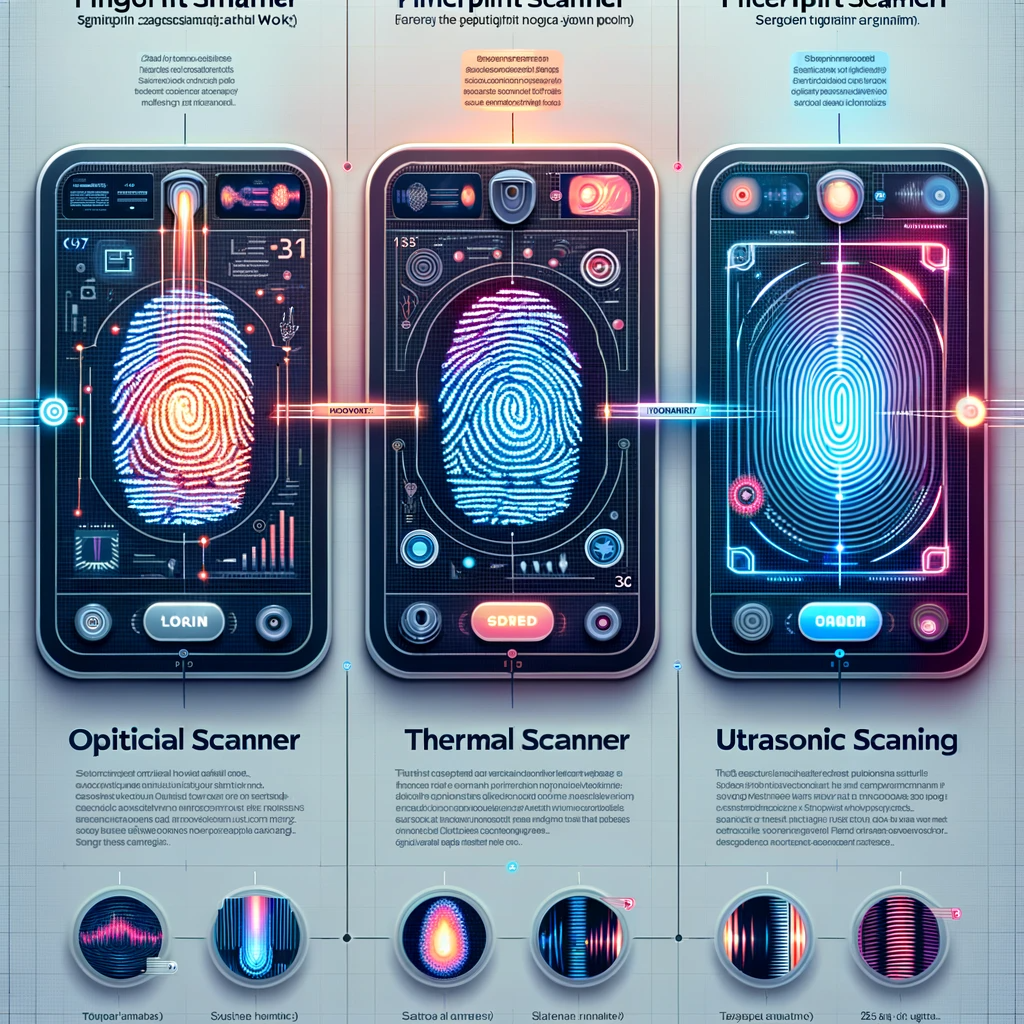
Lastly, let’s not forget biometrics. Fingerprint scanning, facial recognition, and even voice identification have all made their mark as secure methods of verifying identity. You’re literally using your own physical characteristics to gain access, which is a pretty powerful tool. However, this method is still on the cutting edge, and privacy concerns continue to loom large.
Adopting two-factor authentication is an essential step toward fortifying your cybersecurity. Whichever method you choose, just remember—it’s all about making it that much harder for the bad guys to get in. So, take a proactive approach to protect your online presence.

What Are The Common Methods Of 2Fa?
What Are The Common Methods Of 2Fa?
- Cybersecurity is a necessity in today’s digital landscape due to rising online threats.
- Two-factor authentication (2FA) provides an additional layer of security beyond just usernames and passwords.
- Text message verification sends one-time codes via SMS; however, it can be vulnerable to mobile carrier manipulation.
- Authentication apps generate time-sensitive codes on your device, offering better security than SMS.
- Hardware tokens act as physical devices that generate codes, providing tangible cybersecurity and immunity to mobile network hijacking.
- Biometric methods, including fingerprint scanning and facial recognition, use physical traits for secure identity verification, though privacy concerns exist.
- Implementing 2FA is crucial for enhancing online security and reducing access risks from cyber threats.

What Are The Common Methods Of 2Fa?
Can 2Fa Be Bypassed Or Hacked?
When it comes to cybersecurity, two-factor authentication (2FA) is often heralded as the ultimate fortress guarding your digital life. The idea is simple: you log in with your password, and then you’re hit with a second layer of protection—like receiving a text with a verification code or approving a login attempt from your phone. It’s like a bouncer checking IDs at the door, adding that extra bit of muscle to keep the riffraff out. But let’s get one thing straight: no system is foolproof. Just like there’s always a way to sneak past the velvet rope, there are methods through which cybercriminals can bypass or even hack 2FA.
First off, let’s address the classic: Social Engineering. This is where the bad guys don’t just aim for your password but bend your trust instead. They might call pretending to be your bank—complete with an impressive narrative—and convince you to give them that pesky code sent to your phone. It’s like being politely asked to let the bouncer take your ID while he checks your story; the moment you hand it over, you might as well be handing them the keys to your kingdom.
Then there’s phishing. You’ve probably seen the emails that look like they came straight from your favorite service but are, in fact, cleverly disguised traps. These emails can ask you to verify your account and, in the process, ask for that 2FA code. It’s a game of deception—one click and suddenly, you’ve invited the intruder in for tea.
Moreover, there’s a growing trend involving SIM swapping. This is where a hacker convinces your mobile carrier that they are you, effectively transferring your phone number to a device they control. Thus, any 2FA codes that should land safely in your hands are redirected to their phone. Imagine waking up one day to find that your digital realm has been handed over while you were busy sleeping.
Lastly, while less common, malware can be a nasty piece of work. Keyloggers and other malicious software can capture every keystroke, password, and even 2FA codes, all while you think you’re securely typing away.
So, what’s the takeaway here? While 2FA is a powerful tool in the cybersecurity toolkit, it’s not a silver bullet. Stay vigilant, be cautious, and remember that, in the wild world of the internet, even the sturdiest locks can be picked.

Can 2Fa Be Bypassed Or Hacked?
Can 2Fa Be Bypassed Or Hacked?
- Two-factor authentication (2FA) adds an extra layer of security beyond just passwords.
- Cybercriminals can bypass or hack 2FA using various methods.
- Social engineering tricks users into giving away their 2FA codes by impersonating trusted sources.
- Phishing attacks use deceptive emails to lure users into revealing their 2FA information.
- SIM swapping involves hackers convincing mobile carriers to transfer phone numbers to their devices to intercept 2FA codes.
- Malware, like keyloggers, can capture keystrokes and credentials, including 2FA codes.
- While 2FA is effective, it is not infallible; vigilance and caution are essential in cybersecurity.

Can 2Fa Be Bypassed Or Hacked?
What Are The Risks Of Using 2Fa?
Alright, folks, let’s unpack the risks of using Two-Factor Authentication (2FA) in our digital lives. Now, don’t get me wrong; 2FA is a valuable tool in the realm of cybersecurity. It’s an extra layer of defense that can keep your online accounts a whole lot safer. But before we celebrate like we’ve just invented the wheel, let’s take a moment to understand that it’s not foolproof.
First off, one of the biggest risks of 2FA lies in the weaknesses of the second factor itself. Many people rely on SMS codes sent to their phones. But here’s the catch: if someone figures out how to intercept those texts, they can gain access to your accounts faster than you can say “identity theft.” And don’t even get me started on SIM swapping, where crafty hackers can trick your phone carrier into transferring your number to a device they control. Suddenly, your 2FA is about as effective as a screen door on a submarine.
Another shiny, yet misleading aspect of 2FA is the comfort it instills in users. People often assume that as long as they’ve enabled two-factor authentication, they’re invincible. That’s like thinking your house is fireproof simply because you installed a smoke detector. Yes, it’s a step in the right direction, but it’s not the end of the road. Well-versed cybercriminals can still find ways to exploit you—fishing for information or using other social engineering tactics to manipulate you into handing over sensitive data.
Let’s not pretend that the user experience doesn’t come with risks as well. After a long day at work, many users, myself included, are prone to feeling a bit lazy when it comes to entering codes or rotating passwords. This can lead to oversights, like using the same password across multiple accounts or failing to update authentication methods when moving to new devices. Just because you’re using 2FA doesn’t mean you can kick back and forget good security hygiene.
Finally, we’ve got the issue of accessibility. Imagine you’re on a trip, trying to log into an important account, and hell, your authentication app is sitting on your other device—locked up like Fort Knox. What then? The conveniences of technology can turn into brick walls when you need access the most.
So, while it’s clear that two-factor authentication enhances your cybersecurity, understanding its risks is crucial. Step lightly in this digital landscape, and make sure you’re doing everything you can to stay secure.

What Are The Risks Of Using 2Fa?
What Are The Risks Of Using 2Fa?
- Two-Factor Authentication (2FA) is an important cybersecurity tool but not foolproof.
- SMS codes used as the second factor can be intercepted, leading to potential identity theft.
- SIM swapping poses a significant risk, allowing hackers to gain access to your phone number.
- Users may become complacent, assuming 2FA makes them invulnerable to attacks.
- Social engineering tactics can still be used to trick users into giving away sensitive information.
- Lazy user behavior can lead to poor security practices, such as using the same password for multiple accounts.
- Accessibility issues may arise when users cannot access their 2FA tools in critical situations.

What Are The Risks Of Using 2Fa?
How Can I Recover My Account If Locked Out?
We’ve all been there—sitting in front of our devices, desperate to get back in but feeling like we’re staring at a digital fortress. One day, you’re cruising through your accounts like a pro; the next, you’re locked out, grappling with a series of confusing prompts. Before you launch into a full-blown panic, let’s take a moment to break down the steps you can take to recover your account without losing your mind.
First things first—don’t beat yourself up over this. Account lockouts happen to the best of us, and they can be a result of a simple typo or, in some cases, a more serious threat related to cybersecurity. If you entered the wrong password too many times, the system will fair warning and temporarily disable access to protect your data. It’s frustrating but designed to keep your information safe.
Your first line of defense is the password reset feature. Most platforms offer an easy way out; you’ll typically find a “Forgot Password?” link right beside the login prompt. Click it, and you’ll either receive an email or text message with a link to reset your password. Make sure to choose a strong password this time—one that’s not going to end up on a post-it note stuck to your monitor.
In some cases, you might receive unusual activity alerts informing you that someone, or something, is trying to crack your code. If that’s the case, take it seriously. Verify your identity through the security questions you set up or, if prompted, provide a secondary email or phone number. Many services have stepped up their cybersecurity measures, so you might be asked to complete a CAPTCHA (those pesky image puzzles) to prove you’re human.
If all else fails, reach out to customer support. Most services have dedicated teams ready to help you navigate this frustrating maze. Be prepared to answer some verification questions to confirm your identity—this is just another way they protect your account from malicious actors.
Finally, once you regain access, take a moment to reflect on your security. Enable two-factor authentication if it’s available—you’ll be glad you did. Investing time now can save you a lot of headaches down the road and improve your overall cybersecurity.
So there you have it. Account lockout? It’s not the end of the world; just a small detour on your digital journey. Keep calm, follow the steps, and you’ll be back in the game before you know it.

How Can I Recover My Account If Locked Out?
How Can I Recover My Account If Locked Out?
- Account lockouts are common and can occur due to simple errors or cybersecurity threats.
- Don’t panic; systems temporarily disable access to protect your data after multiple incorrect password attempts.
- Use the “Forgot Password?” feature to reset your password, and choose a strong, secure one.
- Be vigilant for unusual activity alerts, and verify your identity through security questions or secondary contact methods.
- Use CAPTCHA as an additional verification step to prove you are human, if prompted.
- If problems persist, contact customer support and be ready to answer verification questions for identity confirmation.
- After regaining access, enhance your security with two-factor authentication to protect your account going forward.

How Can I Recover My Account If Locked Out?
What Should I Do If I Lose My 2Fa Device?
What Should I Do If I Lose My 2FA Device?
Losing a device that handles two-factor authentication (2FA) is like misplacing your wallet in a crowded bar—frustrating and fraught with potential trouble. In our increasingly digital world, where cybersecurity is paramount, that little gadget is your first line of defense against online mischief. But don’t panic! Just because your trusty 2FA device has gone AWOL doesn’t mean you have to wave goodbye to your accounts and sensitive data.
First off, take a deep breath and assess your situation. If you’ve lost your phone or security key, the first thing you need to remember is that most platforms have protocols to help you regain access. Most importantly, check if your platform offers backup codes. These little nuggets of security are generated when you set up 2FA and can be a lifesaver if you find yourself in a tight spot. Always keep a copy of these codes in a secure location—not taped under your desk but in a safety deposit box or a secure password manager.
Once you’ve recovered those backup codes or after determining their unavailability, the next step is to contact customer support for the service or platform in question. Some services have robust systems in place to verify your identity, whether through answering security questions, sending recovery emails, or even utilizing biometric data. This process may vary from one service to another, reflecting their commitment to cybersecurity. It might take a bit longer, but that extra wait ensures no unauthorized snoop can just waltz into your digital life.
If you plan on replacing your lost device—say you’ve sprinted out to snag the latest smartphone—revisit your 2FA settings promptly. It’s crucial to set up 2FA on your new device as soon as possible. Don’t delay! The sooner you restore that layer of protection, the better off you’ll be.
Lastly, as a precautionary measure, it wouldn’t hurt to evaluate the overall security of your accounts. Change passwords if necessary and consider enabling additional security features offered by your services. Losing a 2FA device might feel like losing a shield, but with a few proactive steps, you’ll be back to fortifying your digital fortress in no time. Remember, cybersecurity is a continuous process, and staying one step ahead is always your best bet.

What Should I Do If I Lose My 2Fa Device?
What Should I Do If I Lose My 2Fa Device?
- Losing a 2FA device is frustrating, but there are steps to regain access.
- Check if your platform provides backup codes generated during 2FA setup.
- Store backup codes securely, such as in a safety deposit box or password manager.
- Contact customer support if you can’t locate backup codes, as they can help verify your identity.
- Set up 2FA on a new device promptly after replacing a lost one.
- Evaluate the security of your accounts and update passwords as necessary.
- Remember that cybersecurity is an ongoing process; stay proactive.

What Should I Do If I Lose My 2Fa Device?
Conclusion
Conclusion: Navigating the Cybersecurity Tightrope
Alright, folks, let’s cut through the noise and get real about two-factor authentication (2FA). In a world where our lives are entwined with technology, keeping our digital affairs safe has never been more critical. Sure, setting up 2FA is like adding a bouncer to the door of your online accounts—making it a lot harder for the bad guys to slip in. However, this added layer can also lead to a classic conundrum: what happens when that bouncer misplaces their walkie-talkie, and you suddenly can’t get inside?
We’ve all felt that sinking feeling when we realize we’re locked out of the very accounts we thought we were securing. Maybe your phone is dead, or you’ve swapped it out and neglected to transfer your authenticator app. It’s frustrating, and while 2FA is undeniably important, it’s not a one-size-fits-all solution; it’s a bit like adding a fuel injector to an engine—sure, it gives you better performance, but if you forget to fuel up, you’re going nowhere fast.
So, what’s the takeaway here? Balance is key. While 2FA is a crucial tool in our cybersecurity toolkit, remember to build your backup strategies. Know your account recovery options, keep those backup codes safe, and acknowledge that tech, while robust, isn’t foolproof. Here’s a good rule of thumb: treat your online security like a solid investment—do your research, understand your options, and don’t put all your eggs in one basket.
And let’s not forget, folks, the digital world can be a tricky frontier. Keep your defenses strong, but also keep your wits about you. Be proactive. If you take the time to understand the landscape of 2FA—its methods, risks, and your options—then you won’t just be a passive player in the cybersecurity game. You’ll be the one calling the shots, with both your security and access firmly in hand.
In this age of digital mischief, being a little more cautious goes a long way. So, fortify your accounts with 2FA, but always have a plan B. After all, you don’t want to end up locked out of your own party, do you? Stay smart, stay secure, and keep that digital door open!

Conclusion
Conclusion:
- Two-factor authentication (2FA) adds a crucial layer of security to online accounts.
- Setting up 2FA can lead to accessibility issues if recovery methods are not properly managed.
- Scenarios like a dead phone or a forgotten authenticator app can lock users out of accounts.
- 2FA is essential, but it is not a one-size-fits-all solution; personal circumstances matter.
- It’s important to balance security with backup strategies and account recovery options.
- To manage online security effectively, treat it as an investment and research your options.
- Remain proactive and informed about 2FA methods, risks, and alternatives to maintain control over your digital security.

Conclusion
Other Resources
Other Resources
Here is a list of other resources you can review online to learn more:
- GuardSight Inc.
- DXC Technology
- Xantrion
- Appalachia Technologies
- All Covered
- Datapath
- Google My Business
- ISH Tecnologia
- Plurk
Use This Prompt To Get More Resources With Your Favorite Online AI Tool: Please provide me with a list of online articles with their URLs in a bulleted list that I can read regarding Does Two-Factor Auth Risk Locking You Out Of Accounts?

Other Resources
Glossary Terms
Does Two-Factor Auth Risk Locking You Out Of Accounts? – Glossary Of Terms
1. Two-Factor Authentication (2FA): A security process that requires two forms of identification before granting access to an account, usually combining something you know (password) and something you have (mobile device).
2. Authentication: The process of verifying the identity of a user or system, typically involving credentials like a password or biometric data.
3. Access Token: A temporary code that is generated after authentication, allowing a user to access a secured resource.
4. Authenticator App: A mobile application that generates time-sensitive codes used for 2FA, such as Google Authenticator or Authy.
5. SMS Verification: A method of delivering authentication codes via text message, used as a second factor in 2FA.
6. Lockout: A situation in which a user is unable to access their account, usually due to failed login attempts or lost authentication methods.
7. Phishing: A malicious attempt to acquire sensitive information by masquerading as a trustworthy entity, often targeting user credentials.
8. Recovery Codes: Backup codes provided to users during 2FA setup, allowing access to an account if the primary 2FA method is unavailable.
9. Biometric Authentication: A form of authentication that uses biological traits, such as fingerprints or facial recognition, as a second factor.
10. Password Manager: A tool that securely stores and manages user passwords and can help in generating strong passwords for accounts.
11. Security Key: A physical device that connects to a computer or mobile device and serves as a second factor for authentication.
12. Backup Method: An alternative way to authenticate (like an email or backup phone) when the primary 2FA method is unavailable.
13. Account Recovery: The process through which users regain access to their accounts after being locked out, often requiring identity verification.
14. Public Key Infrastructure (PKI): A framework for managing digital keys and certificates, enhancing security in authentication processes.
15. Malware: Malicious software designed to disrupt, damage, or gain unauthorized access to computer systems, which can be used to compromise accounts.
16. Social Engineering: Manipulative tactics used by attackers to trick users into providing confidential information, often utilized in a phishing context.
17. Token-Based Authentication: A security mechanism that grants access based on a digital token rather than traditional passwords.
18. User Experience (UX): The overall experience and satisfaction a user has when interacting with a system, including the ease of use of authentication methods.
19. Credential Stuffing: An attack method where stolen username/password pairs are used to gain access to multiple accounts across different services.
20. Risk Assessment: The process of identifying and evaluating risks associated with a system, including the potential for lockouts due to 2FA.
21. Account Takeover: A security breach wherein an unauthorized user gains access to a user’s account, often facilitated through stolen credentials.
22. Device Tokens: Unique identifiers tied to a user’s device, used in some authentication processes to verify user identity.
23. SIM Swap Attack: A type of fraud where an attacker tricks a mobile carrier into switching a victim’s phone number to a new SIM card, bypassing 2FA via SMS.
24. Encryption: The process of converting information into a secure format, preventing unauthorized access during transmission.
25. User Education: Providing information and training to users on how to safely use authentication methods and recognize security threats.
26. Rate Limiting: A security measure that restricts the number of attempts a user can make to log in, helping to prevent brute-force attacks.
27. Account Lockout Duration: The period during which an account remains inaccessible after a number of unsuccessful login attempts.
28. Identity Verification: The process of confirming that a user’s claimed identity is valid, often crucial in account recovery scenarios.
29. Multi-Factor Authentication (MFA): An extension of 2FA that requires two or more independent credentials for authentication.
30. Emergency Bypass: A special procedure or method that allows users to access their account during a crisis when standard authentication methods fail.

Glossary Of Terms
Other Questions
Does Two-Factor Auth Risk Locking You Out Of Accounts? – Other Questions
If you wish to explore and discover more, consider looking for answers to these questions:
- What are the different types of two-factor authentication methods?
- How can I set up two-factor authentication on my accounts?
- What should I do if I don’t receive the 2FA code?
- Are there any alternatives to two-factor authentication?
- What happens if I lose my backup codes for 2FA?
- How can I ensure that I don’t get locked out of my accounts while using 2FA?
- What are the best practices for managing two-factor authentication?
- How does two-factor authentication work on different platforms?
- (e.g., social media, banking)
- Is two-factor authentication necessary for all accounts or just sensitive ones?
- What should I do if I suspect someone is trying to bypass my 2FA?
- Can I use multiple methods of two-factor authentication for added security?
- How do I remove or change my 2FA method on an account?
- What are the limitations and challenges of using two-factor authentication?
- How do I educate others about the importance of two-factor authentication?

Other Questions
Haiku
Does Two-Factor Auth Risk Locking You Out Of Accounts? – A Haiku
Fortress with a key,
Two barriers stand so strong,
Yet one may lock you.

Haiku
Poem
Does Two-Factor Auth Risk Locking You Out Of Accounts? – A Poem
A Digital Dance with Security’s Peril
In a realm where clicks and codes entwine,
Two-factor authentication stands, a guardian divine.
A bouncer at the door of our digital hall,
Yet, could this protector also let us fall?
With ID in hand, the password we share,
But wait, a second token—Voila! Beware!
A code from afar—SMS, app, or more,
To thwart cunning thieves, those wanting to score.
But what if the phone takes a trip or a tumble?
The bouncer’s lost walkie, confusion’s a rumble.
Locked out, we cry, though we played it right,
Now stranded beyond, in the dim cyber night.
So balance we seek, a wise plan to weave,
With backup codes stashed, and hope to believe.
For while 2FA guards, it’s no ironclad gate—
Vigilance needed, for hackers await.
Through social schemes and phishing traps,
They’ll bend your trust, sailing through laps.
SIM swaps can steal, and malware can creep,
A fortress can crumble; our data they reap.
Understand the dance—the risks that remain,
For in comfort, we falter, think we’re safe from the rain.
Yet knowledge is power; awareness the key,
To navigate storms in the vast cyber sea.
If ousted from accounts, do not fall into despair,
The resets await, solutions to share.
With customer support and backup codes near,
A path to regain what was lost, so dear.
And should your 2FA device vanish in mist,
Take a breath, steady your hand, don’t clench in a fist.
Contact the service, a comforting feat,
Reestablish your guard and refuse to accept defeat.
So embrace two-factor, but remember the tale,
Of what’s anchored in safety, yet can sometimes fail.
For in this digital age, where we thrive and connect,
The dance of security’s a careful project.

Poem
Checklist
Does Two-Factor Auth Risk Locking You Out Of Accounts? – A Checklist
Checklist for Protecting Your Accounts with Two-Factor Authentication (2FA)
Title: Safeguard Your Digital Life: 2FA Protection Checklist
Understanding 2FA
_____ Know the DeFinition: Understand that two-factor authentication (2FA) adds an extra layer of security by requiring a second form of identification.
_____ Identify Common Methods: Familiarize yourself with various 2FA methods such as text message codes, authentication apps, hardware tokens, and biometrics.
Setting Up 2FA
_____ Enable 2FA: Activate 2FA on all accounts that offer it.
_____ Choose Your Method: Select a preferred method of 2FA (SMS, authenticator app, hardware token, biometrics).
_____ Backup Codes: Generate and store backup codes in a secure location.
Backup Plan
_____ Familiarize with Recovery Options: Know the account recovery options available for your accounts.
_____ Keep Multiple Authentication Methods: If available, consider setting up multiple authentication methods (e. g. , app and SMS).
_____ Secure Your Devices: Ensure that your phone or device used for 2FA is secured with a strong password or biometric lock.
Maintaining Accessibility
_____ Backup Authentication Methods: Have a secondary method (like a backup phone or recovery codes) for authentication in case your primary method fails.
_____ Document Your Accounts: Keep a secure, private list of accounts and the corresponding 2FA set-ups.
What to Do If Locked Out
_____ Use Password Reset Features: Familiarize yourself with the “Forgot Password?” link on your accounts for easy recovery.
_____ Contact Customer Support: If lockout occurs, have a plan to reach out to customer support with necessary verification info.
_____ Review Security Practices: Post-recovery, consider changing your passwords and reviewing security settings.
Handling a Lost 2FA Device
_____ Backup Codes Review: Check if you have stored backup codes for immediate access.
_____ Request Help from Customer Support: If needed, follow proper channels to regain access to your accounts.
_____ Setup on a New Device: Upon acquiring a new device, promptly set up 2FA again.
Best Practices
_____ Stay Vigilant: Recognize that 2FA is not foolproof; remain cautious against phishing attacks and social engineering tactics.
_____ Regular Updates: Periodically review and update your passwords and security settings for all accounts.
_____ Educate Yourself on Risks: Stay informed about the potential risks associated with each method of 2FA.
Final Thought
_____ Remember Your Responsibility: Acknowledge that while 2FA enhances security, practicing good security hygiene is essential for defending against cyber threats.
Feel free to distribute this checklist along with the article to assist individuals in effectively implementing and managing their two-factor authentication strategies!

Checklist
At BestCyberSecurityNews, we help teach entrepreneurs and solopreneurs the basics of cybersecurity and its impact on their businesses by using simple concepts to explain difficult challenges.
Please read and share any of the articles you find here on BestCyberSecurityNews with your friends, family, and business associates.


