


Protecting Your Inbox: Minimizing Phishing Anxiety
By Tom Seest
At BestCyberSecurityNews, we help teach entrepreneurs and solopreneurs the basics of cybersecurity and its impact on their businesses by using simple concepts to explain difficult challenges.
Please read and share any of the articles you find here on BestCyberSecurityNews with your friends, family, and business associates.
Will Better Email Security Reduce Phishing-Related Stress?
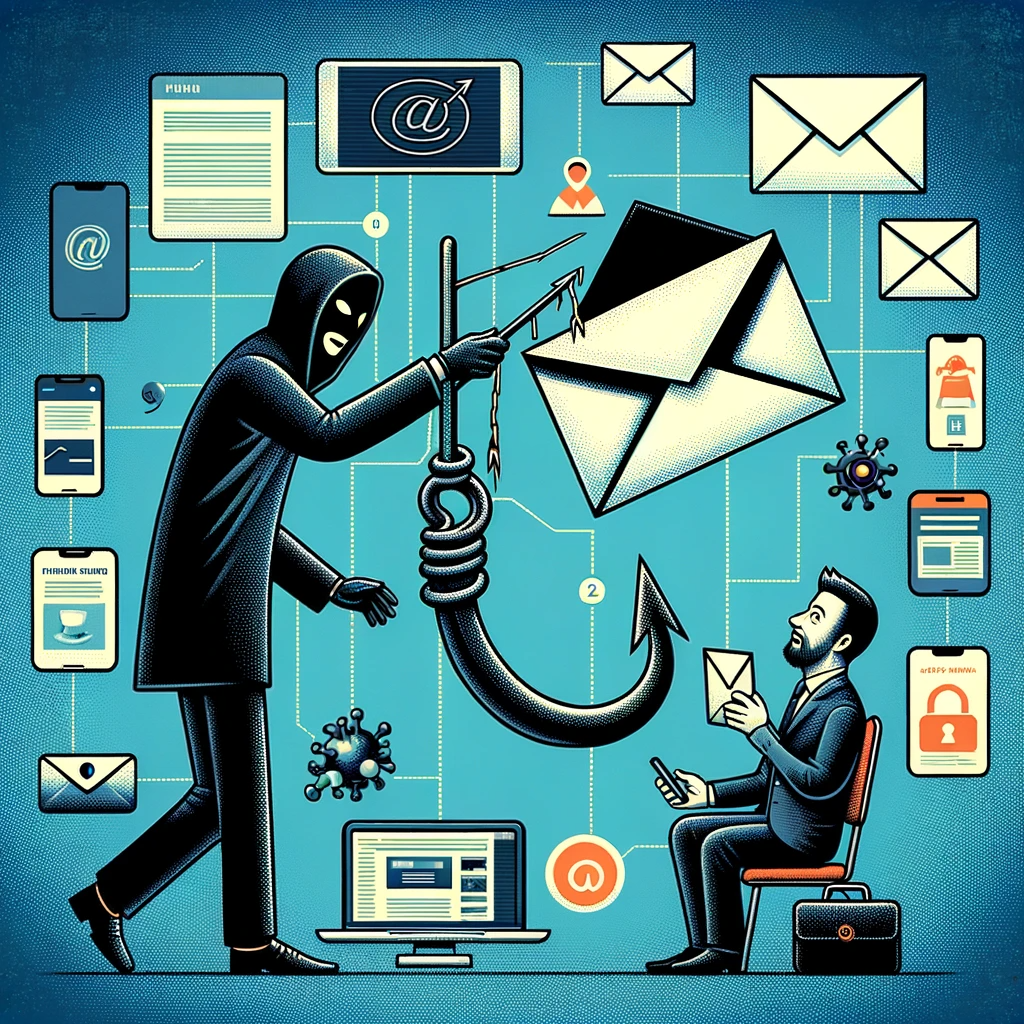
In the digital landscape of today, where information flows as freely as the morning coffee, we often find ourselves caught in the web of Cybersecurity threats. Phishing scams have evolved into a persistent nuisance, preying on the unsuspecting and turning the simple act of checking one’s email into an anxiety-ridden affair. As we delve into whether improved email security might alleviate this constant worry, let’s sift through the layers of protection that are gradually taking shape.
Imagine starting your day with the usual ritual: your cup of joe in one hand, the other scrolling through your inbox. What should be a simple task morphs into a high-stakes game of Russian roulette. Who wouldn’t feel the weight of stress when every email is a potential trap? Fishers of the cyber seas have become masterful at crafting messages that feel legitimate, making it hard to distinguish between a friendly note and a sinister scheme.
Now, suppose you had a security system in place that acts as a bouncer at an exclusive club, ensuring that only the right people get past the velvet rope. Enhanced email security measures—like advanced spam filters, AI-driven threat detection, and robust authentication protocols—act as barriers preventing the chaos from seeping into our inboxes. When these measures are in place, it’s like having a watchful guardian keeping the digital riffraff at bay.
Yet, it’s crucial to address the human element in this equation. No matter how sophisticated the technology, if users don’t engage with it, the stress will remain. Education becomes paramount. By understanding the tricks and tactics employed by cybercriminals, individuals can respond with greater vigilance, transforming fear into knowledge. With every phishing attempt they dodge, they regain a sense of control.
So, will better email security reduce phishing-related stress? For many, the answer lies in the balance between technology and human understanding. While enhanced cybersecurity can undoubtedly lower the risk of falling prey to these scams, the onus is still on us, the users. Empowered with knowledge and fortified with tools, we can tackle our inboxes with renewed confidence. It’s time to take back that morning coffee ritual and transform our digital habits into a source of strength, rather than a source of stress. In a world riddled with Cybersecurity threats, it’s not just about feeling safe; it’s about embracing the freedom that comes with knowing you’re equipped to face what lurks in the shadows.

Will Better Email Security Reduce Phishing-Related Stress?
Will Better Email Security Reduce Phishing-Related Stress?
- The digital landscape is fraught with cybersecurity threats, particularly evolving phishing scams.
- Checking emails can induce anxiety as every email might contain a malicious threat.
- Enhanced email security measures act like bouncers at a club, protecting users from scams.
- Key security measures include advanced spam filters, AI-driven threat detection, and robust authentication protocols.
- User education is essential; understanding cybercriminal tactics helps maintain vigilance.
- The balance between technology and user awareness is crucial for reducing phishing-related stress.
- Empowered individuals can reclaim their morning routine, transforming digital interactions into a source of strength and confidence.
Will Better Email Security Reduce Phishing-Related Stress?
Table Of Contents
- Will Better Email Security Reduce Phishing-Related Stress?
- What Are The Common Signs Of Phishing Emails?
- How Can Stronger Email Security Measures Be Implemented?
- What Tools Help Identify Phishing Attempts In Emails?
- How Does Phishing Impact Mental Health And Stress Levels?
- What Are The Most Effective Employee Training Methods For Phishing?
- Can Multi-Factor Authentication Reduce Phishing Risks?
- How Do Spam Filters Contribute To Email Security?
- Conclusion
- Other Resources
- Glossary Of Terms
- Other Questions
- Haiku
- Poem
- Checklist
What Are The Common Signs Of Phishing Emails?
In today’s digital age, where emails flood our inboxes like rain in a monsoon, we must become savvy navigators of the virtual sea. One of the stormiest threats lurking among the waves is phishing. To the untrained eye, phishing emails can appear as innocent as a prairie flower or as urgent as a house on fire. But fear not! There are common signs that can help you stay afloat when the storm hits.
First off, let’s talk about the sender’s address. If you receive an email from a “bank” or “official agency” that doesn’t look quite right, your gut is probably onto something. Phishing emails often use addresses that mimic legitimate ones but might play with characters or switch a letter here and there. If you find an email claiming to be from your bank ending in “.xyz” instead of “.com,” then it’s time to sound the alarm. Cybersecurity professionals constantly remind us that a close examination of the sender’s address can save you from sinking your ship.
Next, pay attention to that subject line. Does it scream urgent action? “Your account will be locked!” or “You’ve won a prize!”—these phrases are red flags waving in the wind. Phishers thrive on fear and excitement, tricking you into clicking before your brain has a chance to engage. If the message triggers an emotional response, stop and think. Cybersecurity experts agree; anxious reactions are precisely what these predators are fishing for.
Now, let’s talk about the content of the email. Is it riddled with poor grammar or spelling mistakes? Professional organizations pay meticulous attention to detail. A dozen typos in an official email should make you raise an eyebrow. Additionally, be wary of any requests for personal information. Legitimate companies rarely ask for sensitive details like passwords or social security numbers via email. If they’re asking for such info, consider it a major red flag.
Lastly, links and attachments demand scrutiny. If you hover over a link and the destination doesn’t match its description, don’t click! Phishing attacks often employ cleverly disguised links leading straight into the abyss of malware. Trust your instincts here; a cautious click can keep you out of harm’s way.
So, keep your eyes peeled, your wits about you, and never underestimate the power of a well-timed email sleuthing. The more you know about these signs, the better your defenses against the cunning schemes of cybercriminals will be. Remember, knowledge is your best shield in the turbulent waters of cybersecurity!

What Are The Common Signs Of Phishing Emails?
What Are The Common Signs Of Phishing Emails?
- In the digital age, phishing is a significant threat to be aware of.
- Check the sender’s address for legitimacy; phishing emails may alter common domains.
- Be cautious of urgent subject lines, as they may induce anxiety and prompt hasty actions.
- Look for poor grammar or spelling mistakes in the email content as a sign of phishing.
- Watch out for requests for personal information, which legitimate companies typically avoid in emails.
- Hover over links to ensure they lead to legitimate sites; disguised links can lead to malware.
- Stay informed about phishing signs to enhance your cybersecurity defenses.

What Are The Common Signs Of Phishing Emails?
How Can Stronger Email Security Measures Be Implemented?
In today’s increasingly digital world, the importance of robust cybersecurity cannot be overstated. It’s more critical than ever to ensure that email, one of the most common communication tools, remains secure from a plethora of threats. So, how can we implement stronger email security measures? Let’s dive into some straightforward, practical steps.
First off, consider the foundation—two-factor authentication (2FA). This is where you bolster the security of your email accounts by requiring not just a password, but also an additional form of verification. Whether it’s a text message or an app-generated code, 2FA acts as an excellent deterrent for cybercriminals who may have snatched your password but can’t quite snag the extra layer of protection. Think of it as a double lock on your front door—extra work for would-be intruders.
Next, we can’t overlook the importance of strong, unique passwords. It’s tempting to recycle passwords for convenience, but this approach is practically begging for trouble. Take the time to create complex passwords that combine letters, numbers, and special characters. Consider using a password manager to keep track of all these digital vaults, making the process smoother and more secure.
Then, let’s talk about email encryption. This is a must-have for protecting sensitive information. Encryption scrambles your email content, rendering it unreadable to anyone who doesn’t have the proper decryption key. This means that even if a hacker intercepts your communication, they are left with nothing but gibberish—frustrating for them and reassuring for you.
Additionally, regular training and awareness programs for employees are key defensive strategies in maintaining a secure environment. It’s not enough to set up barriers; you need to ensure that everyone understands the risks associated with phishing and other cyber threats. Regular reminders and scenario-based training can help employees recognize suspicious emails, avoiding the traps set by crafty cybercriminals.
Lastly, invest in anti-phishing and anti-virus software. These tools can significantly reduce the risk of malicious attacks by scanning emails for threats and blocking suspicious messages. Automated filters can be set up to prevent phishing emails from reaching inboxes, turning down the volume on the cyber noise and protecting your organization from potential breaches.
Putting these cybersecurity measures into practice will not eliminate risks entirely, but they will certainly reduce vulnerabilities, creating a fortified line of defense. In this digital age, that’s not just smart—it’s essential.

How Can Stronger Email Security Measures Be Implemented?
How Can Stronger Email Security Measures Be Implemented?
- The importance of robust cybersecurity in a digital world is critical for securing email communications.
- Implement two-factor authentication (2FA) to enhance email account security with an additional verification method.
- Create strong and unique passwords, using combinations of letters, numbers, and special characters; consider using a password manager.
- Email encryption is essential for protecting sensitive information against unauthorized access.
- Regular training and awareness programs for employees help recognize and respond to phishing and other cyber threats.
- Invest in anti-phishing and anti-virus software to reduce the risk of malicious attacks by scanning and blocking threats.
- Implementing these measures reduces vulnerabilities and creates a stronger defense in the increasingly complex digital landscape.

How Can Stronger Email Security Measures Be Implemented?
What Tools Help Identify Phishing Attempts In Emails?
When it comes to cybersecurity, the last thing you want is to be caught with your proverbial pants down. Phishing attempts have evolved into a sophisticated game of cat and mouse, where attackers are constantly adapting their tactics to fool unsuspecting individuals. Thankfully, you don’t have to go into this digital jungle unarmed. There are several tools at your disposal that can help you sniff out those pesky phishing attempts lurking in your email inbox.
One of the most basic yet effective tools is a robust spam filter. Most email providers offer built-in spam detection, which uses algorithms to flag suspicious messages. By examining factors like the sender’s address, unusual links, and the overall content of the email, these filters can often catch phishing attempts before they even reach your inbox. But don’t get too comfortable; these filters aren’t perfect. So, let’s explore a few more options.
Next up is the use of browser extensions specifically designed to enhance your cybersecurity. Extensions like Web of Trust (WOT) or MetaCert can provide real-time safety ratings for the links contained in emails. If someone is trying to dangle a juicy bait in front of you, these tools can help you spot a rotten apple without having to take a bite. They create a safety net by allowing you to check the credibility of URLs before clicking, considerably lowering your risk.
Another great ally in the fight against phishing is email authentication technologies such as SPF, DKIM, and DMARC. These protocols verify the legitimacy of the sender’s domain and can help filter out malicious emails right from the server level. Implementing these technologies in your organization’s email system can serve as a formidable line of defense against those sneaky phishers trying to impersonate someone you trust.
Finally, let’s not forget about awareness training. While it’s not a tool in the usual sense, educating yourself and your staff about phishing strategies can be your greatest asset. Recognizing the signs of phishing, such as poor grammar, odd requests for personal information, or urgency in the message, will bolster your defenses significantly.
In a digital world where threats are ever-evolving, utilizing these tools can greatly enhance your cybersecurity measures against phishing attempts. Stay vigilant, equip yourself with the right tools, and keep those cybercriminals at bay!
What Tools Help Identify Phishing Attempts In Emails?
What Tools Help Identify Phishing Attempts In Emails?
- Phishing attempts have become increasingly sophisticated, requiring constant vigilance.
- A robust spam filter can effectively flag suspicious messages before they reach your inbox.
- Browser extensions like Web of Trust (WOT) and MetaCert offer real-time safety ratings for email links.
- Email authentication technologies such as SPF, DKIM, and DMARC help verify the legitimacy of senders.
- Implementing email authentication can enhance organizational defenses against phishing.
- Awareness training educates users on recognizing phishing signs, boosting overall cybersecurity.
- Using these tools collectively strengthens defenses against evolving phishing threats.

What Tools Help Identify Phishing Attempts In Emails?
How Does Phishing Impact Mental Health And Stress Levels?
In our increasingly connected world, the digital landscape has become a double-edged sword. On one hand, we have access to information, communication, and opportunities like never before. On the other, lurking in the shadows are threats like phishing—an insidious form of cybercrime that’s not just about stealing money or data, but also impacts our mental health in profound ways.
When someone falls victim to a phishing scam, the immediate aftermath can feel like a jolt. The frantic realization that sensitive information has been compromised is akin to stepping into a dark alley during a night stroll; unsettling and disorienting. This sense of vulnerability can cast a long shadow over a person’s mental state. According to experts in cybersecurity, many victims report feelings of shame and embarrassment, often questioning their own judgment. That introspection can lead to a significant rise in anxiety, as the mind races through “what if” scenarios, pondering all the things that could go wrong.
Moreover, the emotional toll doesn’t just stop with the individual victim. It ripples out to their families, friends, and colleagues. Victims might feel the need to isolate themselves, fearing they could expose others to similar threats. This isolation, paired with the unforgiving spotlight of social media, can further exacerbate the mental health struggles, fueling a cycle of stress and despair.
Businesses, too, are not immune to this particular brand of chaos. When an organization’s cybersecurity is breached, it can lead to a turbulence of stress throughout the ranks. Employees may feel anxious about their job security; leadership may grapple with the fallout from lost data or trust among clients. Increased workloads and the pressure to rectify mistakes can strain mental fortitude. The cascading effects of phishing scams can create an environment thick with tension and uncertainty.
Moreover, the fear of becoming a target can permeate our everyday activities. We may find ourselves second-guessing seemingly innocent emails or hesitant to click on links that, in a pre-phishing world, would have been routine. This perpetual state of hyper-vigilance is exhausting.
In short, phishing does more than just jeopardize our finances and data; it can shake the very foundation of our mental well-being. It’s a reminder that in this digital age, cybersecurity isn’t merely a technical challenge, but a vital component of our collective mental health. Addressing these concerns is not just about protecting assets but about nurturing resilience in a world where threats are ever-present.

How Does Phishing Impact Mental Health And Stress Levels?
How Does Phishing Impact Mental Health And Stress Levels?
- The digital landscape offers unprecedented access to information and opportunities but also poses significant threats, like phishing.
- Phishing scams lead to immediate feelings of vulnerability and anxiety for victims, akin to a distressing experience.
- Many victims experience shame and embarrassment, which can exacerbate anxiety and create a cycle of negative thoughts.
- The emotional impact extends beyond victims to their families, friends, and colleagues, contributing to social isolation.
- Businesses also suffer from the fallout of phishing attacks, leading to stress among employees and leadership regarding job security and lost trust.
- The fear of phishing can cause individuals to second-guess legitimate communications, creating a state of hyper-vigilance.
- Overall, phishing undermines not just financial stability but also mental well-being, emphasizing the importance of cybersecurity in maintaining collective mental health.

How Does Phishing Impact Mental Health And Stress Levels?
What Are The Most Effective Employee Training Methods For Phishing?
In today’s fast-paced digital landscape, the threats to our cybersecurity are more pronounced than ever, with phishing scams lurking around every virtual corner. A robust defense begins with employee training, and understanding the most effective methods for educating your team about these sinister schemes is critical. So, let’s roll up our sleeves and dive into what works.
First off, hands-on experience is king. Simulated phishing attacks can be a game-changer. By crafting realistic phishing emails that mimic the real deal, you can put your employees through their paces in a safe environment. It’s one thing to read about phishing; it’s quite another to see it come alive in a way that evokes a visceral response. Once employees fall for these simulated traps, it’s about discussing what went wrong. Engage them in conversations that peel back the layers of what made the email seem convincing. That’s where the real learning happens.
Next, let’s not forget about continuous training. Cybersecurity isn’t a one-and-done deal; it’s more like maintenance on a car. Just as you wouldn’t neglect oil changes, you shouldn’t allow your staff to practice outdated security protocols. Implement regular training sessions that keep phishing on everyone’s radar. Whether through interactive e-learning modules or quarterly workshops that simulate the latest phishing trends, keeping training fresh and relevant will ensure your team stays informed—no one wants to be the last person to know about a new tactic that puts the entire organization at risk.
Another key method is storytelling. Yes, I said it—storytelling. Employees often tune out facts and figures, but a well-told tale of someone who fell victim to a phishing scam? That sticks. Share real-life stories of how phishing scams wreaked havoc on organizations. Highlight both the human and financial costs involved. When your employees relate to a story, the lessons learned tend to sink deeper.
Lastly, foster a culture of open communication. Encourage your staff to report phishing attempts without fear. Use these opportunities to create a team-oriented approach to cybersecurity where everyone plays a role in defending against threats. Remember, the more engaged and aware your employees are, the stronger your cybersecurity posture becomes. When they feel valued and informed, they’re less likely to fall victim to phishing.
In the grand tapestry of cybersecurity, effective training stands as the first line of defense against the ever-evolving threat of phishing.

What Are The Most Effective Employee Training Methods For Phishing?
What Are The Most Effective Employee Training Methods For Phishing?
- The digital landscape poses heightened cybersecurity threats, particularly from phishing scams.
- Employee training is essential for building a robust defense against these threats.
- Simulated phishing attacks offer hands-on experience, allowing employees to recognize and respond to real phishing attempts.
- Continuous training is necessary to keep security knowledge updated and relevant to evolving threats.
- Storytelling can be an effective method to engage employees and illustrate the consequences of phishing attacks.
- Fostering a culture of open communication encourages reporting of phishing attempts and promotes teamwork in cybersecurity efforts.
- Effective training is crucial as the first line of defense against phishing threats.

What Are The Most Effective Employee Training Methods For Phishing?
Can Multi-Factor Authentication Reduce Phishing Risks?
In the world of cybersecurity, there’s no question that we’re swimming in a sea of threats. Each day, new phishing schemes emerge, luring the unsuspecting with a virtual siren song, promising everything from urgent account warnings to exclusive deals. The bad actors behind these scams are slick, clever, and relentless, continually finding ways to exploit our human nature. But, what if I told you that there’s a lifeboat in these turbulent waters? A solid piece of armor called Multi-Factor Authentication (MFA).
Let’s break it down. Multi-Factor Authentication is a security measure that adds an extra layer of protection when you log into your accounts. Instead of just asking for your password—your first line of defense—it requires another piece of information. This could be a code sent to your phone, a fingerprint, or even a face scan. Each additional hurdle means one less opportunity for those phishers to reel you in. Think of it as needing both a key and a secret handshake to get past the bouncer at the club.
Now, don’t get me wrong; MFA isn’t a silver bullet. It’s not going to eliminate phishing risks entirely, but it can significantly reduce them. Passwords, while necessary, can be compromised in countless ways—through data breaches, social engineering, or simple guesswork. But even if the bad guys manage to snag your password, that’s only half the game. They still need that second piece of verification to get in.
Consider this: When MFA is used, the odds are stacked against those phishers. It’s like putting a moat around your castle. Sure, they can build a bridge and try to cross it, but if you’ve got a drawbridge and a watchful eye, their chances dwindle. And the best part? The implementation of MFA has become easier than ever. Many platforms offer it for free, and enabling it typically takes just a few clicks.
That said, let’s not forget—staying safe in the digital world requires a combination of smart practices. Educate yourself about phishing tactics, remain cautious about suspicious emails, and utilize MFA wherever possible. A robust approach to cybersecurity—together with Multi-Factor Authentication—offers a much better chance of keeping those phishers at bay. So, arm yourself with these tools and take the plunge into the digital river with a little extra protection. You’ll thank yourself later.

Can Multi-Factor Authentication Reduce Phishing Risks?
Can Multi-Factor Authentication Reduce Phishing Risks?
- The cybersecurity landscape is filled with threats, particularly from phishing schemes that exploit human behavior.
- Multi-Factor Authentication (MFA) adds an extra layer of security by requiring additional verification beyond just a password.
- MFA can include various forms of verification such as codes sent to your phone, fingerprints, or facial recognition.
- While MFA is not foolproof, it significantly reduces the risk of unauthorized access even if a password is compromised.
- Using MFA is akin to having both a key and a secret handshake for secure access, making it harder for phishers to succeed.
- MFA implementation is typically easy and free on many platforms, making it accessible for users.
- Complementing MFA with education on phishing tactics and a cautious online approach enhances overall cybersecurity.

Can Multi-Factor Authentication Reduce Phishing Risks?
How Do Spam Filters Contribute To Email Security?
Email has become a lifeline of communication in our fast-paced, digital age. But with that convenience comes a host of threats. Enter spam filters – the hidden guardians of our inboxes, tirelessly working behind the scenes to keep our communications secure and our lives a little less chaotic.
Spam filters are the first line of defense in the broad landscape of cybersecurity. They scan incoming emails, looking for indicators that suggest a message might be a fraud, phishing scheme, or simply unwanted clutter. These filters don’t just block the annoying advertising emails about miracle weight loss pills; they also help identify and deter more dangerous threats, shielding users from potential identity theft or financial scams.
The technology behind spam filters is nothing short of impressive. Machine learning algorithms and pattern recognition techniques work together to analyze vast quantities of data in real-time. They learn the characteristics of spam through continuous training, recognizing new tactics that cybercriminals use to infiltrate our inboxes. It’s a bit like hunting for a needle in a haystack, but these filters have their ways of narrowing it down to a manageable search.
When spam filters catch a suspicious email, they eliminate it before you even see it. This proactive approach ensures that you can focus on the messages that truly matter, whether it’s vital work correspondence or an update from a friend. More than just reducing clutter, spam filters contribute significantly to cybersecurity by preventing potential threats from reaching your inbox.
But let’s not forget that these filters aren’t foolproof. While they do a commendable job, there’s always a chance that a malicious email could slip through the cracks. Cybercriminals are relentless; they constantly adapt, designing new tactics to outsmart these protective measures. That’s why it’s essential for users to maintain a healthy skepticism and be aware of best practices for email security, such as not clicking on unknown links or downloading suspicious attachments.
Spam filters play a critical role in the realm of cybersecurity, acting as sentinels against a backdrop of relentless digital noise. They help keep our communication channels clear and secure, allowing us to carry on with our lives with a little less worry. So the next time you check your inbox and find it largely spam-free, give a nod of gratitude to those unsung heroes working tirelessly behind the curtain.

How Do Spam Filters Contribute To Email Security?
How Do Spam Filters Contribute To Email Security?
- Email is crucial for communication but comes with significant threats.
- Spam filters serve as the first line of defense in cybersecurity, scanning emails for fraud and unwanted content.
- They help protect users from identity theft and financial scams by blocking potential threats.
- Utilizing machine learning and pattern recognition, spam filters continuously adapt to detect new spam tactics.
- Suspicious emails are eliminated before users see them, allowing focus on important communications.
- Despite their effectiveness, spam filters are not infallible, and users should remain vigilant against possible threats.
- Spam filters contribute significantly to cyber hygiene, making inbox management less chaotic and enhancing user security.

How Do Spam Filters Contribute To Email Security?
Conclusion
Alright, folks, let’s wrap this up. We’ve rode the bumpy cyber highways together, explored the labyrinthine world of phishing emails, and unearthed ways to safeguard our inboxes from the lurking digital dangers. It’s a frightening reality: phishing attacks are as normalized in our lives as that first cup of coffee in the morning. The inbox, which should symbolize productivity and connection, often morphs into a minefield of anxiety and stress, where every message could potentially be a trap.
Now, here’s the good news. Enhanced email security is like putting up a robust fence around your property. With tools like multi-factor authentication, advanced spam filters, and email encryption, we’re not only bolstering safety but also winning back some of that peace of mind. Think about it: when you rigorously vet who—or what—comes into your inbox, you’re empowering yourself to focus on what truly matters. Enhanced security doesn’t just serve as a shield; it slowly morphs those anxious mumbles of “what if?” into confident reassurances of “I got this.”
However, let’s not kid ourselves: tech alone won’t cut it. The human element is crucial. Education and awareness are the bedrock of effective security. By learning the ins and outs of phishing tactics and being vigilant, we shift from being victims to being the vigilant safeguard of our digital lives. Recognizing the common signs of phishing emails—from misspelled sender addresses to emotional, high-stakes subject lines—is a skill that can fortify your defenses against these crafty criminals.
But ultimately, it’s about embracing a mindset shift. With the right tools and the knowledge to wield them, you can reclaim your digital life from the worrying specter of phishing. By transforming our collective approach—where technology meets education—we can exchange our inboxes filled with anxiety for those brimming with opportunity and connection. So, let’s flip the script on that coffee ritual: take a sip, smile at your inbox, and know you’re ready to take on whatever the digital wild west throws your way. Because, in this arena, ignorance is not bliss; knowing your enemy is freedom. And you, my friend, are equipped to navigate with confidence.

Conclusion
Conclusion:
- Phishing attacks have become a common and frightening part of our digital lives.
- Enhanced email security acts as a protective barrier, using tools like multi-factor authentication and spam filters.
- Improved security allows users to focus on important matters instead of email-related anxiety.
- Technology alone is insufficient; education and awareness are key to effective security.
- Recognizing signs of phishing emails is essential for personal digital safety.
- A mindset shift towards embracing technology and knowledge can reclaim one’s digital life.
- Knowing how to navigate the digital landscape fosters confidence in dealing with potential threats.

Conclusion
Other Resources
Other Resources
Here is a list of other resources you can review online to learn more:
- DXC Technology
- Telegram
- Cipher Security LLC
- Radar Cyber Security
- Focus Audits
- ReliaQuest
- AccountabilIT
- Instapaper
Use This Prompt To Get More Resources With Your Favorite Online AI Tool: Please provide me with a list of online articles with their URLs in a bulleted list that I can read regarding Will Better Email Security Reduce Phishing-Related Stress?

Other Resources
Glossary Terms
Will Better Email Security Reduce Phishing-Related Stress? – Glossary Of Terms
1. Phishing: A fraudulent attempt to obtain sensitive information by disguising as a trustworthy entity in electronic communications.
2. Email Security: The measures and protocols implemented to protect email accounts from unauthorized access, scams, and data breaches.
3. Cybersecurity: The practice of protecting systems, networks, and programs from digital attacks, including phishing.
4. Malware: Malicious software designed to infiltrate and damage computer systems, often delivered through phishing emails.
5. Spam: Unsolicited and often irrelevant messages sent in bulk, which can sometimes include phishing attempts.
6. Authentication: The process of verifying the identity of a user or device, often using methods like passwords or multi-factor authentication (MFA).
7. Multi-Factor Authentication (MFA): A security mechanism that requires two or more verification methods to gain access to an account, increasing email security.
8. Spoofing: The act of disguising a communication from an unknown source as being from a known, trusted source, often used in phishing attacks.
9. Scareware: A type of malicious software that tricks users into believing their computer is infected, prompting them to purchase unnecessary software or services.
10. Data Breach: An incident where unauthorized access to sensitive data occurs, potentially as a result of successful phishing attacks.
11. User Awareness Training: Educational programs designed to teach users how to recognize and avoid phishing attempts and other online threats.
12. Social Engineering: Psychological manipulation of people into performing actions or divulging confidential information, often used in phishing schemes.
13. Email Filtering: The use of software or services to automatically sort, classify, and block specific types of emails, including phishing attempts.
14. URL Spoofing: The technique of creating a fake website that mimics a legitimate URL, often linked in phishing emails to collect user information.
15. Credential Stuffing: A type of cyberattack where stolen account credentials are used to gain unauthorized access to various services.
16. Whaling: A specific type of phishing attack that targets high-profile individuals, such as executives, often involving very personalized tactics.
17. Sandboxing: A security mechanism used to isolate and execute potentially harmful emails or files in a controlled environment to analyze threats.
18. Encryption: The process of converting information into a secure format that cannot be easily accessed or understood by unauthorized parties.
19. Incident Response: A structured approach for managing and responding to cybersecurity incidents, including phishing attacks.
20. Spoofed Email Domain: A fraudulent domain name designed to look like a legitimate one, often used to deceive recipients in phishing attacks.
21. Pharming: Redirecting users from legitimate websites to fraudulent ones without their consent, often used to capture sensitive data.
22. Threat Intelligence: Information about current or emerging threats that can be used to improve defenses against phishing and other cyberattacks.
23. Two-Step Verification: A security process that requires two forms of identification before allowing access to an account, making phishing less effective.
24. APTs (Advanced Persistent Threats): Prolonged and targeted cyberattacks in which an intruder gains access to a network and remains undetected for an extended period.
25. Email Address Spoofing: The disguise of the sender’s email address to make it appear as if it’s coming from a known source, a common technique in phishing.
26. Digital Signature: An electronic signature that uses cryptographic techniques to validate the authenticity and integrity of a message or document.
27. DDoS Attack (Distributed Denial of Service): An attack that seeks to disrupt service by overwhelming a network, which can sometimes be a diversion tactic to facilitate phishing.
28. Reputation Score: A numerical rating associated with an email domain based on its history of sending spam or phishing emails.
29. Phishing Simulation: A training exercise where users receive simulated phishing emails to evaluate their response and improve awareness.
30. Account Takeover: A form of identity theft where a malicious actor gains unauthorized access to a user’s account, often through phishing.

Glossary Of Terms
Other Questions
Will Better Email Security Reduce Phishing-Related Stress? – Other Questions
If you wish to explore and discover more, consider looking for answers to these questions:
- What are the most common phishing tactics used by cybercriminals?
- How can individuals educate themselves about phishing threats?
- What role do organizations play in reducing phishing risks for employees?
- Are there specific email security tools recommended for personal use?
- What are the legal implications of falling victim to a phishing scam?
- How can one recover from a phishing attack on their email account?
- What are the psychological effects of constantly being aware of phishing scams?
- What steps should one take when encountering a suspected phishing email?
- How do phishing scams differ across various demographics or industries?
- What is the future of email security in combating phishing threats?
- How can businesses track and measure the effectiveness of their phishing training?
- What are best practices for creating strong passwords?
- Are there statistics that show the effectiveness of spam filters in blocking phishing attempts?

Other Questions
Haiku
Will Better Email Security Reduce Phishing-Related Stress? – A Haiku
Phishing’s silent threat,
Knowledge and tools empower,
Inboxes made safe.

Haiku
Poem
Will Better Email Security Reduce Phishing-Related Stress? – A Poem
In the digital seas, where dangers lurk,
Phishing threats weave, like a cunning smirk.
Anxiety rises, each email a game,
Innocent glimmers can bring about shame.
Yet hope is a fortress, secure and bright,
With email safeguards, we can face the night.
Spam filters and MFA, our armor in place,
Guarding our inbox, shielding our space.
A vigilant eye, a trained mind to discern,
From deceptive messages, we must learn.
Stories of victims, their lessons we heed,
Transforming our fear into knowledge we need.
With education, we bolster our shields,
Identifying tactics that cybercriminals wield.
The cyber waves crash, but together we’re strong,
In this battle for safety, we’ll right every wrong.
So sip your coffee, let confidence flow,
With better protections, we conquer the foe.
In a world rife with phishers, our spirits can soar,
Armed with awareness, we can fear no more.

Poem
Checklist
Will Better Email Security Reduce Phishing-Related Stress? – A Checklist
1. Evaluate Email Security Measures
_____ Ensure your email provider has advanced spam filters.
_____ Implement two-factor authentication (2FA) for added security.
_____ Use email encryption for sensitive communications.
2. Recognize Common Signs of Phishing Emails
_____ Check the sender’s email address for anomalies (e. g. , unusual domains).
_____ Be cautious of urgent subject lines that create fear or excitement.
_____ Look for poor grammar or spelling errors in the email content.
_____ Avoid sharing personal information via email.
_____ Hover over links to verify their destination before clicking.
3. Strengthen Personal Cyber Hygiene
_____ Use strong, unique passwords for different accounts.
_____ Consider a password manager to keep passwords secure.
_____ Submit regular reports on suspicious emails to your IT department.
4. Educate Yourself and Co-Workers
_____ Participate in phishing awareness and training programs.
_____ Share real-life phishing scam examples to illustrate risks.
_____ Conduct simulated phishing attacks for hands-on training.
5. Utilize Available Tools
_____ Enable built-in spam filters provided by your email service.
_____ Explore browser extensions to assess link safety.
_____ Implement email authentication technologies (SPF, DKIM, DMARC).
6. Build a Supportive Work Culture
_____ Encourage an open dialogue about phishing attempts.
_____ Foster a culture of reporting suspicious emails without fear of judgment.
_____ Provide regular updates on new phishing tactics and trends.
7. Combat Mental Health Strain
_____ Recognize signs of stress related to phishing fears.
_____ Encourage regular breaks from digital communications.
_____ Share resources to support mental well-being in a digital context.
8. Stay Informed on Cybersecurity
_____ Regularly review cybersecurity measures and practices.
_____ Keep updated on the latest phishing techniques.
_____ Attend webinars or workshops on cybersecurity strategies.
9. Implement Software Tools
_____ Invest in anti-phishing and anti-virus software.
_____ Schedule regular updates and maintenance for cybersecurity tools.
By following this checklist, you can significantly reduce phishing-related stress and enhance your email security, providing you with a more confident and secure online experience.

Checklist
At BestCyberSecurityNews, we help teach entrepreneurs and solopreneurs the basics of cybersecurity and its impact on their businesses by using simple concepts to explain difficult challenges.
Please read and share any of the articles you find here on BestCyberSecurityNews with your friends, family, and business associates.


